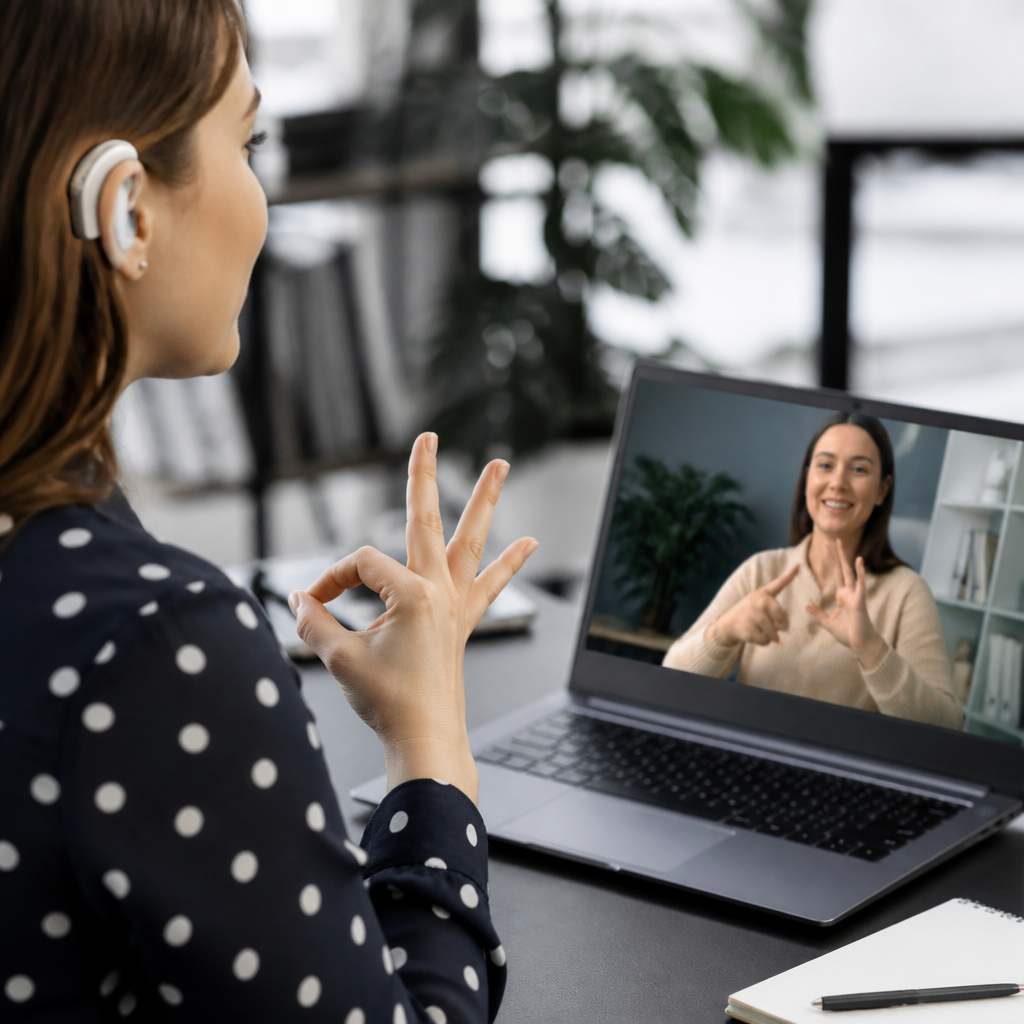
Technology is changing deaf communication at every level, from one-to-one conversations to education, healthcare, work, public services, and community life. In this context, deaf communication means the full range of ways deaf and hard of hearing people exchange information, including signed languages, speechreading, writing, captioning, interpreting, visual alerts, and digital messaging. Communication methods are not interchangeable, because hearing level, language background, age of language access, education, culture, and situation all shape what works best. A signer using American Sign Language may prefer a video relay interpreter for a medical call, while a late-deafened adult may rely more on real-time captions, hearing technology, and text. Understanding these differences matters because effective communication is tied to safety, autonomy, learning, employment, and equal access under laws such as the Americans with Disabilities Act and similar accessibility rules in many countries.
I have worked with deaf users, interpreters, captioning vendors, and accessibility teams long enough to see a pattern: technology helps most when it supports the person’s primary language and communication method instead of forcing a single solution. That distinction is essential. A smartphone with speech-to-text can be useful in a noisy coffee shop, but it does not replace a qualified interpreter during a legal consultation. A video platform can connect a deaf signer with family across continents, yet poor lighting and low frame rate can make signing harder to read. The central question is not whether technology helps; it is which tools help, for whom, in which settings, and with what limitations. This article serves as a communication methods hub by mapping the main technologies, where they fit, and what readers should understand before choosing or recommending them.
Core communication methods now supported by digital tools
Modern deaf communication technology supports several core methods rather than one universal pathway. Signed communication is increasingly enabled by high-quality front-facing cameras, faster mobile networks, and dedicated video apps. For fluent signers, video preserves grammar, facial expression, mouth patterns, and spatial information that text cannot capture. Messaging remains critical because it is fast, searchable, and widely available, especially for scheduling, customer service, and short updates. Captioning supports access to spoken content in classrooms, meetings, events, and streaming media. Speechreading can be improved by clearer video and controlled lighting, though masks and low-resolution calls still interfere. Hearing technologies such as hearing aids, cochlear implants, remote microphones, and Bluetooth streamers support some deaf and hard of hearing users, particularly in mixed communication environments. Visual and tactile alerts complete the system by replacing audio signals with light, vibration, or on-screen notifications.
These methods often overlap. A college student may use sign language with friends, captions in lectures, text for administration, and Bluetooth streaming for one-on-one tutoring. In practice, communication planning works best when organizations think in layers: language access, content access, device compatibility, and environmental conditions. That layered approach is more reliable than buying a single app and assuming the problem is solved.
Video communication, relay services, and the rise of sign-first access
Video calling transformed deaf communication more than almost any consumer technology because it restored direct visual language at scale. Before widespread broadband, many deaf people depended heavily on TTY or text telephones, which were revolutionary in their time but slow and limited. Video chat and videophones changed that by enabling natural signed conversations. For sign language users, this was not just a convenience upgrade. It meant moving from typed English mediation to direct use of a native or preferred visual language.
Video Relay Service, often called VRS, is one of the clearest examples. A deaf signer calls an interpreter through a videophone or app, signs to that interpreter, and the interpreter voices to the hearing party, then signs back the response. In the United States, VRS became a major access channel after Federal Communications Commission support and telecommunications relay funding expanded its availability. Similar relay models exist elsewhere, though funding and quality vary by country. Video Remote Interpreting, or VRI, is related but different: the interpreter joins remotely for an interaction happening in the same room, such as a hospital intake desk or business meeting. VRI can work well when in-person interpreters are unavailable, but only if the connection is stable, the screen is large enough, and camera positioning allows full visibility.
Real-world use shows both the benefit and the boundary. A deaf patient checking into an emergency department may get faster language access through VRI than waiting hours for an in-person interpreter. Yet if the patient is in pain, lying down, unable to see the screen, or discussing complex treatment options, on-site interpreting may be more appropriate. Technology improves access when organizations match the tool to the interaction rather than defaulting to the cheapest option.
Captioning and speech-to-text are expanding access to spoken information
Captioning is now central to communication methods because spoken information dominates work, education, and media. There are several distinct forms. Closed captions on video include dialogue and relevant sounds. Live captions on meeting platforms convert speech during calls and webinars. CART, or Communication Access Realtime Translation, uses trained captioners who produce highly accurate text in real time, often with speaker identification and punctuation. Automatic speech recognition, or ASR, powers many consumer caption tools and has improved quickly, but performance still depends on accent, speed, overlapping speech, technical vocabulary, and room acoustics.
In my accessibility work, I have seen organizations overestimate auto-caption quality, especially in high-stakes settings. For casual internal check-ins, ASR may be adequate. For disciplinary hearings, medical consultations, university lectures, or compliance training, CART or reviewed captions are usually the safer standard. Accuracy is not a cosmetic detail. Missing a medication dosage, due date, or policy change has real consequences.
| Method | Best use case | Main strength | Key limitation |
|---|---|---|---|
| Automatic live captions | Everyday meetings and informal conversations | Fast, low cost, built into many platforms | Errors with jargon, accents, and cross-talk |
| CART | Classes, legal settings, conferences, healthcare | High accuracy and readability | Higher cost and advance booking needed |
| Closed captions | Recorded video, training, media libraries | Reusable and searchable access | Quality depends on editing and timing |
| Transcripts | Reference, study, documentation | Easy to review and archive | Do not replace live interaction support |
Major platforms such as Zoom, Microsoft Teams, Google Meet, YouTube, and many streaming services now offer built-in caption features, which has normalized access in mainstream environments. That normalization matters. When captions become a default option used by everyone, deaf users face fewer barriers and less stigma in asking for them.
Messaging, social media, and asynchronous communication
Text-based communication has become a powerful equalizer because it removes the timing pressure of phone calls and allows people to respond when ready. SMS, WhatsApp, Signal, email, Slack, and Teams support everyday logistics, customer support, peer collaboration, and family communication. For many deaf people, asynchronous communication is not second best; it is often the most efficient method for tasks that do not require rich visual language.
Social media has also broadened community communication. Short-form video platforms support signed content, visual storytelling, deaf education, and advocacy. Creators use captions, sign overlays, and multilingual subtitles to reach both deaf and hearing audiences. This has changed public understanding of deaf communication by making signed languages more visible and by giving deaf creators direct publishing power. It has also created practical learning pathways. Parents of newly identified deaf children can now find deaf adult perspectives, sign language examples, and technology reviews within minutes, something that was far harder twenty years ago.
There are tradeoffs. Text can flatten tone, and not all deaf people have equal written language confidence, especially when they were denied early language access. Social platforms also vary in caption quality and interface accessibility. Still, the shift toward message-based and video-based communication has reduced dependence on voice calls and expanded choice.
Hearing devices, assistive listening, and connected ecosystems
Not all deaf communication is sign-centered, and technology for residual hearing remains important. Modern hearing aids and cochlear implants often connect directly to phones, tablets, televisions, and laptops through Bluetooth or proprietary low-energy protocols. Remote microphones help in classrooms and meetings by sending a speaker’s voice directly to the listener’s device, improving the signal-to-noise ratio. Telecoils and hearing loop systems still matter in public venues such as theaters, ticket counters, places of worship, and lecture halls. When a venue has a properly installed loop under IEC 60118-4 standards, users can receive clearer sound without borrowing separate equipment.
These tools can transform communication, but only for the people and contexts they actually fit. A cochlear implant user may perform well in a quiet office and still struggle in a reverberant restaurant. A hearing aid can amplify speech and noise together. Device settings, auditory training, microphone placement, and room acoustics all affect outcomes. The practical lesson is straightforward: assistive listening is part of the communication toolkit, not a guarantee of understanding. Good access planning still includes captions, visual supports, and alternative contact methods.
Education, work, healthcare, and public access
The biggest impact of technology appears when communication methods are embedded in institutions. In education, deaf students now use captioned lecture capture, remote interpreting, note-sharing systems, digital whiteboards, and learning management platforms that support transcripts and visual materials. In workplaces, accessible meetings depend on caption-enabled platforms, interpreter booking workflows, chat channels for questions, and recorded summaries. In healthcare, patient portals, text reminders, remote interpreting, and captioned telehealth can reduce missed information and increase patient autonomy. Public agencies increasingly use accessible kiosks, text-based help channels, and visual alert systems.
Strong implementation requires policy, not just devices. Hospitals need procedures for requesting interpreters quickly. Universities need procurement rules that require captions and keyboard-accessible media players. Employers need managers trained to ask, before a meeting, whether the participant needs an interpreter, live captions, a microphone protocol, or follow-up notes. The organizations that do this well treat communication access like cybersecurity or safety: a routine operational standard, not a favor.
Limits, risks, and what good communication planning looks like
Technology does not erase every barrier. Automatic sign language recognition remains limited and should not be marketed as a replacement for human interpretation. Sign languages are full natural languages with complex grammar, regional variation, nonmanual markers, and spatial structure that current systems still handle poorly in unrestricted real-world use. Captioning can fail when speakers interrupt each other or use specialized terminology. Video communication breaks down with poor lighting, small screens, or unstable bandwidth. Privacy is another concern, especially when sensitive conversations pass through third-party platforms, cloud transcription, or personal devices.
Good planning starts with a direct question: what is your preferred communication method for this situation? Then it adds contingencies. For a conference, that may mean qualified interpreters, visible seating lines, live captions, captioned recordings, accessible slides, and a text help line. For customer service, it may mean web chat, SMS, email, relay-friendly phone workflows, and staff training not to hang up on relay calls. The best results come from offering options, testing them in advance, and listening when deaf users report friction points.
Technology is changing deaf communication by expanding methods, increasing independence, and making visual and text access normal in mainstream life. The most important lesson is that communication methods are plural. Video empowers signers, captions open spoken environments, messaging simplifies routine contact, and connected hearing technology supports many hard of hearing users. None of these tools works equally well in every setting, so effective access depends on matching the method to the person and the task. When schools, employers, healthcare providers, and public agencies understand that principle, communication stops being a barrier and becomes a design choice they can improve.
Use this hub as a starting point for evaluating communication methods across your organization or personal life. Review where conversations fail, identify which technologies align with the user’s language and context, and build a layered access plan that includes human support when needed. That approach delivers the real benefit of technology: clearer communication, greater autonomy, and fuller participation.
Frequently Asked Questions
1. How is technology changing deaf communication in everyday life?
Technology is reshaping deaf communication by making everyday interactions more flexible, visual, and immediate. Instead of relying on a single method, many deaf and hard of hearing people now combine tools such as text messaging, video calls, captions, speech-to-text apps, visual doorbells, vibrating alerts, and live remote interpreting. This matters because deaf communication is not one-size-fits-all. Some people primarily use a signed language, some depend more on speechreading and spoken language, some prefer writing, and many switch methods depending on the setting, the people involved, and how accessible the environment is.
In practical terms, technology has reduced many of the barriers that once made routine communication slow or dependent on others. A person can confirm an appointment by text instead of phone, join a family conversation through real-time captions, use a video relay service to contact a business, or receive emergency notifications through flashing or vibrating devices rather than sound alone. Social media and messaging platforms have also expanded informal communication, helping people stay connected with friends, family, and Deaf communities across distance.
Just as importantly, newer tools give users more control. Rather than waiting for an in-person interpreter or depending on someone nearby to repeat information, people can often access communication support on demand through smartphones, tablets, laptops, and smart home devices. That said, technology improves communication best when it supports the person’s preferred language and communication style. The biggest change is not simply that more tools exist, but that deaf and hard of hearing people now have more ways to tailor communication to their own needs in daily life.
2. What are the most important technologies supporting deaf and hard of hearing communication today?
Several technologies are especially important because they address different parts of communication rather than trying to solve everything with one tool. Captioning is one of the most widely used. It includes closed captions on videos, live captions during meetings and classes, and real-time transcription for conversations and events. For people who use spoken language, captions can improve access dramatically by turning audio into readable text. However, captions are not equally effective for everyone, especially if the text is delayed, inaccurate, or too simplified.
Video communication is another major development, particularly for sign language users. Video calls allow direct communication in signed languages, while video relay services connect deaf signers with hearing callers through interpreters. This has transformed access to customer service, healthcare offices, schools, and workplaces that still depend heavily on phone-based communication. Remote interpreting platforms have also made it easier to bring qualified interpreters into appointments and meetings when in-person access is not available.
Assistive listening and alerting technologies also play a central role. These include hearing aids, cochlear implants for some users, Bluetooth audio connections, loop systems, FM and DM systems, amplified devices, and visual or vibrating alerts for alarms, doorbells, timers, and emergency signals. In addition, speech-to-text apps, note-taking apps, digital whiteboards, and messaging platforms help with quick exchanges in public spaces, classrooms, and workplaces. Smartwatches and smartphones now act as communication hubs, combining notification systems, messaging, transcription, navigation, and accessibility settings in one place.
What makes these technologies important is not just their popularity, but their range. Deaf communication includes signed languages, writing, speechreading, digital text, visual alerts, and mediated support such as interpreting and captioning. The most useful technologies are the ones that respect that range and allow people to choose the communication mode that works best for the situation.
3. Can technology replace sign language interpreters, captioners, or other human communication support?
In most cases, no. Technology can greatly improve access, but it does not fully replace skilled human support. Automatic captions, speech recognition tools, and translation apps are useful for convenience and quick access, yet they still struggle with accuracy, overlapping speech, accents, specialized vocabulary, poor audio, and the speed and nuance of real conversation. In high-stakes settings such as medical appointments, legal discussions, mental health care, education, and job interviews, mistakes can have serious consequences.
Sign language interpreters do much more than convert words from one language to another. They work across different language structures, cultural norms, tone, intent, turn-taking, and context. A qualified interpreter helps ensure that the full meaning of a conversation is conveyed, not just a rough summary. The same is true for professional captioners, especially CART providers, who can deliver highly accurate real-time text in settings where automated captions may fail. Human support remains especially important when the content is complex, sensitive, fast-moving, or emotionally loaded.
That said, technology can complement human professionals very effectively. Remote interpreting platforms can connect users to interpreters more quickly. Automated captions can provide a backup layer of access. Shared screens, chat windows, digital notes, and recordings can help reinforce understanding. The strongest accessibility strategies usually combine technology with trained people rather than treating them as competitors.
The better question is often not whether technology can replace human support, but when each tool is appropriate. For casual communication, quick errands, or basic information, technology may be enough. For full participation, accuracy, and equal access in important settings, human expertise is still essential.
4. How is technology affecting deaf communication in education, healthcare, and the workplace?
Technology is having a major impact in these settings because they depend on fast, accurate communication and often involve systems that were originally designed around hearing people. In education, students may now use live captions, recorded lectures with subtitles, video-based signed content, remote interpreting, classroom microphones linked to assistive listening systems, and collaborative chat tools. These technologies can improve access to instruction, class discussion, and peer interaction. However, access is only effective when teachers and institutions use the tools consistently and understand that different students have different language needs.
In healthcare, technology can reduce some of the communication barriers that have long affected patient safety and informed consent. Online appointment systems, patient portals, secure messaging, remote interpreting, captioned telehealth, and text-based reminders all make communication more direct. Visual alert systems and digital check-in tools can also make clinics more accessible. Still, healthcare communication is highly nuanced, and poor captions or unqualified interpretation can lead to misunderstanding. Technology helps most when it is paired with accessible policies and a willingness to provide the communication support a patient actually requests.
In the workplace, technology has opened more opportunities for participation and independence. Employees may use captioned meetings, video conferencing with interpreter integration, team chat platforms, email, project management tools, visual notifications, transcription software, and assistive listening systems. These tools can reduce reliance on ad hoc accommodations and make communication smoother across teams. They also support hybrid and remote work, which can be beneficial for some deaf and hard of hearing professionals because digital communication often provides clearer, more controllable access than crowded in-person environments.
Across all three areas, the main benefit is that technology can shift access from being occasional and reactive to being built into daily systems. But the results depend on design and implementation. A caption feature that is never turned on, a telehealth platform without interpreter support, or a workplace app that sends only audio alerts does not create real access. Technology changes outcomes when it is chosen thoughtfully and aligned with how deaf and hard of hearing people actually communicate.
5. What limits or challenges still exist when using technology for deaf communication?
Despite major progress, technology does not remove every barrier. One of the biggest challenges is the assumption that one tool works for everyone. Deaf and hard of hearing people are a highly diverse group. Hearing level, age of language acquisition, familiarity with signed or spoken language, literacy, disability status, cultural identity, and comfort with technology all affect what kind of access is effective. A person who uses a signed language may need direct visual communication or interpreting, while another may prefer detailed real-time captions. A tool that works well for one person may be ineffective for another.
Accuracy and quality are also ongoing concerns. Automated captions can miss key words, misidentify speakers, or fail in noisy environments. Video quality can affect signed communication if the image freezes, darkens, or crops hand and facial movements. Speech-to-text systems may perform poorly with technical vocabulary or multilingual conversations. Alerting technologies can be inconsistent across devices, and not all apps or platforms are designed with deaf users in mind. Accessibility features may exist in theory but work poorly in practice.
Cost, training, and availability create additional barriers. Some technologies require expensive devices, stable internet, subscriptions, or institutional support. Not everyone has equal digital access, especially in rural areas, low-income communities, or underfunded schools and public services. Even when tools are available, hearing professionals may not know how to use them properly. A workplace may enable captions but never assign someone to monitor accuracy. A clinic may offer video interpreting but use poor camera placement. Good technology still depends on good implementation.
There are also deeper issues that technology alone cannot solve. Communication access is shaped by policy, attitudes, and whether institutions respect deaf people’s choices. If organizations treat automated tools as a cheap substitute for full accessibility, technology can actually reinforce inequality instead of reducing it. The most effective approach is to see technology as part of a broader access strategy: useful, powerful, and often transformative, but not a replacement for inclusive design, legal compliance, professional support, and direct