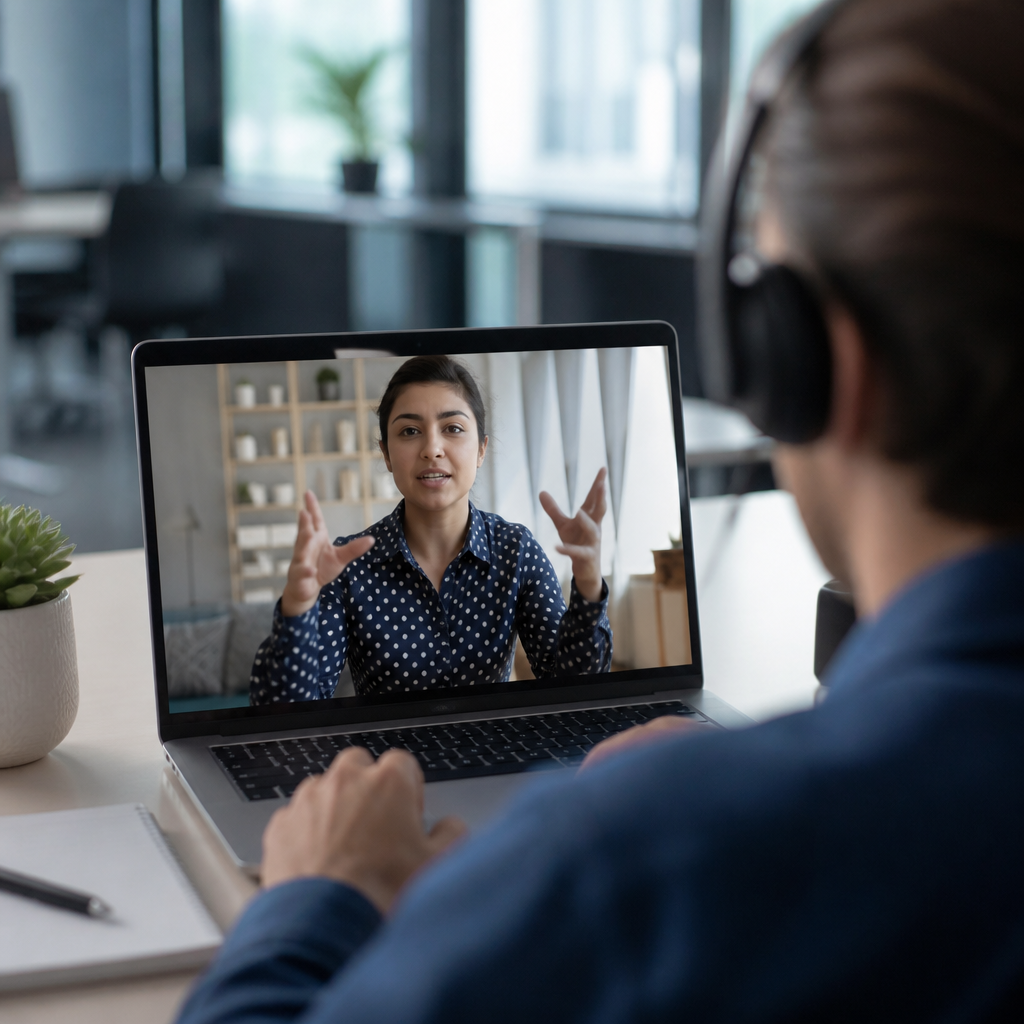
Real-time captioning turns spoken language into on-screen text within seconds, giving people a fast, readable way to follow live communication in classrooms, courtrooms, workplaces, medical visits, worship services, broadcasts, and public events. In practice, it is one of the most important communication methods within the broader sign language and communication landscape because it supports deaf and hard of hearing people, late-deafened adults, people with auditory processing differences, multilingual audiences, and anyone in a noisy or sound-sensitive environment. I have implemented captioning workflows for meetings, webinars, and conferences, and the difference between a merely available event and a genuinely accessible one is usually the quality, speed, and planning behind the captions. When organizers understand how real-time captioning works, they make better decisions about technology, staffing, budget, and backup plans.
The term real-time captioning usually refers to live text generated during an event rather than prepared in advance. It includes several related methods. CART, or Communication Access Realtime Translation, relies on a trained captioner using a stenotype machine and specialized software to produce highly accurate text with speaker labels and punctuation. Automatic speech recognition, often called ASR, uses machine learning to convert speech to text through platforms such as Zoom, Microsoft Teams, Google Meet, or dedicated services. Broadcast captioning adds formatting and encoding requirements for television and streaming. Live transcription can also feed note-taking systems, event displays, and searchable archives. Although people sometimes use captioning and transcription interchangeably, captioning is designed for immediate access during communication, while transcription often emphasizes the final record afterward.
This topic matters because access is not optional. In many settings, live captions are tied to legal duties under disability rights law, education policy, employment accommodation processes, and public service obligations. Beyond compliance, captions improve comprehension, reduce cognitive load, and preserve key details that are easy to miss in fast speech. They also connect directly to other communication methods in this hub area, including sign language interpreting, cued speech support, assistive listening systems, speech-to-text apps, remote interpreting, plain language practices, and multimodal meeting design. Real-time captioning is not a replacement for every method. For many native signers, an interpreter remains essential. For others, captions are the primary access tool. The most effective communication plans start by matching the method to the person, the setting, and the stakes of the conversation.
How real-time captioning works
At a technical level, real-time captioning follows a straightforward pipeline: capture clean audio, convert it into text, display the text with minimal delay, and preserve the output if a record is needed. The quality of each step affects the next. A poor microphone, side conversations, heavy accents unfamiliar to the engine or captioner, or unstable internet will lower accuracy before the text even appears. In professionally managed events, the audio feed is taken directly from the sound board or through a dedicated microphone channel so the captioner or ASR engine receives speech that is louder and cleaner than room audio.
Human-delivered CART remains the benchmark for high-stakes accuracy. A captioner listens live and types phonetic shorthand on a stenotype machine, often at speeds exceeding 225 words per minute. Software translates those chorded keystrokes through a customized dictionary into English text almost instantly. Experienced captioners add punctuation, identify speakers, distinguish laughter or applause when relevant, and correct names or terminology on the fly. Before technical conferences or medical meetings, I usually send glossaries, agendas, and speaker lists because proper nouns are where avoidable errors often happen. That preparation routinely improves output.
ASR systems work differently. They use acoustic models, language models, and increasingly large neural networks trained on enormous speech datasets. Modern systems can perform well in controlled conditions, especially for one speaker using a headset microphone in a quiet room. They struggle more with cross-talk, rapid turn-taking, domain-specific jargon, and mixed-language speech. Some services combine ASR with human correction, which narrows the gap between convenience and quality. Latency typically ranges from one to several seconds, depending on the platform, network conditions, and whether a human editor is involved.
Display matters as much as conversion. Captions may appear on a meeting screen, a personal device, a web browser, a projector at the front of a ballroom, or an integrated stream player. Good display design uses readable fonts, sufficient contrast, sensible line breaks, and placement that does not hide slides or faces. If the audience needs a transcript afterward, the system should export time-stamped text in a usable format. In other words, real-time captioning is not a single tool. It is a coordinated service made of audio engineering, language access, interface design, and event operations.
Where captioning fits among communication methods
Within communication methods, real-time captioning sits alongside sign language interpretation, tactile interpretation, oral transliteration, speech-to-speech relay, cued speech, assistive listening technology, visual note-taking, and written communication supports. Each method solves a different access problem. Captioning provides a text channel for spoken content. Interpreting provides language-to-language access, including American Sign Language to English and English to ASL. Assistive listening amplifies sound but does not convert it. Plain language reduces complexity but does not address audibility. Knowing those differences prevents a common mistake: offering one accommodation and assuming it works for everyone.
In university settings, I often see students choose different methods in the same lecture hall. One student may use CART because they process written English quickly and want a transcript for study review. Another may rely on an ASL interpreter because ASL is their strongest language. A third may use both captions and an FM or hearing loop system to combine visual and amplified audio input. None of those choices is unusual. Communication access is highly individual, and preferences can change by context. A person who uses interpreters for seminars may prefer captions during a large conference keynote with dense terminology and dim lighting.
The hub value of this topic is that captioning connects outward to nearly every communication article under sign language and communication. If a team is discussing hybrid meetings, captions are part of the design. If the topic is emergency communication, live text is essential when audio is unclear or unavailable. If the topic is remote customer support, captions affect call center accessibility and post-call documentation. Even discussions about inclusive content creation link back to captioning because recorded media often begins with a live event workflow. Understanding real-time captioning gives readers a foundation for evaluating the strengths, limits, and ideal use cases of many related methods.
Human captioners, automatic systems, and hybrid models
Choosing between CART, ASR, and hybrid captioning comes down to risk, budget, and expected communication demands. The right question is not which option is best in the abstract. The right question is which option is reliable enough for this audience, this setting, and this consequence level. A medical informed-consent discussion, for example, deserves a different standard from a casual internal team check-in. Accuracy failures carry different costs.
| Method | How it works | Best use cases | Main limitations |
|---|---|---|---|
| CART | Trained stenographer produces live text through captioning software | Classes, legal proceedings, conferences, healthcare, complex meetings | Higher cost, advance scheduling, limited availability in some regions |
| ASR | Software converts speech to text automatically | Routine meetings, webinars, quick deployment, broad baseline access | Lower accuracy with jargon, accents, overlap, poor audio, or noise |
| Hybrid | ASR generates text and a human editor corrects it live | Large events, scalable programs, streaming, multilingual environments | Quality depends on staffing model, platform integration, and latency |
CART is usually the strongest choice when precision matters. Courts, universities, government hearings, and major conferences use it because a trained human can interpret context, repair errors instantly, and manage difficult speech patterns better than software alone. ASR is often the fastest route to broad coverage across many meetings. It has improved dramatically, and for some internal workflows it is transformative. Hybrid services occupy the middle ground and are becoming common in enterprise and event settings that need more scale than pure CART but better accuracy than raw automation.
A practical policy many organizations use is tiered access. Default to platform captions for everyday low-risk meetings, provide CART by request or for preidentified high-impact events, and maintain backup options if the primary service fails. That approach balances inclusion with cost control. It also respects the reality that communication access is not one-size-fits-all.
Accuracy, latency, and what affects performance
People often ask, how accurate are real-time captions. The honest answer is that accuracy depends less on marketing claims and more on conditions. Audio quality is the biggest variable. A headset microphone used by one speaker in a quiet room can produce dramatically better output than a ceiling microphone in a reverberant conference hall. Speaker behavior also matters. Captions improve when participants state their names, avoid interrupting each other, and share specialized terms in advance. In multilingual meetings, switching languages mid-sentence can reduce performance unless the system and provider are prepared for it.
Latency is the delay between speech and displayed text. For accessibility, low latency matters because delayed captions make conversation harder to follow, especially in rapid discussion. Human CART can be extremely fast, but a captioner may intentionally lag by a second or two to preserve sentence structure and accuracy. ASR may be faster in short bursts but less stable when speech becomes messy. In practice, users usually tolerate slight delay better than persistent errors. That is why planning should target both speed and intelligibility, not speed alone.
Measurement should be disciplined. For live events, I look at error patterns rather than a single percentage. Are names wrong? Are negatives dropped, changing meaning? Are equations, medication names, or legal terms distorted? Are captions missing when audience questions begin? These failures matter more than a headline accuracy estimate. Organizers should run tests with real speakers, actual microphones, and representative jargon before the event. A five-minute rehearsal often reveals issues that no product demo will show.
Best practices for accessible meetings, classes, and events
The strongest captioning outcomes come from process, not luck. Start by asking attendees what communication method they use and when they need it. Book services early for large events. Share agendas, presentation slides, glossaries, and name pronunciations with captioners beforehand. Use quality microphones for every speaker, including audience Q and A. Assign a moderator to repeat audience questions into the mic if needed. Build pauses into panel discussions so captions can keep pace and viewers can read comfortably.
For virtual meetings, enable platform captions even when a CART provider is present, because redundancy helps if one feed drops. Pin or spotlight interpreters and place captions where they do not cover critical visual content. For in-person rooms, test sightlines from wheelchair seating, front rows, and the back of the venue. If captions are displayed on a shared screen, also provide a personal-device option for people who need larger text or a different viewing angle. Save transcripts securely and clarify whether they are an accommodation, official notes, or both.
Training staff is just as important as buying software. Speakers need to learn microphone discipline, pace, and turn-taking. Event teams need a backup plan for internet loss, power problems, or no-show vendors. Accessibility coordinators should know when captions alone are insufficient and when to add interpreting or assistive listening. Good communication access is operational excellence applied to human understanding.
Why real-time captioning matters socially, legally, and economically
Real-time captioning matters because communication is participation. In education, captions support equal access to instruction, discussion, and recorded review. In employment, they reduce exclusion during interviews, onboarding, performance meetings, and training. In healthcare, they help patients catch dosage details, risks, and follow-up steps. In civic life, they open council meetings, court proceedings, emergency briefings, and public hearings to more people. The benefit extends beyond deaf and hard of hearing communities. Captions help second-language learners, people in noisy settings, and viewers who retain information better when they can both hear and read it.
There is also a clear business case. Accessible meetings waste less time because fewer points need repeating, transcripts improve search and documentation, and inclusive events reach broader audiences. Major streaming platforms, universities, and enterprise software vendors have normalized caption expectations because users now see live text as a core feature, not a niche add-on. Organizations that treat real-time captioning as standard communication infrastructure are better prepared for hybrid work, global collaboration, and compliance scrutiny.
Real-time captioning works best when people treat it as a communication method, not just a software checkbox. Clean audio, the right service model, thoughtful display, and user-centered planning determine whether captions are merely present or truly useful. As this hub for communication methods shows, captions connect with interpreting, assistive listening, plain language, and remote access strategies rather than competing with them. The key takeaway is simple: match the method to the person and the moment, then support it with strong operations. If you manage meetings, classes, services, or events, review your current workflow and upgrade one captioning practice this week. Small changes create immediate access.
Frequently Asked Questions
What is real-time captioning, and how does it work during live communication?
Real-time captioning is the process of converting spoken words into on-screen text almost immediately, usually within a few seconds of speech. It is used during live situations such as classes, meetings, court proceedings, medical appointments, worship services, conferences, broadcasts, and public events so participants can read what is being said as it happens. The goal is not just to create a transcript later, but to provide access in the moment, when understanding and responding matter most.
There are a few common ways real-time captioning is produced. In some settings, a trained human captioner listens to the speaker and uses specialized technology, such as stenography or voice-writing software, to generate highly accurate captions quickly. In other settings, automatic speech recognition software is used to turn speech into text through AI-based language processing. Many services also combine automation with human oversight to improve speed and accuracy. The captions can appear on a laptop, tablet, phone, event screen, video platform, or dedicated caption display, depending on the environment and the needs of the user.
What makes real-time captioning especially valuable is its immediacy. Instead of asking people to wait for notes, recordings, or transcripts after the fact, it provides a fast, readable stream of information during the actual conversation. That means people can follow discussion, ask questions, take part in decisions, and respond with confidence while the event is still unfolding.
Who benefits from real-time captioning?
Real-time captioning benefits a much wider group of people than many organizations first realize. It is especially important for deaf and hard of hearing people who may not have full access to spoken communication through listening alone. For many users, captions are a primary access tool that makes it possible to participate in live conversations, presentations, and group discussions without missing critical information.
It also helps late-deafened adults, people with auditory processing differences, and individuals who find spoken information easier to understand when they can both hear and read it at the same time. In classrooms and workplaces, captions can support people with attention-related challenges, memory concerns, language-processing needs, or fatigue. They are also valuable for multilingual participants, including people who speak English as an additional language and benefit from seeing unfamiliar vocabulary, names, and technical terms in writing.
Beyond disability access, real-time captioning improves communication quality for everyone in many real-world environments. It helps in noisy rooms, poor audio conditions, large venues, virtual meetings with inconsistent sound, and situations where speakers talk quickly or use specialized language. In short, real-time captioning is both an accessibility service and a practical communication tool that helps more people understand, engage, and stay included.
How accurate is real-time captioning, and what affects its quality?
The accuracy of real-time captioning depends on the method being used, the skill of the provider, and the conditions of the event. Human-generated captioning, especially by experienced real-time stenographers or voice writers, is generally considered the gold standard for high-stakes settings because it can deliver strong accuracy while also handling speaker changes, technical language, punctuation, and context more effectively. Automatic captioning has improved significantly, but it is still more likely to make mistakes with accents, overlapping speech, background noise, proper names, industry terminology, and fast-paced conversation.
Several factors influence caption quality. Clear audio is one of the most important. If speakers are far from microphones, talk over one another, mumble, or move around a room without amplification, the captions will usually be less reliable. Preparation also matters. When captioners receive agendas, speaker names, glossaries, slide decks, or specialized vocabulary in advance, they can often produce better results. Internet stability, platform compatibility, and the pace of the discussion also affect performance, particularly in virtual and hybrid events.
For important situations such as legal proceedings, medical conversations, education, or workplace accommodations, accuracy should be treated as a serious access issue, not a minor technical preference. Organizations should choose captioning solutions based on the level of risk, complexity, and communication needs involved. When understanding every word matters, professional real-time captioning is often the most dependable choice.
Why does real-time captioning matter so much in schools, workplaces, healthcare, and public life?
Real-time captioning matters because access to communication is foundational to participation, safety, learning, and decision-making. In schools, it helps students follow lectures, discussions, videos, and group work in real time, which can directly affect comprehension, retention, and academic performance. In workplaces, it supports meaningful participation in meetings, training sessions, interviews, presentations, and day-to-day collaboration. Without timely access to spoken information, people can be excluded from opportunities, key updates, and professional advancement.
In healthcare, the stakes can be even higher. Patients need to understand symptoms, diagnoses, treatment options, instructions, and consent information clearly. In legal and courtroom settings, accurate live access can affect testimony, rights, documentation, and due process. In worship services, civic meetings, conferences, and public events, captioning helps ensure that people are not left out of community life simply because information is delivered primarily through speech.
At a broader level, real-time captioning matters because it promotes equity and independence. It allows people to access spoken communication directly rather than relying entirely on others to summarize or repeat what was said. It also reflects a more inclusive view of communication, one that recognizes that people process information differently and that live access should be built into public and professional spaces whenever possible.
What should organizations consider when choosing a real-time captioning solution?
Organizations should start by looking at the communication setting, the needs of the participants, and the consequences of errors. Not every event requires the same level of captioning support. A casual internal check-in may be suitable for a basic automated solution, while a university lecture, medical consultation, public hearing, or legal proceeding may require a professional human captioner for greater accuracy and reliability. The right choice depends on whether the captions are being used for convenience, accommodation, compliance, or critical understanding.
It is also important to think about logistics. Organizations should consider how captions will be displayed, whether the setting is in-person, remote, or hybrid, what audio equipment is available, and whether speakers will use microphones properly. They should ask whether the provider can handle multiple speakers, technical vocabulary, speaker identification, and integration with common platforms such as Zoom, Teams, streaming tools, or presentation screens. Advance preparation, including sharing agendas and terminology, can make a significant difference in the final result.
Finally, organizations should view real-time captioning as part of a broader accessibility strategy rather than a last-minute add-on. That means planning ahead, budgeting appropriately, consulting the people who will use the service, and evaluating quality after the event. When done well, real-time captioning improves access, trust, and participation for a wide range of people. It is not just a technical feature. It is a practical commitment to making live communication more understandable and more inclusive.