
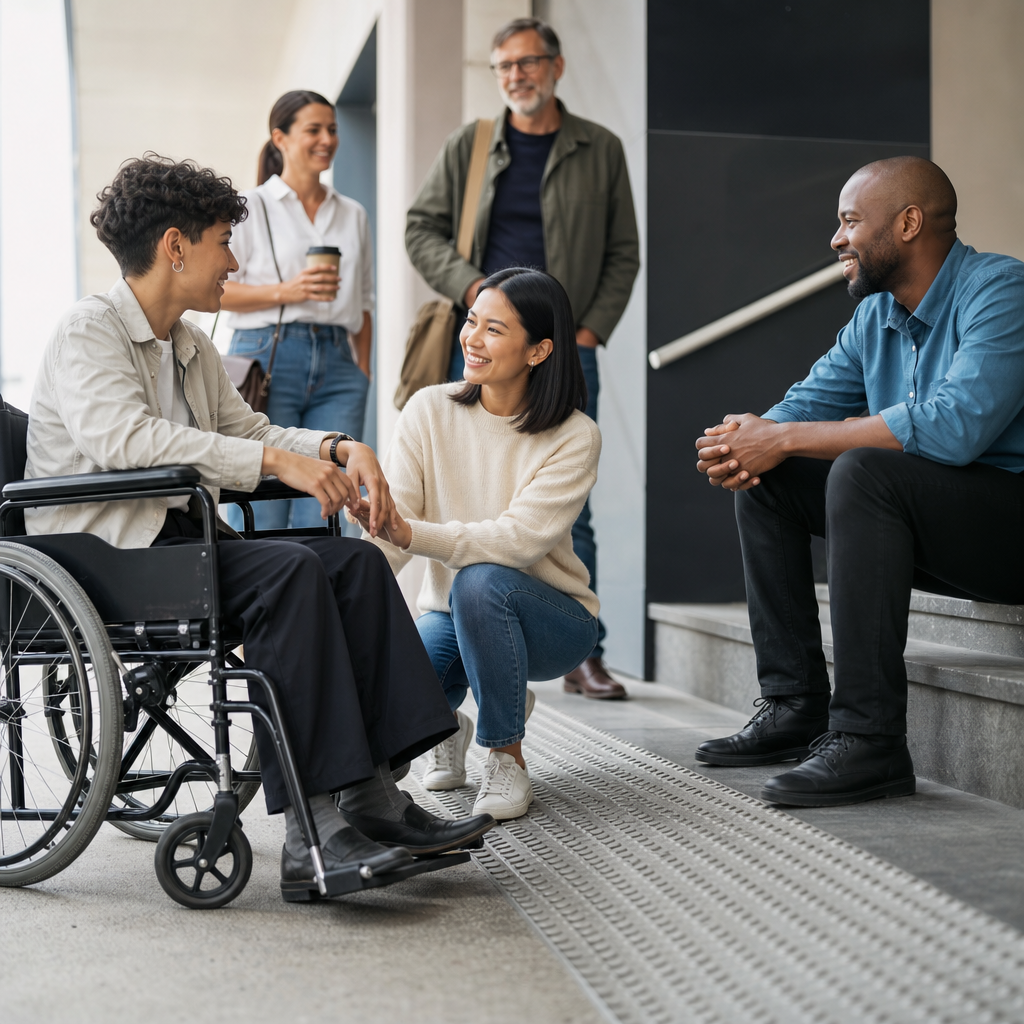
Accessibility is a human right because equal participation in society depends on whether people can enter buildings, use websites, understand information, travel safely, learn effectively, and communicate without unnecessary barriers. In practice, accessibility means designing environments, products, services, and systems so people with disabilities can use them with dignity, independence, and comparable ease. I have worked on accessibility reviews for websites, documents, and public-facing services, and the same lesson appears every time: exclusion is rarely caused by a person’s impairment alone. It is usually caused by design choices that ignore human variation. That distinction matters. Disability is part of the human experience, and accessibility is the method societies use to ensure disability does not become exclusion. For governments, schools, employers, healthcare providers, and businesses, accessibility is not a charitable extra. It is a baseline condition for civil rights, social participation, economic opportunity, and public trust.
When people ask, “What is accessibility?” the shortest accurate answer is this: accessibility is the removal of barriers. Those barriers may be physical, digital, sensory, cognitive, linguistic, or procedural. A step at the entrance blocks a wheelchair user. A video without captions excludes many deaf and hard-of-hearing people. A PDF image without readable text fails screen reader users. A complicated form with unclear instructions can stop people with cognitive disabilities, low literacy, or limited language proficiency. Accessibility addresses each of these barriers through intentional design and operational decisions. It overlaps with usability, inclusive design, universal design, assistive technology, and disability rights law, but it is not identical to any one of them. Usability asks whether something is easy to use. Inclusive design asks who might be excluded. Accessibility focuses on whether people with disabilities can perceive, understand, navigate, interact with, and contribute on equal terms.
This matters at every level of life. More than one billion people globally live with some form of disability, according to the World Health Organization, making accessibility one of the largest civil and economic issues in the world. Disability also changes over time. Some people are born disabled, others acquire disabilities through illness, accident, aging, military service, or chronic conditions. Temporary and situational limitations matter too: a parent using one hand while carrying a child, a commuter in bright sunlight trying to read a screen, or a worker with a concussion may rely on the same accessible features as someone with a permanent disability. That is why accessibility improves life beyond a single group. Captions help people in quiet offices and noisy airports. Ramps help wheelchair users, delivery staff, and travelers with luggage. Plain language helps people with cognitive disabilities and anyone facing stress, fatigue, or unfamiliar terminology. Accessibility benefits are broad, measurable, and practical, but the core principle remains rights, not convenience.
What accessibility includes in everyday life
Accessibility covers the full experience of participating in society. In the physical world, it includes step-free entrances, elevators, tactile warnings, curb cuts, accessible restrooms, appropriate door pressure, seating options, clear wayfinding, and emergency procedures that account for disabled people. Standards such as the ADA Standards for Accessible Design in the United States and comparable building regulations elsewhere define many technical requirements, but compliance alone does not guarantee a workable experience. I have seen compliant spaces fail because reception desks were too high, directional signage was inconsistent, or staff moved accessible furniture out of place. Real accessibility requires maintenance, training, and feedback loops, not just construction drawings.
Digital accessibility is now equally essential because work, banking, education, healthcare, transportation, and government services increasingly happen online. A digitally accessible website allows users to navigate by keyboard, understand page structure through headings, read sufficient color contrast, resize text, use forms with labels and clear error messages, and access alternatives for images, audio, and video. The most widely recognized benchmark is the Web Content Accessibility Guidelines, commonly called WCAG, published by the World Wide Web Consortium. WCAG is organized around four principles: content must be perceivable, operable, understandable, and robust. That framework is practical because it maps directly to real barriers. If a checkout button cannot be reached without a mouse, it is not operable. If a chart has color-only meaning, it may not be perceivable. If a form error says only “invalid input,” it may not be understandable.
Communication accessibility is another major area. This includes sign language interpretation, live captioning, transcripts, plain-language alternatives, accessible document formatting, readable typography, multilingual support where needed, and communication methods that do not depend on a single sensory channel. In healthcare and legal settings especially, inaccessible communication can lead to dangerous misunderstandings. A patient who cannot access pre-surgery instructions or a tenant who cannot understand a housing notice is not receiving equal treatment. Accessibility therefore includes not just format but timeliness, accuracy, and respect for autonomy.
Why accessibility is a human right, not a special feature
Accessibility is grounded in the principle that human rights apply to all people equally. The Universal Declaration of Human Rights recognizes rights to education, work, freedom of expression, participation in cultural life, and an adequate standard of living. Those rights are hollow if systems are built so millions of people cannot access them. The Convention on the Rights of Persons with Disabilities, adopted by the United Nations, makes this explicit by treating accessibility as a precondition for independent living, inclusion, and equal opportunity. In policy work and audits, this rights-based framing changes the conversation. Instead of asking whether accommodation is generous, the correct question is whether exclusion was avoidable and unlawful.
This distinction is important because “special needs” language often hides structural responsibility. If a transit system has no audible stop announcements, blind passengers are not asking for a bonus feature; they are asking to use public infrastructure on equal terms. If a university learning platform cannot be operated by keyboard, students are not requesting a favor; they are asking for equal access to education. A rights-based approach shifts responsibility to institutions, designers, vendors, and policymakers. It also recognizes that dependence is often manufactured. People become “dependent” when systems force them to rely on others for tasks they could complete independently in an accessible environment.
There is also a strong legal foundation. In the United States, the Americans with Disabilities Act and Section 504 of the Rehabilitation Act prohibit disability discrimination in many public contexts. Section 508 sets accessibility requirements for federal information and communication technology. In the European Union, the European Accessibility Act establishes obligations for many products and services. Similar laws exist in Canada, Australia, the United Kingdom, and other jurisdictions. Legal requirements vary, but the common direction is clear: accessibility is increasingly treated as a condition of equal participation, not optional good practice.
Common barriers and how accessible design removes them
Barriers are often easiest to understand through examples. A wheelchair user reaches a clinic where the only accessible entrance is at the back near a loading bay. The building technically has access, but the experience signals exclusion and may create safety concerns. A deaf job candidate attends a virtual interview without captions or an interpreter and misses key questions. A dyslexic student receives a scanned worksheet that cannot be read aloud by text-to-speech software. An autistic customer encounters flashing promotions, loud audio, and confusing navigation in a self-service kiosk. A person with low vision tries to book travel on a site with faint gray text and unlabeled buttons. Each barrier is different, but the pattern is consistent: design decisions made without disabled users create friction, dependence, delay, and humiliation.
Accessible design removes those barriers by planning for variation from the start. In physical spaces, that can mean level entrances integrated with main routes, wide circulation paths, visual and tactile signage, and quiet rooms for sensory regulation. In digital products, it means semantic headings, descriptive link text, alt text for meaningful images, captions for video, transcripts for audio, focus indicators, logical tab order, and compatibility with screen readers such as JAWS, NVDA, and VoiceOver. In services, it means flexible appointment booking, multiple communication channels, adequate time limits, staff training, and published accessibility information that is accurate enough for people to plan. The most effective teams test with disabled users because no checklist can fully predict lived experience.
| Barrier | Who is affected | Accessible solution |
|---|---|---|
| Stairs-only entrance | Wheelchair users, people using walkers, some parents with strollers | Step-free main entrance with compliant ramp or lift |
| Video without captions | Deaf and hard-of-hearing users, people in noisy settings | Synchronized captions and transcript |
| Low-contrast text | People with low vision, color vision deficiency, aging users | WCAG-conforming color contrast and resizable text |
| Mouse-only navigation | Keyboard-only users, screen reader users, some mobility-impaired users | Full keyboard operability and visible focus states |
| Complex legal language | People with cognitive disabilities, low literacy, non-native speakers | Plain language summaries and clear structure |
Accessibility, inclusion, and universal benefit
Accessibility and inclusion are closely related, but they are not identical. Accessibility focuses on whether barriers prevent equal use. Inclusion asks whether people feel welcomed, represented, and able to participate meaningfully. An office can have an accessible entrance but still create exclusion if meetings never include captions, documents are sent in inaccessible formats, or employees fear stigma when requesting adjustments. In my experience, organizations make the most progress when they treat accessibility as operational discipline and inclusion as culture. One without the other produces weak results.
Accessible design also creates broad public value. Curb cuts, originally installed for wheelchair access, help cyclists, travelers, and workers moving carts. Captions improve comprehension, searchability, and retention. Voice control assists disabled users and people driving or cooking. Plain language reduces support calls and legal confusion. Keyboard shortcuts help power users. Flexible work arrangements developed partly around accommodation often improve productivity for whole teams. These spillover benefits should not replace the rights argument, but they explain why accessibility often delivers strong return on investment. The cost of exclusion includes lost customers, legal exposure, employee attrition, reputational damage, and avoidable service failures.
There are limits and tradeoffs to acknowledge. Not every environment can be made perfect immediately, especially in historic buildings, legacy software, or budget-constrained systems. Some adaptations involve technical complexity, procurement delays, or competing constraints like security and preservation. But those realities do not justify inaction. They require prioritization, transparent planning, interim accommodations, and measurable progress. The worst pattern is not imperfection; it is treating accessibility as a future phase that never arrives.
How organizations can make accessibility real
Accessibility becomes real when it is built into governance, procurement, design, content operations, and customer support. Start with policy: define accessibility expectations, standards, roles, escalation paths, and review cycles. For digital work, align product requirements with WCAG, test with automated tools such as axe, WAVE, or Lighthouse, and pair those tools with manual audits because automation catches only a fraction of issues. For documents, use proper heading styles, list structure, table headers, descriptive links, and tagged PDFs. For video, budget for captions from the beginning. For events, ask attendees about access needs early and publish details about entrances, restrooms, seating, interpretation, lighting, and transportation.
Procurement is often where accessibility succeeds or fails. If an organization buys inaccessible software, kiosks, or learning platforms, remediation becomes slow and expensive. Require vendors to provide accessibility conformance reports, ideally using the VPAT format, then verify claims through testing. Train designers, developers, writers, recruiters, facilities staff, and frontline teams because accessibility spans far beyond a specialist role. Most importantly, involve disabled people in research, testing, hiring, and leadership. Nothing improves accessibility faster than treating disabled users as experts in their own experience.
The practical next step is simple: audit one key journey, fix the highest-impact barriers, and create a roadmap. Review your homepage, job application, checkout flow, intake form, classroom materials, or front entrance. Ask whether a person can complete the task independently, privately, and with reasonable effort. If the answer is no, accessibility work starts there. Accessibility is a human right because rights only exist when people can actually use them. Build for access, measure progress, and keep improving.
Frequently Asked Questions
Why is accessibility considered a human right rather than just a design preference?
Accessibility is considered a human right because it directly affects whether people can participate fully and equally in everyday life. If someone cannot enter a building, navigate a website, read a document, board public transportation, or understand important information, they are being excluded from opportunities that others take for granted. That exclusion affects education, employment, healthcare, civic participation, social connection, and independence. In other words, accessibility is not about convenience or aesthetics. It is about equal access to the conditions of human dignity and social participation.
Viewing accessibility through a human rights lens also changes the responsibility involved. It means barriers are not simply unfortunate oversights; they are conditions that can deny people their rights. A staircase without a ramp or elevator, a video without captions, a form that cannot be used with assistive technology, or a public notice written in language many people cannot understand all create preventable exclusion. Human rights principles emphasize that people with disabilities should not have to ask for basic access as a special favor. Access should be built in from the beginning wherever possible, so that people can engage with the world with dignity, independence, and comparable ease.
What does accessibility actually mean in everyday life?
In everyday life, accessibility means designing spaces, services, products, and communication so people with disabilities can use them effectively and safely without unnecessary obstacles. In the built environment, that can include step-free entrances, elevators, accessible restrooms, clear signage, appropriate lighting, and layouts that work for people using wheelchairs, walkers, canes, or other mobility aids. In transportation, it can mean audible and visual announcements, safe boarding options, and predictable wayfinding. In education and workplaces, it can mean accessible classrooms, captioned meetings, readable handouts, flexible communication methods, and software that works with screen readers and keyboard navigation.
Accessibility also includes digital and informational access, which affects almost every part of modern life. Websites, online forms, mobile apps, PDFs, videos, and public service content need to be structured so people can perceive, understand, navigate, and interact with them. That may involve alternative text for images, sufficient color contrast, captions and transcripts, headings that make content understandable, plain language, and compatibility with assistive technologies. When accessibility is done well, it often benefits everyone, not only disabled users. Clearer communication, better navigation, more flexible design, and fewer unnecessary obstacles improve usability across the board.
How does inaccessible design limit equal participation in society?
Inaccessible design limits equal participation by turning ordinary tasks into barriers that some people cannot overcome independently. A person may be fully qualified for a job but unable to complete the online application because the form is not accessible. A patient may miss critical healthcare information because a document is unreadable to screen reader software or is written in overly complex language. A student may fall behind because class materials are not captioned, formatted accessibly, or provided in multiple usable formats. These are not small inconveniences. They are barriers that can shape a person’s opportunities, safety, financial stability, and ability to belong.
The impact is cumulative. One inaccessible experience might create frustration, but repeated barriers can produce exclusion at every stage of life. When physical, digital, and communication barriers are embedded into public-facing services, people with disabilities are forced to spend extra time, energy, and money just to access things others receive routinely. They may have to depend on others for help, disclose private information unnecessarily, or abandon important tasks altogether. Equal participation depends on systems being designed with real human diversity in mind. When accessibility is absent, society effectively tells some people that their presence was not anticipated. When accessibility is present, participation becomes more realistic, consistent, and fair.
Is accessibility only about legal compliance, or is there a broader ethical responsibility?
Legal compliance matters because laws and standards establish minimum expectations for equal access, but accessibility should never be treated as a box-checking exercise. The broader issue is ethical: organizations, governments, schools, employers, and service providers shape whether people can participate in public life. If they create environments that exclude disabled people, even unintentionally, they reinforce inequality. Compliance can help reduce obvious barriers, but ethical accessibility asks a deeper question: are people actually able to use this service, understand this information, and take part with dignity and independence?
An ethical approach also recognizes that accessibility is an ongoing practice, not a one-time fix. Technologies change, public expectations evolve, and different disability experiences reveal different barriers. That is why accessibility reviews of websites, documents, and public-facing services are so important. They help identify where exclusion is happening in practice, not just where policies claim access exists. Organizations that take accessibility seriously tend to involve disabled people, test real user experiences, improve procurement and content practices, train staff, and build accessibility into planning from the start. The result is not only reduced legal risk, but more trustworthy, inclusive, and effective services.
What are the most important ways organizations can uphold accessibility as a human right?
Organizations can uphold accessibility as a human right by treating it as a core requirement in every public-facing decision, not as an afterthought. That starts with leadership commitment and clear accountability. Accessibility should be built into physical spaces, digital products, communication materials, events, customer service, and procurement processes. For websites and digital tools, that means designing and testing for keyboard access, screen reader compatibility, clear structure, readable content, captions, transcripts, and accessible forms and documents. For in-person services, it means reviewing entrances, service counters, signage, seating, pathways, restroom access, emergency procedures, and communication support.
Just as important, organizations should listen to disabled people and include them meaningfully in planning, testing, and improvement. Real accessibility comes from understanding lived experience, not assuming what users need. Staff training also matters because many barriers are introduced through daily practices such as uploading inaccessible PDFs, using unclear language, posting videos without captions, or arranging events without considering sensory or mobility access. Organizations that regularly audit their systems, respond to feedback, and make continuous improvements are far more likely to create access that is practical and reliable. When accessibility is treated as a human right, the goal is not simply to accommodate a few people on request. The goal is to make equal participation the default.





