
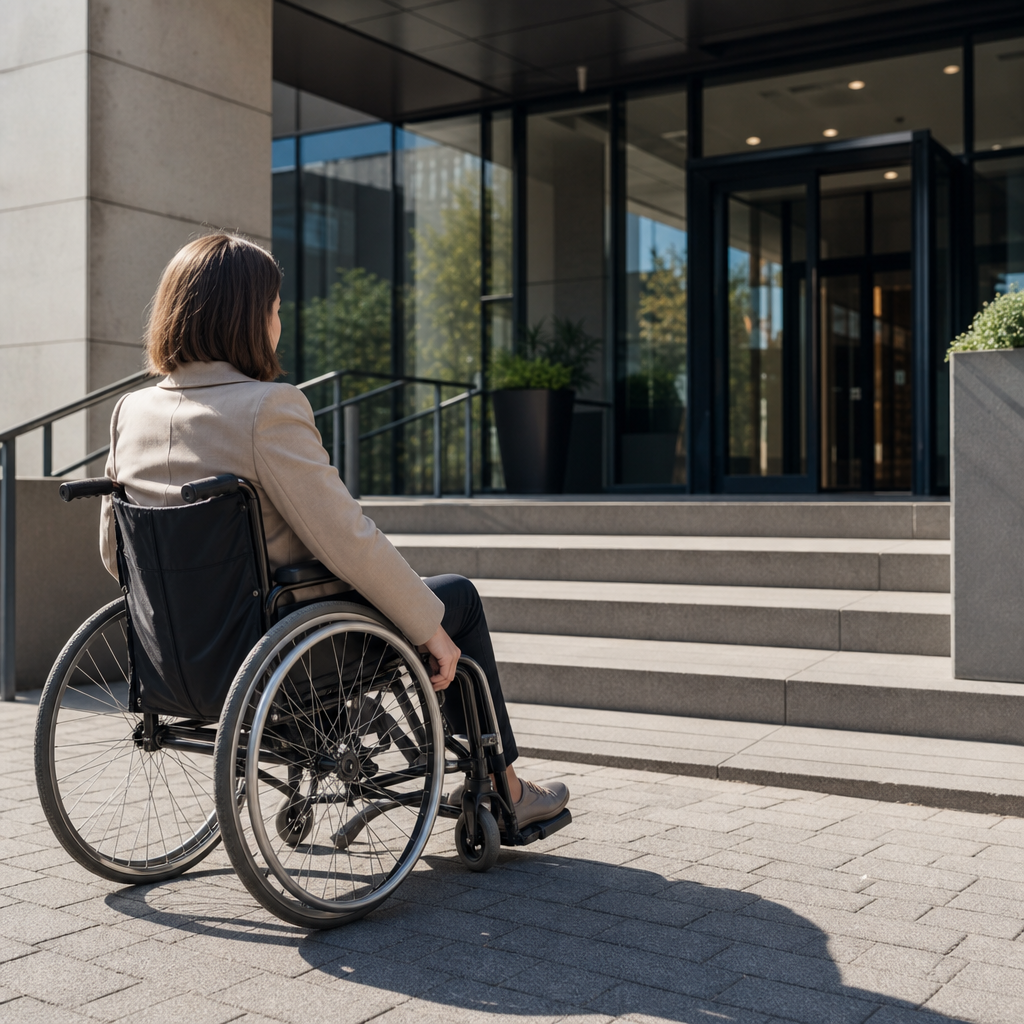
Accessibility is the practice of designing products, services, spaces, and digital experiences so people with disabilities can use them effectively, independently, and with dignity. In day-to-day work, I define accessibility as removing preventable barriers: the unlabeled button that a screen reader cannot announce, the meeting room reached only by stairs, the training video without captions, or the policy document written in language many employees cannot understand. Accessibility matters because disability is common, often situational, and tightly connected to business performance, legal compliance, customer trust, and social inclusion. A truly accessible organization does not treat accommodations as afterthoughts; it builds inclusion into websites, apps, documents, customer service, procurement, hiring, and workplace operations from the start.
What is accessibility in practical terms? It means people can perceive information, operate interfaces, understand content, and complete tasks regardless of vision, hearing, mobility, speech, cognition, language proficiency, neurotype, age, device, or temporary impairment. The most widely used benchmark for digital accessibility is the Web Content Accessibility Guidelines, usually referenced as WCAG, developed through the World Wide Web Consortium. For physical spaces, standards vary by country, but many teams use building codes and disability access regulations as baseline requirements. Accessibility is broader than compliance, though. Compliance asks whether a standard is technically met. Accessibility asks whether a real person can actually succeed. That distinction matters, because a site can pass a checklist and still frustrate users if navigation is confusing, forms are inconsistent, or support channels are inaccessible.
This accessibility hub article explains the most common barriers to accessibility and how to fix them across digital content, physical environments, communication, and organizational processes. It also answers a foundational question many teams ask: what are the main barriers to accessibility? The short answer is poor design choices, missing alternatives, weak testing practices, inaccessible procurement, and limited staff awareness. In my experience auditing websites and internal systems, the same patterns surface repeatedly. Images lack alternative text, PDFs are tagged badly, keyboard focus disappears, color contrast is too low, sign-up flows time out too quickly, and support staff are not trained to help users with different needs. Once teams understand these patterns, they can prioritize fixes that improve access quickly and sustainably.
Accessibility is also a subtopic that connects to inclusion more broadly. Many changes that help disabled users improve usability for everyone: captions support viewers in noisy environments, clear headings help all readers scan content faster, larger click targets reduce errors on mobile, and plain language lowers support costs. That is why accessibility belongs at the center of product strategy, content design, employee experience, and customer experience. The sections below break down the most common barriers, explain why they happen, and show how organizations can fix them with specific methods, tools, and standards.
Digital Accessibility Barriers on Websites, Apps, and Documents
The most common accessibility barriers today are digital, because so many essential tasks now happen online: applying for jobs, banking, booking travel, reading school materials, accessing healthcare, and managing government services. When a website or app is inaccessible, people can be excluded from basic participation. The biggest issues usually involve structure, input, media, and compatibility with assistive technology. For users who rely on screen readers such as JAWS, NVDA, or VoiceOver, missing headings, vague link text, unlabeled form fields, and incorrect button roles make navigation slow or impossible. For keyboard-only users, hidden focus indicators, modal dialogs that trap navigation, and menus that open only on hover create dead ends. For users with low vision or color blindness, weak contrast and information conveyed by color alone block understanding.
Documents create another major barrier. Teams often upload scanned PDFs that contain only images of text, making them unreadable to screen readers and difficult for text resizing. Microsoft Word, Google Docs, and Adobe Acrobat all provide tools for heading structure, reading order, alt text, and export checks, yet those features are frequently ignored. Video and audio content can also fail users when captions are auto-generated but uncorrected, transcripts are missing, or visual information is not described. WCAG organizes digital accessibility around four principles: content must be perceivable, operable, understandable, and robust. Those principles are useful because they map directly to the failures I see during audits. If users cannot perceive content, operate controls, understand what is happening, or use assistive technology reliably, access breaks down.
| Barrier | Who it affects most | Typical example | Effective fix |
|---|---|---|---|
| Missing text alternatives | Screen reader users, low-bandwidth users | Product image with no alt text | Write concise, purpose-based alt text; mark decorative images null |
| Poor keyboard support | Keyboard-only users, motor-impaired users | Dropdown works only with a mouse | Ensure all controls work with Tab, Shift+Tab, Enter, Space, and arrow keys where appropriate |
| Low color contrast | Low-vision users, color-blind users, mobile users outdoors | Light gray text on white background | Meet WCAG contrast ratios and test with contrast analyzers |
| Unlabeled forms | Screen reader users, cognitive disability users | Input field announced only as “edit” | Use visible labels, programmatic associations, and clear error guidance |
| Uncaptioned media | Deaf and hard-of-hearing users, non-native speakers | Training webinar without captions | Add accurate captions, transcripts, and audio descriptions when needed |
The fixes are straightforward when built into process. Use semantic HTML rather than generic div elements for everything. Test every core user journey with a keyboard before release. Check heading hierarchy, page titles, labels, focus order, and error messages. Run automated tools such as axe, WAVE, Lighthouse, or Accessibility Insights, but do not stop there; automated testing catches only part of the problem. Manual testing and user testing with disabled participants reveal issues no scanner can fully assess, especially around clarity, timing, and workflow complexity. If this hub article leads you deeper into the topic, your next steps should include page-level audits, form accessibility, PDF remediation, and captioning standards.
Physical and Environmental Barriers in Buildings and Public Spaces
Accessibility is not limited to websites. Physical and environmental barriers still exclude millions of people from schools, offices, stores, hospitals, transit systems, and event venues. The obvious examples are stairs without ramps or lifts, narrow doorways, heavy doors without automatic openers, inaccessible restrooms, and reception desks that are too high for wheelchair users. Less obvious barriers include poor signage, glare, insufficient seating, loud environments that make speech hard to understand, and emergency procedures that assume everyone can evacuate the same way. In workplace reviews, I often see organizations focus on the front entrance while missing internal barriers such as inaccessible meeting rooms, break areas, printers, and badge readers.
Fixing physical accessibility starts with route mapping. Follow the entire journey a visitor or employee must take: parking or transit drop-off, entrance, security check, elevators, toilets, service counters, seating areas, and emergency exits. A building can technically have an accessible entrance but still fail if the route to the conference room includes a heavy fire door or a lift controlled by staff who are not present. Sensory conditions also matter. Fluorescent lighting, echoing rooms, crowded layouts, and unpredictable announcements can create significant barriers for autistic people, people with hearing loss, and people with migraines or vestibular disorders. Inclusive spaces use clear wayfinding, sufficient turning space, multiple seating options, hearing loops where appropriate, and quiet areas for decompression.
Real improvement usually requires facilities teams, procurement, human resources, and event planners to work together. For example, an accessible office reopening plan should cover entrance access, desk height ranges, booking systems for quiet rooms, evacuation chairs, tactile signage, and visitor communication in advance. Hotels and conference venues should be assessed beyond their marketing claims; I have seen “accessible” venues where the stage had no step-free access and the only accessible restroom was on another floor. The practical lesson is simple: audit spaces with disabled users or trained assessors, document barriers in plain language, assign owners, and budget remediation as part of operations rather than as a special project.
Communication and Content Barriers That Limit Understanding
Many accessibility failures happen before technology or buildings become the issue: the communication itself is hard to understand. Dense jargon, unexplained acronyms, tiny text, long paragraphs, and confusing instructions all create friction. For people with cognitive disabilities, dyslexia, ADHD, brain injury, limited literacy, or limited proficiency in the language used, poor communication can be as exclusionary as a staircase. Plain language is one of the highest-impact accessibility practices because it improves comprehension across audiences. That means short sentences, familiar words, descriptive headings, consistent terms, and action-oriented instructions. “Upload proof of address in an accepted format” is weaker than “Upload a PDF, JPG, or PNG file that shows your current address, such as a utility bill.”
Accessible communication also requires offering information in multiple formats. A printed flyer should have sufficient contrast and readable font sizes. A webinar should include live captions, clear verbal signposting, and accessible slides shared in advance when possible. Customer support should not depend only on phone calls, because some users need chat, email, relay services, or text messaging. In internal communications, policies should be accessible in HTML or properly tagged documents, not trapped in image-based PDFs. When organizations announce benefits, deadlines, or safety procedures in inaccessible formats, they create risk as well as exclusion.
Language and timing are part of this barrier too. Error messages that say “invalid entry” without explaining what to fix are inaccessible. Session timeouts that expire without warning can derail users with attention, memory, or motor impairments. Fast-moving carousels, auto-playing content, and flashing elements can distract or endanger users. The remedy is to write for clarity, provide warnings before timeouts, let users control motion, and design messages around user goals. In accessibility reviews, content design and UX writing often deliver some of the fastest gains because they require process discipline more than expensive redevelopment.
Organizational Barriers: Policy, Procurement, and Culture
Some of the most persistent barriers to accessibility are organizational, not technical. Teams launch inaccessible products because ownership is unclear, accessibility requirements were never included in procurement, deadlines push testing to the end, and leaders assume accessibility is a niche concern. When that culture exists, the same issues recur release after release. I have seen expensive redesigns fail because the design system lacked accessible components, acceptance criteria ignored keyboard behavior, and third-party vendors were selected without reviewing a Voluntary Product Accessibility Template or equivalent conformance documentation. Accessibility then becomes reactive, with support teams handling avoidable complaints one by one.
The fix is governance. Establish a clear accessibility policy, assign executive sponsorship, define standards, and make accessibility part of design, development, QA, content publishing, and vendor management. Product teams should include accessibility acceptance criteria in user stories and definition of done. Procurement teams should require accessibility documentation, testing evidence, and remediation commitments before purchase. Human resources should ensure recruiting platforms, onboarding systems, and workplace tools are accessible, because inaccessible employment systems can undermine inclusion before a person is hired. Training matters as well, but one-off awareness sessions are not enough. Designers need pattern guidance, developers need code examples, content teams need writing standards, and support teams need escalation paths for accommodation requests.
Measurement closes the loop. Track issues by severity, affected journey, and business impact. Maintain an accessibility backlog. Publish roadmaps where appropriate. Re-test after fixes. Organizations that do this well treat accessibility as quality assurance and risk management, not charity. That mindset produces better results because it connects accessibility to procurement discipline, release management, customer retention, and employee effectiveness.
How to Fix Accessibility Barriers Systematically
The most reliable way to fix accessibility barriers is to move from ad hoc remediation to a repeatable accessibility program. Start by identifying high-impact journeys: account creation, checkout, appointment booking, job applications, document downloads, contact forms, and support requests. Audit those journeys against WCAG and with assistive technology. Prioritize issues that block task completion, such as inaccessible authentication, unlabeled fields, broken focus order, and missing captions. Then address foundational systems: design tokens for contrast, component libraries with accessible states, content templates with heading structure, and document workflows that produce tagged output by default.
Include disabled users in research and testing whenever possible. Their feedback reveals practical barriers teams miss, such as unclear error recovery, exhausting tab order, or captions that omit speaker context. Build accessibility into sprint planning, content review, vendor selection, and release checklists. For physical spaces, perform periodic walk-throughs and route tests rather than relying on assumptions. For communications, create standards for plain language, alt text, transcripts, and accessible event planning. The goal is not perfection on day one. The goal is consistent reduction of barriers, documented accountability, and steady improvement where people can see progress.
Accessibility is best understood as a continuous practice of removing barriers that prevent full participation. The common barriers are now well known: inaccessible websites and documents, physical obstacles, unclear communication, and weak organizational processes. The solutions are also well known: use recognized standards, test with real users, choose accessible tools, write clearly, and make ownership explicit. When teams do that, accessibility stops being a last-minute fix and becomes part of how quality is delivered.
For organizations working across accessibility and inclusion, the main benefit is measurable: more people can complete tasks, fewer users need support, legal exposure drops, and trust increases. For individuals, the benefit is even more important: independence, dignity, and equal access. Use this hub article as your starting point, then audit one journey, one document set, or one physical route this week. Small, verified fixes create momentum, and momentum is how accessible systems are built.
Frequently Asked Questions
What are the most common barriers to accessibility in workplaces, services, and digital experiences?
The most common accessibility barriers usually fall into a few broad categories: physical, digital, communication, and organizational. Physical barriers include steps without ramps or lifts, narrow doorways, inaccessible restrooms, poor signage, or furniture layouts that make navigation difficult for people who use wheelchairs, walkers, or other mobility devices. Digital barriers are just as common and often less visible. These include websites that cannot be used with a keyboard, forms without clear labels, low color contrast, missing alt text, PDFs that are not tagged for screen readers, and videos without captions or transcripts. Communication barriers appear when information is shared in only one format, such as spoken announcements with no visual backup, dense documents written in overly technical language, or meetings that do not provide interpreters, captions, or accessible materials in advance.
Another major barrier is policy and process design. An organization may technically offer access, but still create obstacles through rigid procedures. For example, requiring phone calls for customer support can exclude people who are Deaf, hard of hearing, or have speech-related disabilities. Requiring complex forms, short deadlines, or unclear accommodation processes can also create preventable friction. In many cases, the biggest issue is not a lack of intent but a failure to anticipate different needs. The fix starts with recognizing that accessibility is not a special feature for a small group; it is a baseline design responsibility. Reviewing environments, tools, and policies through the lens of real user needs helps uncover barriers early and creates more equitable experiences for everyone.
Why do accessibility barriers often go unnoticed until someone complains?
Accessibility barriers often go unnoticed because many teams design from their own experience and assume others interact with the world in the same way. If decision-makers are not blind, Deaf, neurodivergent, or living with mobility, cognitive, or chronic health disabilities, they may never encounter the obstacles built into their spaces or systems. A button without a label may look perfectly fine to a sighted developer. A staircase-only entrance may seem harmless to someone who has never needed step-free access. A fast-paced training session with no captions or written follow-up may feel efficient to the presenter but inaccessible to participants with hearing, processing, or attention-related disabilities. In short, barriers stay invisible when inclusion is not built into planning, testing, and evaluation.
There is also a common tendency to treat accessibility as reactive instead of proactive. Organizations wait for a complaint, an accommodation request, or even a legal issue before taking action. That approach puts the burden on disabled people to identify problems and ask for fixes after harm has already occurred. A better approach is to assume barriers may exist and actively look for them. This means involving disabled users in testing, conducting accessibility audits, training staff, reviewing policies, and making accessibility part of routine quality assurance. When accessibility becomes a standard checkpoint rather than an afterthought, teams catch issues earlier, reduce risk, and create better experiences from the start.
How can organizations fix digital accessibility barriers without rebuilding everything from scratch?
Many digital accessibility problems can be fixed through targeted improvements rather than a full redesign. A practical first step is to identify the highest-impact issues on the most important user journeys. For example, if people cannot navigate your menu with a keyboard, complete a form with a screen reader, or understand a video without captions, those issues should be prioritized. Common fixes include adding clear form labels, using proper heading structure, improving color contrast, enabling keyboard navigation, writing descriptive link text, providing alt text for meaningful images, and ensuring documents are readable by assistive technology. Videos can often be improved by adding accurate captions and transcripts. PDFs can be remediated by adding tags, reading order, headings, and accessible tables. These changes may sound technical, but they are often manageable when tackled systematically.
It is also important to build accessibility into your workflows so the same problems do not keep coming back. That means using accessible templates, selecting platforms that support accessibility, training content creators, and including accessibility checks in design, development, and publishing processes. Automated tools can help catch some issues, but they are not enough on their own. Manual testing with keyboards, screen readers, zoom settings, and real users with disabilities gives a much clearer picture of whether a digital experience actually works. The goal is steady progress with accountability. You do not need perfection on day one, but you do need a plan, priorities, and a commitment to continuous improvement.
What is the best way to address communication barriers and make information easier for everyone to understand?
The best way to address communication barriers is to offer information in multiple formats and make it as clear as possible from the beginning. Accessibility in communication means recognizing that people receive and process information differently. Some users rely on captions, transcripts, sign language interpretation, or screen readers. Others benefit from plain language, consistent structure, visual supports, or extra time to review materials. A strong communication strategy might include captions for all video content, transcripts for audio, accessible slide decks, readable fonts, high contrast visuals, descriptive headings, and plain-language summaries for complex topics. In live meetings or events, it can also mean providing interpreters, enabling live captions, using microphones consistently, and sharing materials in advance.
Clarity is a major part of accessibility. Many barriers come from documents and policies written in jargon-heavy, overly complex language that excludes not only people with cognitive disabilities but also employees, customers, or community members who are stressed, tired, unfamiliar with the topic, or reading in a second language. Clear writing does not mean oversimplifying important ideas; it means presenting them in a way people can understand and act on. Break information into sections, explain specialized terms, use direct instructions, and highlight key actions or deadlines. When communication is designed for comprehension rather than just completion, it becomes more inclusive, effective, and respectful.
How can teams make accessibility a long-term practice instead of a one-time fix?
To make accessibility a long-term practice, teams need to treat it as part of how work gets done, not as a side project. That starts with leadership support, clear ownership, and practical standards. Accessibility should be included in procurement decisions, design requirements, project timelines, content workflows, event planning, and quality assurance. If a team buys software, creates training, redesigns an office, launches a service, or publishes a policy, accessibility should be considered at the same time as cost, branding, and functionality. This requires assigning responsibility, setting expectations, and making sure staff have the training and tools to do the work correctly. Without systems and accountability, accessibility efforts often depend on individual enthusiasm and fade over time.
Sustainable progress also depends on listening to disabled people and learning from real-world feedback. Accessibility is not just about compliance checklists; it is about usability, dignity, and equitable participation. Organizations should regularly audit their spaces and systems, invite feedback, test with disabled users, and track improvements over time. It also helps to create simple procedures for requesting accommodations or reporting barriers, then respond quickly and respectfully when issues are raised. The strongest accessibility cultures are built on humility and iteration. Teams do not assume they have solved everything. Instead, they commit to finding barriers, fixing them, and designing more inclusive experiences every time they improve a product, service, space, or policy.





