
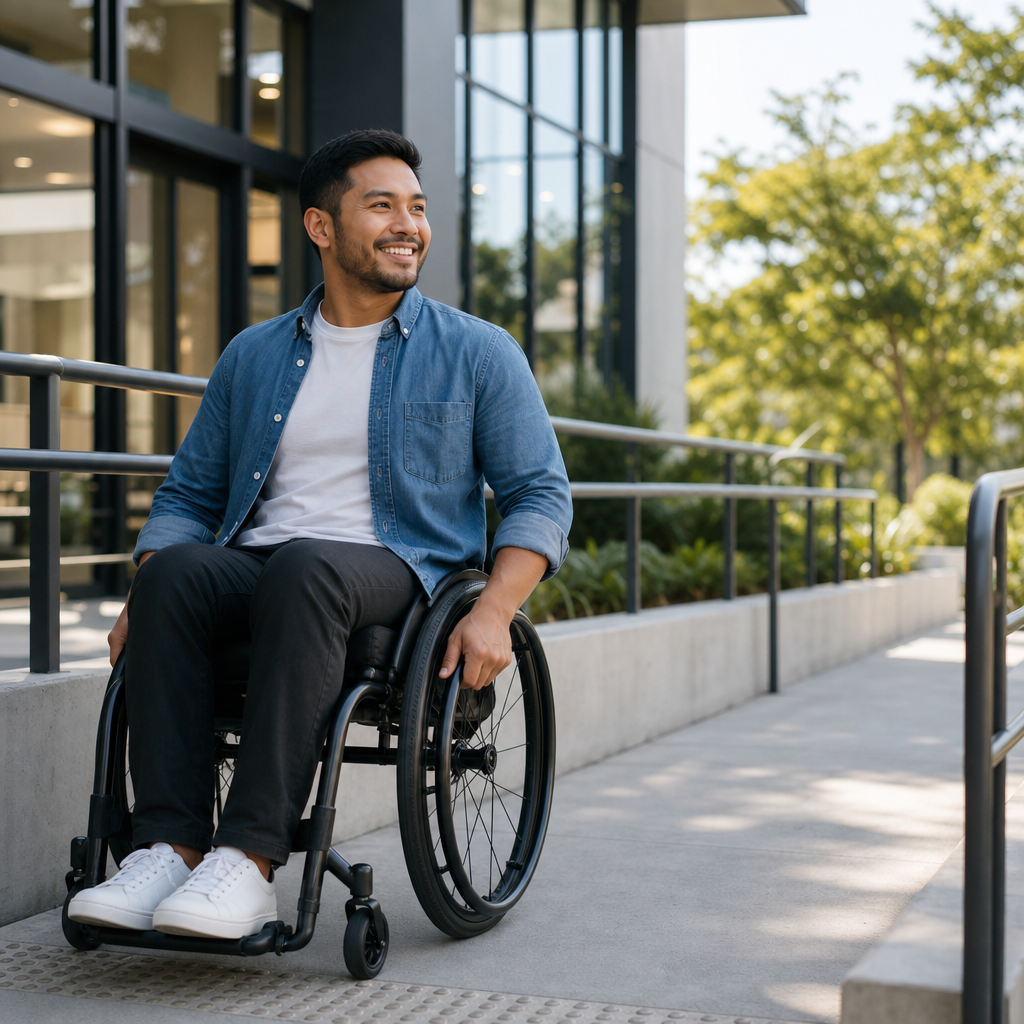
Accessibility improves quality of life by removing barriers that prevent people from fully participating in everyday activities, whether those barriers appear in buildings, websites, workplaces, schools, transportation systems, or public services. In practical terms, accessibility means designing environments, products, and information so people with disabilities can use them safely, independently, and with dignity. That includes wheelchair ramps and elevators, but it also includes captions on videos, screen reader-friendly websites, plain language forms, hearing loops, adjustable workstations, tactile paving, color contrast, and policies that support equal access. I have worked on accessibility projects for digital products and public-facing content, and one lesson is constant: when access improves for disabled people, convenience and usability often improve for everyone else as well. Parents with strollers benefit from curb cuts, commuters benefit from clear wayfinding, and older adults benefit from readable text and better lighting. Accessibility matters because disability is common, permanent for some people, temporary for others, and situational for nearly everyone at some point in life. The World Health Organization estimates that more than 1.3 billion people, roughly 16 percent of the global population, experience significant disability. That makes accessibility a mainstream quality-of-life issue, not a niche concern. Understanding what accessibility is, how it works, and why it matters is the foundation for building more inclusive communities, better services, and more equitable opportunities.
What Accessibility Means in Everyday Life
Accessibility is the practice of anticipating human difference and removing obstacles before those obstacles exclude people. The term covers physical accessibility, digital accessibility, communication accessibility, and service accessibility. Physical accessibility addresses the built environment: entrances without steps, elevators with audible and visual signals, accessible parking, handrails, wide doorways, and restrooms that meet established clearances. Digital accessibility focuses on websites, apps, documents, and software that work with assistive technologies such as screen readers, voice control, switch devices, screen magnifiers, and refreshable braille displays. Communication accessibility includes captions, transcripts, sign language interpretation, plain language, readable layouts, and alternative formats such as braille, large print, or audio. Service accessibility refers to policies and staff practices that allow people to access healthcare, education, employment, retail, and government services without unnecessary friction.
Accessibility is often confused with accommodation, but they are not the same. Accessibility is proactive design that reduces barriers for broad groups of users from the start. Accommodation is a reactive adjustment made for an individual after a barrier appears. For example, a website built to the Web Content Accessibility Guidelines, commonly called WCAG, is accessible by design; sending a separate accessible file only after a complaint is an accommodation. Both can be necessary, but organizations that rely only on accommodation usually create delays, extra cost, and unequal experiences. Universal design is a related concept that aims to create products and spaces usable by the widest possible range of people without specialized adaptation. In practice, accessibility and universal design overlap heavily, especially when teams test with real users and build flexibility into the experience.
Disability itself is broader than many people assume. It includes mobility, vision, hearing, cognitive, intellectual, speech, neurological, and mental health conditions. Some disabilities are visible, such as using a wheelchair; others are not, such as dyslexia, autism, chronic pain, low vision, or traumatic brain injury. Accessibility must therefore address more than obvious physical barriers. A form with dense jargon can exclude a person with cognitive fatigue. A meeting without captions can exclude a Deaf employee. A checkout process that times out quickly can block a user with motor limitations. A building with fluorescent glare and constant noise can overwhelm someone with sensory sensitivities. The best accessibility work begins by recognizing that exclusion happens in many forms and that quality of life depends on reducing all of them, not just the most visible ones.
Why Accessibility Directly Improves Quality of Life
Quality of life is shaped by independence, safety, health, social connection, economic opportunity, and the ability to participate in ordinary routines. Accessibility improves all of these. When a bus system has low-floor vehicles, clear audio announcements, and visual stop information, more people can commute independently. When a clinic offers wheelchair access, accessible exam rooms, captioned telehealth, and understandable after-visit summaries, patients receive care earlier and more consistently. When a job application site supports keyboard navigation, labels form fields properly, and avoids inaccessible assessments, qualified candidates are not screened out before they can even apply.
In my experience, the most powerful impact of accessibility is not convenience but autonomy. A blind customer can complete a banking task privately with a well-structured app instead of depending on someone else. A wheelchair user can enter a restaurant through the main entrance instead of a loading area. A student with dyslexia can learn more effectively when materials are available in formats that work with text-to-speech tools. These are quality-of-life gains because they reduce dependence, stress, and humiliation while increasing confidence and participation.
Accessibility also affects mental health and social belonging. Repeated barriers send a clear message that a person was not considered. Over time, that creates frustration, isolation, and avoidance. By contrast, accessible design signals welcome. Something as simple as reserved seating with companion space, captions at public events, or an online form that is easy to complete can determine whether someone participates or stays home. Access supports relationships, employment, education, recreation, and civic engagement. Those outcomes are not abstract. They influence income, physical health, self-esteem, and community ties.
There is also a strong economic and demographic case. Populations are aging, and age-related changes in vision, hearing, dexterity, memory, and mobility increase demand for accessible design. Many accessibility improvements, such as larger tap targets, better lighting, plain language, and predictable navigation, help older adults remain independent longer. Businesses benefit too. Accessible customer experiences reduce abandonment, improve task completion, and expand market reach. Public agencies benefit through better compliance, fewer complaints, and more effective service delivery. Accessibility is therefore both a human right and a practical performance strategy.
Types of Accessibility and Where Barriers Commonly Appear
To understand accessibility fully, it helps to break it into domains. Each domain affects quality of life in distinct ways, and all of them intersect in real settings.
| Type of accessibility | Common barriers | Examples of effective solutions |
|---|---|---|
| Physical | Steps, narrow doorways, inaccessible restrooms, poor signage | Step-free entrances, compliant ramps, elevators, grab bars, tactile wayfinding |
| Digital | Missing alt text, unlabeled forms, low contrast, mouse-only navigation | Semantic headings, keyboard support, captions, alt text, accessible PDFs |
| Communication | No captions, complex language, no interpretation, unreadable print | Plain language, transcripts, sign language interpreters, large print, braille |
| Service | Untrained staff, inflexible policies, rushed timelines, unclear procedures | Staff training, multiple contact methods, quiet spaces, inclusive service protocols |
| Transportation | Gaps, broken lifts, poor announcements, inaccessible ticketing | Low-floor vehicles, maintained lifts, visual and audio alerts, accessible kiosks |
Physical barriers are often easiest to visualize, but not always easiest to solve. Retrofitting older buildings can be expensive, especially where structural limits exist, yet many improvements are straightforward: lever handles, better signage, contrasting stair edges, accessible seating layouts, and automatic doors. Digital barriers are usually cheaper to prevent than to fix later. During audits, I often find the same avoidable problems: links that say only “click here,” images without useful alternative text, modal windows that trap keyboard users, and videos published without captions. These issues can stop people from completing tasks even when the core content is valuable.
Communication barriers are especially common in healthcare, education, and government. Long forms, legalistic wording, and unclear instructions burden everyone, but they are particularly harmful for people with cognitive disabilities, limited literacy, brain fog, or limited fluency in the dominant language. Service barriers often come from policy rather than infrastructure. Requiring phone calls for every appointment excludes some Deaf users and people with speech disabilities. Strict time limits can disadvantage people using assistive technology. “We can help if you ask” is not enough if the asking process is inaccessible.
Accessibility Standards, Laws, and Best Practices
Accessibility is grounded in recognized standards, not personal preference. In digital work, WCAG is the most widely referenced technical standard. It is organized around four principles: content must be perceivable, operable, understandable, and robust. Those principles translate into practical requirements such as sufficient color contrast, keyboard access, visible focus states, meaningful link text, error identification, proper heading structure, and compatibility with assistive technologies. For native apps, teams also use platform guidance from Apple and Google, along with accessibility APIs and testing tools built into iOS and Android ecosystems.
In the built environment, standards vary by country, but many draw from detailed accessibility codes that define slopes, clear floor space, reach ranges, signage, restroom layouts, and route requirements. In the United States, the Americans with Disabilities Act sets broad civil rights obligations, supported by design standards for accessible buildings and programs. Section 508 governs federal digital accessibility. In the United Kingdom, the Equality Act and Public Sector Bodies Accessibility Regulations shape obligations. The European Accessibility Act is expanding requirements across products and services in the European Union. Laws differ in scope, but the direction is consistent: access is a baseline requirement, not an optional enhancement.
Best practice goes beyond legal minimums. Compliance can reduce risk, but quality comes from usability testing with disabled people, procurement standards that require accessible vendors, governance that assigns ownership, and content processes that prevent regressions. Useful tools include WAVE, axe DevTools, Lighthouse, NVDA, JAWS, VoiceOver, TalkBack, and keyboard-only testing. Automated tools catch only part of the problem. They are excellent for detecting missing labels or contrast failures, but they cannot reliably judge whether alt text is meaningful, whether instructions are clear, or whether a workflow feels manageable. Real quality emerges when technical conformance is combined with human-centered testing.
How Organizations Can Build Accessibility Into Daily Operations
The most effective accessibility programs treat access as an operational discipline rather than a one-time project. That starts with leadership commitment and clear accountability. Someone must own standards, training, audits, issue tracking, and remediation timelines. In organizations I have advised, progress accelerated once accessibility was added to procurement checklists, design reviews, quality assurance, and content publishing workflows. When those checkpoints are missing, inaccessible products keep reappearing because teams are forced to fix problems after launch instead of preventing them.
Training matters, but role-specific training matters more. Designers need to understand contrast ratios, focus order, responsive zoom, and error prevention. Developers need semantic markup, ARIA usage, keyboard behavior, and assistive technology compatibility. Content teams need skills in heading structure, plain language, descriptive links, alt text, and accessible document authoring in tools like Microsoft Word, PowerPoint, and Adobe Acrobat. Customer-facing staff need practical guidance on respectful communication, service animals, companion assistance, and alternative ways to complete tasks. Accessibility becomes sustainable when each role understands its part.
Measurement is also essential. Good teams track issue severity, remediation speed, accessibility debt, testing coverage, and user feedback trends. They run periodic audits and include disabled participants in research. They also plan for maintenance. A site can be accessible at launch and inaccessible six months later if new PDFs are uploaded without tags, videos are posted without captions, or design changes remove focus indicators. Accessibility is continuous because products, content, and services continuously change.
For readers exploring this hub topic, the practical next steps are clear: audit your current experiences, learn the major standards that apply to your context, prioritize the highest-impact barriers, and create processes that keep access built in. Accessibility improves quality of life because it expands independence, reduces friction, protects dignity, and opens participation across work, education, health, and community life. Whether you manage a website, a building, a service desk, or a content library, the principle is the same: design for real human variation from the start. Make accessibility part of everyday decisions, and better outcomes will follow for disabled people, older adults, and everyone who depends on clearer, safer, more usable experiences.
Frequently Asked Questions
1. What does accessibility mean in everyday life?
Accessibility means removing barriers so people with disabilities can take part in daily life safely, independently, and with dignity. In everyday terms, it includes physical features such as ramps, elevators, automatic doors, accessible restrooms, and clear signage, but it also goes far beyond buildings. Accessibility also applies to websites, mobile apps, classrooms, workplaces, transportation, healthcare, and public services. Captions on videos, screen reader-friendly websites, quiet spaces, readable documents, and accessible customer service are all examples of accessibility in action.
When accessibility is built into daily environments, it improves quality of life by making routine activities easier and less stressful. People can travel, work, shop, learn, communicate, and participate in their communities with greater confidence and fewer obstacles. It also reduces dependence on others for basic tasks, which supports autonomy and self-respect. In that sense, accessibility is not a special feature for a small group of people. It is a practical way of making the world more usable for everyone.
2. How does accessibility improve independence for people with disabilities?
Accessibility improves independence by allowing people to complete everyday tasks on their own rather than relying on assistance for things that should be straightforward. For example, an accessible entrance allows a wheelchair user to enter a building without needing help. A website that works with keyboard navigation and screen readers allows a blind user to read information, pay bills, apply for jobs, or schedule appointments independently. Captions help people who are deaf or hard of hearing access video content without needing someone else to interpret it for them.
That independence has a major effect on quality of life. It saves time, reduces frustration, increases privacy, and gives people greater control over their own decisions. It can also improve emotional well-being because being able to manage daily responsibilities without unnecessary barriers strengthens confidence and self-determination. Accessibility is not only about convenience; it is about equal participation. The more accessible an environment is, the more likely people are to be included fully in work, education, healthcare, social life, and civic life.
3. Why is accessibility important in digital spaces like websites and online services?
Digital accessibility is essential because so much of modern life now happens online. People use websites and apps to access healthcare, education, banking, employment, government services, shopping, entertainment, and communication. If these digital tools are not designed accessibly, they can shut people out of essential parts of life just as completely as a building with stairs and no ramp. Common examples of digital accessibility include alt text for images, proper heading structure, keyboard-friendly navigation, readable color contrast, transcripts, captions, and forms that are easy to understand and complete.
Accessible digital design improves quality of life by making important information and services available whenever people need them. It helps users complete tasks more efficiently, reduces confusion, and makes online experiences more reliable and less exhausting. It also benefits many people beyond those with permanent disabilities, including older adults, people with temporary injuries, users in noisy environments who need captions, and anyone using a device under less-than-ideal conditions. In short, digital accessibility supports inclusion, equal opportunity, and everyday convenience in a world that increasingly depends on technology.
4. Does accessibility benefit only people with disabilities?
No, accessibility benefits everyone. While its primary purpose is to ensure people with disabilities can participate fully and equally, accessible design often makes environments better for all users. A ramp helps wheelchair users, but it also helps parents with strollers, travelers with rolling luggage, and delivery workers with carts. Captions support people who are deaf or hard of hearing, but they also help people watching videos in quiet offices, busy public spaces, or in a second language. Clear signage, simple navigation, and easy-to-read documents make information easier for everyone to understand.
This broader benefit is one reason accessibility is often considered a mark of good design rather than an added extra. When spaces, products, and services are easier to use, people are more likely to feel welcome, capable, and included. Accessibility can improve efficiency, customer satisfaction, safety, and overall usability across the board. It creates communities and systems that are more flexible and resilient because they are designed around real human needs, not narrow assumptions about how people move, communicate, or interact with information.
5. How can accessibility improve quality of life in schools, workplaces, and public spaces?
In schools, accessibility helps students learn and participate on equal terms. This can include accessible classrooms, learning materials in multiple formats, assistive technology, captioned educational videos, and teaching methods that support different needs. When schools are accessible, students are better able to focus on learning instead of spending energy navigating unnecessary obstacles. This supports stronger academic performance, social inclusion, and long-term confidence.
In workplaces, accessibility can open the door to meaningful employment and career growth. Accessible offices, flexible communication methods, assistive tools, inclusive hiring processes, and digital systems that work for all users allow employees to contribute fully. That leads to better job opportunities, financial stability, and a greater sense of purpose and belonging. In public spaces, accessibility makes it possible for people to use transportation, visit parks, attend events, access healthcare, and engage in community life. Together, these changes have a profound effect on quality of life because they support participation, connection, safety, independence, and equal access to the opportunities that shape a fulfilling life.





