
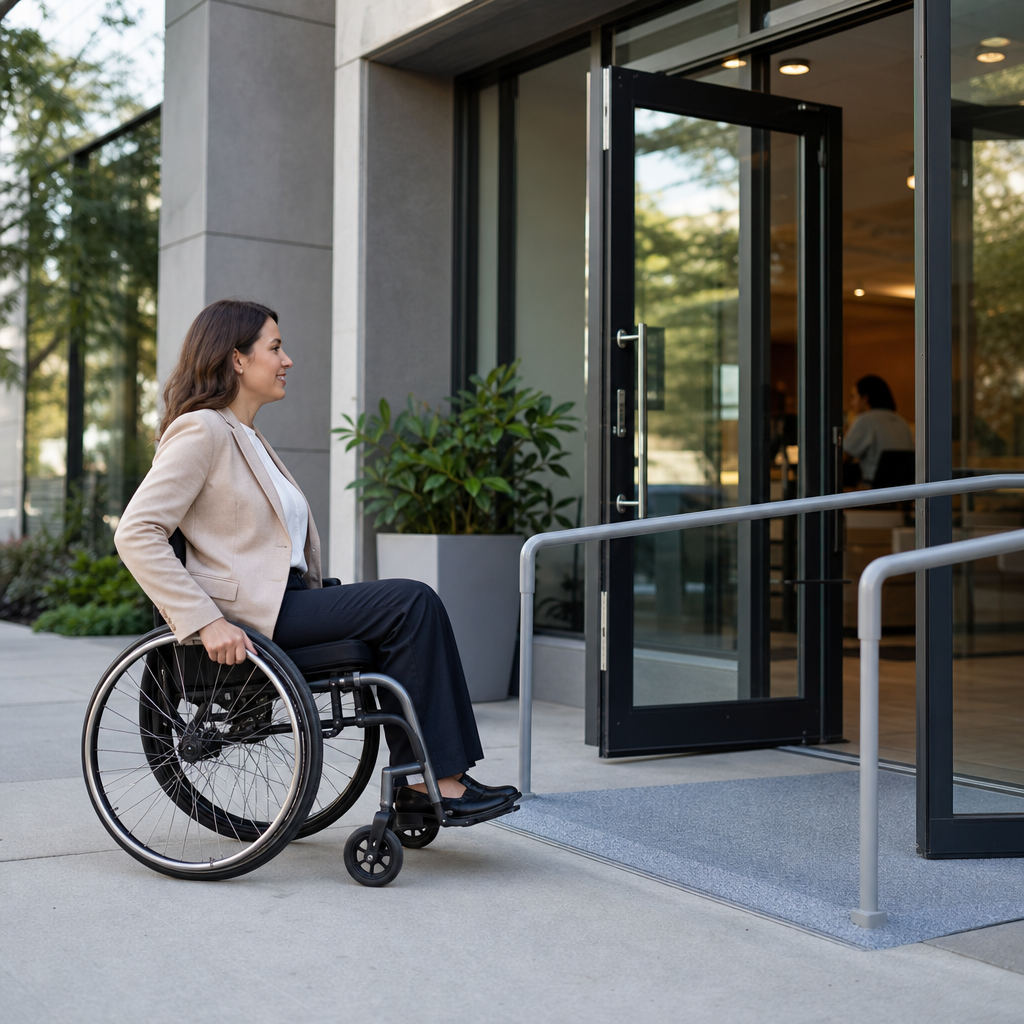
Accessibility shapes everyday life far beyond ramps and reserved parking spaces. It is the practice of designing places, products, services, and information so people with different physical, sensory, cognitive, neurological, and temporary limitations can use them with dignity and independence. In professional work across digital content, public spaces, and customer experience, I have seen one pattern repeatedly: when accessibility is built in early, everyone benefits. Parents pushing strollers use curb cuts. Travelers rely on captions in noisy airports. People with broken wrists appreciate voice controls. Clear signs help visitors who do not speak the local language. Accessibility is not a niche add-on. It is a practical standard for modern life.
What is accessibility? In simple terms, accessibility means reducing barriers that prevent people from participating fully. Those barriers can be physical, such as stairs without an elevator; digital, such as a website that cannot be used with a keyboard; communication-based, such as videos without captions; or procedural, such as forms written in confusing language. The goal is not identical experiences for every person. The goal is equitable access to the same information, opportunity, or service. That distinction matters because good accessibility often involves multiple ways to accomplish the same task, allowing people to choose the method that works best for them.
Accessibility matters because disability is common, aging changes how people interact with the world, and barriers appear in ordinary situations every day. The World Health Organization estimates that more than 1.3 billion people live with significant disability globally, roughly one in six people. Temporary and situational limitations expand that number in practice. Someone carrying groceries may not be able to pull a heavy door. A commuter standing in bright sunlight may not see low-contrast text on a phone screen. A student recovering from a concussion may struggle with dense layouts and flashing animations. When organizations understand accessibility as everyday usability, not only legal compliance, they make better decisions across design, operations, and communication.
This article serves as a hub for understanding accessibility in everyday life. It explains what accessibility includes, shows concrete examples across homes, streets, transport, schools, workplaces, media, and technology, and clarifies the standards that guide good practice. If you want a working definition of accessibility, the short answer is this: accessibility is the intentional removal of barriers so people can perceive, understand, navigate, interact, and contribute. The deeper answer is that accessibility is a design mindset. It requires anticipating variation in human needs and treating that variation as normal. Once you start looking for accessibility around you, you will notice it everywhere.
Physical Accessibility in Public Spaces
Physical accessibility is often the most visible form because it affects buildings, sidewalks, transport hubs, and shared facilities. Common examples include ramps, elevators, automatic doors, accessible restrooms, tactile paving, lowered service counters, priority seating, and audible pedestrian signals. These features support people who use wheelchairs, walkers, canes, prosthetics, or crutches, but they also help many others. A ramp assists a delivery worker with a trolley. An automatic door helps someone with arthritis. A bench at regular intervals makes a shopping district more usable for older adults and people with heart or respiratory conditions.
Curb cuts are one of the clearest examples of accessibility in everyday life because they demonstrate the curb-cut effect: a feature built for disabled users ends up helping a much larger group. Originally intended to create a smooth transition between sidewalk and street, curb cuts now support parents with strollers, travelers with rolling luggage, cyclists, sanitation workers, and anyone moving heavy items. The same principle applies to elevators with braille labels and audible floor announcements. A blind passenger may rely on them, while a tired traveler carrying bags gains convenience. Good physical accessibility quietly improves flow, safety, and independence for everyone using the space.
Wayfinding is another essential yet overlooked area. Accessible environments use clear signage, strong color contrast, plain language, predictable layouts, and multiple formats for orientation. In a hospital, for example, color-coded departments, large-print directional signs, and check-in kiosks with audio output can reduce confusion dramatically. I have seen facilities lower missed appointment rates simply by improving signs and entrance instructions. Accessibility in public spaces is not only about entering a building. It includes finding the correct entrance, understanding where to go, navigating corridors, using restrooms, and exiting safely in an emergency.
Digital Accessibility in Websites, Apps, and Devices
Digital accessibility means websites, mobile apps, documents, kiosks, and software can be used by people with diverse abilities. In practice, that includes keyboard navigation, screen reader compatibility, descriptive alternative text for images, sufficient color contrast, visible focus indicators, form labels, predictable navigation, and content that does not rely only on sound, color, or motion. The Web Content Accessibility Guidelines, usually called WCAG, are the most widely used technical standard. They organize accessibility around four principles: content should be perceivable, operable, understandable, and robust. Those principles are practical, not abstract. If a button has no accessible name, a screen reader user cannot identify it. If a form times out too quickly, users with cognitive or motor disabilities may fail to complete it.
Everyday examples are easy to spot once you know what to look for. Captions on social videos support Deaf and hard-of-hearing viewers, but they also help people watching on mute. Voice assistants such as Siri, Google Assistant, and Alexa let users control devices hands-free, which can be essential for people with mobility impairments and simply convenient while cooking. Adjustable text size on smartphones helps users with low vision, older adults, and anyone reading in poor lighting. Dark mode, high-contrast themes, and reduced-motion settings address different sensory needs. These are mainstream product features because accessibility has become part of expected quality.
Accessibility also determines whether critical services are usable. Banking apps need clear error messages, labeled fields, and logical reading order. Telehealth platforms must support captions, keyboard use, and compatible meeting controls. E-commerce sites need product images with meaningful descriptions and checkout flows that do not trap keyboard focus. In audits I have worked on, the most common failures were not advanced coding issues but basic omissions: unlabeled buttons, placeholder text used as labels, and PDF forms that were impossible to navigate with assistive technology. Digital accessibility is often won or lost through attention to ordinary details.
Communication Accessibility in Media, Services, and Daily Interactions
Communication accessibility ensures information can be understood and exchanged by people with different sensory, language, and cognitive needs. Captions, transcripts, sign language interpretation, plain language writing, large print, braille, hearing loops, and multilingual materials are common examples. On public transport, visual display boards paired with spoken announcements give riders two channels for the same information. In customer service, live chat can be more accessible than voice calls for some users, while relay services and text-based support are essential for others. No single method serves everyone; accessible communication depends on offering more than one path.
Plain language deserves special attention because it is one of the most effective accessibility practices and one of the easiest to implement. A benefits letter written in dense legal phrasing can confuse people with intellectual disabilities, dyslexia, low literacy, limited time, or high stress. A revised version with short sentences, clear headings, and direct instructions improves completion rates for all users. Governments in several countries have adopted plain language standards for exactly this reason. When information is complex, accessibility does not mean removing nuance. It means presenting the key action, deadline, and consequence in a way people can process quickly and accurately.
Media provides familiar examples. Streaming platforms now offer closed captions, audio descriptions, and customizable subtitles. Audio description explains important visual details during natural pauses in dialogue, allowing blind and low-vision audiences to follow scenes, facial expressions, and on-screen text. Podcasts that publish transcripts make episodes searchable and usable in quiet offices, libraries, and classrooms. In workplaces, meeting accessibility may include agendas shared in advance, automatic captions in Microsoft Teams or Zoom, microphones for in-room speakers, and notes circulated afterward. These are not special favors. They are standard communication practices that widen participation.
Examples of Accessibility Across Everyday Settings
Accessibility appears in ordinary settings throughout the day. The examples below show how inclusive design works in practice and why it improves independence, safety, and comfort.
| Setting | Accessibility example | Everyday benefit |
|---|---|---|
| Home | Lever door handles, smart lights, step-free entry | Easier use for people with limited grip, injuries, or carrying items |
| Street | Curb cuts, tactile paving, audible crossing signals | Safer travel for blind pedestrians, wheelchair users, parents with strollers |
| Transit | Low-floor buses, priority seating, visual and audio stop announcements | More independent travel for older adults and riders with mobility or sensory disabilities |
| School | Captioned videos, adjustable desks, accessible LMS platforms | Better learning access for students with hearing, mobility, or cognitive differences |
| Workplace | Screen reader-ready software, flexible meeting formats, ergonomic tools | Higher productivity and participation across varied needs |
| Retail | Wide aisles, lower counters, clear signs, accessible payment terminals | Smoother shopping for more customers, including those with temporary limitations |
| Healthcare | Plain-language forms, wheelchair-accessible exam rooms, interpreter services | More accurate communication and better care outcomes |
These examples illustrate a core truth: accessibility is rarely confined to one feature. An accessible bus stop depends on a level boarding area, readable route information, enough lighting, and a predictable timetable. An accessible classroom may require digital documents that work with screen readers, recorded lectures with captions, sensory-aware lighting, and assessment options that measure knowledge rather than speed alone. In retail, accessible payment is not only a lower card reader. It also includes enough time before a screen times out, tactile keys on the device, and receipts available digitally or in large print.
Temporary and invisible disabilities are especially important in everyday settings. Someone with chronic pain may need seating more than a wheelchair ramp. A person with ADHD may benefit from concise instructions and low-distraction interfaces. A shopper with migraine may struggle under bright flashing displays. A restaurant menu accessible by QR code can help some users, but it becomes a barrier if the digital menu is not screen reader compatible or if no printed option exists. Effective accessibility planning assumes a wide range of needs, including needs that are not immediately visible.
Standards, Misconceptions, and How to Improve Accessibility
Accessibility is guided by established standards rather than personal preference. In the built environment, many countries use codes influenced by universal design principles and technical requirements for routes, doors, toilets, signage, and alarms. In the United States, the Americans with Disabilities Act sets a legal baseline for many public accommodations and employment practices. In digital work, WCAG 2.1 and 2.2 are common benchmarks for websites and apps. These standards do not guarantee a perfect user experience, but they provide a consistent framework for identifying barriers and fixing them systematically.
Several misconceptions prevent progress. First, accessibility is not only for wheelchair users. It includes vision, hearing, speech, cognitive, neurological, mental health, and dexterity needs. Second, accessibility is not the opposite of aesthetics or innovation. Some of the best-designed products succeed precisely because they are easier to use under varied conditions. Third, accessibility is not too expensive when planned early. Retrofits can be costly, but many improvements are low cost: better contrast, meaningful headings, transcripts, simpler forms, portable ramps, quieter meeting rooms, and staff training. The most expensive choice is often delaying accessibility until complaints, legal risk, or lost customers force urgent fixes.
If you want to improve accessibility, start with observation and testing. Walk a route with someone using a mobility aid. Try your website with only a keyboard. Turn on captions, zoom text to 200 percent, and listen to a page with a screen reader such as NVDA, JAWS, or VoiceOver. Review forms for plain language and error clarity. Ask disabled users about friction points before launching new products or services. In my experience, accessibility improves fastest when organizations stop treating it as a final checklist and build it into procurement, design reviews, content governance, and staff education. The benefit is durable: fewer barriers, broader reach, and more inclusive everyday experiences for everyone.
Accessibility in everyday life is the practical work of making ordinary activities usable by more people. It includes the curb cut on the corner, the captions on a training video, the plain-language form at a clinic, the low-floor bus, the screen reader-friendly checkout page, and the automatic door at a supermarket. These examples matter because they restore independence, reduce friction, and allow people to participate without asking for special treatment. They also reveal a larger lesson: accessibility is not a narrow accommodation for a small group. It is a quality standard for modern environments, products, and services.
As this hub article has shown, the best way to answer the question “What is accessibility?” is to look at how it functions in real situations. Accessibility removes physical, digital, and communication barriers. It supports permanent disabilities, temporary injuries, aging-related changes, and situational limitations. It is strengthened by established standards, but its success depends on everyday decisions by planners, designers, teachers, employers, service staff, and content creators. When those decisions are informed by real user needs, accessibility becomes visible not as a constraint, but as good design.
If you are building a website, managing a workplace, running a classroom, or improving a public-facing service, use this article as your starting point. Audit one experience, identify one barrier, and fix one issue this week. Small changes compound quickly. That is how accessibility moves from policy language into everyday life.
Frequently Asked Questions
What are some common examples of accessibility in everyday life?
Accessibility appears in daily life in far more places than many people realize. Sidewalk curb cuts are one of the clearest examples. They help wheelchair users move safely through a city, but they also make life easier for parents with strollers, travelers rolling luggage, delivery workers with carts, and anyone recovering from an injury. Automatic doors are another familiar example. They support people with limited strength or mobility, while also helping people carrying groceries, pushing carts, or managing children. Elevators with tactile buttons, audible floor announcements, and visual indicators make buildings easier to use for people with vision or hearing disabilities, yet they improve navigation for everyone.
Accessibility is also built into communication and technology. Closed captions on videos support Deaf and hard-of-hearing users, but they are equally useful in noisy public spaces, quiet offices, or when someone is learning a new language. High-contrast signage, clear wayfinding, readable fonts, and plain language instructions help people with low vision, cognitive disabilities, or limited literacy, while also reducing confusion for the general public. In digital spaces, examples include websites that work with screen readers, apps that can be navigated by keyboard or voice commands, and forms with clear labels and error messages. These are everyday examples because accessibility is not a niche feature. It is a practical design approach that helps more people participate independently and comfortably in ordinary situations.
Why does accessibility benefit everyone, not just people with disabilities?
Accessibility benefits everyone because human ability is not fixed. People move through different environments, tasks, and life stages that affect how they interact with the world. A person without a permanent disability may still face temporary or situational limitations, such as carrying heavy bags, dealing with bright sunlight on a screen, navigating a crowded station, recovering from surgery, or trying to follow information in a noisy room. Features designed for accessibility often remove friction in these moments. That is why accessibility is often described as improving usability, convenience, and inclusion at the same time.
In practice, accessible design tends to create clearer, safer, and more efficient experiences. For example, ramps help wheelchair users, but they also help workers moving equipment and older adults who struggle with stairs. Captions support people with hearing loss, but they also increase comprehension for viewers in many other contexts. Simple website navigation and well-structured content make digital tools easier for screen reader users, but they also help busy people find information faster. When accessibility is considered from the beginning, the result is usually a better experience for a broader range of users. It reduces barriers before they become problems, which is why organizations that prioritize accessibility often deliver stronger customer experience overall.
How does accessibility show up in digital life and online content?
Digital accessibility is one of the most important everyday examples because so much of modern life depends on websites, apps, documents, videos, and online services. A digitally accessible website may include descriptive headings, meaningful link text, keyboard-friendly navigation, alternative text for images, sufficient color contrast, and forms that clearly explain what information is required. These features allow people who use screen readers, keyboard-only navigation, voice input, or magnification tools to complete tasks independently. They also make online experiences more organized and intuitive for all users.
Accessible online content extends beyond websites. Video captions, transcripts for audio, readable PDFs, and plain-language instructions all support better communication. Someone with a hearing disability may rely on captions, while another user may use them because they are in a shared workspace. Someone with dyslexia or a cognitive disability may benefit from shorter paragraphs and clear headings, while another person may appreciate the same structure when scanning content quickly on a phone. Accessibility in digital life also includes responsive design, predictable layouts, and avoiding flashing content that could trigger seizures or sensory distress. In everyday terms, digital accessibility means that people can read, watch, learn, shop, book appointments, and communicate online without unnecessary obstacles.
What is the difference between accessibility, accommodation, and universal design?
These terms are related, but they are not identical. Accessibility refers to the broader practice of removing barriers so that people with different abilities can use spaces, services, products, and information. It is both a design principle and an outcome. Accommodation, by contrast, usually means a specific adjustment made for an individual need. For example, providing a sign language interpreter for a meeting, extending time for a test, or offering documents in large print are accommodations. They are often necessary and important, but they typically respond to a barrier that already exists.
Universal design is the idea of creating environments and experiences that can be used by as many people as possible from the start, without requiring special adaptation later. A good example is a step-free entrance integrated into the main entrance instead of a separate accessible side door. In everyday life, these concepts often work together. Accessibility is the goal, universal design is the proactive strategy, and accommodation fills in the gaps where individual needs still require support. Understanding the difference matters because it shifts the conversation away from treating accessibility as an afterthought. The strongest results usually come when accessibility is built in early, which reduces the need for last-minute fixes and creates a more dignified experience for everyone.
How can businesses and communities improve accessibility in everyday settings?
Improving accessibility starts with recognizing that barriers are often created by design choices, not by people themselves. Businesses and communities can begin by reviewing physical spaces, digital tools, and communication methods through the lens of real user needs. In public and commercial environments, this may include step-free entrances, accessible restrooms, adequate lighting, clear signage, seating options, hearing loop systems, and service counters at usable heights. In customer service, it can mean training staff to communicate respectfully, offering multiple ways to get support, and making policies flexible enough to meet different needs without putting the burden on the customer.
In digital and content-related settings, improvement often starts with practical standards: accessible websites, captioned videos, readable documents, plain language, and forms that are easy to complete with assistive technology. It is also important to include people with disabilities in testing, planning, and feedback processes, because lived experience reveals barriers that checklists alone may miss. The most effective organizations do not treat accessibility as a one-time project. They build it into procurement, design, content creation, event planning, and ongoing quality review. That approach not only supports legal compliance and social responsibility, but also leads to stronger trust, broader reach, and better everyday experiences for customers, employees, and community members alike.





