
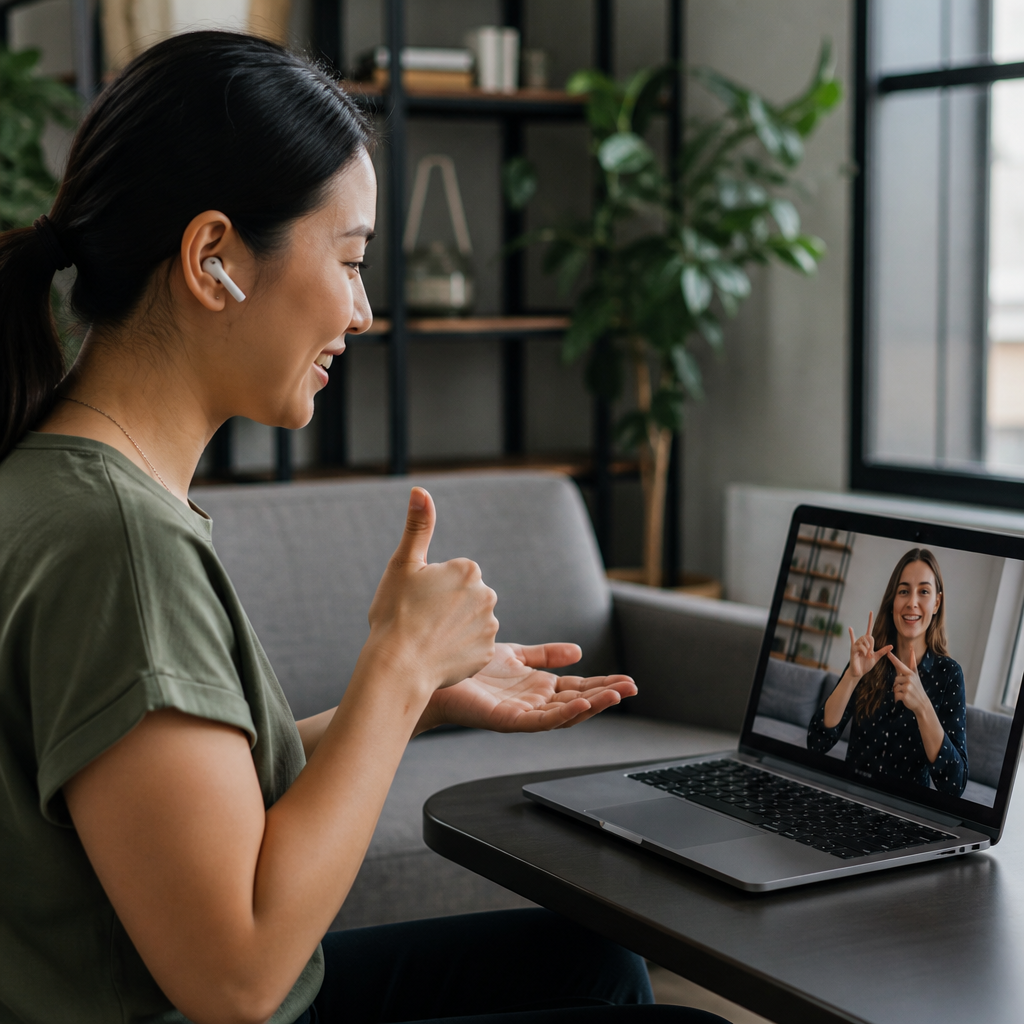
Messaging apps that support deaf users do far more than send text: they combine captioning, video, transcription, visual alerts, and accessibility controls that make everyday communication faster, clearer, and less dependent on hearing. In the deaf community, “communication apps” is a broad category that includes mainstream messaging platforms, video calling tools, relay-compatible apps, live transcription services, and workplace chat systems. I have evaluated these tools with deaf and hard of hearing users in practical settings such as family group chats, remote classes, telehealth appointments, customer support, and distributed work teams, and the same lesson appears every time: accessibility is strongest when it is built into routine communication rather than added as an afterthought. That matters because missed context has real consequences, from delayed medical updates to exclusion in meetings to simple social fatigue caused by constantly repairing misunderstandings.
A useful messaging app for deaf users must support more than typing. It should offer reliable real-time text, high-quality video for sign language, readable interface design, notifications that do not rely on sound, and compatibility with mobile operating systems’ accessibility features such as vibration patterns, flash alerts, larger text, and screen readers for deafblind users. It also helps when an app supports captions for voice notes or video, message history search, pinned conversations, cross-device sync, and low-friction joining for hearing contacts who may not use accessibility tools themselves. Privacy matters too. End-to-end encryption, account recovery, spam controls, and transparent data handling are not secondary features; they determine whether users can trust an app for personal, legal, educational, and medical communication.
This hub article explains which messaging apps support deaf users best, what features actually improve communication, where mainstream tools still fall short, and how to choose the right app for one-to-one chats, group coordination, work, school, and emergency situations. It also serves as a map for the wider communication apps topic by connecting text messaging, sign-friendly video, live captioning, relay access, and collaboration tools into one decision framework. If you are searching for the best messaging apps for deaf users, the key question is not simply which app is most popular. The better question is which app reduces communication friction for the specific people, contexts, and devices involved.
Mainstream messaging apps with strong accessibility foundations
Mainstream messaging apps are often the starting point because family, friends, schools, and employers already use them. WhatsApp, iMessage, Google Messages, Facebook Messenger, and Telegram all offer dependable text chat, image sharing, group messaging, and desktop access to varying degrees. For many deaf users, text-first communication is still the most universally available path, especially when hearing contacts are inconsistent about signing, captioning, or checking email. WhatsApp is widely used internationally, supports end-to-end encryption by default for personal chats, and handles media sharing well. iMessage integrates tightly with Apple devices, allowing visual effects, pinned threads, Tapback reactions, and synchronized conversations across iPhone, iPad, and Mac. Google Messages improves Android-based texting with RCS features like read receipts, typing indicators, and higher-quality media. Those details matter because communication repair is easier when users can see whether a message was delivered, read, or still pending.
Accessibility, however, depends on more than a text box. Deaf users often benefit from customizable notifications, lock-screen previews, and camera quality that supports quick sign clips when text is insufficient. Messenger and Telegram both make it easy to exchange short video messages, which can be useful for sign language users who want more natural expression than typing allows. Yet video messaging only works well if playback is smooth, the app preserves visual clarity, and recipients can respond without awkward file handling. In my experience, apps that compress video too aggressively or bury camera controls create friction immediately. Another practical differentiator is message organization. Search, labels, archived chats, and starred messages help users recover details without asking someone to repeat information that may already have been shared once.
Mainstream apps also benefit from broad compatibility with platform-level accessibility settings. On iOS and Android, users can pair apps with LED flash notifications, custom vibrations, wearable alerts, larger system text, bold text, high contrast, and reduced motion. These built-in supports are essential for deaf users who may miss sound-based incoming call or message alerts. The downside is that mainstream apps do not always provide native captions for every media type, and voice-note culture can still exclude deaf participants unless contacts also type summaries or enable transcription elsewhere. The best mainstream app, then, is often the one your network will consistently use correctly, not merely the one with the longest feature list.
Video-first apps for sign language communication
For many deaf users, video quality is the deciding factor because signed communication depends on frame rate, lighting, resolution, camera angle, and screen size. A messaging app can be excellent for text and still fail signers if hands blur, the image freezes, or gallery view makes participants too small. FaceTime, Zoom, Google Meet, Microsoft Teams, and Marco Polo are important here, although they serve somewhat different purposes. FaceTime is simple and visually clean for Apple users, making it a strong option for one-to-one or family conversations in sign language. Zoom remains widely used in education, nonprofits, telehealth, and community organizing because it supports stable group video, pinning, spotlighting, interpreter visibility, and integrated captions. Google Meet and Teams are common in schools and workplaces, where deaf users need both conversational access and meeting infrastructure such as scheduling, chat, recordings, and shared documents.
When assessing video-first communication apps for deaf users, three questions matter. First, can the signer be seen clearly enough to understand fingerspelling, mouth movements, and facial grammar? Second, can captions appear without blocking the signer? Third, can participants manage layout quickly during live conversation? Zoom handles these needs better than many consumer chat apps because it allows users to pin interpreters, reposition caption windows, and switch views during calls. Teams has improved live captions and transcript handling, which helps in mixed deaf-hearing meetings where spoken discussion accompanies signed interpretation. Google Meet offers automatic captions that are convenient, though accuracy varies by audio quality, speaker pace, and language support. Automatic captions are helpful but not equivalent to professional CART in high-stakes settings.
Asynchronous video messaging deserves attention too. Marco Polo and similar tools let users send and watch short video messages without coordinating schedules. For deaf signers, this can feel far more natural than long text exchanges, especially across time zones or in multilingual families. The limitation is discoverability and adoption: if the other person refuses to use a separate app, accessibility gains disappear. That is why many deaf users maintain both mainstream text apps and at least one high-quality video app. No single platform covers every scenario equally well.
Captioning, transcription, and relay-compatible tools
Some of the most useful communication apps for deaf users are not classic messaging platforms at all; they are support layers that make other conversations accessible. Live Transcribe on Android, Apple’s Live Captions features on supported devices, Otter, Ava, and similar services can turn spoken language into readable text in real time. In practice, these tools help during voice or video calls, in-person conversations, and hybrid meetings where one person speaks through a phone speaker. Accuracy depends heavily on microphone quality, background noise, accent variation, and internet connectivity, but even imperfect transcription can reduce the constant burden of asking for repeats. I have seen Live Transcribe become the fastest backup option in waiting rooms, rideshares, retail counters, and school offices where no one planned ahead for access.
Relay-compatible communication is another essential layer. In the United States, many deaf users rely on Video Relay Service providers such as Sorenson and Convo, plus IP Relay and captioned telephone options, to communicate with hearing people over voice networks. While these are not social messaging apps in the usual sense, they belong in any serious communication apps hub because they bridge the gap when a business, clinic, landlord, or government office still expects a call. The practical value is enormous: a deaf user can place a relay-assisted call from a smartphone while continuing to manage follow-up details through text or email. The limitation is situational. Relay is highly effective for transactional communication, but less ideal for casual, ongoing group messaging where everyone should simply use accessible text or video tools directly.
| App or Tool | Best Use | Strongest Accessibility Benefit | Main Limitation |
|---|---|---|---|
| Everyday personal messaging | Widely adopted text, media, encryption | Voice notes often lack accessible summaries | |
| Zoom | Group video communication | Pinning, captions, interpreter-friendly layouts | Requires stronger bandwidth than text apps |
| Google Meet | School and work meetings | Easy automatic captions | Caption accuracy varies |
| Live Transcribe | In-person and phone-adjacent access | Fast real-time speech-to-text | Not a full messaging platform |
| Sorenson or Convo | Relay calls to hearing contacts | Access to voice-based institutions | Best for calls, not group chat |
The important takeaway is that deaf-friendly communication often depends on combinations of tools. A user might receive appointment reminders in SMS, confirm details in WhatsApp, join the actual visit in Zoom with captions, and use relay services when an office insists on voice calls. Evaluating apps in isolation misses how communication really happens across a day.
Workplace, school, and group coordination platforms
Communication apps for deaf users are especially important in shared environments where information moves quickly across teams. Slack, Microsoft Teams, Discord, and Google Chat are not always marketed as accessibility tools, but they shape inclusion in workplaces, classrooms, nonprofits, and volunteer groups. Their biggest advantage is persistence. Instead of relying on spoken announcements that disappear instantly, these platforms preserve discussions in channels, threads, direct messages, and searchable archives. For deaf employees and students, that written record can be more valuable than any single accessibility feature because it reduces missed context and supports independent follow-up.
Slack works well for text-based coordination, file sharing, and threaded discussion. Its channel structure helps users separate urgent operational messages from social chat or project details. Teams is stronger when organizations already rely on Microsoft 365, because meetings, calendar invites, documents, chat, and captions connect in one system. Discord has become popular in community groups, gaming spaces, and some educational settings because it blends text channels, direct messages, and live voice or video rooms. For deaf users, text channels usually carry the accessibility load, while voice-heavy communities remain uneven unless moderators intentionally duplicate spoken information in writing. That governance point is critical. Even the best app cannot create access if a group’s communication habits are exclusionary.
Schools and employers should also consider administrative controls. Can meeting hosts assign captioners, spotlight interpreters, or save transcripts? Can users adjust font size, color contrast, and notification behavior without losing important messages? Is there a mobile app that works as well as the desktop version? In accessibility audits I have run, breakdowns often occur not because an app lacks capability, but because settings are buried, disabled by policy, or unknown to managers. Deaf users frequently end up teaching teams how to use features that were available all along. The strongest platforms are therefore the ones supported by clear organizational practice, not just technical possibility.
How to choose the best messaging app for deaf users
The best messaging app for deaf users depends on communication mode, contact network, and risk level. Start by identifying the primary need: everyday personal messaging, sign language video, live captioned meetings, relay access, or structured group collaboration. Then test the basics under real conditions. Send text, images, and video. Check whether alerts are noticeable without sound. Try captions in a noisy room. Join from both Wi-Fi and mobile data. Confirm whether a hearing family member can use the app without hand-holding. Accessibility fails most often at these practical edges, not in product demos.
Next, evaluate five criteria. First is visual clarity: can the app display sign language comfortably on your device? Second is text reliability: are messages easy to read, search, and organize? Third is caption or transcription support: does the app provide it directly, or will you need a companion tool? Fourth is interoperability: will the people you need to reach actually use it? Fifth is privacy and security: does the app protect personal conversations and provide sane account recovery? Signal, for example, is excellent for privacy-focused messaging, but if your family only uses iMessage or WhatsApp, security alone will not solve communication access.
Finally, build a small communication stack instead of expecting one app to do everything. Most deaf users benefit from a text-first default app, a high-quality video app, and a transcription or relay backup. That layered approach is resilient, especially when dealing with schools, clinics, employers, and public services that still communicate inconsistently. Messaging apps that support deaf users are most effective when chosen intentionally, configured carefully, and matched to the real people in the conversation.
Messaging apps that support deaf users work best when they respect how deaf communication actually happens: across text, sign language, captions, transcripts, and visual alerts rather than through sound alone. The strongest options are not always the newest or most specialized. In many cases, the best tool is the app your community already uses, provided it supports dependable text, clear video, visible notifications, and accessible settings. For sign language users, video quality and layout control are essential. For mixed deaf-hearing communication, captioning and transcription matter just as much. For institutions that still rely on calls, relay-compatible tools remain indispensable.
This communication apps hub should help you compare mainstream messaging apps, video platforms, transcription tools, and workplace chat systems with a clearer standard: does the app reduce friction, preserve context, and let deaf users participate independently? If the answer is no, popularity is irrelevant. If the answer is yes, the app belongs in your toolkit. Start by auditing the apps you already use, enable every relevant accessibility setting, and add one backup tool for captions or relay access. That simple step can dramatically improve daily communication across home, school, work, healthcare, and community life.
Frequently Asked Questions
What features should deaf users look for in a messaging app?
The best messaging apps for deaf users do much more than basic text chat. Strong accessibility starts with reliable real-time text messaging, but the most useful apps also include high-quality video calling, accurate live captions, voice-to-text transcription, customizable notifications, and visual indicators that make communication easier to follow without relying on sound. For many deaf and hard of hearing users, video quality matters as much as text quality because sign language communication depends on clear image resolution, stable frame rates, and good lighting support.
It is also important to look at how flexible the app is in real-life situations. Some users need pinned captions during calls, others need vibration alerts, flashing notifications, screen sharing for remote support, or compatibility with relay services and interpreters. Group chat organization, message search, multimedia sharing, and cross-device syncing can also make a big difference for school, work, healthcare, and family communication. In short, the most supportive apps are the ones that reduce communication friction from multiple angles, not just one.
Are mainstream messaging apps good enough for deaf communication, or are specialized apps better?
Mainstream messaging apps can be very effective for deaf users, especially when they offer strong accessibility features and are already widely used by friends, coworkers, schools, and family members. Apps such as popular chat and video platforms often make communication easier simply because everyone is already on them. That convenience matters. A feature-rich app is less helpful if the people you need to contact never use it. Mainstream tools are often strongest in text messaging, file sharing, group communication, and day-to-day convenience.
Specialized communication apps, however, may offer more targeted support for deaf and hard of hearing users. Depending on the app, that can include better live transcription, relay-friendly workflows, easier interpreter access, stronger caption controls, or designs built around visual communication rather than audio-first assumptions. In practice, many deaf users end up using a mix: mainstream apps for everyday messaging and specialized tools for calls, accessibility support, or formal communication needs. The better question is not which category is always best, but which combination works best for your communication style, social circle, and access needs.
How important are captions and live transcription in messaging and video apps?
Captions and live transcription are essential features for many deaf users, especially during voice notes, video calls, meetings, classes, and fast-moving group conversations. They can make spoken content visible in real time, reduce the need for repetition, and help users participate more independently. When they work well, captions improve speed, confidence, and conversational flow. They are especially useful in mixed hearing and deaf groups where not everyone signs and not every message is typed.
That said, caption quality varies a lot between apps. Accuracy can drop with background noise, accents, technical vocabulary, overlapping speech, or weak internet connections. For that reason, live transcription should be seen as a powerful support tool, not a perfect replacement for clear communication practices. The best apps make captions easy to turn on, keep them readable, and allow users to combine them with text chat, video, and visual context. In accessibility testing, the most effective communication usually happens when apps give users more than one way to follow the conversation.
Do deaf users benefit more from video-first apps or text-first apps?
It depends on the user, the situation, and the communication method they prefer. For users who communicate primarily in sign language, video-first apps can be extremely valuable because they support more natural expression, visual nuance, and real-time interaction. In those cases, video quality is not a luxury feature; it is central to understanding. Clear framing, consistent lighting, minimal lag, and stable connections all affect how usable the conversation is.
Text-first apps, on the other hand, can be better for quick updates, detailed instructions, searchable conversations, asynchronous replies, and situations where privacy or bandwidth is a concern. They also work well for users who prefer written communication or switch between deaf and hearing contacts throughout the day. Many of the strongest accessibility experiences come from apps that handle both well. A flexible app lets users move easily between typed messages, recorded video, live calls, shared images, and captions based on the moment. That adaptability is often more important than being purely video-first or text-first.
Can workplace chat and communication apps be accessible for deaf employees?
Yes, but accessibility depends heavily on how the platform is designed and how the organization uses it. Many workplace chat apps already help deaf employees by reducing reliance on phone calls and spoken hallway communication. Features like threaded messaging, searchable history, file sharing, status indicators, screen sharing, and written follow-up can create a more equitable communication environment. When video meetings are involved, built-in captioning, transcription, and support for interpreters become especially important.
However, even a technically accessible app can fall short if the workplace culture is not inclusive. Teams still need good communication habits, such as sharing written agendas, using captions consistently, avoiding audio-only instructions, and summarizing decisions in text. The best workplace communication tools are the ones that allow deaf employees to participate fully without needing constant workarounds. In real-world evaluations, the most effective platforms are usually those that combine strong accessibility features with clear organizational practices, making communication more visual, documented, and flexible for everyone.





