Assistive technologies for deaf individuals are devices, software, and communication systems that reduce barriers to hearing, speech access, alerts, media, education, work, and daily living. In practice, the term covers everything from hearing aids and cochlear implants to real-time captioning, video relay services, vibrating alarms, visual doorbells, and speech-to-text apps. I have seen the impact firsthand in accessibility planning: the right tool can turn a missed conversation, unsafe home environment, or inaccessible meeting into a manageable, independent experience. That is why this topic matters far beyond gadgets. It touches civil rights, language access, employment, schooling, healthcare, emergency preparedness, and social inclusion.
Not every deaf person needs the same technology, and that point is essential. Deafness exists on a spectrum that includes people who are culturally Deaf and primarily use sign language, people who are hard of hearing and rely on residual hearing, late-deafened adults adapting after hearing loss, and children whose communication methods are still developing. Some users want amplification. Others want visual information, tactile alerts, direct text access, or better compatibility with interpreters and captions. Effective assistive technology is therefore not one product category but an ecosystem built around communication preference, degree and type of hearing loss, environment, budget, device compatibility, and legal accessibility obligations.
This hub article explains the main categories of assistive technologies for deaf individuals, how they work, where they are used, and what tradeoffs buyers, families, schools, and employers should understand before choosing them. It also clarifies an important distinction: medical devices such as hearing aids and cochlear implants aim to improve access to sound, while accessibility technologies such as captioning, relay services, and visual alerts improve access to information regardless of hearing level. Both matter. When used together, they often provide the strongest outcomes. The goal is not to force one communication style, but to match tools to real life so deaf people can participate fully, safely, and independently.
Hearing access devices: hearing aids, cochlear implants, and listening systems
Hearing access devices are often the first technologies people think about, but they are only one part of the larger assistive landscape. Hearing aids amplify and process sound for people with usable residual hearing. Modern digital models can reduce background noise, emphasize speech frequencies, connect by Bluetooth to phones and televisions, and store listening programs for classrooms, restaurants, or outdoor settings. They are especially useful for many hard-of-hearing users, but performance depends on the listening environment. In a quiet room, speech may become much clearer; in a noisy cafeteria, results are usually less dramatic because amplification can raise noise along with speech.
Cochlear implants work differently. Instead of amplifying sound acoustically, they convert sound into electrical signals that stimulate the auditory nerve. They are used for some people with severe to profound sensorineural hearing loss when conventional amplification provides limited benefit. Outcomes vary widely based on age at implantation, duration of deafness, auditory training, anatomy, and communication goals. In my experience reviewing accessibility plans, cochlear implants are most successful when organizations avoid assuming they “solve” deafness. Users often still need captions, assistive listening systems, and visual supports, especially in group settings, auditoriums, and video calls.
Assistive listening systems bridge the gap between a speaker and a listener by improving the signal-to-noise ratio. Common examples include FM systems, infrared systems, and hearing loop systems. A hearing loop sends sound directly to telecoil-equipped hearing aids or cochlear implant processors, reducing echo and room noise. Loops are widely recommended in theaters, worship spaces, lecture halls, service counters, and transportation hubs. FM systems are common in schools because a teacher can wear a microphone that transmits directly to a student’s receiver. These systems do not replace interpretation or captioning for everyone, but they can significantly improve speech access when matched properly.
Communication access tools: captioning, transcription, relay, and video
For many deaf individuals, direct access to language matters more than access to sound. Captioning is one of the most important assistive technologies because it converts spoken audio into visible text in real time or in prepared form. Closed captions on television and streaming platforms support entertainment and information access. Real-time captioning, often provided by CART professionals, is used in classrooms, conferences, courtrooms, and medical appointments. Automatic speech recognition tools have improved rapidly and can be useful for informal conversations, but they still make errors with accents, specialized vocabulary, crosstalk, and poor microphones. For high-stakes settings, human-supported captioning remains the most reliable standard.
Video relay service enables sign language users to place calls through a remote interpreter who translates between signed and spoken language. In the United States, this service is regulated through the Federal Communications Commission, and major providers include Sorenson and Purple. Video remote interpreting is related but distinct: it connects an on-site deaf person and hearing person with a remote interpreter for live conversations in places such as hospitals, schools, and customer service locations. Text relay and real-time text are additional options for users who prefer typed communication. These services are not interchangeable. The best choice depends on whether the person uses sign language, spoken language, or text as their primary communication method.
Speech-to-text apps and platform tools now play a daily role in communication access. Google Live Transcribe, Microsoft Teams captions, Zoom live captions, Apple Live Captions, and Otter are common examples. They are valuable for meetings, errands, and one-on-one exchanges, especially when no professional service is booked. However, organizations should treat them as convenience tools unless accuracy has been verified for the setting. Technical language, names, and fast discussion often expose their limits. A practical accessibility strategy is to combine strong microphones, speaker discipline, shared agendas, and edited transcripts so the technology performs as well as possible.
Alerting and environmental technologies for safety and independence
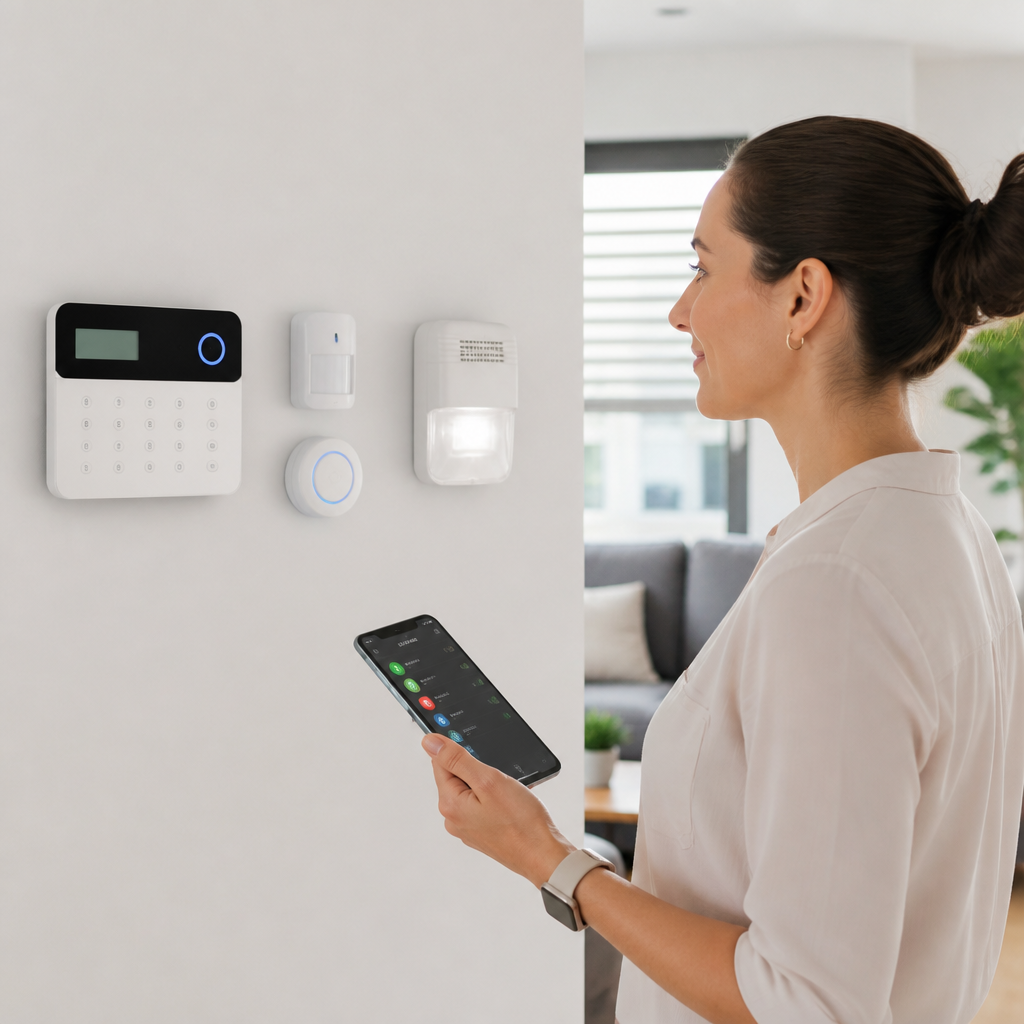
Many barriers faced by deaf individuals are environmental rather than conversational. If a person cannot hear a doorbell, smoke alarm, crying baby, weather alert, or public announcement, the issue is not hearing alone; it is the design of the alert system. Visual and vibrating notification technologies address this gap. Common products include flashing doorbells, bed shakers paired with alarm clocks, smoke and carbon monoxide alarms with strobe lights, smartphone-linked vibration alerts, and baby monitors that transmit visual or tactile signals. In accessible housing audits, these devices are often the simplest upgrades with the biggest effect on safety and independence.
Smart home platforms have expanded what alerting technology can do. A connected video doorbell can send a phone notification with live video. Smart lights can flash when someone is at the door or when a security sensor is triggered. Wearables can deliver haptic alerts for calls, timers, and emergency notifications. Systems from Ring, Google Nest, Apple Home, and Amazon Alexa ecosystems can be configured to support deaf users, although setup quality matters. The most reliable installations use redundant alerts, such as a phone vibration plus a light flash plus a bed shaker at night. Redundancy is not excessive; it is good risk management.
Public alerting is equally important. Transportation boards, airport gate displays, emergency text systems, and visual paging screens improve access in shared spaces where audio announcements dominate. Facilities that rely only on loudspeaker communication exclude deaf people during routine operations and emergencies. Best practice is straightforward: every audible alert should have a synchronized visual equivalent, and every critical message should be accessible through text. That principle aligns with building accessibility standards, life safety planning, and sound user experience design.
Education, workplace, and media technologies across everyday settings
Assistive technologies for deaf individuals work best when they are tailored to the setting. The tools used in a first-grade classroom are not the same as those needed in a hospital registration desk or hybrid office meeting. Schools often combine classroom amplification, captioned video, note-taking supports, visual schedules, and interpreter access. Workplaces may need meeting captions, compatible conferencing platforms, hearing loop rooms, accessible phone alternatives, and clear emergency alerts. At home, streaming captions, visual notifications, and smart alarms may matter most. The hub below summarizes common categories, typical uses, and key strengths.
| Technology category | Typical setting | Main benefit |
|---|---|---|
| Hearing aids | Daily conversations, public spaces | Amplifies and processes sound for residual hearing |
| Cochlear implants | Home, school, work | Provides auditory access for some severe to profound losses |
| Hearing loops/FM systems | Classrooms, theaters, worship spaces | Improves speech clarity by reducing background noise |
| Closed captions/CART | Media, meetings, lectures | Converts speech into visible text |
| Video relay/video interpreting | Phone calls, service interactions | Connects sign language users with hearing people |
| Visual and vibrating alerts | Homes, dorms, hotels | Provides accessible safety and notification signals |
| Speech-to-text apps | Informal meetings, travel, errands | Offers quick transcript support on mobile devices |
Media access deserves special attention because it shapes education, culture, and public information. Captions should be accurate, synchronized, complete, and easy to read. Auto-generated captions are better than nothing, but they frequently miss speaker changes, punctuation, and specialized terms. For training videos, webinars, and customer-facing content, edited captions are the responsible standard. Deaf users also benefit from transcripts, sign language versions for key public information, and media players that allow caption customization. These are not luxury features. They determine whether information is truly accessible.
In workplaces, I consistently see one mistake repeated: companies buy tools without fixing meeting practices. Even the best captioning platform struggles if participants speak over one another, fail to use microphones, or share critical information only verbally. Good technology must be supported by process. That includes circulating agendas, identifying speakers, enabling captions by default, ensuring interpreters can see content and participants, and documenting action items in writing. Accessibility outcomes improve when organizations treat communication access as part of operations, not as an afterthought handled only when someone complains.
How to choose the right assistive technology and avoid common mistakes
The best assistive technology for a deaf individual is the one that matches the person, context, and task. Start with communication preference: does the user rely mainly on sign language, spoken language, lipreading, text, or a combination? Then assess environments. A college student may need lecture captions, dorm alarms, and video relay access, while a late-deafened professional may prioritize hearing aid streaming, meeting transcripts, and conference room loops. Medical input from an audiologist can guide hearing devices, but accessibility planning should also include the user, family, educators, disability coordinators, IT teams, and when relevant, interpreters or speech-language professionals.
Compatibility is a major selection factor. Hearing aids and cochlear implant processors may pair differently with iOS, Android, telecoils, and conferencing platforms. Alerting devices may require Wi-Fi stability, hub hardware, or subscription services. Captioning quality depends on microphone placement, room acoustics, and platform support. Before purchase, test actual use cases: a noisy restaurant, a team meeting, a classroom lecture, a night-time fire alarm simulation. Product demos in quiet showrooms rarely reveal real-world performance. Users should also ask about battery life, maintenance, software updates, warranty terms, repair turnaround, and training support.
Cost and access pathways vary widely. Some hearing aids and implants may be covered partly through insurance, national health systems, vocational rehabilitation, school services, or disability programs, while many consumer alerting tools are paid out of pocket. Employers and educational institutions may have legal responsibilities to provide effective communication accommodations. The common mistake is assuming one purchase ends the process. In reality, needs change over time. Children grow, workplaces adopt new platforms, and hearing levels or communication preferences may shift. The strongest approach is periodic review. Audit what works, what fails, and what new technology can improve. If you are building a resource center or making personal choices, treat this article as the hub: map needs by setting, test tools in real conditions, and prioritize access that is reliable, understandable, and user-led.
Assistive technologies for deaf individuals are most effective when understood as a coordinated access system rather than a single device. Hearing aids, cochlear implants, loops, captions, relay services, visual alerts, and speech-to-text tools each solve different problems. None is universally best, and none should be treated as a complete substitute for the others. The right combination depends on communication style, hearing profile, environment, and the stakes of the interaction. A student may need captions and classroom microphones. A signing adult may depend on video relay and visual alarms. A late-deafened employee may need meeting transcripts, streaming audio, and better alerting at home.
The central benefit of this technology category is practical independence. It helps deaf people communicate clearly, receive information at the same time as others, respond to emergencies, enjoy media, and participate fully in school, work, healthcare, and community life. The most successful decisions are user-led, tested in real settings, and supported by good policies and training. Technology alone does not create access, but the right tools, implemented well, remove many barriers that used to be accepted as inevitable.
If you are exploring technology and tools for the deaf community, use this hub to identify which assistive technology category fits each setting in your life or organization, then compare products and services with accessibility, reliability, and daily usability in mind.
Frequently Asked Questions
What are assistive technologies for deaf individuals?
Assistive technologies for deaf individuals are tools, devices, and services designed to make communication, information, safety alerts, and everyday tasks more accessible for people who are deaf or hard of hearing. The category is broad because hearing access affects so many parts of daily life. It includes medical devices such as hearing aids and cochlear implants for people who benefit from amplified or electronically processed sound, but it also includes non-audio solutions like real-time captioning, speech-to-text apps, visual alert systems, vibrating alarms, and video-based communication services.
In practical terms, these technologies reduce barriers in conversations, at school, at work, at home, and in public spaces. For example, someone may use captions to follow a meeting, a flashing doorbell to know when a visitor arrives, and a vibrating alarm clock to wake up safely and independently. Others may rely on video relay services to make phone calls through sign language interpreters. The main purpose is not simply to “replace hearing,” but to improve access, safety, independence, and participation in daily life in ways that match the individual’s communication preferences and needs.
What types of assistive technology are most commonly used by deaf or hard of hearing people?
The most commonly used assistive technologies usually fall into a few major groups: hearing access devices, communication tools, alerting systems, and media accessibility solutions. Hearing access devices include hearing aids, cochlear implants, bone conduction systems, and assistive listening systems such as FM, infrared, or loop systems used in classrooms, theaters, and public venues. These help some users hear speech or environmental sounds more clearly, especially in noisy spaces or at a distance.
Communication tools are equally important and, for many people, even more central to daily accessibility. These include live captioning, CART services, automatic speech recognition apps, captioned telephones, text messaging, and video relay services for sign language users. In work and education settings, these tools can make spoken information visible in real time, which greatly improves participation and accuracy. Media accessibility technologies such as closed captions, subtitles, and transcription services also play a major role by making video, online content, training materials, and entertainment understandable without relying only on audio.
Alerting and environmental systems are another common category. These include flashing fire alarms, vibrating bed shakers, visual baby monitors, smart home notifications, and doorbells that use lights or vibration instead of sound alone. Many deaf individuals use a combination of technologies rather than a single solution. The best setup often depends on communication style, level of hearing, environment, budget, and whether the person prefers spoken language, sign language, text-based communication, or a mix of methods.
How do hearing aids and cochlear implants differ from other assistive technologies?
Hearing aids and cochlear implants are often the most recognized tools, but they are only part of the larger assistive technology landscape. Hearing aids amplify and process sound for people with residual hearing, while cochlear implants bypass damaged parts of the inner ear and stimulate the auditory nerve directly for individuals who meet specific medical criteria. Both are clinical technologies that require evaluation, fitting, follow-up, and, in many cases, ongoing training or rehabilitation. They can be very helpful for some people, but they do not work the same way for everyone, and they do not “cure” deafness.
Other assistive technologies differ because they focus less on sound and more on access. Real-time captions, sign language interpreting platforms, visual alarms, vibrating alerts, and speech-to-text software do not depend on a person hearing better. Instead, they present information through vision, vibration, or text. That distinction matters because many deaf individuals prefer technologies that support their existing communication methods rather than technologies centered only on hearing restoration or amplification.
In real-world accessibility planning, the most effective support often comes from combining approaches. A person might wear hearing aids but still need captions in meetings, visual alerts at home, and relay services for phone communication. Another person may not use hearing devices at all and instead rely on sign language, captioning, and environmental alert systems. The goal is functional access, not forcing one type of technology to serve every situation.
How do assistive technologies help deaf individuals at home, school, and work?
At home, assistive technologies support both independence and safety. Visual doorbells, flashing smoke alarms, vibrating alarm clocks, smart phone alerts, and video intercom systems help ensure that important sounds are not missed. These tools can make a major difference in day-to-day confidence because they reduce the need to depend on another person for basic awareness. In many households, smart home systems can now be configured to send alerts through lights, wearables, text messages, or vibration, making home accessibility more flexible than it used to be.
In school, access to spoken information is one of the biggest issues, and technology can significantly narrow that gap. Students may use assistive listening devices, classroom microphones, note-taking support, live captioning, transcription tools, captioned videos, and video platforms that support interpreting or subtitles. These resources help with lectures, group discussions, videos, and remote learning. The benefit is not only comprehension in the moment, but also better retention, participation, and academic performance over time.
At work, assistive technologies can improve communication, productivity, and inclusion. Common examples include captioned meetings, speech-to-text apps, accessible conferencing platforms, instant messaging, visual notification systems, and relay services for external calls. Employers may also use microphones paired with listening systems, provide transcripts of training sessions, or install visual emergency alerts. When these technologies are chosen thoughtfully, they can prevent common workplace barriers such as missed instructions, communication fatigue, and safety concerns. They also support equal participation, which is essential for both job performance and legal accessibility compliance.
How can someone choose the right assistive technology for a deaf individual?
Choosing the right assistive technology starts with understanding the person’s actual communication needs, not just the name of a diagnosis. There is no single best solution for every deaf individual because hearing levels, language preferences, environments, and goals vary widely. A useful starting point is to ask practical questions: Does the person communicate mainly through sign language, spoken language, text, or a combination? Do they need support for conversations, phone calls, alarms, education, work meetings, media, or all of the above? Are they trying to improve hearing access, or would visual and vibration-based tools be more effective?
It is also important to consider where the technology will be used. A device that works well in a quiet clinic may not perform well in a noisy classroom or an open office. Likewise, a home alert system should match the person’s sleeping habits, home layout, and safety needs. Trials, demonstrations, and professional assessments can be valuable, especially for hearing devices and larger communication systems. Audiologists, deaf education specialists, accessibility coordinators, vocational rehabilitation services, and assistive technology professionals can all help evaluate options.
Finally, the best choices usually come from a layered approach rather than a one-time purchase. Many people need a toolkit: perhaps captions for meetings, a vibrating alarm for sleep, visual notifications for visitors, and a relay service for calls. Ease of use, maintenance, cost, training, and compatibility with phones or smart home systems should all be part of the decision. Most importantly, the deaf individual should guide the selection process. Effective assistive technology is personal, practical, and built around real-life access, not assumptions about what should work.