Assistive devices that improve daily life for deaf people have changed dramatically over the past decade, moving far beyond basic amplification into a connected ecosystem of alerting tools, visual communication systems, wearable technology, and software-driven accessibility. In practical terms, assistive technology for deaf and hard of hearing people includes any device, app, or integrated system that converts sound into visual, tactile, or optimized audio information so daily tasks become safer, easier, and more independent. That definition covers hearing aids and cochlear implant accessories, but it also includes video doorbells, bed shakers, captioned phones, speech-to-text apps, vibrating alarms, and public loop systems. The category matters because hearing loss affects communication, employment, education, health access, and emergency awareness, and the right mix of tools can remove barriers that hearing people often do not notice.
When I evaluate assistive technologies with families and adult users, the first lesson is that there is no single best device for every deaf person. Some users identify culturally as Deaf and prefer visual-first tools rather than listening devices. Others are late-deafened adults who want stronger telephone access and TV support. Some hard of hearing users rely on hearing aids in quiet settings but need remote microphones in noisy workplaces. A useful hub article, therefore, should explain the full landscape: what each device does, where it works well, what its limits are, and how devices can be combined into a practical daily setup. That broader view helps people choose tools based on communication style, environment, budget, and goals rather than marketing claims.
This guide covers the top assistive devices that improve daily life for deaf people by focusing on the situations that matter most: waking up, answering the door, following conversations, using the phone, watching media, working in meetings, navigating public spaces, and staying safe during emergencies. It also highlights compatibility issues, such as Bluetooth standards, telecoil access, app ecosystems, and battery management, because those details often determine whether a device becomes essential or ends up in a drawer. Used thoughtfully, assistive technologies do more than provide access. They reduce fatigue, increase autonomy, and make everyday routines more predictable and less stressful.
Personal hearing and listening devices
For deaf and hard of hearing people who use auditory access, the core category is personal hearing technology: hearing aids, cochlear implants, bone conduction systems, and accessories that improve signal quality. Modern digital hearing aids process sound with directional microphones, feedback suppression, noise reduction, and frequency shaping tailored through real-ear measurement. They help many people hear speech more clearly, but performance drops in reverberant rooms and background noise. That is why hearing aids are often only one part of a broader setup. Cochlear implants, which bypass damaged inner ear structures and stimulate the auditory nerve, can provide strong speech access for many users with severe to profound hearing loss, especially when paired with auditory rehabilitation. Bone-anchored and bone conduction devices can help users with conductive or single-sided hearing loss by transmitting sound through skull vibration.
Accessories often matter as much as the main device. Remote microphones from brands such as Phonak Roger, ReSound Multi Mic, and Cochlear Wireless Mini Microphone can be clipped to a speaker or placed on a conference table, dramatically improving the signal-to-noise ratio. In classrooms, a teacher-worn microphone may send speech directly to hearing aids or implants, reducing distance and competing noise. For TV listening, dedicated streamers deliver audio straight to a user’s device without forcing everyone else to accept one volume level. These tools are especially valuable for users who can hear some speech but become exhausted from constant listening effort. The main tradeoff is cost, and compatibility must be checked carefully because proprietary wireless systems do not always work across brands.
Visual alerting systems for home awareness
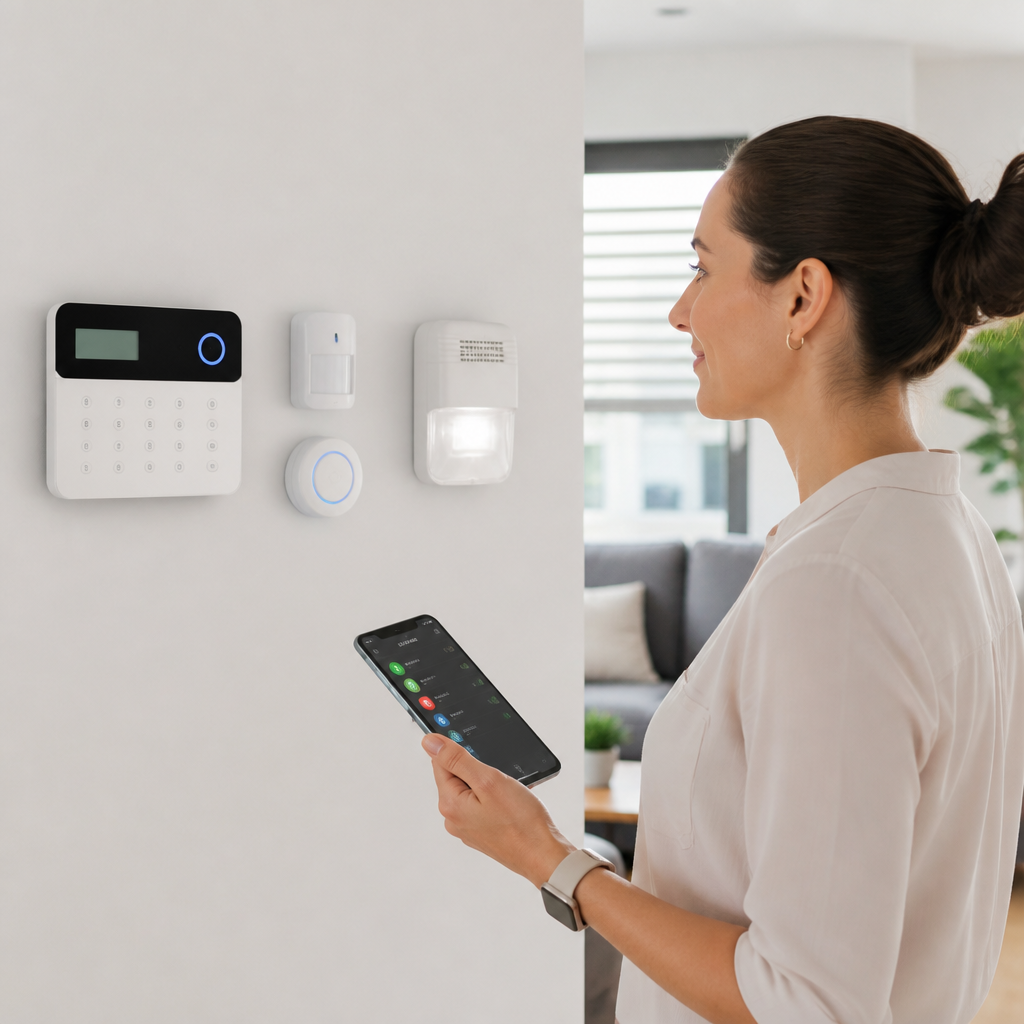
Many of the top assistive devices that improve daily life for deaf people are not worn at all. They are environmental alerting systems that translate important sounds into flashing lights, vibrations, or smartphone notifications. A complete home setup may include a doorbell signaler, phone ring flasher, baby cry alert, smoke and carbon monoxide alarm with strobe, and a weather or emergency receiver. Brands such as Sonic Alert, Serene Innovations, Bellman & Symfon, and Silent Call have long specialized in these systems. Newer smart home options add Wi-Fi cameras, app alerts, and custom routines through platforms such as Google Home, Amazon Alexa, and Apple Home.
In real use, the best systems are the ones that create redundancy. For example, a video doorbell like Ring or Google Nest can send a phone notification and show a live camera feed, but a user should not rely on a phone alone for critical safety alerts because batteries die and phones are muted. Hardwired or code-compliant smoke alarms with interconnected strobes remain essential. In larger homes, receivers can be placed in multiple rooms so a doorbell flash in the living room is not missed in the kitchen. Parents often add baby monitoring systems that provide vibration or bright visual indicators rather than audio only. These devices directly support independence because they let users know what is happening around them without requiring another person to monitor the environment.
Wake-up technology and nighttime safety
Nighttime is one of the most important assistive technology contexts because missed alerts can affect work attendance and safety. Standard audible alarm clocks are inadequate for many deaf people, so specialized wake-up devices use powerful bed shakers, high-intensity strobe lights, and multi-alarm programming. Sonic Bomb and similar products are popular because the shaker placed under a mattress or pillow provides a tactile cue that is harder to sleep through than sound alone. Some smartwatches add wrist vibration alarms, which are useful for travel, naps, and discreet waking without disturbing a partner.
Good nighttime systems also connect to emergency alerts. Some alert receivers can trigger bed shakers or lamp flashers when smoke or carbon monoxide detectors activate. That matters because a standalone alarm clock solves punctuality but not household safety. In practice, I recommend treating waking and emergency notification as one combined planning problem. A college student in a dorm may need a portable vibrating alarm plus campus-approved visual fire alert support. A parent with young children may need both a bed shaker and an integrated baby cry alert. The ideal setup should be tested monthly, especially after firmware updates, battery changes, or room moves. Reliability matters more than extra features, and a simpler device that works every morning is better than a smart alarm with inconsistent notifications.
Communication access: captions, text, and relay tools
Communication technology is the largest category in this hub because it affects nearly every part of daily life. For phone calls, deaf users may rely on captioned telephones, IP relay, video relay services, or smartphone apps that provide live transcription. Captioned telephone services display near-real-time text of what the other caller says, helping many late-deafened adults and hard of hearing users continue using voice calls. Video relay allows sign language users to call hearing people through a remote interpreter, which is often the most natural and efficient option for fluent signers. In face-to-face settings, speech-to-text apps such as Ava, Otter, Microsoft Translator, and Google Live Transcribe can convert spoken language into readable text on a phone, tablet, or laptop.
Accuracy depends heavily on microphone quality, internet stability, accents, speaker overlap, and domain-specific vocabulary. That means no transcription tool is perfect, especially in noisy restaurants or fast-moving group conversations. Still, the improvement over previous generations is substantial. In medical appointments, I have seen users combine a remote microphone with a transcription app for better capture. At work, live captions in Zoom, Microsoft Teams, and Google Meet have become essential rather than optional. For media, open captions and high-quality closed captions on streaming services improve access, but caption quality varies; errors with names, technical terms, and timing are common. The best strategy is layered communication access: use captions where possible, keep a transcription app ready for in-person exchanges, and know which relay option fits the conversation type.
Devices and systems that work best by situation
Choosing assistive technologies is easier when matching each tool to a specific daily task rather than shopping by product category alone.
| Situation | Most effective device or system | Why it works |
|---|---|---|
| Waking up for work or school | Bed shaker alarm with strobe | Provides tactile and visual alerts that do not depend on hearing |
| Answering the door | Video doorbell plus indoor flasher | Combines live visual verification with a strong home alert |
| Family conversation at dinner | Remote microphone or live transcription app | Reduces noise problems and improves turn-by-turn understanding |
| Watching television | Closed captions and direct audio streamer | Supports both visual text access and personalized listening |
| Work meetings | Platform live captions with external mic support | Improves clarity, note-taking, and participation |
| Emergency awareness at night | Interconnected smoke strobe and bed shaker receiver | Delivers urgent alerts during sleep when phones may fail |
This task-based approach prevents common buying mistakes. Someone may spend heavily on premium hearing aids yet still struggle because the real problem is not amplification but distance, noise, or missed alerts. Another user may download several transcription apps but still miss a visitor because there is no visual door signal. Daily life improves most when gaps are identified room by room and routine by routine.
Work, school, and public-space accessibility tools
Some of the most valuable assistive devices for deaf people are installed in shared environments rather than owned personally. Hearing loops, also called induction loop systems, transmit audio directly to telecoil-equipped hearing aids and cochlear implant processors in theaters, service counters, classrooms, and houses of worship. When properly installed to IEC 60118-4 standards, a loop can provide clearer speech than loudspeakers because it sends the signal directly to the listener without room echo. FM and digital wireless systems serve a similar purpose in schools and training spaces by improving speech audibility over distance. In higher education and workplaces, Communication Access Realtime Translation, usually called CART, provides highly accurate live captions created by trained captioners, often outperforming automated captions for lectures, legal settings, and technical meetings.
Public accessibility also includes visual information systems such as departure boards, queue displays, and emergency messaging panels. In offices, deaf employees often benefit from desk alerts tied to phones, team chat integrations, and meeting room caption displays. The Americans with Disabilities Act in the United States and similar laws elsewhere may require reasonable accommodations, but the practical quality of those accommodations varies widely. Asking whether a venue has hearing loops, open-caption screenings, or live caption support before an event can save frustration. The strongest accessibility outcomes usually come from combining public infrastructure with personal tools: for example, a telecoil-enabled hearing aid in a looped auditorium, or a laptop running CART captions during a conference.
How to choose the right assistive technology setup
The best assistive technology setup starts with needs assessment, not products. Begin by listing the moments where access fails: missing the oven timer, struggling in meetings, not hearing a child at night, or avoiding phone calls. Then group those problems into alerting, communication, media access, mobility, and safety. An audiologist can evaluate hearing devices and telecoil needs, while a deaf services organization or vocational rehabilitation counselor may help with environmental tools and funding sources. Compatibility is critical. Bluetooth LE Audio and Auracast are expanding broadcast and accessory possibilities, but many users still depend on older proprietary streamers, telecoils, or separate receivers. Battery type matters too; rechargeable devices are convenient, yet replaceable batteries may be easier during travel or outages.
Budget planning should account for the whole system, not just the headline device. A cochlear implant user may also need spare cables, drying kits, waterproof accessories, and a remote microphone. A visual alerting system may require extra receivers for upstairs rooms. Trial periods are invaluable, especially for hearing aids, caption apps, and wearables. The goal is not owning the most advanced technology; it is building a setup that consistently reduces communication breakdowns and supports independent daily living. Start with the highest-impact problems, test in real environments, and expand deliberately. That approach leads to better outcomes and fewer abandoned devices.
The top assistive devices that improve daily life for deaf people are the ones that solve real barriers in specific contexts, from waking up on time to participating fully in work, family, and community life. Personal hearing devices, remote microphones, captioning tools, visual alerting systems, bed shakers, video doorbells, hearing loops, and relay services each address a different access need. No single technology fits everyone, and the most effective solutions usually combine visual, tactile, and optimized audio pathways rather than relying on one method alone.
The main benefit of modern assistive technology is not convenience in the abstract. It is control. When deaf and hard of hearing people can detect alarms, follow conversation, access phone calls, and navigate public spaces with confidence, daily life becomes safer and less exhausting. Better access also improves job performance, educational participation, healthcare communication, and social connection. That is why this assistive technologies hub matters within the broader Technology & Tools for the Deaf Community topic: it gives you the framework to evaluate every device by function, reliability, and fit.
If you are choosing tools for yourself, a family member, a student, or an employee, start with one question: where does communication or awareness break down most often? Use the answers to build a practical short list, involve qualified professionals where needed, and test devices in the places they will actually be used. A thoughtful setup can transform everyday routines, and the right next device is usually the one that removes today’s biggest barrier.
Frequently Asked Questions
1. What types of assistive devices help deaf people most in everyday life?
The most helpful assistive devices for deaf and hard of hearing people usually fall into a few core categories: alerting systems, communication tools, listening technology, wearable devices, and accessibility software. Alerting devices are often the first major upgrade in daily independence because they turn important sounds into flashing lights, vibrations, or smartphone notifications. These can include doorbell signalers, alarm clock shakers, baby-cry monitors, smoke and carbon monoxide alert systems, and phone call indicators. Instead of relying on sound alone, they make the home environment safer and easier to manage.
Communication tools are also essential. Video relay services, speech-to-text apps, captioned phones, and real-time transcription platforms help people follow conversations in person, on the phone, at work, and in public spaces. For many users, these tools are just as important as traditional hearing-related devices because they directly improve access to information. In group settings, live captioning apps and remote microphones can reduce communication fatigue and make social interaction much smoother.
Listening technology can include hearing aids, cochlear implant accessories, FM and DM systems, Bluetooth streamers, and amplified or clarity-enhanced phones. These devices do not benefit every deaf person in the same way, but for people with residual hearing or for cochlear implant users, they can significantly improve speech access in noisy environments. Meanwhile, wearable technology such as smartwatches and vibrating bands can deliver discreet alerts for calls, timers, navigation cues, and emergency notifications. The best device depends on a person’s hearing profile, lifestyle, work environment, and communication preferences, which is why many people use a combination of tools rather than relying on one single solution.
2. How do visual and vibrating alert systems improve safety at home?
Visual and vibrating alert systems are among the most practical assistive technologies because they address one of the biggest daily challenges for deaf people: missing important environmental sounds. In a standard home, many safety signals are designed around hearing, including smoke alarms, carbon monoxide detectors, security alarms, doorbells, baby monitors, kitchen timers, and incoming phone calls. Alerting systems bridge that gap by converting those sounds into bright strobe lights, bed shakers, wearable vibrations, or app-based notifications.
For nighttime safety, bed-shaking alarm clocks and connected smoke alarm systems are especially valuable. A standard alarm may not wake a deaf sleeper, but a powerful vibrating pad under the mattress combined with flashing lights can provide a much more dependable warning. During the day, synchronized household systems can notify someone when a visitor is at the door, when a child is crying, or when a household appliance finishes a cycle. Some advanced systems connect multiple rooms so alerts are visible throughout the home, which is particularly useful in larger houses or for families with children.
Modern smart-home integration has made these systems even more effective. Many current devices connect to Wi-Fi or mobile apps, allowing users to receive alerts on a smartphone or smartwatch whether they are in another room or away from home. This added layer of accessibility can increase confidence, reduce stress, and support independent living. For people building an accessible home setup, investing in reliable emergency alert devices first is often the most important step because safety needs should always take priority over convenience features.
3. Are smartphones and apps now considered important assistive technology for deaf people?
Yes, absolutely. Smartphones and apps have become some of the most important and widely used assistive tools for deaf and hard of hearing people. In many cases, a single phone can act as a communication hub, alerting system, captioning device, and remote control for other accessibility equipment. This is a major reason assistive technology has changed so dramatically in the past decade: instead of requiring separate standalone devices for every task, many functions can now be centralized through mobile technology.
Speech-to-text apps are one of the clearest examples. These apps can generate live captions during conversations, meetings, appointments, classes, and video calls, helping users follow spoken information in real time. Video relay apps make it possible for sign language users to place and receive calls through interpreters. Captioned calling apps provide text support for spoken phone conversations. Smartphones can also pair with hearing aids, cochlear implants, doorbell cameras, alarm systems, and wearable devices, making it easier to receive customized alerts through vibrations, banners, visual prompts, or streamed audio.
Just as important, phones support everyday independence beyond direct communication. Calendar reminders, medication alerts, navigation cues, messaging platforms, and camera-based transcription tools all contribute to accessibility. A smartwatch paired with a smartphone can add another layer by delivering vibrations for incoming calls, emergency notifications, and household alerts without requiring the user to constantly look at a screen. While dedicated assistive devices still matter, smartphones have become one of the most flexible and cost-effective accessibility tools available because they adapt to so many different daily situations.
4. What should someone look for when choosing assistive devices for deaf or hard of hearing users?
The first thing to consider is the person’s specific hearing level, communication style, and daily routine. Not all deaf or hard of hearing people use technology in the same way. Some primarily use sign language and may prioritize visual communication tools, video relay access, and alerting devices. Others may use hearing aids or cochlear implants and benefit more from Bluetooth accessories, remote microphones, or captioned telephones. The right solution depends less on the label of the device and more on how well it fits real-life needs at home, at work, in school, and while traveling.
Ease of use is another major factor. A device may have excellent features on paper, but if setup is confusing or the alerts are inconsistent, it may not be practical in daily life. Buyers should look for strong reliability, clear instructions, adjustable settings, and compatibility with existing technology such as smartphones, smartwatches, hearing aids, or home automation systems. Battery life, range, portability, and customer support also matter, especially for people who rely on these devices for safety-related alerts.
It is also smart to think in terms of a system rather than a single product. For example, someone may need a doorbell flasher, a bed shaker alarm, live-captioning apps, and a smartwatch working together. Budget matters too, so prioritizing based on immediate impact is often helpful. Safety devices should usually come first, followed by communication tools and convenience features. Whenever possible, users should test products, read accessibility-focused reviews, and consult audiologists, hearing specialists, vocational rehabilitation programs, or deaf service organizations. A well-chosen device should reduce barriers, not create extra complexity.
5. Can assistive devices really improve independence, work performance, and social life?
Yes, and for many people the improvement is significant. Assistive devices do much more than replace sound; they improve access to information, reduce mental strain, and make daily routines more predictable. Independence often increases when someone no longer has to rely on others to know when the doorbell rang, whether an alarm is going off, or what was said during an appointment or meeting. That kind of reliable access changes how comfortably a person can manage home life, transportation, scheduling, and emergencies.
In the workplace, assistive technology can support clearer communication, better participation, and stronger confidence. Real-time captioning tools can make meetings more accessible. Remote microphones and compatible listening systems can improve speech clarity in large rooms. Video relay and messaging tools can simplify customer communication and team collaboration. Even small upgrades, such as a smartwatch delivering silent notifications or a captioning app during training sessions, can reduce missed information and help employees stay fully engaged. This not only benefits the individual user but also helps employers create more inclusive and productive environments.
Socially, the impact can be just as important. Communication barriers often lead to fatigue, frustration, and isolation, especially in fast-moving group conversations or noisy public places. Devices such as captioning apps, hearing technology accessories, and video communication tools can make it easier to stay involved with friends, family, and community events. While no device removes every challenge, the right combination can make interactions smoother, safer, and more comfortable. Over time, that can lead to greater confidence, stronger relationships, and a much better overall quality of life.