Assistive technology for the Deaf includes the devices, software, and communication systems that help Deaf and hard of hearing people access information, stay safe, connect with others, learn, work, and participate fully in daily life. In practice, this category is broader than many people expect. It includes hearing assistance systems such as hearing aids and cochlear implants for some users, but it also covers visual alerting devices, captioning tools, video relay services, text communication platforms, classroom access systems, workplace accommodations, and mobile apps designed around visual communication. As someone who has evaluated accessibility tools across schools, clinics, and remote work environments, I have seen one consistent truth: the best technology is not the most advanced product on the market. It is the tool that matches a person’s communication preferences, environment, budget, and rights under accessibility law.
That distinction matters because Deaf people are not a single technology audience. Some use American Sign Language as a primary language and may not want sound amplification at all. Others identify as hard of hearing, rely on spoken language, and use hearing aids, real-time captions, or assistive listening systems throughout the day. Many combine methods depending on context. A college student may use captioned lectures, a vibrating alarm clock, and a video relay app. A parent may depend on a smart doorbell with flashing alerts and speech-to-text on a phone. An employee may need CART captioning in meetings and a visual emergency notification system in the office. Good planning starts with needs, not assumptions.
This guide explains the main types of assistive technology for the Deaf, how they work, where they fit best, and what tradeoffs to consider before buying or requesting them. It also serves as a central hub for the wider topic of technology and tools for the Deaf community, so the focus here is comprehensive rather than narrow. If you are researching devices for yourself, a family member, a student, or an employee, the goal is simple: understand which tools solve which barriers. When that match is clear, technology stops being a gadget and becomes access.
Hearing access technologies: hearing aids, cochlear implants, and listening systems
Hearing access tools are often the first technologies people think about, but they are only one part of the picture. Hearing aids amplify and process sound for people with residual hearing. Modern digital hearing aids can reduce background noise, emphasize speech frequencies, connect by Bluetooth to phones and computers, and switch programs automatically based on the listening environment. Brands such as Phonak, Oticon, ReSound, and Widex offer models with directional microphones and telecoil compatibility. In real use, these features help most in one-to-one conversation, television streaming, and phone calls. They help less in noisy restaurants, reverberant classrooms, and group discussions where multiple speakers overlap.
Cochlear implants work differently. Instead of amplifying sound, they bypass damaged parts of the inner ear and stimulate the auditory nerve directly. Candidacy is determined through audiological and medical evaluation, and outcomes vary widely based on age at implantation, duration of hearing loss, auditory training, and individual anatomy. For some users, implants dramatically improve speech perception. For others, results are more limited, especially in noise. Cochlear implants are not a universal answer for Deaf people, and they should never be presented that way. They are one option within a larger access strategy.
Assistive listening systems fill a gap that personal devices often cannot solve. FM, DM, and infrared systems send a speaker’s voice directly to a listener’s receiver or compatible hearing aid, improving the signal-to-noise ratio. In practical terms, that means a teacher’s or presenter’s voice arrives more clearly than room noise. Hearing loops do something similar through telecoils installed in many hearing aids and implants. Under standards such as IEC guidance for loop systems and ADA accessibility expectations in public venues, loops are increasingly used in theaters, worship spaces, ticket counters, and meeting rooms because they are discreet and reliable when installed correctly.
Visual alerting systems and home safety devices
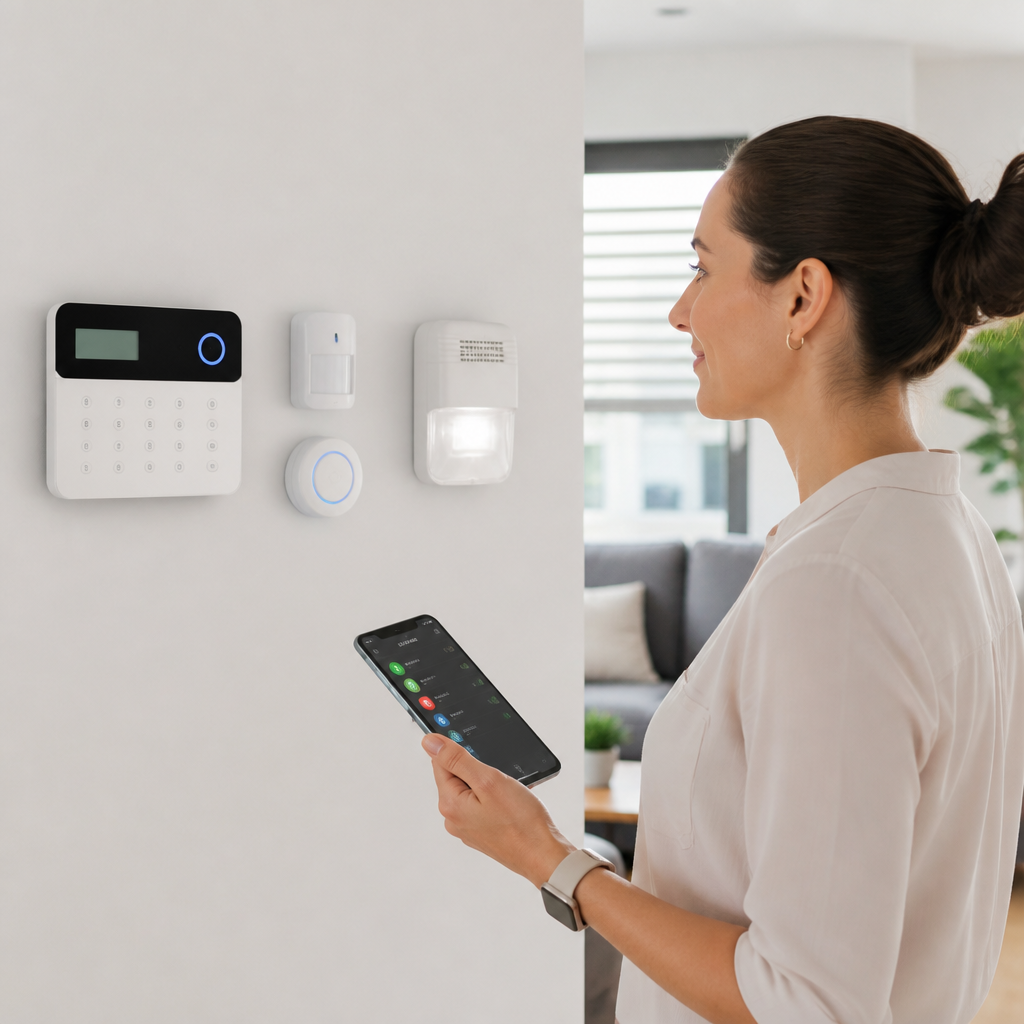
Many of the most valuable assistive technologies for the Deaf have nothing to do with hearing speech. They convert sound-based alerts into light, vibration, or text so that important signals are not missed. This category includes flashing doorbells, bed shakers, vibrating alarm clocks, baby cry signalers, smoke and carbon monoxide alarms with strobe lights, weather alerts, and smart home notification systems. For independent living, these tools are essential rather than optional. A Deaf person should not have to rely on another person to know when someone is at the door or when an emergency alarm is sounding.
I usually recommend that people think in scenarios rather than products. Nighttime access is different from daytime access. During sleep, a bright strobe alone may not wake a person, which is why bed shakers paired with high-intensity alarms are common. For front-door access, a camera doorbell connected to a smartphone notification can work well, especially if it also triggers a smart light to flash. For infant care, a baby monitor that sends vibration alerts to a wearable receiver is often more dependable than a basic audio-only model. The best setup uses layered alerts so one failure does not remove access.
Smart home platforms have improved this category significantly. Devices integrated through Amazon Alexa, Google Home, Apple Home, or specialized accessibility hubs can route one event to several outputs: a doorbell press can trigger a phone alert, a flashing lamp, and a smartwatch vibration. The tradeoff is complexity. Consumer smart home gear is not always designed with Deaf users in mind, and reliability depends on Wi-Fi stability, battery maintenance, and app permissions. For life-safety devices such as smoke alarms, choose products that meet local fire code requirements and are certified for that purpose, not just clever consumer automations.
Captioning, speech-to-text, and telephone access
Captioning technology is one of the most widely used forms of assistive access because it helps across education, employment, healthcare, entertainment, and public life. Closed captions on video display spoken dialogue and key audio information such as music cues or sound effects. Live captioning converts speech into text in real time during meetings, classes, events, or appointments. The highest-accuracy live method is CART, or Communication Access Realtime Translation, provided by a trained captioner using stenographic equipment and specialized software. Automatic speech recognition has improved quickly, but in my experience it still drops accuracy when speakers talk over one another, use technical vocabulary, have strong accents, or sit in echo-prone rooms.
Popular automated tools include Zoom captions, Google Meet captions, Microsoft Teams captions, Otter, Ava, and built-in smartphone transcription features. These are useful, fast, and often low cost, which makes them an important access layer. They are not equivalent to professional CART in high-stakes settings such as legal appointments, medical consultations, disciplinary meetings, or university lectures where precision matters. A good rule is simple: if errors could change meaning or create risk, use human-supported captioning or at least verify transcripts carefully afterward.
Telephone access has also evolved. Video Relay Service allows a Deaf signer to communicate with a hearing person through a remote sign language interpreter using a videophone, computer, or mobile app. In the United States, VRS is regulated by the Federal Communications Commission and is a core communication service for many ASL users. Captioned telephone services support people who use spoken language but need real-time text to understand the other party. Text-based options such as RTT, messaging, and secure chat systems are increasingly common, but they do not replace relay services in every situation, especially when nuance, speed, or formal communication is involved.
Education and workplace tools that remove participation barriers
In schools and workplaces, assistive technology succeeds when it is built into the environment, not added at the last minute. Students and employees need access to lectures, meetings, hallway conversations, training videos, emergency announcements, and informal collaboration. The right solution often combines several tools because no single product covers every communication channel.
| Setting | Common barrier | Effective assistive technology | Why it works |
|---|---|---|---|
| Classroom | Instructor speech lost in noise | DM system plus live captions | Improves speech signal and provides text backup |
| Lecture hall | Fast-paced content and distance from speaker | CART captioning projected to screen or tablet | Captures terminology and supports note-taking |
| Office meeting | Multiple speakers and remote participants | Platform captions, external microphone, agenda in advance | Raises caption accuracy and clarifies turns |
| Reception desk | Poor speech intelligibility through glass | Hearing loop and speech-to-text tablet | Provides direct audio and visual confirmation |
| Factory or warehouse | Audible alarms and verbal instructions missed | Visual alert beacons and wearable vibration alerts | Supports safety in loud environments |
For education, the Individuals with Disabilities Education Act and Section 504 in the United States shape how schools provide access, though implementation quality varies. A Deaf student may need interpreting services, captioned media, note-taking support, visual alarms in dorms, and compatible classroom audio systems. Colleges often rely on disability services offices, but students still benefit from understanding the technology itself so they can advocate for what works. I have seen schools provide captions but fail to caption assigned video clips, or install a microphone system that no instructor consistently wears. Technology without process is unreliable access.
At work, the Americans with Disabilities Act frames reasonable accommodations, but the practical questions are operational. Will every meeting platform support captions? Are emergency drills accessible? Can a Deaf employee answer customer calls through relay or chat channels? Does the company issue phones that support live transcription? The strongest programs treat accessibility as part of workflow design. For example, distributing agendas before meetings, asking speakers to identify themselves, and using shared documents during discussion can improve communication as much as a device purchase.
Mobile apps, communication platforms, and everyday digital tools
Smartphones are now central assistive technology for the Deaf because they combine alerts, text communication, cameras, video calling, transcription, navigation, and remote control of home devices in one pocket-sized system. Many people no longer buy separate specialty devices when a phone can perform the same function through apps and connected accessories. iPhone and Android both include accessibility features such as LED flash alerts, sound recognition, live captions, vibration patterns, hearing device pairing, and notification customization. These built-in tools are often the best first step because they cost little or nothing beyond the phone itself.
Video communication apps have transformed direct signed communication. FaceTime, Zoom, Google Meet, WhatsApp, Glide, and dedicated videophone platforms make it easy to sign with family, interpreters, teachers, clinicians, and service providers. Camera quality matters more than many hearing users realize. Good lighting, stable framing, and sufficient bandwidth are not cosmetic issues; they affect language access because sign language depends on clear visual detail. A grainy camera or lagging feed can erase meaning just as surely as muffled audio can for a hearing user.
Speech-to-text apps are useful for short interactions in stores, medical check-ins, rideshares, and repair visits. They can reduce friction quickly, especially when the other person is not familiar with Deaf communication. Still, they are not neutral tools. Privacy can be a concern when sensitive speech is processed through cloud services, and transcription errors can affect names, medications, or numbers. For routine conversation, that may be acceptable. For healthcare, finance, or legal matters, stronger safeguards and more accurate support are worth the extra effort.
How to choose the right assistive technology
Choosing assistive technology for the Deaf starts with five questions: what communication method does the person use, in which environments does access break down, how urgent is the risk if communication fails, what training is required, and who will maintain the system? Those questions prevent expensive mistakes. A family may buy amplified phones for an ASL-first user who would benefit more from a videophone. An employer may purchase captions but ignore visual emergency alerts. A school may install a loop system for one room while the student’s real barrier is uncaptioned online coursework.
Testing matters. Whenever possible, trial equipment in the actual environment where it will be used. Reverberation, lighting, internet quality, seating layout, and speaker habits all change outcomes. Ask vendors direct questions about battery life, firmware updates, interoperability, telecoil support, app accessibility, warranty terms, and return policies. If a product handles safety alerts, confirm whether it is certified for life-safety use. If it handles meetings or classes, measure not just whether it works once, but whether staff can operate it consistently without the Deaf user having to troubleshoot every session.
Cost and funding vary widely. Some technologies are covered through insurance, vocational rehabilitation, school accommodations, government relay programs, nonprofit equipment distribution, or employer budgets. Others are out-of-pocket purchases. The most effective buyers build a layered system: one solution for communication, one for alerts, one for backup. That approach reflects real life. Access fails when people depend on a single point of technology. Start with the biggest barrier, document what improves participation, and expand from there. Done well, assistive technology gives Deaf people something more valuable than convenience. It provides autonomy, safety, and equal access. Review your current communication barriers, identify the setting where breakdowns happen most often, and choose one tool to test this month.
Frequently Asked Questions
What is assistive technology for the Deaf, and what types of tools does it include?
Assistive technology for the Deaf is a broad category of devices, software, and communication systems designed to improve access, safety, communication, learning, and independence for Deaf and hard of hearing people. Many people assume it refers only to hearing devices, but in reality it covers much more than amplification. It includes tools that provide information visually, through text, through vibration, or through direct communication support. The best way to think about it is as any technology that helps a Deaf or hard of hearing person interact more fully with the world around them.
Common examples include hearing aids and cochlear implants for individuals who use them, but those are only part of the picture. Assistive technology also includes visual alerting systems such as flashing doorbells, vibrating alarm clocks, baby cry monitors, weather alerts, and smoke or carbon monoxide alarms with strobe lights. Communication tools are another major category, including real-time captioning, speech-to-text apps, video relay services, teletype or text telephone systems, messaging platforms, and video conferencing tools with caption support. For entertainment and media access, closed captioning on television, streaming platforms, websites, and public displays is essential. In classrooms and workplaces, people may also use FM systems, infrared systems, induction loop systems, captioned telephones, and remote interpreting platforms.
Importantly, no single device works for everyone. Some Deaf people primarily use sign language and rely on video-based communication and visual alerts. Others may use spoken language, hearing technology, or a combination of methods. The most effective assistive technology setup is highly personal and depends on communication preferences, hearing level, environment, job or school demands, and lifestyle needs.
How do hearing aids, cochlear implants, and hearing assistance systems fit into Deaf assistive technology?
Hearing aids, cochlear implants, and hearing assistance systems are often included under the umbrella of Deaf assistive technology because they can help some users access sound more effectively. Hearing aids amplify sound and may improve awareness of speech and environmental noise for people with residual hearing. Cochlear implants work differently: they bypass damaged parts of the inner ear and stimulate the auditory nerve directly. For some people, these technologies improve communication, listening, and environmental awareness, especially when paired with therapy, training, and supportive communication tools.
However, it is important to understand that these devices are not universal solutions and do not “fix” deafness. Outcomes vary widely depending on age of onset, hearing history, anatomy, access to training, and personal goals. Some Deaf and hard of hearing individuals benefit greatly from these tools, while others do not use them at all or use them only in specific settings. Cultural identity and communication preference also matter. Many Deaf people use sign language as their primary language and may prioritize technologies that support visual communication rather than sound access.
Hearing assistance systems can further improve access in public or group environments. These include FM systems, induction loop systems, and infrared listening systems, which help deliver clearer audio by reducing background noise and distance-related sound loss. In schools, lecture halls, theaters, places of worship, and meeting rooms, these systems can make speech easier to follow for people who use hearing devices or telecoils. Even so, many users still need captioning, note-taking support, or sign language interpretation alongside them. The key takeaway is that hearing technology is one part of a larger accessibility toolkit, not the whole answer.
What communication technologies help Deaf and hard of hearing people stay connected?
Communication technology is one of the most important areas of assistive technology for the Deaf because it directly affects relationships, education, work, healthcare, and everyday independence. Today, Deaf and hard of hearing people have more communication options than ever before, and the best choice often depends on whether the person prefers sign language, text, speech, or a mix of communication methods. The goal is not to force one method, but to support clear, reliable, and accessible interaction in real-world situations.
Video relay service, often called VRS, is a major tool for sign language users. It allows a Deaf person to communicate with a hearing person through a sign language interpreter over video. This makes phone conversations more accessible for people who use American Sign Language or other sign languages. Text-based tools are also widely used, including SMS, instant messaging, email, chat platforms, and captioned telephones. Real-time captioning and speech-to-text apps can be especially helpful in face-to-face conversations, meetings, appointments, and events. Many smartphones and tablets now include built-in accessibility features such as live captions, transcription, vibration alerts, and video calling, making mainstream devices increasingly useful as assistive tools.
In professional and educational settings, remote interpreting platforms, CART captioning, and accessible video conferencing tools have become especially important. Features such as pinned interpreters, accurate captions, chat backups, and screen sharing can significantly improve communication access. Even simple tools, such as typed notes on a phone or shared documents during a meeting, can make a meaningful difference. The most effective communication setup is usually flexible and layered, combining multiple technologies so the person can adapt based on the situation.
How do visual alerting devices improve safety and independence at home, school, and work?
Visual alerting devices are a core part of assistive technology for the Deaf because they replace or supplement sound-based alerts with visual signals, vibration, or connected notifications. These tools are especially important for safety and independence, since so much of daily life relies on hearing a sound: a fire alarm, a doorbell, a baby crying, a timer going off, or an emergency weather warning. Without accessible alerts, important information can easily be missed. With the right setup, Deaf and hard of hearing people can respond quickly and confidently to events around them.
At home, common visual alerting tools include flashing doorbells, vibrating alarm clocks, bed shakers, strobe-equipped smoke and carbon monoxide alarms, video doorbells, and smartphone-connected notification systems. Some systems can link multiple alerts through a central hub so that different signals indicate different events, such as the phone ringing, someone at the door, or an emergency alarm. Parents may also use specialized baby monitors that provide light or vibration alerts. In workplaces and schools, accessible emergency notification systems, visual paging displays, captioned announcements, and integrated alarm systems can help ensure that safety information is not delivered by audio alone.
Modern smart home technology has expanded these options significantly. Connected lights, watches, phones, and home automation systems can now provide customized alerts through flashing lights, vibrations, app notifications, or wearable devices. This flexibility is especially useful for people with different routines, sleep needs, and communication preferences. When choosing alerting technology, reliability matters more than novelty. The best systems are easy to notice, easy to maintain, and designed to work consistently during emergencies as well as everyday moments.
How can someone choose the right assistive technology for their needs?
Choosing the right assistive technology starts with understanding the person’s actual communication needs, daily environments, and goals. There is no one-size-fits-all solution for Deaf or hard of hearing users, because people vary widely in how they communicate, what situations they navigate, and which barriers affect them most. A student in a classroom may need captioning, an FM system, and visual alerts. A professional may prioritize video relay access, meeting captions, and accessible phone tools. Someone at home may focus first on alarm systems, door alerts, and media captioning. The best choices come from matching technology to real-life tasks rather than choosing devices based only on popularity or assumptions.
It is often helpful to evaluate needs across several areas: communication, safety, education, employment, entertainment, healthcare, and mobility. Consider questions such as: Does the person use sign language, spoken language, or both? Are one-on-one conversations the main challenge, or group settings? Is emergency alerting a top concern? Will the technology be used mostly at home, at school, in public places, or on the job? Cost, training, compatibility, maintenance, and customer support should also be part of the decision. In many cases, a combination of tools works better than any single device.
Whenever possible, users should try technology before committing to it, and they should be involved directly in the decision-making process. Audiologists, Deaf educators, accessibility specialists, vocational rehabilitation programs, and assistive technology centers can all provide guidance depending on the situation. Just as important, feedback from Deaf and hard of hearing users who have hands-on experience can offer practical insight that product brochures cannot. The right technology is not necessarily the most advanced option; it is the one that reliably improves access, fits comfortably into daily life, and supports the user’s preferred way of communicating and living.