
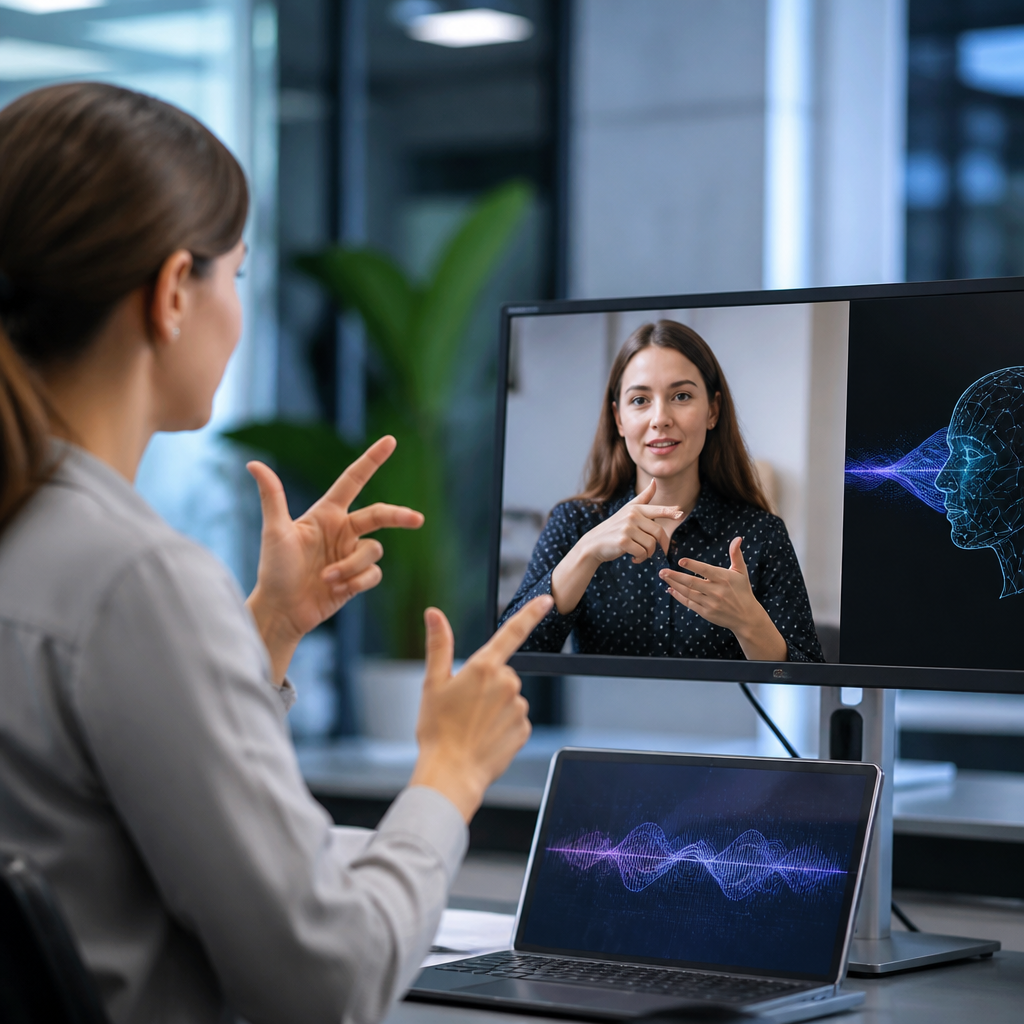
Artificial intelligence is transforming accessibility for the deaf community by turning speech, sound, text, and visual cues into usable information in real time. In practical terms, AI accessibility includes automatic captions, speech-to-text transcription, sign language research tools, sound recognition alerts, translation systems, and personalized communication features built into phones, meetings, classrooms, workplaces, and public services. For deaf and hard of hearing people, these tools matter because access is not a convenience issue; it determines whether someone can follow a lecture, respond during a medical visit, join a video call, catch an emergency warning, or participate fully in daily life. I have seen the difference firsthand while evaluating captioning platforms and communication apps: the best systems reduce friction immediately, while weak ones fail at the exact moment clarity matters most. That gap explains why AI has become central to the future of accessibility. It is no longer confined to labs or niche assistive products. It now shapes mainstream operating systems, conferencing software, customer service channels, transportation systems, and media platforms, making this one of the most important technology shifts affecting the deaf community today.
What AI accessibility means in everyday communication
AI accessibility for the deaf community refers to systems that detect, classify, convert, or summarize communication signals so information becomes visible, readable, or otherwise easier to understand. The most common example is automatic speech recognition, often called ASR, which converts spoken language into text. ASR powers live captions in Zoom, Google Meet, Microsoft Teams, YouTube, Android, iPhone, and many smart televisions. In strong conditions, modern models can produce highly usable captions within seconds, helping users follow conversations without waiting for a human transcript. The value is immediate in meetings, classrooms, courtrooms, telehealth sessions, and family calls.
Another major category is natural language processing, which improves raw transcripts by adding punctuation, identifying speakers, summarizing key points, and translating between languages. This matters because accurate words alone do not guarantee comprehension. A medical appointment transcript without punctuation or with mixed speakers can still be confusing. Better AI systems segment dialogue, preserve terminology, and generate cleaner text that is easier to read quickly. For deaf users, speed and readability are inseparable from access.
Computer vision also plays a growing role. Visual models can identify environmental sounds and trigger alerts for alarms, doorbells, crying babies, barking dogs, or breaking glass. Apple Sound Recognition, Google sound notifications, and dedicated alerting devices illustrate how AI can interpret the environment and convert audio events into visual or haptic signals. These tools are especially useful at home, in dorms, and in workplaces where missing a sound can create safety risks or social barriers.
AI does not replace the entire accessibility ecosystem. Interpreters, CART providers, hearing loop systems, visual alarms, and strong inclusive design remain essential. However, AI expands coverage where human support is unavailable, unaffordable, or too slow to deploy. That is why this topic sits at the center of the broader Technology & Tools for the Deaf Community landscape: it connects mobile accessibility, workplace tools, education technology, entertainment access, and public communication into one fast-changing field.
Automatic captions and transcription are the current front line
Automatic captions are the most visible example of how AI is transforming accessibility for the deaf community because they solve a frequent, universal problem: spoken information disappears unless it is captured instantly. In the past, users often had to request accommodation in advance or rely on prerecorded captions that were added later. Today, AI-generated captions are increasingly available by default inside consumer and enterprise products. That shift matters because default access tends to be used more consistently than special-request access.
In my testing, the strongest captioning systems perform well when speakers use standard microphones, speak one at a time, and avoid heavy crosstalk. Accuracy drops with background noise, accented speech, specialized jargon, and unstable internet connections. This is why evaluation should include word error rate, latency, speaker labeling, punctuation quality, and support for custom vocabulary. Healthcare, legal, and education settings need terminology controls because one mistranscribed word can change meaning significantly. Platforms such as Otter, Ava, Google Meet, Microsoft Teams, and Zoom each offer different strengths in collaborative notes, meeting integration, export options, and multilingual support.
Live transcription also creates a searchable record. That record supports follow-up, accountability, and learning. A deaf employee can review action items after a meeting. A student can revisit difficult sections of a lecture. A patient can confirm medication instructions instead of relying on memory. These benefits extend beyond access; they improve communication quality for everyone. Universal design often works that way: features adopted for disability access become broadly useful because they reduce cognitive load and information loss.
Even so, organizations should not treat auto-captions as a complete substitute for professional communication access. High-stakes events still require human oversight, especially when confidentiality, technical language, or legal precision matters. The practical rule is simple: use AI captions as a powerful baseline, then match the accommodation level to the risk of misunderstanding.
Sign language technology is advancing, but it is not solved
One of the most discussed areas in AI accessibility is sign language recognition and translation. The promise is compelling: a camera sees signed communication, a model identifies handshape, movement, orientation, facial expression, and body position, and then produces text or speech. Research teams and startups are working on exactly this problem, but the public conversation often oversimplifies the current state of the technology.
Sign languages are full natural languages with their own grammar, regional variation, discourse structure, and nonmanual markers. American Sign Language is not signed English, and the same principle applies elsewhere. That means sign language translation is not just gesture detection. A reliable system must understand linguistic structure, signer variation, camera angle, lighting, occlusion, signing speed, and context. Facial expression is not decorative; it often carries grammatical meaning. When developers ignore these realities, products look impressive in demos but fail in real communication.
Still, progress is real. Computer vision models can increasingly track skeletal motion, hand landmarks, and facial features. Datasets are improving, although many remain too narrow in signer diversity and real-world conditions. AI can already assist with sign language education, dictionary lookup, corpus analysis, and limited recognition tasks in constrained environments. It can also support interpreters and researchers by speeding annotation and search across signed video collections.
The near-term opportunity is not a magical universal translator. It is building practical tools with clearly defined boundaries, such as educational aids, phrase-level recognition in controlled settings, and systems that help route service requests. The long-term goal requires deep collaboration with deaf linguists, interpreters, native signers, and accessibility experts. Without that collaboration, sign technology risks being inaccurate, culturally tone-deaf, and ultimately untrustworthy.
AI is reshaping education, work, healthcare, and public services
The impact of AI accessibility becomes clearest when viewed by setting. In education, AI captions, lecture transcripts, note summaries, and searchable recordings help deaf students access spoken instruction more consistently. Learning platforms can pair transcripts with timestamps, slides, and glossary terms, allowing students to review difficult material at their own pace. For STEM classes, however, quality depends on whether systems can handle equations, symbols, and specialized vocabulary. Schools that deploy these tools well usually combine them with trained support staff, caption quality review, and accessible course design.
In workplaces, AI supports meeting access, asynchronous collaboration, and customer interaction. Live captions reduce the friction of hybrid meetings. Transcript archives help employees verify decisions. AI-generated summaries can be useful after long calls, though they should be reviewed because summarization sometimes removes nuance or misses assigned responsibilities. Employers also use sound alerts in industrial or office settings so important events are not communicated through audio alone. Done properly, these changes improve both compliance and productivity.
Healthcare presents a more demanding environment. Medical vocabulary, privacy requirements, and high consequence decisions mean AI tools must be selected carefully. Speech recognition can help with appointment logistics and basic communication, but informed consent, diagnosis discussions, and treatment planning often require stronger accommodations, including qualified interpreters or professional real-time captioning. AI can support access here, but it should not be used as a cheap substitute where precision is critical.
Public services are also changing. Transit apps deliver text-based service alerts. Government websites increasingly provide captioned videos and chat interfaces. Emergency systems can convert sirens, announcements, or alerts into visible notifications. These advances matter because accessibility cannot stop at personal devices; it must extend into civic infrastructure where people depend on timely information.
Where AI tools help most, and where they still fail
The strengths and limitations of AI accessibility are easiest to understand side by side.
| Use case | What AI does well | Where caution is needed |
|---|---|---|
| Live captions | Fast text output for meetings, classes, and videos | Errors with jargon, accents, crosstalk, and noise |
| Sound alerts | Detects alarms, doorbells, and household sounds | False positives, missed events, device placement issues |
| Meeting summaries | Creates notes and action items quickly | May omit nuance or misassign responsibilities |
| Sign language tools | Useful for learning, indexing, and constrained recognition | Not yet reliable for broad real-world translation |
| Translation | Speeds basic multilingual communication | Can distort meaning in legal or medical contexts |
The biggest benefit of AI is scale. Once built into mainstream products, access features can appear everywhere at low marginal cost. The biggest weakness is inconsistency. A captioning model may work beautifully in one room and poorly in another. A sound recognition tool may miss a distant alarm. A summary feature may present an incomplete version of what happened. For deaf users, inconsistency is not a minor bug. It can mean missing information that hearing participants received effortlessly.
That is why procurement and policy matter. Organizations should test tools with deaf and hard of hearing users before standardizing them. They should define fallback procedures when AI output is weak. They should also train staff not to assume that turning on captions solves accessibility by itself. The mature approach is layered access: AI where it performs well, human support where stakes or complexity demand it.
The next phase of accessibility will be personalized and multimodal
The future of AI accessibility for the deaf community will be shaped by personalization and multimodal design. Personalization means systems adapt to user preferences, context, language, vocabulary, and device habits. A person may want larger rolling captions, color-coded speaker labels, vibration for emergency sounds, and summaries delivered after meetings. Another may prefer transcript-first communication, bilingual support, or integration with hearing devices. Good accessibility tools will remember those preferences across platforms instead of forcing users to reconfigure every app.
Multimodal design means combining text, visuals, haptics, and context-aware alerts rather than depending on one channel. A smart home system might flash lights, send a phone notification, and display a labeled sound alert when a smoke alarm activates. A meeting platform might pair captions with speaker identification and post-call summaries. A classroom tool might connect live transcription, slide capture, and glossary support. Combining channels is important because no single mode is reliable in every environment.
There are also serious ethical questions. AI systems learn from data, and poor datasets produce poor accessibility. If sign language datasets underrepresent regional signing styles, the model will serve some users better than others. If speech recognition is tuned mainly for certain accents or recording conditions, caption quality will vary unfairly. Privacy is another concern because accessibility tools often process sensitive audio and video. Vendors should disclose retention policies, security controls, and whether user data is used for model training.
For organizations building an accessibility roadmap, the path forward is clear. Audit communication barriers first. Map those barriers to proven AI tools. Test with real users, not assumptions. Measure caption accuracy, response time, comprehension, and user confidence. Keep human accommodations available. Then expand from isolated tools toward an integrated accessibility stack across meetings, learning, support, media, and safety systems.
AI is transforming accessibility for the deaf community because it converts communication that was once fleeting or inaccessible into information people can read, review, and act on. Automatic captions, transcription, sound recognition, translation, and emerging sign language tools are already changing education, work, healthcare, media, and public life. The most important lesson is that AI works best when it is treated as infrastructure rather than novelty. It should be reliable, tested, privacy-conscious, and matched to the real stakes of the situation. Used well, it expands independence, participation, and safety. Used carelessly, it creates a false sense of access while leaving critical gaps in place.
As the hub for AI and the future of accessibility, this topic connects every major conversation in assistive technology for deaf and hard of hearing people: communication apps, captioning platforms, smart alerts, inclusive workplace systems, education tools, and public information design. The next step is practical. Review the tools your organization, school, or household already uses, identify where spoken or sound-based information is still being missed, and upgrade those points first. Better accessibility starts with one communication barrier solved well, then scaled deliberately.
Frequently Asked Questions
1. How is AI improving accessibility for the deaf and hard of hearing community in everyday life?
AI is improving accessibility by converting speech, sound, text, and visual information into formats that are easier for deaf and hard of hearing people to use in real time. One of the most visible examples is automatic captioning, which can turn spoken conversations, videos, lectures, and meetings into on-screen text almost instantly. This makes it easier to follow discussions in classrooms, workplaces, medical appointments, and public events without relying entirely on human note-takers or interpreters. AI-powered speech-to-text tools are also becoming more accurate, faster, and more widely available through smartphones, video conferencing platforms, and public service systems.
Beyond captions, AI can recognize important environmental sounds such as alarms, sirens, doorbells, crying babies, or someone calling a person’s name, then send visual or vibrating alerts. This adds a layer of safety and awareness that can be especially valuable at home, at work, or while traveling. AI is also helping with translation and communication support by making it easier to convert spoken language into readable text, summarize conversations, and adapt communication settings to individual preferences. In practical terms, these tools reduce friction in daily interactions and help create more inclusive environments where deaf and hard of hearing people can access information more independently and consistently.
2. What are the most common AI accessibility tools used by the deaf community today?
The most common AI accessibility tools include automatic captions, live transcription apps, speech-to-text systems, sound recognition alerts, video captioning platforms, and communication features built into smartphones and computers. Automatic captions are now widely used in video calls, online classes, streaming media, social media videos, and workplace meetings. These tools allow spoken words to appear as text in real time, making conversations easier to follow without requiring specialized equipment. Live transcription apps go a step further by turning in-person conversations into text on a mobile device, which can be especially useful in one-on-one meetings, group discussions, or public settings where hearing speech clearly may be difficult.
Sound recognition tools are another important category. These systems use AI to detect meaningful sounds and provide visual, tactile, or vibration-based alerts. For example, a phone or smart home device may notify a user when a smoke alarm goes off, a dog is barking, or someone is knocking at the door. AI is also being used in language support and sign language research, although this area is still developing and should be approached carefully because sign languages have their own grammar, regional variation, and cultural depth. In addition, many accessibility features are now integrated into mainstream devices, which helps normalize access instead of treating it as an add-on. That broader availability is a major reason AI is having such a strong impact.
3. Can AI replace sign language interpreters or human accessibility support?
In most cases, no. AI can greatly improve access, but it should not be viewed as a full replacement for qualified sign language interpreters, captioners, or other human support professionals. Human interpreters bring cultural understanding, contextual judgment, emotional nuance, and linguistic expertise that current AI systems often cannot match. Sign languages are complex natural languages with their own structure, expression, and regional differences, so automated tools may struggle with accuracy, meaning, and conversational flow. This is especially important in high-stakes situations such as legal proceedings, medical consultations, education, mental health care, and job interviews, where misunderstandings can have serious consequences.
That said, AI can serve as a valuable support layer when human services are unavailable, delayed, or impractical. For example, live captions can make a spontaneous conversation more accessible, and speech-to-text can help during informal meetings or while traveling. AI can also complement interpreters by improving preparation, generating transcripts, summarizing discussions, or assisting with communication in hybrid environments. The best way to think about AI is as a tool that expands access and fills gaps, not as a one-size-fits-all substitute for human expertise. Accessibility works best when people have options and can choose the combination of tools and support that fits their needs.
4. What are the biggest limitations and concerns with AI accessibility tools for deaf users?
Although AI accessibility tools have improved quickly, they still have important limitations. Accuracy remains one of the biggest concerns. Automatic captions and transcription systems may struggle with accents, fast speech, overlapping speakers, background noise, technical vocabulary, names, or multiple languages in the same conversation. Even small errors can change the meaning of what was said, which can create confusion or exclusion. This is one reason why AI-generated captions are helpful but not always reliable enough on their own for critical communication. Sign language recognition and translation present even greater challenges because meaning depends not only on hand shapes, but also on facial expressions, movement, body position, context, and regional language variation.
Privacy and bias are also serious issues. Many AI systems process audio, video, or personal communication data, which raises questions about how that information is stored, who can access it, and whether it is being used to train future systems. If datasets do not include a wide enough range of voices, communication styles, or signing patterns, the tools may perform better for some users than others. There is also the risk that organizations may adopt low-cost AI tools and assume they have fully solved accessibility, when in reality users still need interpreters, human captioning, or personalized accommodations. For AI accessibility to be genuinely useful, it must be designed with deaf and hard of hearing users, tested in real-world settings, and offered as part of a broader commitment to inclusive communication.
5. What should organizations, schools, and workplaces do to use AI accessibility tools effectively and responsibly?
Organizations should start by treating AI as one part of a larger accessibility strategy, not the entire strategy. That means using AI tools to improve access while still providing human support, clear accommodation processes, and communication options that reflect the needs of deaf and hard of hearing individuals. For example, a workplace might use live captions during meetings, but it should also be ready to provide professional interpreters or human-generated captioning when needed. Schools should evaluate whether AI transcription is accurate enough for lectures, discussions, and specialized coursework, and public-facing institutions should make sure critical information is available in multiple accessible formats. The key is flexibility, because accessibility is not the same for every person.
It is also essential to involve deaf and hard of hearing users directly in selection, testing, and feedback. The people who rely on these tools are best positioned to identify what works, what fails, and what barriers remain. Organizations should review privacy policies, check how audio and video data are handled, test tools in realistic environments, and train staff on how to use them properly. They should also set expectations clearly, including when AI captions may be imperfect and when higher levels of support are appropriate. When implemented thoughtfully, AI can make communication faster, broader, and more inclusive. But responsible use requires listening to the community, maintaining human-centered standards, and recognizing that true accessibility is measured by real usability, not just by the presence of new technology.





