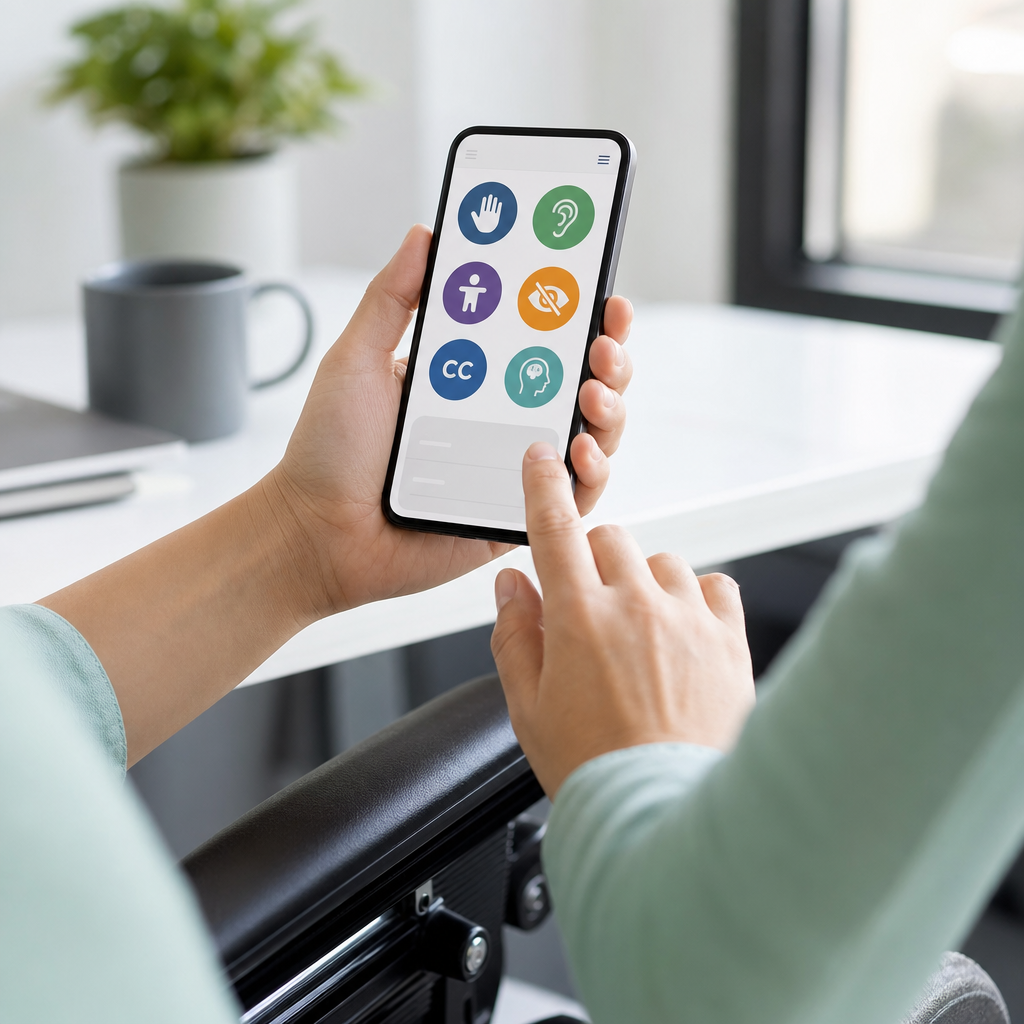
Web accessibility standards, usually discussed through the Web Content Accessibility Guidelines, define how to make websites, apps, and digital documents usable by people with disabilities across vision, hearing, motor, speech, and cognitive needs. Digital accessibility is the broader practice of designing and building technology so people can perceive content, operate controls, understand interfaces, and use assistive technology without unnecessary barriers. I have worked on accessibility audits for marketing sites, SaaS dashboards, and public sector forms, and the same lesson appears every time: accessibility is not a niche enhancement. It is a baseline quality standard that improves reach, compliance, usability, and trust.
When people ask what WCAG is, the simple answer is this: it is the globally recognized framework used to measure whether digital experiences are accessible. WCAG was developed by the World Wide Web Consortium through the Web Accessibility Initiative, and it organizes accessibility into testable success criteria. Governments, universities, healthcare organizations, ecommerce brands, and software teams use it because it gives a shared language for design, development, content, and QA. In many regions, regulations and procurement rules point directly to WCAG 2.1 or 2.2 Level AA as the practical target.
Why does this matter so much? More than one billion people worldwide live with some form of disability, according to the World Health Organization. Accessibility barriers can block basic tasks such as reading instructions, submitting an application, booking an appointment, or paying an invoice. A missing form label may stop a screen reader user. Low color contrast may hide key text for someone with low vision. A checkout flow that requires drag-and-drop may exclude keyboard-only users. These are not edge cases. They are everyday failures that affect customers, students, patients, employees, and citizens.
This hub article explains digital accessibility in plain language, with WCAG as the anchor. It covers the core principles, conformance levels, common barriers, testing methods, legal context, and practical steps for teams. It also serves as the foundation for related topics such as screen reader support, keyboard accessibility, alt text, accessible forms, captions, PDFs, ARIA, and inclusive content design. If you understand the concepts here, you will be able to evaluate most accessibility discussions, set sensible priorities, and build a roadmap that turns compliance goals into better digital experiences.
The Core Structure of WCAG: Four Principles and Three Levels
WCAG looks complex at first, but its structure is straightforward. It is built on four principles: content must be perceivable, operable, understandable, and robust. Perceivable means users can detect the information, whether through sight, sound, or assistive technology. Operable means they can use controls and navigation, including with a keyboard. Understandable means content and behavior are clear and predictable. Robust means the code works reliably with browsers and assistive technologies such as screen readers, speech input software, and screen magnifiers.
Under those four principles sit guidelines, and under the guidelines sit success criteria. Each success criterion is assigned a level: A, AA, or AAA. Level A covers the most basic blockers. Level AA addresses the issues most organizations should fix as a standard operating target. Level AAA is the highest level, but not every page or experience can realistically meet every AAA criterion. In actual projects, the widely accepted benchmark is WCAG 2.1 AA or WCAG 2.2 AA, depending on the policy, contract, or legal requirement involved.
The version numbers matter too. WCAG 2.0 established the original modern baseline. WCAG 2.1 added mobile, low vision, and cognitive accessibility improvements, including orientation, reflow, text spacing, and input modalities. WCAG 2.2 added criteria such as Focus Appearance, Dragging Movements, and Accessible Authentication. Most teams do not need to memorize every criterion. They need to understand that newer versions expand coverage while remaining backward compatible, so aiming for 2.2 AA is usually the safest forward-looking decision.
What Digital Accessibility Includes Beyond Web Pages
Digital accessibility is larger than websites alone. It includes mobile apps, web applications, ecommerce platforms, customer portals, online learning systems, emails, PDFs, slide decks, video players, kiosks, and digital documents. If a person must use it to access information or complete a task, accessibility applies. I often see teams focus on page templates while ignoring uploaded PDFs, embedded scheduling tools, or third-party payment widgets. In practice, those overlooked components cause some of the most severe barriers because they handle high-stakes tasks like applications, consent, billing, and account access.
Accessibility also covers the full user journey. A homepage can pass automated scans while the booking calendar is unusable, the password reset flow times out, and support chat traps keyboard focus. Real accessibility means every critical path works for real users under real conditions. That includes error handling, status messages, focus order, responsive layouts, zoom support, and compatibility with assistive technology. It also includes content choices: plain language, meaningful headings, descriptive link text, and instructions that do not rely only on color, shape, or position.
For a hub page under Accessibility and Inclusion, this broader definition matters because digital accessibility connects technical implementation with editorial, product, legal, and customer experience decisions. An accessible brand does not just fix code. It creates procurement rules for vendors, trains content authors, chooses accessible design systems, and includes disabled users in testing. That is why mature programs treat accessibility as an operating model rather than a one-time remediation project.
The Most Important WCAG Requirements in Plain English
If you need a practical summary, the most important WCAG requirements are these: provide text alternatives for images, make all functionality available by keyboard, ensure sufficient color contrast, use semantic headings and labels, give forms clear instructions and errors, caption video, avoid flashing content, support zoom and reflow, maintain visible focus indicators, and write code that assistive technology can interpret. These are the items that repeatedly surface in audits because they affect core tasks and are often missed during fast product cycles.
Take images as an example. Informative images need alt text that communicates purpose, not decoration. A product image might need “Blue waterproof hiking jacket with front zipper,” while a decorative divider should use empty alt text so screen readers ignore it. Forms are another frequent failure point. Every input needs a programmatic label, related options should be grouped properly, required fields should be identified clearly, and errors should explain how to fix the problem. “Invalid entry” is weak. “Enter a 5-digit ZIP code” is useful.
Keyboard accessibility deserves special attention because it exposes structural problems quickly. A user should be able to tab through interactive elements in a logical order, activate controls, open menus, submit forms, dismiss dialogs, and always see where focus is located. When a modal opens, focus should move into it; when it closes, focus should return logically. Skip links, landmark regions, and proper heading structure help screen reader and keyboard users navigate efficiently, especially on long pages or within dense application interfaces.
| Accessibility area | Common failure | Better implementation |
|---|---|---|
| Images | Missing or vague alt text | Write concise alt text based on purpose; use empty alt for decorative images |
| Color and contrast | Light gray text on white background | Meet contrast thresholds and never rely on color alone for meaning |
| Forms | Placeholder text used as the only label | Use visible labels, fieldset/legend where needed, and specific error messages |
| Keyboard use | Menus, modals, or sliders that trap or lose focus | Support full keyboard operation with clear focus management |
| Video | No captions or transcript | Add synchronized captions and transcripts for spoken content |
| Structure | Clickable divs and skipped heading levels | Use semantic HTML elements and logical heading hierarchy |
How Teams Test Accessibility in Real Projects
Accessibility testing works best when it combines automated checks, manual review, and assistive technology testing. Automated tools catch recurring issues quickly, but they cannot determine whether alt text is meaningful, whether instructions are understandable, or whether keyboard interaction makes sense. Useful tools include axe DevTools, WAVE, Lighthouse, Accessibility Insights, Siteimprove, and browser developer tools. These are excellent for detecting missing labels, contrast failures, ARIA misuse, duplicate IDs, and structural problems at scale.
Manual testing is where quality really becomes visible. I typically start with a keyboard-only pass: tab through the page, confirm visible focus, test menus, dialogs, tabs, accordions, and forms, and look for traps or dead ends. Then I review structure with headings, landmarks, labels, and reading order. After that, I test with screen readers such as NVDA on Windows, JAWS in enterprise environments, VoiceOver on Apple devices, and TalkBack on Android. Different combinations reveal different problems, especially in custom components.
User testing with disabled participants adds the final layer. Standards-based testing identifies violations, but user research shows friction, confusion, workarounds, and unmet needs that checklists miss. For example, a form may technically pass while still overwhelming users with cognitive disabilities because it uses dense instructions and poor sequencing. A dashboard may expose data to screen readers but make comparison painfully slow without summaries or shortcuts. The strongest accessibility programs combine compliance testing with usability testing, then prioritize fixes based on severity, task importance, and frequency.
Common Misunderstandings About WCAG and Compliance
One common misunderstanding is that accessibility means designing only for blind users. In reality, WCAG addresses a wide spectrum of needs, including deaf and hard-of-hearing users, people with low vision, color blindness, limited dexterity, seizure sensitivity, learning disabilities, memory limitations, and temporary impairments such as a broken arm or eye strain. Another misconception is that accessibility ruins aesthetics. That is simply not true. Strong typography, clear spacing, visible focus states, and high-contrast components usually improve design quality for everyone.
A third misunderstanding is that a plugin or overlay can make a site compliant. Overlays may offer user controls, but they do not reliably fix underlying code, interaction logic, document structure, or inaccessible third-party components. Courts, advocacy groups, and experienced practitioners regularly challenge the idea that overlays are a complete solution. Last, teams often assume compliance is a one-time milestone. It is not. Every redesign, CMS update, campaign landing page, and vendor integration can introduce regressions. Accessibility must be part of design reviews, definition of done, QA, and release governance.
Compliance itself also has nuance. Meeting WCAG AA reduces risk and improves usability, but no standard guarantees a perfect experience for every user in every context. Assistive technology support varies. Older codebases may need phased remediation. Legacy PDFs may require triage. The right approach is to document issues, prioritize high-impact barriers, publish an accessibility statement, provide a contact channel, and show ongoing progress. Organizations earn trust by being transparent and responsive, not by claiming perfection.
Legal, Business, and Product Reasons to Prioritize Accessibility
Accessibility is often framed as a legal requirement, and that is part of the picture. In the United States, the Americans with Disabilities Act has been used in web accessibility litigation, while Section 508 governs federal technology procurement and references accessibility standards. In Europe, EN 301 549 is a major standard for ICT accessibility, and the European Accessibility Act is expanding expectations for digital products and services. Public sector rules, education requirements, procurement contracts, and settlement agreements often point organizations toward WCAG AA as the operational benchmark.
But the business case is equally strong. Accessible websites convert better because they reduce friction. Clear forms lower abandonment. Captions improve video engagement in sound-off environments. Proper headings and semantic HTML support better content structure and maintenance. Keyboard support benefits power users. Good contrast helps mobile users outdoors. In ecommerce and SaaS work, I have seen accessibility fixes resolve customer support issues that teams originally misclassified as isolated usability complaints. The result was not just lower risk, but better task completion and higher satisfaction.
Accessibility also strengthens product resilience. Semantic code is easier to maintain. Design systems with accessible components reduce rework. Content standards improve consistency across channels. Procurement criteria prevent inaccessible tools from entering the stack. When accessibility is integrated early, costs stay manageable; when it is deferred, teams pay remediation debt across code, design, training, documentation, and support. That is why leading organizations treat digital accessibility as part of product excellence, not a side initiative.
How to Build an Accessibility Program That Lasts
The most effective accessibility programs start with ownership and scope. Decide which standards apply, which products are in scope, and who is accountable across design, engineering, content, QA, legal, procurement, and leadership. Then establish a baseline audit and rank issues by severity and business impact. High-priority fixes usually include navigation, authentication, forms, checkout, account management, customer support, and core documents. Publish an accessibility statement, define testing requirements, and create escalation paths for defects found after release.
Training is essential because many accessibility problems begin upstream. Designers need to understand focus, contrast, error prevention, and component behavior. Developers need semantic HTML, ARIA patterns, keyboard interaction models, and screen reader basics. Content teams need heading structure, descriptive links, alt text, and plain language. QA teams need repeatable test scripts and device coverage. If you use a design system, build accessibility into tokens, components, and usage guidance so every product team starts from a stronger foundation.
Measure progress with practical metrics: percentage of critical user journeys tested, number of severe defects open, component compliance in the design system, document remediation backlog, and time to fix accessibility bugs. Re-test regularly, especially after releases. Include disabled users in research and feedback loops. For a digital accessibility hub, this is the central takeaway: WCAG is the standard, but lasting accessibility comes from process, culture, and accountability. Use this page as your starting point, then move into deeper topics like forms, media, ARIA, PDFs, and mobile accessibility to turn policy into everyday practice.
Frequently Asked Questions
What are WCAG, and why do they matter for websites and apps?
WCAG stands for the Web Content Accessibility Guidelines. These guidelines are the most widely used global standard for making digital content more accessible to people with disabilities. In simple terms, WCAG explains how to design and build websites, mobile apps, and digital documents so that more people can use them successfully, including users with visual, hearing, motor, speech, and cognitive disabilities. Rather than focusing on one specific technology, WCAG provides practical principles and testable success criteria that apply across many digital experiences.
WCAG matters because accessibility is not a niche feature. It affects how real people read content, fill out forms, navigate menus, watch videos, use assistive technology, and complete essential tasks online. If a site has poor color contrast, missing form labels, inaccessible keyboard navigation, or unclear instructions, many users may be blocked from using it. WCAG gives teams a shared framework for identifying and removing those barriers.
The guidelines are organized around four core principles: content should be perceivable, operable, understandable, and robust. That means users must be able to perceive information, operate interface controls, understand what is happening, and access content through a wide range of browsers and assistive technologies such as screen readers or voice input tools. When organizations follow WCAG, they improve usability, reduce exclusion, support compliance efforts, and often create cleaner, more effective digital experiences for everyone.
What do the four WCAG principles mean in plain English?
The four WCAG principles are often referred to by the acronym POUR: Perceivable, Operable, Understandable, and Robust. These principles are the foundation of digital accessibility, and they make more sense when translated into everyday language. Perceivable means users must be able to detect and consume the content in some form. For example, images should have alternative text for screen reader users, videos may need captions for deaf or hard-of-hearing users, and text should have sufficient contrast so it is readable for people with low vision or in difficult viewing conditions.
Operable means people must be able to interact with the interface and controls. A website should not require only a mouse, because some users rely on a keyboard, switch device, voice control, or other assistive input methods. Navigation menus, buttons, links, and forms should work in a predictable way and remain usable without fine motor precision or complex gestures. It also means avoiding content that can trigger seizures and giving users enough time to read and complete tasks when timing is involved.
Understandable means the content and interface should be clear and predictable. Instructions should be written plainly, forms should identify errors in a helpful way, and navigation should stay consistent across pages. If a user submits a form incorrectly, the system should explain what went wrong and how to fix it. Robust means content should be coded in a way that works reliably with current and future technologies, including assistive technologies. This includes using proper HTML structure, semantic elements, accurate labels, and clean markup so tools like screen readers can interpret the page correctly. Together, these four principles create a simple but powerful lens for evaluating whether a digital experience is truly accessible.
What is the difference between digital accessibility and WCAG compliance?
Digital accessibility and WCAG compliance are closely related, but they are not exactly the same thing. Digital accessibility is the broader goal and practice of making technology usable by people with disabilities. It includes strategy, design, development, content creation, testing, procurement, and ongoing maintenance. Accessibility is about reducing barriers in real user experiences, not just checking technical boxes. It considers whether people can successfully complete tasks, understand information, and use assistive technology without friction.
WCAG compliance, by contrast, refers specifically to meeting the requirements of the Web Content Accessibility Guidelines at a particular conformance level, usually A, AA, or AAA. In many organizations, WCAG 2.1 AA or WCAG 2.2 AA is the practical benchmark used for audits, remediation planning, and policy alignment. Compliance gives teams a recognized standard to test against, and it is often used in legal, procurement, and governance contexts.
However, a site can technically pass many WCAG checks and still create frustrating experiences if accessibility is treated too narrowly. For example, content may meet formal requirements but still be confusing, overly complex, or difficult to navigate. That is why the strongest accessibility programs combine standards-based auditing with real usability thinking, assistive technology testing, and inclusive design practices. If you have worked on accessibility audit efforts, you have likely seen this firsthand: the most useful audits do more than list failures. They help teams understand risk, prioritize fixes, and improve actual user experience. In short, WCAG compliance is a critical part of accessibility, but it should support the larger goal of making digital products genuinely usable.
What are the WCAG levels A, AA, and AAA, and which one should most organizations aim for?
WCAG includes three conformance levels: A, AA, and AAA. Level A is the most basic set of accessibility requirements. It addresses serious barriers that can completely block access for some users, such as missing text alternatives for important images or content that cannot be navigated with a keyboard. If Level A issues are not addressed, some users may be unable to use core parts of a website or app at all.
Level AA builds on Level A and is the standard most organizations should target. It covers a broader and more practical set of accessibility expectations, including color contrast requirements, clear focus indicators, error identification in forms, consistent navigation, and other improvements that significantly increase usability. In many policies, contracts, and regulatory frameworks, WCAG AA is treated as the expected target because it strikes a realistic balance between accessibility impact and implementation feasibility.
Level AAA is the highest level and includes additional criteria that can further improve accessibility, but it is not always possible or appropriate to meet AAA requirements for every page or type of content. Some AAA criteria are highly beneficial in certain contexts, especially for education, public services, or specialized audiences, but they may not be achievable across an entire digital product. For most teams, the practical recommendation is to aim for WCAG 2.1 AA or WCAG 2.2 AA as a baseline, then adopt selected AAA practices where they meaningfully improve the experience. The right goal is not just the highest label on paper, but a strong, sustainable accessibility program that makes measurable improvements for users.
How can a business start improving accessibility if its website already has problems?
The best place to start is with an accessibility audit and a realistic remediation plan. An audit helps identify where barriers exist, how severe they are, and which issues affect critical user journeys such as navigation, product browsing, account access, form submission, checkout, or document downloads. A good audit usually combines automated scanning, manual review, keyboard testing, screen reader checks, and evaluation against WCAG success criteria. Automated tools are useful for finding certain types of issues quickly, but they cannot catch everything. Manual testing is essential because many accessibility failures involve interaction patterns, content meaning, focus management, and context.
Once issues are identified, prioritize them based on user impact and business importance. Start with blockers that prevent people from completing essential tasks. Common examples include unlabeled form fields, buttons with no accessible name, menus that cannot be used by keyboard, modals with broken focus behavior, low-contrast text, missing heading structure, and PDFs that are not tagged for assistive technology. Fixing these problems first can dramatically improve usability. It is also important to involve designers, developers, content authors, QA teams, and stakeholders so accessibility becomes a shared responsibility rather than a last-minute repair task.
Long term, accessibility works best when it is built into the workflow. That means using accessible design systems, writing semantic HTML, testing components before launch, training teams, setting internal standards, and reviewing new content regularly. Accessibility is not a one-time project because websites and apps constantly change. If you have experience working on accessibility audit initiatives, you already know that audits are most valuable when they lead to ongoing process improvement. Businesses that treat accessibility as part of quality, usability, and inclusive design usually see stronger results than those that approach it only as a compliance checklist.