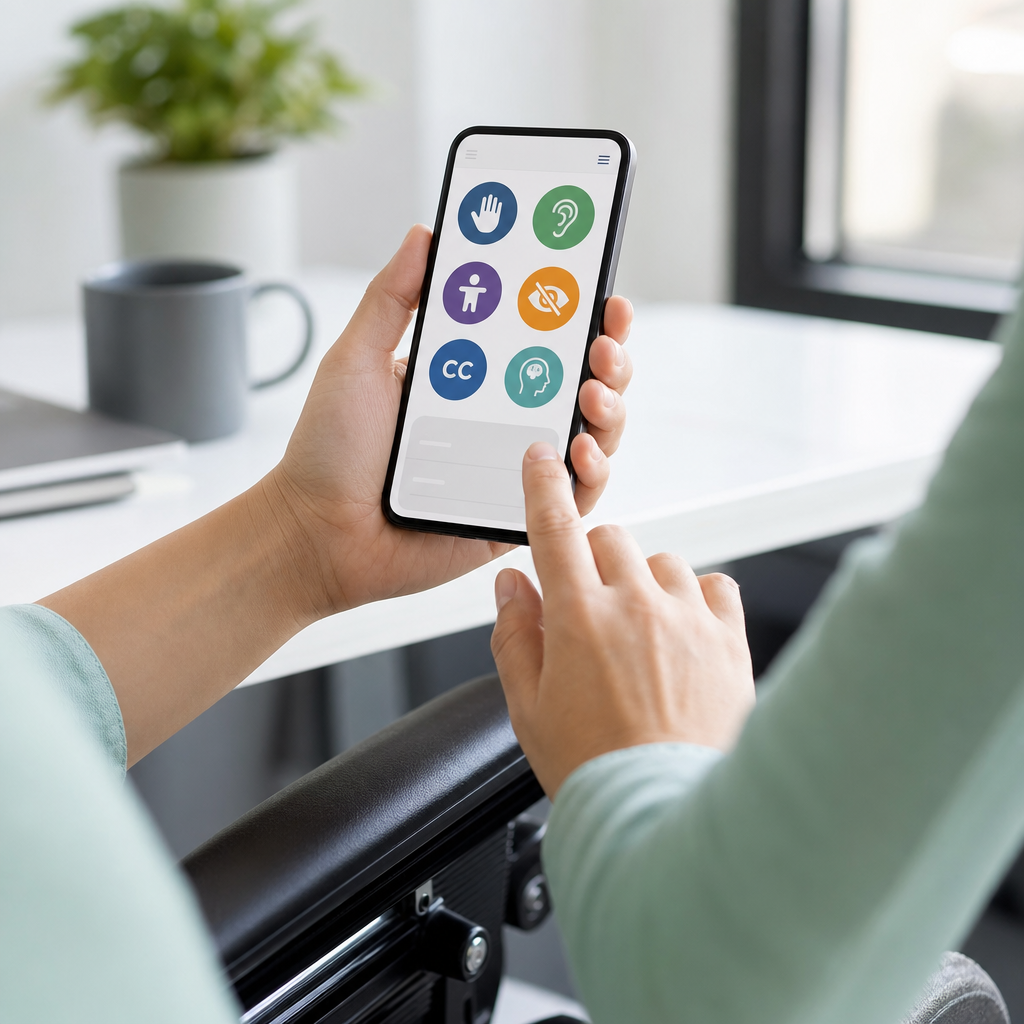
Digital accessibility is the practice of designing, building, and maintaining websites, apps, documents, and digital services so people with disabilities can use them effectively. For businesses, that means customers can browse products with a screen reader, complete forms without a mouse, understand video content through captions, and read information presented with sufficient color contrast and clear structure. It also means employees, applicants, and partners can interact with internal systems without unnecessary barriers. When organizations improve digital accessibility, they expand market reach, reduce legal risk, strengthen brand trust, and create better user experiences for everyone.
I have worked with teams remediating inaccessible sites after failed audits, and the pattern is consistent: accessibility becomes expensive only when it is treated as an afterthought. When it is built into design systems, content workflows, procurement, and quality assurance, the work becomes manageable and measurable. Digital accessibility is not a single feature or a plugin. It is an operational discipline that combines standards, testing, content governance, and inclusive decision-making.
The key reference point for most businesses is the Web Content Accessibility Guidelines, commonly called WCAG. WCAG organizes requirements around four principles: content must be perceivable, operable, understandable, and robust. In practical terms, users need text alternatives for images, logical heading structures, keyboard access, visible focus indicators, predictable navigation, descriptive links, accessible forms, and compatibility with assistive technologies such as screen readers, magnifiers, switch devices, and speech input software. Many organizations target WCAG 2.1 AA or WCAG 2.2 AA because those levels are widely used in policy, procurement, and legal settlements.
This matters because disability is common, permanent for some people and situational for many others. A user with a broken arm may depend on keyboard navigation. A commuter in a noisy environment benefits from captions. An older customer may need larger text and stronger contrast. Accessibility improves resilience across devices, environments, and user needs. It also supports business outcomes. Cleaner code improves compatibility, accessible forms reduce abandonment, clear headings help both users and search engines, and captioned media increases engagement. For a business building an accessibility and inclusion strategy, digital accessibility is the foundation of every digital touchpoint.
Understand the standards, risks, and business case
The first step is understanding what good digital accessibility looks like and why leadership should invest in it. WCAG is the baseline standard for web content, but businesses also need to think about PDFs, mobile apps, e-commerce flows, kiosks, emails, and software purchased from third parties. In the United States, the Americans with Disabilities Act has been used in actions involving inaccessible digital experiences. Public sector organizations may also be governed by Section 508. In Europe, the European Accessibility Act is reshaping expectations for digital products and services. The exact legal exposure depends on jurisdiction, industry, and business model, but the direction is clear: inaccessible digital services create compliance, reputation, and revenue risks.
The business case is broader than compliance. Accessible design improves conversion, retention, and support efficiency. I have seen product pages gain higher engagement after teams fixed heading hierarchy, button labels, focus states, and image alternative text because users could complete tasks faster. Accessibility also improves hiring and internal productivity. If an applicant tracking system is inaccessible, a company loses qualified candidates. If an expense platform cannot be used with a keyboard or screen reader, employees spend time seeking workarounds instead of finishing tasks. Accessibility is therefore both a customer experience priority and an operational performance issue.
Leaders should treat digital accessibility as a governance issue, not a one-time project. Assign executive ownership, define a standard such as WCAG 2.2 AA, create a public accessibility statement, and establish review cycles. This hub article connects naturally to deeper work on accessible web design, accessible documents, mobile app accessibility, media accessibility, procurement requirements, and accessibility testing. A strong hub page helps teams understand the whole system before they drill into specialized articles.
Build accessibility into design and content from the start
Most accessibility problems start upstream, before a developer writes code. Design teams choose low-contrast palettes, rely on color alone to signal status, create custom components without keyboard states, or omit error messaging patterns. Content teams publish vague link text, upload scanned PDFs, and structure pages visually instead of semantically. Fixing these issues later is slower because inaccessible decisions spread across templates, campaigns, and components.
Start with a design system that includes accessibility requirements for typography, color contrast, spacing, focus indicators, form controls, modal behavior, and responsive layouts. Contrast should meet WCAG thresholds: at least 4.5:1 for normal text and 3:1 for large text, with additional care for icons and component states. Buttons need clear labels. Links should describe destination or action. Interactive elements must have visible focus styling and a target size that works on touch devices. Error prevention matters too: users should know what went wrong, where the issue is, and how to fix it.
Content design is equally important. Headings should follow a logical outline. Alternative text should convey the purpose of an image, not simply name the file or repeat nearby text. Tables need proper headers and should be used only for data, not layout. Audio and video require captions, and important visual information in video needs description in the narration or a separate audio description track. Plain language helps users with cognitive disabilities, second-language readers, and anyone scanning quickly on a phone.
In practice, teams improve faster when they use checklists within normal workflows. Designers can review contrast and keyboard behavior in Figma using Stark or similar tools. Writers can use content templates that require heading structure, descriptive links, and alt text. Product managers can include accessibility acceptance criteria in tickets. When accessibility is embedded into the design review, editorial workflow, and definition of done, quality rises without relying on heroics at the end.
Develop and test for real-world use
Development is where accessibility becomes functional. Semantic HTML remains one of the highest-value choices a team can make because native elements carry built-in behavior for keyboard interaction, focus management, and assistive technology support. A real button should usually be a button element, not a styled div. A text input should have an explicit label connected programmatically. Navigation landmarks, lists, headings, and main content regions help screen reader users move efficiently through a page.
Testing needs multiple methods because no single tool catches everything. Automated scanners such as axe DevTools, WAVE, Lighthouse, and Siteimprove are useful for finding common failures like missing form labels, low contrast, empty links, or incorrect ARIA usage. But automated testing typically detects only a portion of issues. Manual keyboard testing is essential. Can a user reach every interactive element with Tab and Shift+Tab? Is focus visible? Can dialogs be opened and closed predictably? Does the focus return to the triggering control after a modal closes?
Screen reader testing adds another layer. On Windows, many teams test with NVDA and JAWS; on Apple devices, VoiceOver is standard. I have repeatedly found critical issues only during screen reader sessions: accordion buttons announced unclearly, checkout totals read out of order, and dynamic validation errors never exposed to assistive technology. Mobile accessibility deserves separate attention because touch targets, orientation changes, zoom behavior, and platform conventions affect usability. Native apps should follow iOS and Android accessibility guidance in addition to WCAG-informed practices.
| Testing method | What it catches well | Common limitation | Example business use |
|---|---|---|---|
| Automated scanning | Missing labels, contrast failures, empty buttons, basic ARIA errors | Cannot judge context, task flow, or content clarity | Weekly sitewide monitoring for templates and landing pages |
| Keyboard testing | Focus order, keyboard traps, inaccessible custom controls | Does not reveal all screen reader announcements | Pre-release QA for navigation, forms, and checkout |
| Screen reader testing | Announcements, landmarks, heading structure, form feedback | Requires trained testers and scenario-based evaluation | Audit of account creation and payment journeys |
| User testing with disabled participants | Real usability barriers and workarounds | Takes planning and should complement technical review | Validating critical tasks such as booking, claims, or support |
The strongest programs combine these methods. They also test with realistic user journeys instead of isolated pages. A homepage may pass a scan while the account registration flow fails because error messages are not announced, captcha blocks keyboard users, or time limits cannot be extended. Businesses should prioritize high-impact paths first: login, search, product discovery, checkout, forms, account management, and support.
Create governance, training, and accountability
Digital accessibility improves when responsibility is distributed clearly. Leadership sets policy and funding. Procurement teams require accessibility conformance reports, often using the Voluntary Product Accessibility Template format. Designers own accessible patterns. Developers implement and remediate. QA validates behavior. Content teams publish accessible copy, media, and documents. Legal and compliance teams track obligations. Customer support records recurring barriers reported by users. Without this operating model, accessibility work becomes fragmented and slow.
Training should be role-specific. Developers need to know semantic HTML, ARIA rules, focus management, and accessible form patterns. Designers need fluency in contrast, reading order, component states, and zoom behavior. Content authors need guidance on headings, alt text, descriptive links, and accessible document creation in Word, PowerPoint, Google Docs, and PDF workflows. Support teams should know how to handle accessibility complaints, gather actionable details, and route issues quickly. General awareness training helps, but practical, role-based training changes output.
Measurement matters. Establish a baseline audit, classify issues by severity, and track remediation over time. Good metrics include percentage of critical templates passing review, number of known blockers in top user journeys, average remediation time, accessibility defects by release, and procurement compliance for third-party tools. Avoid vanity metrics such as counting only automated scan scores. A page can score well and still fail users in meaningful ways.
Public transparency also helps. An accessibility statement should explain the organization’s commitment, the standard it targets, known limitations if any, and a contact method for reporting barriers. That statement is not a substitute for compliance, but it signals accountability and gives users a path to assistance. Internally, an accessibility champions network can accelerate adoption by giving each department a knowledgeable point person who can review work early and escalate issues before launch.
Prioritize remediation and continuous improvement
Businesses rarely start from a clean slate. Most have legacy templates, archived PDFs, third-party widgets, marketing microsites, and product teams moving at different speeds. The practical approach is risk-based prioritization. Start with the experiences that matter most to revenue, service delivery, employment, and legal exposure. For many companies, that means homepages are not the top priority; checkout, account access, appointment booking, patient portals, banking tasks, or job applications are.
Remediation should address systemic causes before isolated fixes. If every form field lacks a proper label because the design system component is flawed, repair the component and roll it out across products. If uploaded PDFs are inaccessible, change the authoring workflow so documents are created accessibly at the source and converted properly, rather than manually patching every file after publication. If a third-party chatbot cannot be used by keyboard or screen reader users, challenge the vendor, document the gap, and provide an accessible alternative channel until the issue is resolved.
Continuous improvement depends on feedback loops. Review analytics for drop-off points that may indicate barriers. Monitor support tickets for repeated complaints. Re-test after redesigns, CMS changes, or framework migrations. Include accessibility in sprint planning and release gates. Over time, mature programs move from reactive remediation to preventive quality control. That shift lowers cost and improves consistency.
The central lesson is simple: digital accessibility is how businesses make digital products usable for more people, more often, with less friction. The companies that do this well combine standards, testing, governance, and empathy. They design with accessible patterns, develop with semantic code, validate with real users and assistive technologies, and hold teams accountable through policy and measurement. The reward is not limited to reduced legal risk. Businesses gain stronger customer experiences, broader reach, better conversion, and more inclusive workplaces.
If your organization is building an Accessibility and Inclusion program, use digital accessibility as the hub that connects every related effort, from web design and document remediation to media, mobile, procurement, and training. Start with an audit of critical user journeys, fix the highest-impact barriers, and embed accessibility requirements into every new project. The fastest path to progress is to begin now, measure honestly, and improve continuously.
Frequently Asked Questions
What does digital accessibility mean for a business in practical terms?
Digital accessibility means making sure your website, mobile apps, online documents, customer portals, and internal systems can be used by people with a wide range of disabilities, including visual, auditory, motor, cognitive, and neurological disabilities. In practical terms, that means customers should be able to navigate your site with a keyboard instead of a mouse, understand content with the help of screen readers, watch videos with captions, and complete forms without confusion or unnecessary barriers. It also means employees, applicants, vendors, and partners should be able to access internal tools, HR platforms, training materials, and digital communications without running into usability problems that prevent participation.
For businesses, accessibility is not just a technical feature or a legal checkbox. It is part of delivering a usable, inclusive digital experience. A product page with vague link text, a checkout form that cannot be completed with assistive technology, or a PDF that is unreadable to screen reader users can directly affect revenue, customer satisfaction, and brand trust. Accessibility also improves the experience for many users beyond those who identify as disabled, including people using mobile devices in bright light, people with temporary injuries, older adults, and anyone dealing with slow internet, distracting environments, or complex interfaces. When businesses treat accessibility as a core quality standard, they create digital experiences that are clearer, more flexible, and more effective for everyone.
Why is digital accessibility important for both customers and employees?
Digital accessibility matters because it directly affects whether people can fully interact with your business. For customers, accessibility can determine whether they are able to browse products, compare services, read policies, submit inquiries, book appointments, or complete a purchase. If a menu cannot be accessed by keyboard, a form field is missing a label, or a video lacks captions, some users may be blocked entirely. That creates frustration, increases abandonment, and can drive potential customers to a competitor with a more inclusive experience.
For employees and job applicants, the impact is just as significant. Accessible internal systems help people apply for roles, complete onboarding, review benefits, use collaboration tools, and participate in training and daily work. If a company’s digital workplace is inaccessible, it may unintentionally limit opportunities, reduce productivity, and exclude talented people from participating fully. Accessibility supports more equitable hiring, stronger employee engagement, and better overall operational efficiency.
There are also business, reputational, and compliance reasons to prioritize accessibility. In many regions, digital accessibility is connected to legal obligations and anti-discrimination expectations. But even beyond compliance, accessible design demonstrates that a business values inclusion and understands the real-world needs of its audience. That can strengthen trust, broaden market reach, and reduce the cost of fixing avoidable issues later. In short, accessibility supports customer experience, workforce inclusion, brand credibility, and long-term digital quality all at once.
What are the most effective ways a business can improve digital accessibility?
The most effective approach is to combine strategy, design, development, testing, and ongoing governance rather than relying on one-time fixes. A strong starting point is to benchmark your current digital assets against recognized accessibility standards such as the Web Content Accessibility Guidelines, often referred to as WCAG. This helps identify barriers in navigation, forms, images, headings, media, color contrast, document structure, and interactive components. Once issues are identified, businesses should prioritize fixes based on user impact and business criticality, especially on high-traffic pages and core user journeys such as account creation, checkout, support, and applications.
On the content side, improvements often include writing descriptive link text, adding meaningful alt text to images, using headings in a logical order, ensuring sufficient color contrast, avoiding instructions based only on color, and creating clear, readable page layouts. For multimedia, businesses should provide captions for videos, transcripts for audio, and where appropriate, audio descriptions. For forms and transactions, every field should have a clear label, instructions should be easy to understand, errors should be identified in ways assistive technologies can announce, and users should be able to complete tasks without relying on a mouse.
On the technical side, teams should build semantic HTML, support keyboard navigation, manage focus properly, ensure compatibility with screen readers, and avoid custom components that break standard accessibility behaviors. Businesses should also review PDFs, slide decks, emails, and downloadable resources, since accessibility problems often exist beyond websites alone. Just as important, accessibility should be embedded into workflows through design systems, content guidelines, procurement requirements, staff training, and regular audits. The businesses that make the most progress are the ones that treat accessibility as an ongoing operational practice, not a last-minute project.
How can a business test whether its website, app, or digital content is accessible?
Effective accessibility testing uses a combination of automated tools, manual review, and real-user feedback. Automated scanners are useful for identifying common issues such as missing alt text, low color contrast, empty buttons, and some structural problems. However, automated tools can only catch part of the picture. They usually cannot determine whether alt text is meaningful, whether instructions are understandable, whether focus order makes sense, or whether the overall experience is usable for someone relying on assistive technology. That is why manual testing is essential.
Manual testing should include keyboard-only navigation to confirm that users can move through menus, forms, dialogs, and interactive elements without getting stuck. Teams should also test with screen readers to understand how content is announced and whether headings, buttons, links, form labels, and status messages are communicated properly. Reviewing page structure, error handling, modal behavior, skip links, and responsive layouts can uncover issues that automated checks miss. Documents such as PDFs should be tested for tagging, reading order, heading structure, and alternative text. Videos should be reviewed for caption accuracy and completeness.
The most valuable testing often includes people with disabilities. User testing with individuals who regularly use assistive technologies provides insight that no automated tool can replicate. It reveals where workflows are confusing, where content lacks context, and where technical compliance still falls short of real usability. Businesses should ideally build testing into every stage of the digital lifecycle, from design reviews and component development to pre-launch QA and ongoing monitoring. Accessibility is most effective when it is measured repeatedly and improved continuously, not checked only once after launch.
Is digital accessibility a one-time project or an ongoing business responsibility?
Digital accessibility is an ongoing business responsibility. A one-time remediation effort can help address existing issues, but accessibility can quickly decline if it is not maintained as content changes, products evolve, vendors are added, and new features are released. Every website update, new landing page, software integration, document upload, and design refresh introduces the possibility of new barriers. That is why accessibility needs to be part of everyday digital operations, with clear ownership, repeatable processes, and accountability across teams.
In practice, that means building accessibility into governance and workflows. Designers should use accessible patterns from the start. Developers should follow coding standards that support assistive technologies. Content teams should understand how to structure headings, write descriptive text, and create accessible documents. Procurement teams should evaluate third-party tools for accessibility before purchase. Quality assurance teams should include accessibility checks in release criteria. Leadership should set expectations, allocate resources, and track progress through audits, training, and measurable goals.
Businesses that treat accessibility as an ongoing commitment are better positioned to reduce risk, improve user experience, and scale inclusively over time. They also avoid the higher costs associated with retrofitting inaccessible systems after complaints, lost conversions, or internal disruptions occur. Most importantly, ongoing accessibility work reflects a business mindset that values equal access as part of digital excellence. When accessibility becomes part of how a company plans, builds, buys, and maintains digital experiences, it stops being a reactive obligation and becomes a lasting competitive advantage.