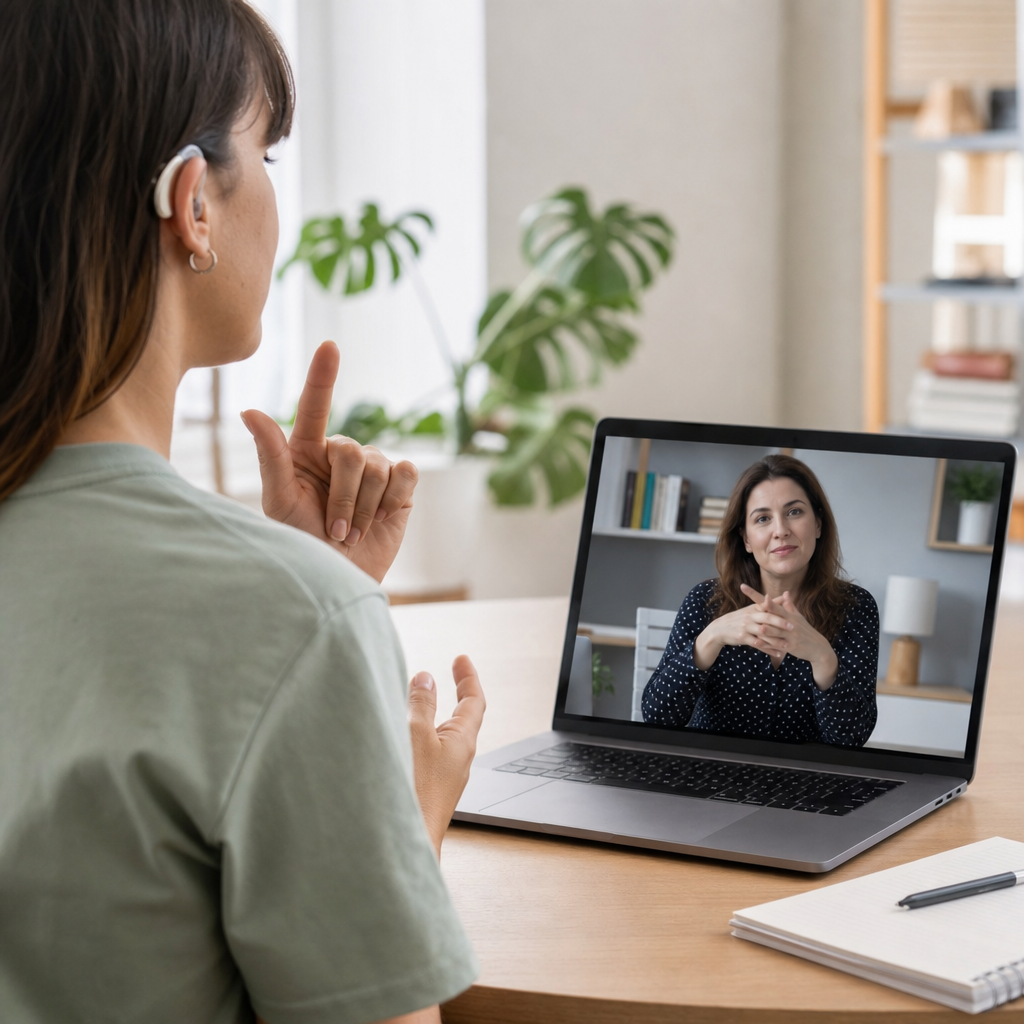

Wellness apps that support Deaf users are no longer a niche category; they are a practical part of accessible health, daily routine management, fitness coaching, mindfulness, sleep support, and mental wellbeing for millions of people who communicate primarily through sign language, captions, text, vibration, and visual cues. In this context, wellness apps include mobile tools for exercise, nutrition, meditation, sleep, habit tracking, stress reduction, and broader lifestyle management, while Deaf users refers to people across a spectrum that includes culturally Deaf signers, hard of hearing users, late-deafened adults, and people with combined communication preferences. I have evaluated digital health products for accessibility reviews, and one lesson is consistent: an app cannot be called supportive if core guidance arrives only through speech, uncaptioned video, or audio alerts. Accessibility in wellness is not a cosmetic feature. It determines whether a breathing exercise can be followed independently, whether a workout timer can be trusted, and whether a mental health check-in feels usable during stress. This matters because wellness habits are built through repetition, confidence, and low friction, and barriers at the interface level quickly become barriers to better sleep, movement, nutrition, and emotional regulation.
What makes a wellness app genuinely accessible for Deaf users
A wellness app supports Deaf users when it delivers the full experience visually and interactively rather than treating captions as an afterthought. The strongest products provide synchronized closed captions on every instructional video, transcripts for spoken sessions, clear on-screen pacing indicators, and haptic or visual alerts that replace audio-only reminders. They also use plain language, strong contrast, readable typography, and intuitive iconography so that essential health actions are understandable at a glance. For sign language users, the ideal experience may include sign-language interpretation for onboarding, key lessons, or crisis resources, especially in mental wellness content where nuance matters. In practice, I look first at whether a user can complete setup, understand guidance, and finish a session with the sound off. If the answer is yes, the app has a solid accessibility foundation.
Technical details matter here. Accurate captions must identify timing, breathing counts, speaker changes, and environmental cues when they affect instructions. Push notifications should allow vibration patterns or persistent banners. Wearable integrations should surface metrics visually, not through spoken summaries alone. Compatibility with iOS VoiceOver and Android TalkBack still matters because many Deaf users have additional disabilities, including low vision, mobility limitations, or neurodivergence. The best teams test against Web Content Accessibility Guidelines principles even inside native apps, because perceivable, operable, understandable, and robust experiences translate directly into better health engagement. Accessibility also extends to customer support. If account recovery, coaching, or billing help depends on a phone call, the wellness journey breaks at a critical moment.
Core wellness categories Deaf users benefit from most
Wellness and lifestyle is broad, so a useful hub starts with the categories where accessible design has the greatest day-to-day impact. Fitness apps help users follow workouts, count repetitions, and monitor recovery. Nutrition apps support meal planning, hydration, ingredient tracking, and grocery organization. Meditation and stress management apps guide breathing, grounding, and short restorative routines. Sleep apps track duration, bedtime consistency, and environmental habits. Habit trackers help users build routines around medication, exercise, stretching, journaling, or screen limits. General lifestyle apps organize calendars, visual reminders, and routines that reduce cognitive load and improve overall wellbeing. For Deaf users, the value of each category rises sharply when the app substitutes visual structure for spoken instruction.
Consider a guided workout. In many mainstream apps, the trainer speaks continuously while the screen shows only minimal text. A Deaf user misses pace changes, form corrections, and countdowns unless captions are present and large enough to read during motion. By contrast, a well-designed workout app displays movement names, repetition targets, interval timers, rest periods, and form cues on screen in real time, often reinforced by vibration at transitions. The same principle applies to mindfulness. An audio-first meditation may be inaccessible, but a visual breathing guide with timed expansion, captioned prompts, and adjustable session length can deliver the same physiological benefits. That is why category coverage matters on a hub page: accessibility needs differ slightly by use case, but the underlying requirement is always complete visual access.
Features to prioritize when choosing wellness apps
Users and caregivers often ask which features matter most. The answer is straightforward: prioritize complete visual delivery, reliable alerts, and flexible communication settings before premium content libraries or social features. Captions should be accurate, not autogenerated placeholders riddled with errors. Instructional videos need transcripts. Timers should flash, animate, or vibrate at key transitions. Emergency or crisis resources should be available by text or chat. In coaching environments, messaging should not require live voice calls. If the product includes community spaces, moderation policies should protect users from ableist behavior and misinformation. Privacy is equally important because wellness apps frequently process sensitive mood, sleep, menstrual, nutrition, and biometric data.
| Feature | Why it matters for Deaf users | What good implementation looks like |
|---|---|---|
| Closed captions | Provides full access to spoken instruction | Accurate, synchronized, customizable captions on every video and live class replay |
| Visual and haptic alerts | Replaces audio reminders and countdowns | Flashing timers, vibration cues, lock-screen notifications, wearable buzz alerts |
| Transcripts and text summaries | Supports review, comprehension, and low-bandwidth use | Session transcripts, key takeaways, written breathing counts, downloadable guides |
| Text-based support | Prevents communication barriers during account or health questions | In-app chat, email support, SMS verification alternatives, no voice-only dependency |
| Readable interface | Improves speed and confidence in daily use | High contrast, large text options, clear buttons, minimal clutter, plain language |
When I audit wellness products, I also check whether accessibility settings persist across sessions and devices. A caption toggle that resets every time is a real usability defect. So is a meditation app that captions the introduction but not the exercise itself. Another practical filter is offline functionality. Downloadable workouts, recipes, or calming exercises are helpful for users with inconsistent connectivity. Finally, examine pricing. Some apps put captions or transcripts behind higher subscription tiers, which effectively charges Deaf users extra for equal access. That is a red flag and a reason to choose a competitor with inclusive default design.
How specific wellness app types should work for Deaf users
Fitness apps should display exercise names, muscle targets, form checkpoints, interval lengths, and rest periods prominently. Strong examples include apps that pair short demonstration clips with looping visual timers and vibration at start-stop moments. Yoga and stretching apps need pose names on screen, directional arrows, and alignment notes in text because subtle spoken cues often carry the instructional value. Nutrition apps should rely on searchable databases, barcode scanning, meal templates, and visual progress dashboards rather than spoken coaching. They become even more useful when they include image-rich recipes, shopping checklists, and simple educational modules on macronutrients, fiber, sodium, or hydration.
Meditation and stress relief apps require a different design pattern. Many leading products began as audio libraries, but Deaf-accessible alternatives can still be excellent when they use animated breathing circles, captioned grounding prompts, silent body-scan sequences, and journaling prompts after each session. Sleep apps should provide bedtime routines, sleep hygiene education, and wake settings that use vibration, smartwatch tapping, or connected lights instead of sound alone. Habit trackers and journaling apps are often naturally accessible because they are text-based, yet they still benefit from visual streak indicators, color coding, and customizable reminders. Across all categories, the best apps allow users to tailor stimulus intensity, notification style, reading level, and session duration, because wellbeing support works best when it fits real routines rather than forcing one communication model on everyone.
Examples, standards, and evaluation methods that improve trust
A hub article should help readers evaluate apps systematically, not just browse brand names. Start with the app store listing. Does it show captioned screenshots, transcript examples, or accessibility notes? Then test the onboarding flow with sound off. Try a five-minute workout, meditation, or sleep setup without headphones. Check whether every essential instruction appears visually. Review policies for privacy, data sharing, and medical disclaimers, especially if the app touches mental health, reproductive health, or chronic condition management. Tools such as Apple Health integration, Google Health Connect support, smartwatch haptics, and calendar syncing can improve adherence, but they should never replace clear in-app guidance.
Established standards are useful reference points. WCAG is not written specifically for mobile wellness apps, yet its principles remain highly relevant. Plain-language writing lowers error rates. Time-based media must be captioned. Critical interactions need clear feedback. Color cannot be the only indicator of status. For mental health content, organizations such as the National Institute of Mental Health and clinical bodies that publish evidence-based guidance provide a baseline for quality claims. If an app promises anxiety relief, better sleep, or stress reduction, it should explain the method, whether that is cognitive behavioral techniques, box breathing, progressive muscle relaxation, or habit formation. Credible apps do not overclaim. They position themselves as supports for wellness routines, not substitutes for emergency care or individualized treatment when higher-level intervention is needed.
Building an inclusive wellness routine with the right app mix
Most people do not need one app to do everything. A better strategy is a small, complementary stack: one movement app, one nutrition or meal-planning tool, one mindfulness or journaling app, and one routine tracker. For Deaf users, this layered approach reduces dependence on any single platform and lets each tool do one job well. A realistic example is a captioned fitness app for three weekly strength sessions, a visual hydration and meal tracker for daily nutrition habits, a text-first mindfulness app for stress resets during the workday, and a habit tracker that sends vibrating reminders for bedtime and stretching. The result is not just convenience. It is a system that respects communication preferences, lowers friction, and supports consistency.
Families, clinicians, and community organizations can help by recommending apps based on actual accessibility testing rather than popularity rankings. Employers can include accessible wellness tools in benefits programs. Developers should involve Deaf testers from the prototype stage, pay them for feedback, and measure task completion with audio disabled. That is how products become genuinely usable. Wellness apps that support Deaf users succeed when they make health guidance visible, actionable, and dependable across fitness, sleep, nutrition, mindfulness, and daily planning. If you are building your wellness toolkit, start by testing one app in each core category with the sound off, keep the tools that remain fully usable, and replace the rest with products designed for equal access from the beginning.
Frequently Asked Questions
What features make a wellness app genuinely useful for Deaf users?
A wellness app becomes truly useful for Deaf users when accessibility is built into the core experience rather than added as an afterthought. The most important features usually include accurate captions for all video and audio content, strong visual design, text-based instructions, and alerts that work through vibration, flashing visuals, or on-screen prompts instead of relying only on sound. For many Deaf users, wellness support is most effective when information is delivered clearly through readable text, diagrams, progress charts, visual timers, and step-by-step guidance that can be followed without spoken narration.
Apps that support sign language content can be especially valuable, particularly for users who prefer sign language as their primary language. Even when full sign language support is not available, simple language, clear navigation, and strong caption quality can make a major difference. In fitness apps, this might mean exercise demonstrations with captions and visual countdowns. In meditation or stress-management apps, it could mean breathing animations, guided text sessions, and vibration-based reminders. For sleep, nutrition, or habit-tracking apps, accessibility often depends on whether the user can receive instructions, reminders, and feedback in a format that does not depend on hearing.
Another key factor is customization. Deaf users do not all have the same communication preferences, so the best wellness apps allow people to choose how notifications appear, how information is presented, and how goals are tracked. Features such as adjustable text size, high-contrast visuals, visual alarm settings, wearable device integration for haptic alerts, and offline text resources can all improve usability. In practical terms, the best wellness apps for Deaf users are the ones that help people build healthy routines confidently, independently, and without barriers caused by poor audio-only design.
How do wellness apps help Deaf users with fitness, daily routines, and healthy habits?
Wellness apps can support Deaf users in highly practical ways by making routines easier to organize, follow, and maintain. For fitness, a good app can provide visual workout demonstrations, repetition counters, interval timers, and progress dashboards that remove the need for spoken coaching. Instead of depending on hearing a trainer’s cues, Deaf users can follow movement sequences through video, written instructions, animations, or vibration-based prompts. This makes exercise more consistent and less frustrating, especially for users who want to work out independently at home, at the gym, or outdoors.
Daily routine management is another area where these apps can have a strong impact. Habit trackers, hydration reminders, meal planning tools, medication support features, and calendar-based wellness prompts help users build structure around health-related tasks. When reminders are delivered through visual alerts or haptics rather than sound alone, they are far more effective for Deaf users. This can support everything from remembering to stretch during the workday to following a sleep routine or staying on track with nutrition goals.
Healthy habit formation often depends on repetition, clarity, and motivation, and wellness apps can provide all three. Visual streaks, checklists, data summaries, and goal-setting features help users see progress over time. That kind of feedback can be especially useful because it turns wellness from a vague intention into something measurable and manageable. For Deaf users, the best apps reduce communication friction, support autonomy, and make it easier to stay engaged with long-term health goals without needing constant outside interpretation or accommodation.
Are meditation, mindfulness, and mental wellness apps accessible for Deaf users?
They can be, but accessibility varies widely from one app to another. Many mindfulness and meditation apps were originally designed around spoken audio sessions, which can create immediate barriers for Deaf users if captions, transcripts, or visual alternatives are missing. However, an increasing number of wellness platforms now offer text-guided meditations, captioned sessions, breathing animations, mood check-ins, journaling tools, and calming visual exercises that make mindfulness more accessible. These formats can be just as effective as audio-led experiences, especially for users who process information visually.
Mental wellness apps are often most helpful when they offer multiple communication modes. For example, a stress-reduction app may include breathing circles, grounding exercises, mood tracking, cognitive reframing prompts, and daily reflections that require no sound at all. A sleep-focused mindfulness tool may use visual wind-down routines, vibration reminders, or silent bedtime exercises. In these cases, accessibility is not only about captions; it is about whether the app can deliver emotional support, calm, and guidance in a way that aligns with Deaf communication preferences.
It is also important to remember that mental wellbeing is closely tied to inclusion. When Deaf users open an app and find inaccessible videos, missing captions, or confusing instructions, the experience can add frustration instead of reducing stress. By contrast, apps that are thoughtfully designed with clear text, visual cues, and optional sign language resources can help users feel seen and supported. For many people, that inclusive design is part of wellness itself. An accessible mindfulness app does more than translate content; it creates a space where Deaf users can focus on self-care without communication barriers getting in the way.
What should someone look for before choosing a wellness app for a Deaf user?
Before choosing a wellness app, it is smart to evaluate accessibility at the feature level rather than relying on marketing claims alone. Start by checking whether the app offers captions for all video and audio content, not just a few introductory screens. If the app includes coaching, guided sessions, or educational content, see whether there are full transcripts, written summaries, or visual alternatives. For users who prefer sign language, it is worth looking for apps or companion resources that include sign-based instruction or community-created accessibility support.
Notification style is another major consideration. Many wellness goals depend on reminders, so users should confirm that alerts can be delivered through vibration, smartwatch haptics, banners, pop-ups, or other visual formats. In addition, usability matters just as much as formal accessibility. Clean layouts, intuitive menus, clear icons, customizable text size, and easy-to-read tracking dashboards all contribute to a better experience. If an app is difficult to navigate, even strong content may not be enough to make it practical for everyday use.
It is also helpful to read user reviews with accessibility in mind. Look for comments about caption accuracy, video clarity, visual instruction quality, and how responsive the developer is to feedback. A good app should support real-life wellness needs such as exercise, sleep, nutrition, stress management, and habit tracking without creating avoidable barriers. In the end, the best choice is usually the one that fits the user’s goals, communication preferences, and daily routines while providing consistent, accessible support across every part of the app experience.
Why does accessibility in wellness apps matter beyond convenience?
Accessibility in wellness apps matters because it directly affects health equity, independence, and quality of life. Wellness tools are now part of how many people manage exercise, sleep, stress, nutrition, and mental wellbeing on a daily basis. If Deaf users cannot access the same guidance, reminders, or self-management tools as hearing users, that creates a real gap in support. What may seem like a small design choice—such as failing to caption a workout video or using audio-only meditation—can become a barrier that limits participation in healthy routines over time.
Accessible wellness technology also supports autonomy. Deaf users should be able to track habits, follow exercise programs, manage sleep schedules, and engage in mindfulness practices without needing someone else to interpret instructions or fill in missing information. When apps are built with captions, visual prompts, text guidance, and vibration-based alerts, users can act on health information immediately and confidently. That independence is important not only for convenience, but also for consistency, motivation, and long-term self-care.
Beyond individual use, accessibility sends a broader message about inclusion. It recognizes that Deaf users are not a side audience but a meaningful part of the health and wellness community. As wellness apps continue to shape how people approach daily health, accessible design helps ensure those tools serve millions of users who communicate through sign language, text, captions, and visual cues. In that sense, accessibility is not just a technical improvement. It is a necessary part of making wellness more inclusive, effective, and equitable for everyone.