
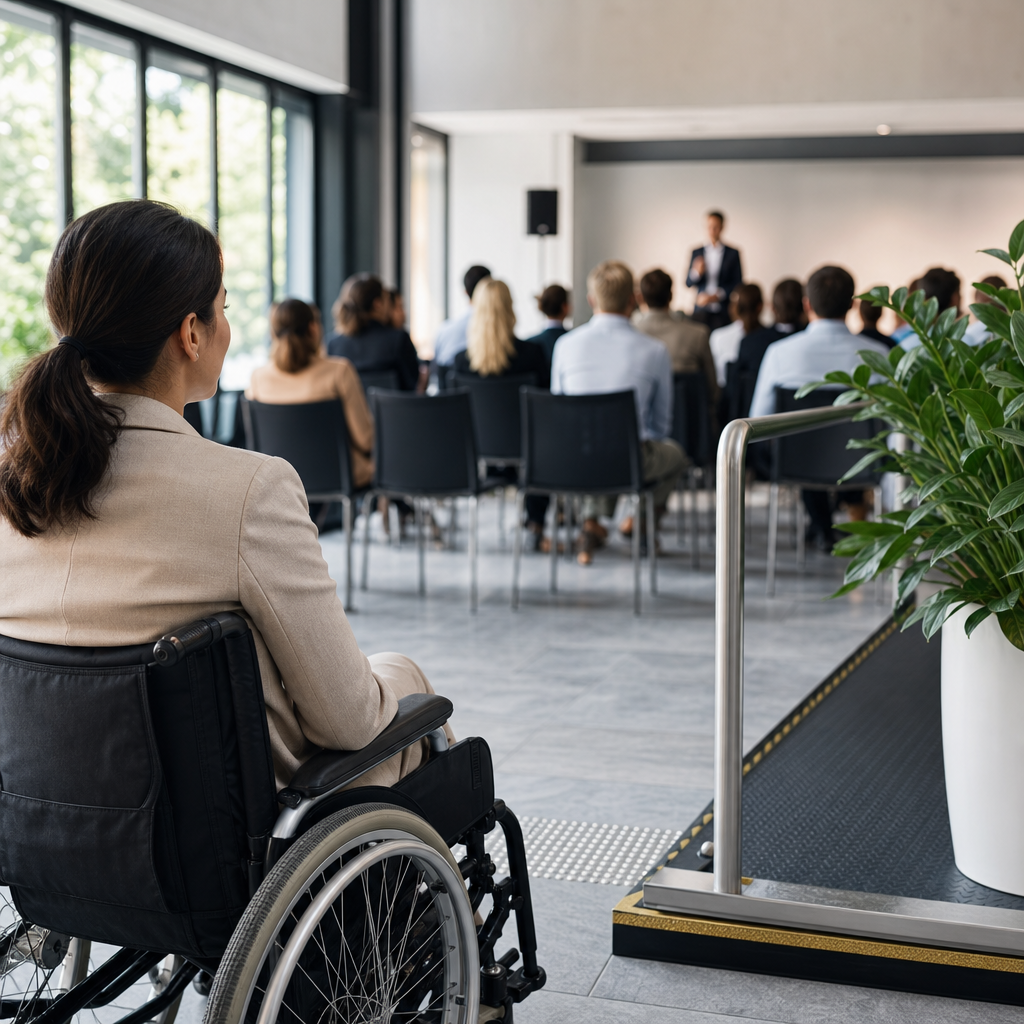
Event accessibility checklist for organizers starts with one principle: every attendee should be able to enter, navigate, participate, communicate, and leave with dignity and independence. In practical terms, event accessibility means removing barriers for people with mobility, sensory, cognitive, neurodivergent, mental health, language, and temporary access needs across the full event journey. That journey includes registration, travel, arrival, queuing, wayfinding, seating, stage visibility, food service, restrooms, emergency procedures, digital content, and follow-up materials. I have worked with venue teams, production crews, and community groups on public meetings, conferences, festivals, and civic events, and the same lesson repeats: access fails when organizers treat it as a late-stage add-on instead of an operating requirement.
For organizers, this matters for three reasons. First, it affects participation. According to the World Health Organization, more than one billion people live with disabilities, and many more experience temporary impairments, aging-related changes, or situational barriers. Second, it affects compliance and risk. Depending on jurisdiction, legal duties may arise from the ADA, Equality Act 2010, building codes, fire regulations, and anti-discrimination law. Third, it affects event quality. Clear signage, quieter spaces, captions, step-free routes, and plain-language instructions help everyone, not only disabled attendees. A strong event accessibility checklist gives teams a repeatable way to plan, budget, brief vendors, and measure performance across public spaces and events of every size.
Start with access planning before venue booking
The most effective event accessibility checklist begins before contracts are signed. Venue choice determines most downstream outcomes, so assess access early with the same seriousness as capacity, cost, and date availability. Ask for a current access statement, floor plans, evacuation procedures, hearing loop availability, restroom layouts, lift dimensions, parking details, and public transport connections. If the venue cannot provide precise answers, schedule a site visit and verify them yourself. I always test the full attendee route from curb to check-in to seating to restroom to exit because a venue can be technically compliant and still frustrating in real use.
Define the event profile at the same time. A standing networking event has different risks than a seated conference, street festival, museum program, or town hall meeting. Estimate likely needs: wheelchair spaces integrated throughout the room, companion seating, reserved low-stimulation areas, captioning on screens, sign language interpretation, quiet prayer space, allergy-aware catering, and accessible speaker lecterns. Set an accessibility budget line, not a contingency label. Teams that pre-allocate funds for captioners, portable ramps, accessible shuttles, tactile signage, and staff training make better decisions under pressure than teams waiting for individual requests.
Build one owner-led access plan that spans procurement, production, communications, and on-site operations. The plan should state standards, deadlines, responsibilities, escalation paths, and vendor requirements. Include measurable checks such as door widths, slope ratios, turning circles, stage access, queue management, and caption quality. Reference recognized guidance where relevant, including the ADA Standards for Accessible Design, ISO 21542 for building accessibility and usability of the built environment, and WCAG 2.2 AA for digital event content. Those standards do not solve every event problem, but they create a credible baseline and help organizers ask the right technical questions.
Choose venues and public spaces that work in real life
Accessible venues are more than step-free entrances. Organizers should assess arrival, circulation, participation, amenities, and departure as a continuous system. Check whether accessible parking is close to the entrance, whether drop-off zones are protected from traffic, and whether nearby transit stops have curb cuts and shelters. Confirm that the accessible entrance is the main entrance or equally dignified; side doors through loading docks send a clear message about whose presence was expected. Inside, inspect flooring, lighting, acoustics, counter heights, door pressure, lift reliability, and corridor widths. A beautiful historic venue often requires additional mitigation, and sometimes the honest answer is that the site is unsuitable.
Public spaces and outdoor events need a more rigorous review because weather and temporary infrastructure create extra barriers. Grass becomes impassable after rain, cable runs trip people with canes and walkers, and portable toilets are often placed too far from core activities. For festivals and street activations, map accessible routes on stable surfaces, ensure ramps are non-slip, and plan seating at regular intervals. Temporary stages need ramp or lift access for speakers and performers, not only audience access. If there are viewing platforms, make sure they offer genuine sightlines rather than segregated corners behind crowds or barriers.
| Area | Minimum check | Why it matters |
|---|---|---|
| Entrance | Step-free route, automatic or low-force doors | Supports independent arrival for wheelchair users and people with limited strength |
| Circulation | Wide routes, clear turning space, no cable hazards | Prevents bottlenecks and reduces fall risk |
| Seating | Integrated wheelchair spaces and companion seats | Avoids isolation and preserves choice |
| Toilets | Accessible restroom on the same level or lift-served | Essential for staying at the event comfortably |
| Stage | Ramp or lift, accessible lectern, monitor visibility | Enables disabled speakers and performers to participate fully |
| Emergency | Accessible egress plan and trained staff | Safety measures must include everyone |
Make registration, ticketing, and communications accessible
Many access failures happen before the event begins. Registration platforms should be keyboard navigable, screen-reader compatible, and usable on mobile devices. Forms need logical headings, clear labels, helpful error messages, sufficient color contrast, and time limits that can be extended. If ticketing involves seat selection, the interface must identify wheelchair spaces, companion seats, and sightline information in plain language. Avoid burying accommodation requests in a generic comments box. Use direct questions such as: “Do you need captioning, sign language interpretation, step-free access, reserved seating, dietary adjustments, or a quiet room?” Then include a deadline and a contact method for follow-up.
Pre-event communications should answer practical access questions without making people chase details. Publish an access page that covers route maps, nearest transit, parking, drop-off points, entrance photos, restroom locations, lift access, seating options, service animal policy, fragrance guidance, expected noise and lighting effects, and who to contact on the day. If you are running a public event in a city square or park, specify ground conditions, distances between zones, and weather contingencies. Send reminder emails that include the same information in plain language, with links to maps and alternative formats on request.
Content accessibility is equally important. Provide agendas in accessible PDF or HTML, not image-only files. Use alt text for meaningful images, descriptive link text, and structured headings so assistive technologies can interpret the content. For hybrid or livestreamed events, confirm that streaming platforms support captions, pinned interpreters, keyboard controls, and transcript delivery. I have seen excellent in-person planning undone by inaccessible event apps that hide schedules behind unlabeled icons. Digital touchpoints are part of the venue now; if they are inaccessible, the event is inaccessible.
Design an inclusive on-site experience for different access needs
On-site accessibility requires visible, consistent operational decisions. Start with arrival and check-in. Counters should include a lowered section, queues should have enough width for mobility devices, and staff should know how to offer help without being intrusive. Provide a clearly marked accessibility help point staffed by someone empowered to solve problems. Signage should use large, high-contrast text, plain language, and consistent terminology. In complex venues, temporary signs must be placed at decision points, not after the turn has been missed. If attendees need wristbands, badges, or lanyards, offer alternatives for people with sensory sensitivities or limited dexterity.
Seating strategy deserves more attention than it usually gets. Wheelchair spaces should be spread across price points and sightlines, not clustered in one area. Reserve aisle seats for people who need easier transfers or more space, and provide some seating with and without armrests. For panel sessions, ensure microphones are used consistently, presenters face the audience when speaking, and any audience questions are repeated before being answered. Hearing loops, FM systems, or infrared assistive listening devices should be tested before doors open. Where possible, provide live captions on room screens, especially in reverberant halls where audio clarity suffers.
Inclusive event planning also means accounting for sensory and cognitive access. Publish a sensory guide that notes strobe effects, amplified sound, crowd density, and quiet periods. Create a low-stimulation space with seating, water, subdued lighting, and a staffed but non-intrusive presence. Keep announcements concise and repeat critical changes visually as well as verbally. Use pictograms alongside text for restrooms, exits, information points, and quiet rooms. For multilingual communities, bilingual signage and interpreters may be as important as physical adjustments. Public spaces and events serve mixed audiences, so the checklist should assume varied needs rather than waiting for disclosure.
Train staff, vendors, and speakers to deliver accessibility well
Even the best event accessibility checklist fails if front-line teams are unprepared. Everyone who interacts with attendees should receive a concise access briefing tailored to their role: registration staff, security, ushers, catering teams, stage managers, AV operators, volunteers, and cleaners. The briefing should cover respectful communication, person-first or identity-first language preferences, how to guide a blind attendee when invited, service animal etiquette, complaint escalation, and the location of access features. Staff do not need to become specialists, but they do need enough confidence to act correctly without improvising in ways that create embarrassment or delay.
Vendor management is a common weak point. Catering providers need allergy procedures, clear labeling, reachable service areas, and seating nearby. Exhibition contractors need instructions on stand widths, cable management, floor contrast, and counter heights. AV teams need caption integration, microphone discipline, interpreter lighting, and backup plans for assistive listening systems. Security teams need specific guidance so they do not separate attendees from mobility devices, medication, communication aids, or support workers. Put these requirements in scopes of work and run sheets. When access expectations are contractual, compliance improves sharply because responsibilities are explicit.
Speakers and performers also shape accessibility outcomes. Ask presenters to submit slides early for review, use sans serif fonts, maintain strong contrast, avoid dense text, and describe key visuals aloud. Encourage them to read out charts, identify themselves before speaking, and avoid talking over interpreters or captions. If audience interaction is part of the format, provide roving microphones and alternative ways to ask questions, such as text submissions. I have found that a five-minute speaker briefing on access often improves comprehension for the entire audience, not just those using accommodations.
Plan for safety, feedback, and continuous improvement
Emergency planning must include disabled attendees, staff, exhibitors, and speakers from the outset. Review evacuation routes, refuge areas, evacuation chairs, alarm modalities, and staff responsibilities with the venue. Confirm whether visual alarms supplement audible ones and whether public address announcements are captioned or mirrored on screens. For outdoor events, think through shelter, heat, cold, dehydration, and surface deterioration. Medical tents, charging points for communication devices, and backup power for lifts or hearing systems can be critical. Access and safety are not competing priorities; they are the same responsibility viewed from different angles.
After the event, gather structured feedback while details are still fresh. Ask what worked, what created friction, and whether requested accommodations were delivered as promised. Include both quantitative ratings and open-text comments. Review incident logs, help desk requests, captioning transcripts, no-show patterns for reserved spaces, and vendor performance notes. Then update the checklist. If several attendees report that signage was too small, queue routes were unclear, or the quiet room was poorly located, treat those as design failures rather than isolated complaints. Mature event teams build an accessibility retrospective into every debrief and carry lessons into future public spaces and events.
The strongest event accessibility checklist for organizers is practical, specific, and used from concept to closeout. It covers venue selection, public space design, registration, communications, seating, stages, food, restrooms, digital content, staffing, and emergency planning as one integrated system. When organizers plan access early, assign ownership, and verify details in real conditions, participation expands and operational problems drop. That is the real benefit: better events for more people, with less friction and greater trust. Use this article as your hub, turn each section into a working checklist for your team, and make accessibility a standard part of every event you produce.
Frequently Asked Questions
What does event accessibility actually include beyond wheelchair access?
Event accessibility covers far more than ramps, lifts, and step-free entry. A truly accessible event is designed so people with mobility, sensory, cognitive, neurodivergent, mental health, language, and temporary access needs can move through the entire event journey safely, comfortably, and independently. That means reviewing accessibility at every stage: registration forms, ticketing, pre-event communication, travel information, parking, drop-off points, entrances, queuing systems, check-in desks, toilets, seating layouts, stage sightlines, lighting, acoustics, catering, emergency procedures, and exit routes.
It also includes communication access. Organizers should consider captioning, sign language interpretation, hearing loop compatibility, readable signage, plain-language instructions, and digital content that works with screen readers. Sensory access matters too, such as managing noise levels, reducing glare, offering quiet spaces, and clearly warning attendees about flashing lights, haze, or sudden sound effects. For neurodivergent attendees and people with anxiety or cognitive disabilities, predictable schedules, visual maps, calm waiting areas, and clearly identified support points can make a major difference.
In practice, accessibility means identifying barriers before attendees encounter them. If someone can register with ease, travel with clear instructions, enter without confusion, find their seat, understand what is happening, use the facilities, and leave without needing unnecessary assistance, the event is moving in the right direction. The most effective accessibility checklist treats dignity, independence, safety, and participation as equal priorities.
When should organizers start planning accessibility for an event?
Accessibility should be built in from the very beginning of event planning, not added at the end. The earlier it is considered, the easier and more cost-effective it is to make good decisions. Venue selection, floorplans, stage design, ticketing systems, supplier contracts, staffing, transportation guidance, and communication materials all affect accessibility. If organizers wait until the final weeks before the event, they often discover that key barriers are difficult or expensive to fix, such as inaccessible entrances, poor toilet provision, narrow layouts, or AV systems that do not support captions or assistive listening.
Starting early allows accessibility to shape core decisions. For example, when choosing a venue, organizers can compare step-free routes, accessible toilets, lifts, seating flexibility, lighting control, and public transport links. During registration setup, they can include access request fields that are clear, respectful, and easy to complete. During production planning, they can allocate sightlines for wheelchair users, reserve seats for companions, confirm where interpreters and caption screens will be positioned, and create emergency plans that account for disabled attendees and staff.
Early planning also creates time to test and improve. Organizers can walk the route attendees will take, review signage from different perspectives, trial communication formats, and brief staff properly. Most importantly, they can listen to attendees’ access needs in advance and respond with practical solutions instead of last-minute improvisation. Accessibility works best when it is treated as a planning principle from day one, not a reactive accommodation after everything else has already been decided.
What information should be included on registration forms and pre-event communications?
Registration forms and pre-event communications should give attendees the information they need to decide whether they can attend comfortably and should also give organizers a clear way to understand and prepare for access needs. A good registration form uses straightforward language and includes optional questions about accommodations without forcing people to disclose more than necessary. Organizers may ask whether attendees need step-free access, wheelchair seating, a companion seat, sign language interpretation, live captions, hearing loop support, accessible parking, dietary accommodations, a quiet space, large-print materials, or other adjustments. There should also be space for open-text requests, because not every need fits into a standard list.
Pre-event communication should be specific, practical, and easy to understand. Attendees benefit from knowing the nearest accessible public transport options, parking arrangements, drop-off points, entrance details, lift access, toilet locations, seating plans, and whether there will be queuing. It is also helpful to explain the event environment clearly: expected noise levels, use of microphones, lighting conditions, strobe effects, crowd density, temperature expectations, break schedules, and whether food and drink will be available. If there is a quiet room, prayer room, or welfare point, that should be shared in advance.
Format matters as much as content. Emails, event pages, and digital tickets should be readable on mobile devices, compatible with assistive technology, and written in plain language where possible. Maps should be simple and legible, and key information should not rely only on color. If attendees know what to expect before they arrive, they can plan their journey better, reduce stress, and participate more confidently. For organizers, clear communication also reduces confusion on the day and leads to better, more manageable support requests.
How can organizers make the event venue easier to navigate and participate in?
Making a venue accessible starts with the physical route attendees take from arrival to departure. Organizers should check whether entrances are step-free, doors are easy to use, reception desks include a usable height for wheelchair users, and corridors remain wide and free from obstructions. Queuing areas should allow space for mobility aids and provide alternatives for people who cannot stand for long periods. Signage should be consistent, high contrast, clearly positioned, and easy to read from a distance. Important destinations such as check-in, accessible toilets, lifts, seating areas, quiet spaces, first aid, and exits should be especially well marked.
Participation inside the event space depends on layout and visibility. Seating should include integrated wheelchair spaces rather than isolating disabled attendees at the back or edges, and companion seating should be nearby. Organizers should review stage sightlines carefully so that attendees seated lower down, using mobility devices, or relying on interpreters and caption screens can still see what is happening. Audio should be clear and controlled to avoid distortion, and presentations should be understandable for people accessing information in different ways. If microphones are available, speakers and audience members should be expected to use them consistently.
Navigation also includes emotional and cognitive ease. Staff and volunteers should be easy to identify and trained to give calm, accurate directions. A printed or digital accessibility map can reduce uncertainty. Quiet or low-stimulation areas can help attendees who are overwhelmed by noise, crowds, or intense social settings. Scheduled breaks, clear announcements, and predictable transitions support many attendees, including neurodivergent people and those managing fatigue or anxiety. The goal is not only to get people into the room, but to make sure they can participate meaningfully once they are there.
How should organizers handle accessibility on the event day and after the event ends?
On the event day, accessibility depends heavily on execution. Even a strong plan can fail if staff are unprepared or accessibility features are blocked, moved, or inconsistently delivered. Organizers should brief all front-of-house, security, venue, and volunteer teams on access arrangements before attendees arrive. Staff should know where accessible entrances, toilets, lifts, reserved seating, quiet spaces, first aid points, and evacuation routes are located. They should also understand how to respond respectfully to requests, how to communicate with disabled attendees without making assumptions, and when to escalate an issue quickly.
It is important to assign responsibility. Someone should actively monitor accessibility throughout the event, checking that routes remain clear, signage stays visible, captioning and interpretation are functioning, seating plans are being honored, and support spaces are available as promised. Real-time problem solving matters because conditions change: queues build up, furniture gets moved, sound levels drift, and staff rotate. A designated accessibility lead or clearly identified support desk can help attendees report issues and get assistance without confusion.
Accessibility should continue through departure and follow-up. Organizers should consider whether exit routes are clearly communicated, whether transportation information is available at the end of the event, and whether people who may need more time or support leaving can do so safely. After the event, feedback should be collected in an accessible format and reviewed seriously. Ask attendees what worked, what barriers remained, and what improvements they would prioritize next time. Accessibility is an ongoing practice of planning, listening, testing, and improving. The strongest event accessibility checklist is not static; it evolves with each event and with the experiences of the people it is meant to serve.





