
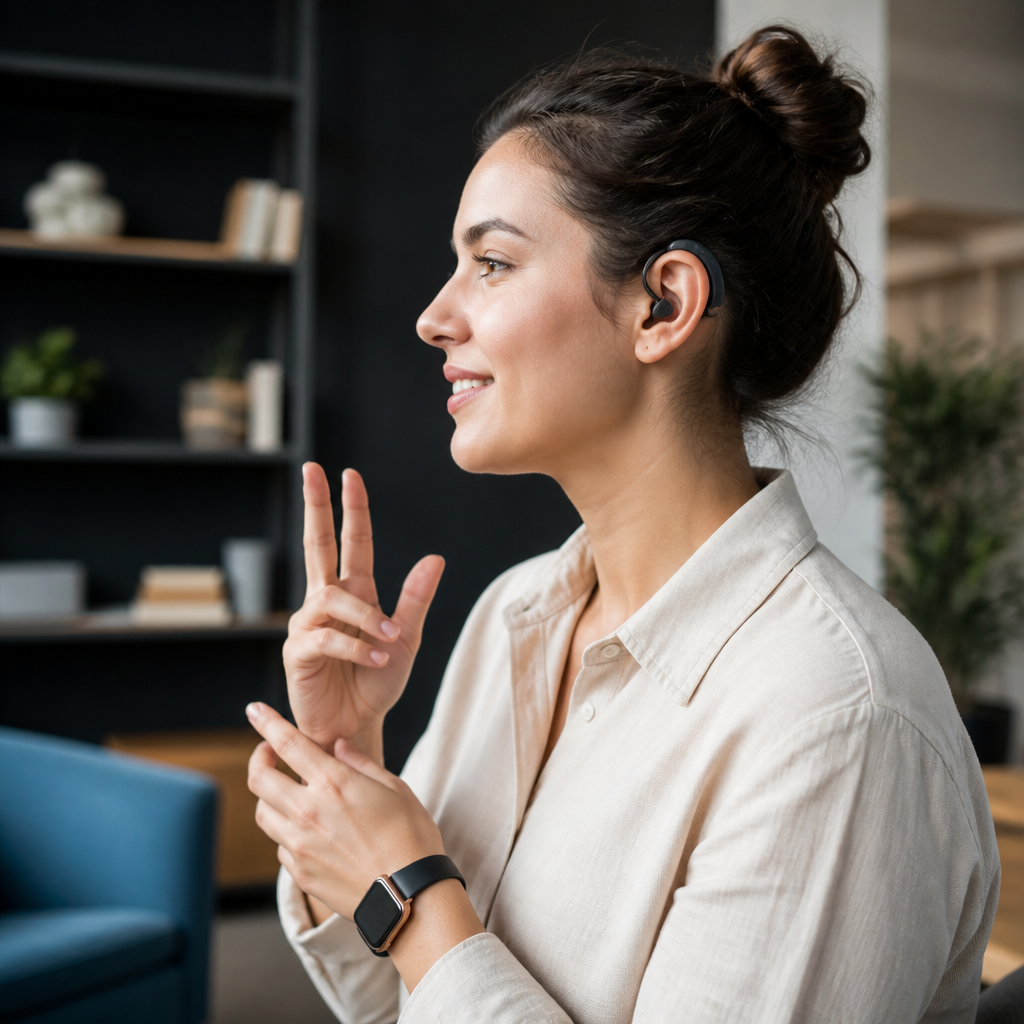
Wearable technology for the deaf community has moved far beyond simple amplification devices, becoming a broad category of assistive technologies that convert sound, speech, and environmental signals into vibration, light, text, and connected alerts. In practical terms, wearable technology includes smart hearing aids, cochlear implant accessories, vibrating smartwatches, captioning glasses, haptic bands, and safety devices worn on the body. Assistive technologies is the wider field that includes any tool designed to reduce barriers in communication, mobility, learning, work, and daily living. For deaf and hard of hearing people, wearables matter because they bring access into the moment: a doorbell can become a wrist vibration, spoken words can become on-screen captions, and an emergency alert can become a visible or tactile warning instead of a missed sound.
I have worked with deaf users, audiologists, accessibility teams, and mainstream device deployments, and the pattern is consistent: the most useful tools are not always the most expensive or the most advanced. The best wearable technology is the device a person will actually use every day, in the places where communication breaks down. That could mean a teen using a smartwatch linked to school notifications, a professional pairing hearing aids with a laptop for clearer video calls, or an older adult relying on a vibrating alert system for smoke alarms and incoming calls. This is why wearable technology for the deaf community deserves a hub article. It sits at the center of modern assistive technologies, connecting personal devices, home systems, public accessibility, and digital communication into one wearable layer.
This guide explains the main types of wearable assistive technologies, how they work, who they help, and what tradeoffs buyers should understand before choosing one. It also highlights where wearables fit within the broader technology and tools for the deaf community landscape, so readers can use this page as a starting point for deeper research on hearing devices, alerting systems, communication apps, and accessible consumer electronics.
What wearable assistive technology includes today
Wearable assistive technology for deaf and hard of hearing users falls into several clear groups. First are hearing devices worn on or in the ear, including digital hearing aids, bone conduction systems, and cochlear implant sound processors. Second are connected wearables such as smartwatches and fitness bands that deliver vibrations, visual prompts, and app notifications. Third are communication wearables, including smart glasses that display captions and microphones worn by speakers to stream clearer audio or text. Fourth are safety and awareness devices, such as haptic bands that alert users to alarms, sirens, baby cries, or a person calling their name.
These categories overlap. A single user may wear Bluetooth hearing aids connected to a phone, use a smartwatch for vibrating alerts, and rely on a remote microphone in meetings. In clinical and educational settings, I have repeatedly seen the strongest outcomes when wearables are treated as a system rather than as isolated gadgets. A hearing aid alone may improve speech audibility, but pairing it with directional microphones, live captioning, and vibration alerts creates much better real-world access.
It is also important to define the audience correctly. “Deaf community” is not a single technical profile. Some users identify culturally as Deaf and prefer visual communication tools over sound-based devices. Others are late-deafened adults, oral deaf users, hard of hearing users, cochlear implant recipients, or people with fluctuating hearing loss. The same product will not fit every person, and good recommendations start with communication goals, not assumptions.
Smart hearing aids, implants, and body-worn audio tools
For many people, the first wearable assistive technology is a hearing aid or cochlear implant processor. Modern hearing aids from brands such as Phonak, Oticon, ReSound, Signia, Starkey, and Widex are no longer standalone amplifiers. They are miniature computers with directional microphones, noise reduction, feedback management, telecoils in some models, app controls, and Bluetooth streaming. That matters because the deaf and hard of hearing experience often depends less on volume and more on clarity, signal-to-noise ratio, and control over listening environments.
Cochlear implants and bone anchored systems serve different needs. Cochlear implants bypass damaged parts of the inner ear and directly stimulate the auditory nerve. Bone conduction and bone anchored devices transmit sound through skull vibration, helping some people with conductive or mixed hearing loss and single-sided deafness. These are highly individualized medical devices, but they are also wearables in everyday use, with accessories that can stream TV sound, improve meeting audio, or connect to classroom systems.
Remote microphones are especially important and often underused. In noisy offices, classrooms, and restaurants, placing a microphone near the speaker can dramatically improve understanding because it reduces the effect of distance and background noise. This principle is well established in audiology, and in practice it often helps more than simply raising volume. For children in school, teacher-worn microphones integrated with hearing technology can support language access across the day. For adults, clip-on microphones can turn a difficult conference room into a manageable one.
| Wearable category | Primary benefit | Best use case | Key limitation |
|---|---|---|---|
| Digital hearing aids | Amplify and process speech | Residual hearing with spoken communication | Background noise remains challenging |
| Cochlear implant processors | Access speech through electrical stimulation | Severe to profound hearing loss | Requires surgery and rehabilitation |
| Smartwatches and bands | Vibration and visual alerts | Calls, alarms, timers, doorbells | Depends on paired apps and battery life |
| Captioning glasses | Live text in view | Meetings, lectures, guided tours | Accuracy varies with noise and accents |
| Remote microphones | Improve signal-to-noise ratio | Classrooms, meetings, cars | Needs speaker cooperation |
Smartwatches, haptics, and environmental awareness
One of the biggest practical shifts in assistive technologies has come from mainstream wearables. Apple Watch, Samsung Galaxy Watch, Google Pixel Watch, and other smartwatch platforms can mirror notifications, provide strong vibration cues, and work with accessibility apps that translate sound events into touch or text. For many deaf users, this solves a simple but serious problem: important information often arrives as sound first. Wearables reroute that information into channels the user can access immediately.
Common uses include vibrating alerts for phone calls, text messages, calendar reminders, medication times, and navigation prompts. In the home, wearables can integrate with smart doorbells, security cameras, baby monitors, and smoke detectors. A visitor pressing a connected doorbell can trigger a wrist alert. A camera app can send a motion notification with a thumbnail preview. For parents, baby-cry detection linked to a band or watch can be more reliable than audio-only monitors.
Specialized haptic devices push this concept further. Some systems detect acoustic events such as sirens, alarms, horns, or a person’s voice and deliver patterned vibrations so the user can distinguish urgency levels. The value is not only convenience; it is safety. Missing a fire alarm, public warning, or approaching emergency vehicle can have severe consequences. In my experience, users rate these devices highest when vibration patterns are easy to learn and false alerts are kept low. An unreliable awareness device gets abandoned quickly.
Battery management is the biggest real-world issue. If a watch, phone, hearing aid, and home alert app all need charging, the system becomes fragile. That is why setup simplicity matters as much as feature lists. A smaller number of dependable alerts generally serves users better than dozens of noisy notifications.
Captioning wearables and visual-first communication tools
Captioning wearables represent one of the most promising areas in wearable technology for the deaf community. Smart glasses and heads-up captioning systems aim to place real-time text in the wearer’s field of view, reducing the need to look down at a phone or separate screen during conversation. This can improve eye contact, participation, and fatigue management in meetings or classes. The concept is powerful because speechreading, sign language interpretation, and context tracking all compete for visual attention. When captions are closer to the speaker, communication becomes less fragmented.
However, captioning quality depends on automatic speech recognition performance, microphone placement, internet connectivity in some platforms, and speaker behavior. Accents, overlapping talkers, technical vocabulary, and room echo all reduce accuracy. In quiet one-to-one conversations, results can be excellent. In busy restaurants, they may be inconsistent. Users should treat captioning wearables as a strong access layer, not as a perfect substitute for interpreters, CART captioning, or direct sign language communication when those are needed.
Visual-first tools also include wearable cameras and microphones paired with smartphone captioning apps, as well as badges worn by speakers to improve transcription quality. In workplaces, combining speaker microphones with live caption platforms often produces better results than relying on a distant room microphone. That lesson appears again and again in accessible meeting design: proximity improves clarity, and clarity improves inclusion.
Choosing the right wearable technology
The best way to choose wearable assistive technology is to start with situations, not products. Ask where communication fails most often. Is it during commuting, in group meetings, at the front door, while sleeping, in classrooms, or during exercise? Once that is clear, evaluate devices by five factors: access method, reliability, compatibility, maintenance, and cost. Access method means whether the device delivers information through sound, vibration, light, or text. Reliability means whether alerts are timely and accurate. Compatibility covers phones, tablets, hearing devices, operating systems, and smart home platforms. Maintenance includes charging, cleaning, software updates, and repair support. Cost should include subscriptions, accessories, replacement parts, and insurance coverage, not just the sticker price.
Standards and support matter. Bluetooth LE Audio and Auracast are reshaping how public and personal audio can be shared, though adoption varies by venue and device generation. Telecoil support still matters in many theaters, houses of worship, and public spaces with hearing loop systems. Smartphone accessibility settings on iOS and Android can significantly improve outcomes when configured correctly. Many disappointments come from poor setup, not poor hardware.
Users should also test comfort and social fit. A device can be technically excellent and still fail if it is uncomfortable, visually distracting, or awkward in conversation. Trial periods, audiology consultations, workplace accommodations, and school accessibility plans all reduce risk. When possible, involve the actual user in hands-on testing across real environments rather than making a decision from product pages alone.
Where wearables fit within the larger assistive technology ecosystem
Wearables are the front line of access, but they work best as part of a broader system. Phones provide captioning, relay services, messaging, and app control. Tablets and laptops support video calls, note-taking, and longer-form communication. Home devices extend alerts to doors, lights, appliances, and alarms. In schools and workplaces, accessibility may also include CART, sign language interpreters, hearing loops, acoustic treatment, and communication protocols such as turn-taking and camera-on participation during remote meetings.
This hub matters because assistive technologies for the deaf community are interconnected. A reader researching wearable technology may also need guidance on hearing aid accessories, captioning apps, alerting systems, classroom listening tools, accessible smartphones, or public venue accommodations. The most effective strategy is layered access: use more than one path to the same information. For example, an emergency alert should arrive as text on a phone, vibration on a wrist, and light or bed shaker cues at home. Redundancy is not excessive. It is good accessibility design.
Wearable technology for the deaf community is valuable because it makes access immediate, personal, and portable. The strongest solutions translate sound into forms people can use, fit smoothly into daily routines, and connect with larger communication systems instead of operating alone. If you are building your assistive technology toolkit, start by identifying your highest-friction situations, compare devices by reliability and compatibility, and test them in real life before committing. That approach leads to better outcomes, fewer abandoned gadgets, and more confident everyday communication.
Frequently Asked Questions
What is wearable technology for the deaf community, and how is it different from general assistive technology?
Wearable technology for the deaf community refers to body-worn devices designed to help users detect, interpret, and respond to sound, speech, and environmental cues in ways that do not rely solely on hearing. Instead of simply making sound louder, many modern wearables translate audio information into alternative formats such as vibration, flashing light, on-screen text, or smartphone notifications. Common examples include smart hearing aids, cochlear implant processors and accessories, vibrating smartwatches, captioning glasses, haptic alert bands, and personal safety devices that notify the wearer about alarms, doorbells, crying babies, or approaching vehicles.
General assistive technology is a broader category that includes any tool, device, software, or system that improves accessibility and independence for people with disabilities. That larger category can include wearable devices, but it also includes non-wearable technologies such as captioning apps, video relay services, amplified phones, visual alert systems for the home, classroom microphones, speech-to-text software, and communication platforms. In other words, wearable technology is a specialized subset of assistive technology. What makes wearables especially valuable is that they are portable, immediate, and integrated into daily life, allowing deaf and hard of hearing users to receive information in real time whether they are at home, at work, commuting, or in social settings.
What types of wearable devices are most useful for deaf and hard of hearing users?
The most useful wearable devices depend on the individual’s hearing profile, communication preferences, lifestyle, and environment. For many users, smart hearing aids remain an important option because they do more than amplify sound. Newer models can connect directly to smartphones, reduce background noise, stream calls and media, and work with companion apps that allow fine-tuning in different listening situations. For cochlear implant users, wearable processors and Bluetooth accessories can improve speech access, support hands-free calling, and make media listening more seamless.
Beyond hearing devices, vibrating smartwatches are especially practical because they can deliver discreet alerts for calls, texts, alarms, calendar reminders, and app-based sound notifications. Haptic bands and body-worn vibration devices can notify users when specific sounds are detected, such as a baby crying, a smoke alarm sounding, or someone knocking at the door. Captioning glasses are another emerging category, displaying live transcribed speech within the wearer’s field of vision, which can be useful in meetings, classrooms, and one-on-one conversations. Some users also benefit from personal safety wearables that connect to apps and sensors to detect emergency sounds or provide GPS-based alerts. The most effective setup is often a combination of devices working together rather than relying on a single product.
How do wearable devices help with safety, communication, and everyday independence?
Wearable devices can significantly improve day-to-day independence by making important information easier to notice and act on in real time. In terms of safety, many wearables connect with apps or home systems that detect critical sounds such as smoke alarms, carbon monoxide detectors, sirens, or a baby monitor. Instead of depending on hearing those sounds directly, the user can receive a strong vibration on the wrist, a flashing visual alert, or a text notification. This can be especially valuable while sleeping, commuting, exercising, or working in noisy environments.
For communication, wearable technology can reduce barriers in conversations by providing captioning, clearer audio streaming, or better awareness of incoming calls and messages. Smart hearing aids and cochlear implant accessories can improve access to speech in certain settings, while captioning glasses or connected speech-to-text tools can support understanding in fast-paced discussions. In daily routines, wearable devices help users stay organized and connected by making digital alerts more accessible. They can notify the wearer of appointments, navigation prompts, appliance signals, workplace updates, and social messages without requiring constant visual attention to a phone. Taken together, these functions support greater confidence, faster response times, and more autonomy across home, work, travel, and community life.
Are wearable technologies a replacement for hearing aids or cochlear implants?
No, wearable technologies are not always a replacement for hearing aids or cochlear implants, and in many cases they are best understood as complementary tools. Hearing aids and cochlear implants are medical or clinical hearing technologies designed to support access to sound and speech based on the user’s specific hearing needs. Wearable assistive devices often serve a different purpose: they provide alternative alert systems, visual supports, text-based communication access, or haptic feedback that can fill in gaps that hearing devices alone may not address.
For example, a person may use hearing aids during conversations but still rely on a smartwatch or haptic alert system to detect a doorbell, emergency alarm, or phone notification in a noisy room. Similarly, a cochlear implant user might benefit from streaming accessories for clearer phone calls while also using captioning glasses during lectures or large meetings where speech is harder to follow. Some deaf individuals do not use hearing aids or implants at all and may prefer wearables centered on visual, tactile, and text-based communication. The right approach depends on personal preference, audiological needs, budget, and communication goals. Rather than thinking in terms of replacement, it is more accurate to think in terms of building an accessibility ecosystem that supports the user across different situations.
What should someone consider before choosing wearable technology for deaf accessibility?
Before choosing a wearable device, it is important to think beyond product marketing and focus on real-life usability. The first consideration is the user’s primary need: is the goal better speech access, environmental sound awareness, emergency alerting, easier phone communication, or more independence in daily routines? A device that works well for meetings may not be the best solution for nighttime safety, and a product designed for amplified listening may not meet the needs of someone who prefers visual or tactile communication. Understanding the specific use case helps narrow the options quickly.
Other key factors include comfort, battery life, connectivity, compatibility with smartphones and existing hearing devices, customization options, and reliability of alerts. Users should also consider whether the device supports preferred communication methods such as captions, vibration intensity control, Bluetooth streaming, app-based sound recognition, or integration with smart home systems. Cost matters as well, especially because coverage and reimbursement vary widely depending on the type of device and location. Whenever possible, it helps to read user reviews, request demonstrations, and consult audiologists, accessibility specialists, or deaf community organizations. The best wearable technology is not simply the most advanced device on the market; it is the one that fits naturally into the user’s life and consistently improves access, safety, and confidence.





