
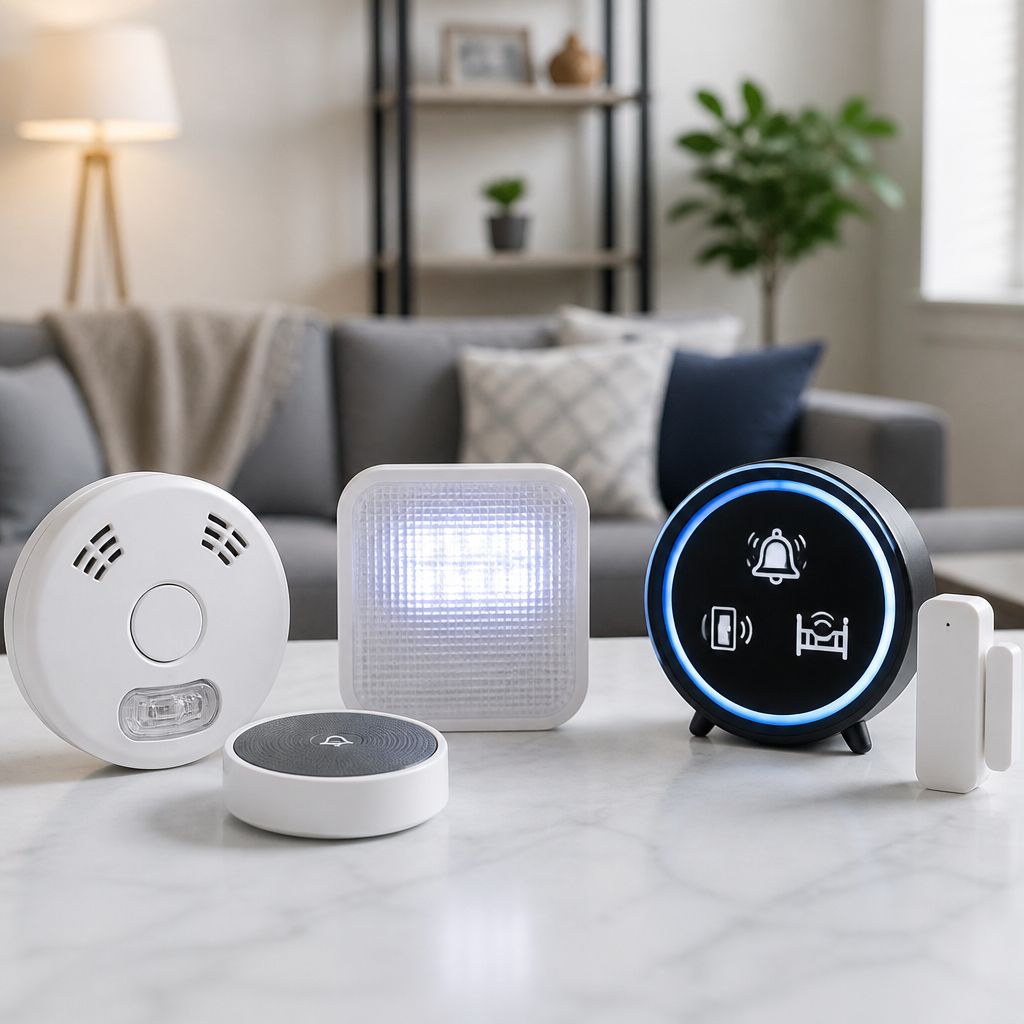
Alerting devices for deaf individuals are assistive technologies that convert sound-based events into visual, tactile, or connected notifications, making everyday environments safer, more accessible, and easier to navigate. In practice, these tools cover a wide range of needs: a flashing fire alarm in an apartment, a bed shaker linked to a smoke detector, a vibrating smartwatch that relays a doorbell alert, or a smartphone app that captions environmental sounds in real time. I have helped families compare these systems for homes, schools, and workplaces, and the biggest lesson is simple: the best setup is rarely a single gadget. It is a layered alerting system built around the user’s hearing level, communication preferences, living situation, and risk profile. For the deaf community, assistive technologies are not convenience products alone. They are core access tools that support independent living, emergency response, parenting, employment, and sleep safety. Understanding how alerting devices work, which standards matter, and how newer connected tools fit with established equipment is essential before buying anything.
Key terms help frame the topic. “Alerting devices” usually refers to products that notify a person about an event they may not hear, such as a smoke alarm, alarm clock, phone call, crying baby, weather warning, or someone at the front door. “Visual alerting” means strobe lights, flashing lamps, or screen notifications. “Tactile alerting” means vibration through wearables, pocket receivers, bed shakers, or vibrating pads. “Assistive technologies” is the broader category that includes these alerting products alongside hearing aids, cochlear implant accessories, captioning tools, relay services, and communication apps. Today, many systems are hybrid. A single event can trigger a bedside strobe, a bed shaker, a smartwatch vibration, and a mobile push notification at the same time. That convergence matters because no one method is reliable in every context. A bright strobe may fail when someone is outdoors. A vibrating wearable may be taken off at night. A phone notification may be missed if the battery dies or the device is on silent. Redundancy is a design principle, not an extra.
This hub article explains the main categories of alerting devices, where each one works best, what features separate dependable products from gimmicks, and how to build a complete assistive technology setup. It also shows how these tools connect to broader deaf accessibility goals, including home safety, communication access, and digital inclusion. If you are choosing devices for yourself, a child, an older adult, or an employee, start with the events that must never be missed: smoke, carbon monoxide, severe weather, intruders, and overnight alarms. Then build outward to lifestyle alerts such as phones, video calls, appliances, baby monitoring, and door access. That approach keeps spending focused on real risks while creating a system that supports daily life without adding unnecessary complexity.
Core types of alerting devices and what problems they solve
Most alerting devices for deaf individuals fall into five practical categories: emergency alarms, wake-up systems, communication alerts, household notifications, and mobile or wearable alerts. Emergency alarms include smoke detectors, carbon monoxide alarms, and weather radios adapted for visual or tactile signaling. These are the highest-priority assistive technologies because they deal with life safety. Products in this category often connect to high-intensity strobes and bed shakers so a sleeping user is alerted even without hearing the siren. In residential settings, models compliant with recognized fire safety standards are worth prioritizing because light intensity, synchronization, and battery backup directly affect reliability.
Wake-up systems are the second major category. A standard loud alarm clock is useless for many deaf and hard of hearing users, but a dedicated alert clock can combine strong vibration, a bright flash, and multiple alarm schedules. In my experience, successful wake-up setups are rarely based on light alone. Heavy sleepers usually need a powerful bed shaker placed under the mattress or pillow, plus a backup vibration on a wearable. Students, shift workers, and parents often benefit from dual alarms: one for waking and one for medication or scheduling prompts later in the day.
Communication alerts notify users about phone calls, texts, video calls, intercoms, and doorbells. Traditional systems used landline ring signalers attached to lamps or portable receivers. Today, many homes rely on video doorbells, smart displays, and smartphone integrations. For deaf users, the best communication devices do more than flash. They identify the source of the alert, such as “front door,” “mobile call,” or “laundry done,” because actionable information reduces stress and unnecessary checking. Household notifications cover baby cries, appliance timers, running water, and motion sensors. Mobile and wearable alerts extend all of this beyond the home through smartwatches, haptic bands, Bluetooth receivers, and app-based environmental sound recognition.
Life-safety alerting: smoke, carbon monoxide, weather, and security
When people ask which assistive technologies matter most, the answer is immediate: smoke and carbon monoxide alerting comes first. According to fire safety guidance and disability access best practice, deaf users need notification methods that work when awake and asleep. A strobe in one room is not enough if the user sleeps with the door closed, removes wearable devices overnight, or lives in a larger home. Effective life-safety systems usually combine interconnected detectors, strategically placed strobes, and at least one bed shaker tied to the alarm signal. Carbon monoxide protection deserves equal attention because exposure symptoms can develop during sleep and may not be recognized in time without a direct tactile alert.
Weather alerting is another critical layer, especially in tornado, hurricane, flood, and wildfire regions. NOAA weather radios with external signaling support, wireless emergency alert integration on smartphones, and local emergency apps can provide redundancy. The tradeoff is that consumer apps are only as reliable as cellular service, battery life, and notification permissions. A dedicated weather radio connected to a strobe or shaker is still valuable in areas where power outages and storms occur together. Security alerts, including intrusion sensors and smart cameras, should also be evaluated by urgency. A front-door motion alert can go to a phone, but a break-in alarm should trigger stronger in-home tactile and visual signaling immediately.
| Alert Type | Best Notification Method | Why It Works | Main Limitation |
|---|---|---|---|
| Smoke alarm | Interconnected strobe plus bed shaker | Reaches users awake and asleep | Requires proper installation and testing |
| Carbon monoxide | Dedicated detector linked to tactile alert | Critical during sleep when symptoms are unnoticed | Some basic smart alarms lack strong tactile options |
| Doorbell | Visual alert plus phone or watch vibration | Identifies visitors from anywhere in the home | Dependent on Wi-Fi in many smart systems |
| Alarm clock | Bed shaker with backup wearable vibration | Reliable for heavy sleepers | Portability varies by model |
| Baby cry | Dedicated transmitter and vibrating receiver | Provides direct, urgent notification | Placement affects sensitivity and false alerts |
| Weather emergency | Weather radio plus smartphone alerts | Creates redundancy during severe events | Phones can fail during outages or dead zones |
For apartments, dorms, hotels, and workplaces, ask how the building alarm system handles deaf access. Many modern facilities include visible notification appliances, but sleeping spaces may still need supplemental tactile equipment. This is where policy and procurement matter as much as technology. A compliant building can still be functionally inaccessible if a deaf resident has no overnight notification pathway. The practical standard is simple: every critical alarm must be perceivable in every relevant context, including behind closed doors, in bathrooms, and during sleep.
Everyday alerting for doors, phones, babies, and appliances
Once emergency coverage is solid, most users expand to daily living alerts. Doorbell signalers are often the first purchase because missed visitors create immediate friction. Older systems used a transmitter at the chime and receivers that flashed lamps around the house. Newer options include video doorbells with push notifications, live video, and two-way text or speech features. For many deaf households, the best result comes from combining both styles: a dedicated indoor signaler for instant awareness and a connected app for identification and remote response. If internet service drops, the in-home signaler still functions.
Phone and messaging alerts have largely shifted to smartphones, tablets, and smartwatches, but settings matter. I routinely see users miss important notifications because focus modes, battery optimization, Bluetooth conflicts, or app permissions silence alerts without warning. The solution is configuration discipline: assign distinctive vibration patterns, enable repeated notifications for priority contacts, and test alerts from lock screen, silent mode, and do-not-disturb exceptions. Video call platforms such as FaceTime, Zoom, and Google Meet can also be integrated into visual workflows through desktop banners, watch taps, and external lights triggered by automation platforms.
Baby alerting deserves special care. Not every cry-detection app is accurate enough for infant monitoring, and false confidence is dangerous. Dedicated baby monitors designed for deaf parents often use a microphone transmitter and a vibrating or flashing receiver. Some systems also detect movement or sound thresholds and can connect to cameras. Parents should test these in realistic conditions, including with white noise, closed doors, HVAC noise, and overnight routines. Appliance and household alerts, such as ovens, washing machines, and running water sensors, may seem less urgent, but they reduce cognitive load and support independence. A deaf user who gets a clear vibration when laundry finishes or when a leak sensor triggers avoids both inconvenience and property damage.
Smart home systems, wearables, and sound-recognition apps
The biggest shift in assistive technologies over the last decade is the move from single-purpose devices to connected ecosystems. Smart speakers with screens, home automation hubs, smart lights, sensors, and watches can route alerts across multiple channels. For example, a doorbell press can flash hallway lights, vibrate a watch, display camera video on a smart screen, and send a phone alert. A smoke event can trigger whole-home lighting scenes, unlock certain smart locks for evacuation, and message caregivers. That flexibility is powerful, but only if reliability is treated seriously.
Consumer smart home products are excellent for convenience alerts and useful for secondary redundancy, yet they should not automatically replace purpose-built life-safety equipment. Wi-Fi outages, cloud delays, firmware bugs, and subscription changes affect performance. In my projects, the most dependable approach is to anchor life-safety alerts in dedicated hardware and layer smart home tools around them for added reach and context. Platforms such as Apple Home, Google Home, Amazon Alexa, SmartThings, and Home Assistant can extend visibility, but the underlying detector still matters more than the automation.
Wearables add mobility. Smartwatches from Apple, Samsung, and Google can deliver strong haptic alerts for calls, messages, and app notifications, and some deaf users use them as their primary daytime alerting tool. Specialized vibrating pagers and receivers still have a place because they often provide stronger tactile output and simpler pairing with dedicated transmitters. Sound-recognition apps such as Ava, Sound Alerts, or built-in smartphone accessibility features can identify door knocks, dog barks, sirens, or crying babies using on-device or cloud processing. These apps are helpful, especially for situational awareness, but they should be treated as assistive support rather than guaranteed emergency systems. Accuracy varies by microphone quality, background noise, and how the phone is carried.
How to choose the right devices and build a complete setup
Choosing alerting devices for deaf individuals starts with a needs assessment, not a product catalog. First, list the events that require immediate awareness. Second, note where alerts must be received: bed, bathroom, kitchen, backyard, workplace, classroom, or while commuting. Third, define the preferred notification modes: strobe, vibration, text, wearable haptics, or combinations. Fourth, check infrastructure: Wi-Fi strength, electrical outlets, battery backup, smartphone operating system, and whether a renter can install wired devices. This simple framework prevents the common mistake of buying attractive connected gadgets that leave major safety gaps.
Product evaluation should focus on five criteria: reliability, intensity, identification, interoperability, and maintenance. Reliability means the alert arrives every time. Intensity means the strobe is bright enough or the vibration strong enough for the user and environment. Identification means the user knows what happened, not just that something happened. Interoperability means the device can work with detectors, apps, or receivers already in use. Maintenance means batteries, firmware, charging habits, replacement cycles, and routine testing are realistic. A sophisticated system that no one maintains is less effective than a simpler setup that is tested monthly.
Cost and funding also matter. Some alerting devices are consumer electronics, while others qualify for disability-related funding through vocational rehabilitation, education plans, employer accommodations, nonprofit programs, or local services for deaf and hard of hearing residents. Ask vendors whether products meet recognized accessibility or safety standards, and ask audiologists, rehabilitation professionals, or deaf service organizations for brand-neutral guidance. As a hub within Technology and Tools for the Deaf Community, this article connects naturally to deeper topics: captioned telephones, hearing loop systems, cochlear implant accessories, video relay services, classroom accessibility tools, and communication apps. Alerting technology works best when it is part of that broader assistive ecosystem, not treated as an isolated purchase.
Alerting devices for deaf individuals work best when they are selected as a system, not as random gadgets added over time. The essential lesson is straightforward: prioritize life safety first, then add communication, household, and mobile alerts that match the user’s routines. A complete assistive technology setup usually blends visual signals, tactile notifications, and connected tools so no single point of failure leaves a person unprotected. Smoke, carbon monoxide, weather, and overnight wake-up alerts deserve dedicated hardware. Doorbells, phones, baby monitors, appliances, and wearables add everyday independence and reduce missed information across home, school, and work environments.
The strongest setups are practical, redundant, and tested regularly. Dedicated alarms provide dependable primary warning, while smart home platforms, watches, and apps extend reach and context. Every device should be evaluated for intensity, reliability, maintenance, and whether it identifies the source of the alert clearly. Users should also think beyond the home. Travel, dorm living, office access, and caregiving responsibilities often require portable receivers, backup batteries, and customized notification settings on phones and watches. There is no universal package that fits every deaf person, because sleeping patterns, housing type, communication preferences, and comfort with technology vary widely.
If you are building or upgrading an alerting system, start by mapping the critical events you cannot afford to miss and test each device under real conditions. Then expand your assistive technologies one category at a time. That method creates safer, more independent daily living and gives you a foundation for exploring the rest of the tools in this subtopic.
Frequently Asked Questions
What are alerting devices for deaf individuals, and how do they work?
Alerting devices for deaf individuals are assistive technologies designed to replace or supplement sound-based alerts with visual, tactile, or connected notifications. Instead of relying on a person hearing a smoke alarm, doorbell, baby cry, oven timer, or phone ring, these devices translate that event into something easier to notice, such as flashing lights, vibrations, bed shakers, smartwatch alerts, or smartphone notifications. Their main purpose is to improve safety, independence, and day-to-day convenience at home, at work, and on the go.
These systems usually begin with a trigger, such as a smoke detector sensing smoke, a doorbell button being pressed, or a phone call coming in. Once triggered, the device sends a signal to one or more receivers. A receiver may flash a bright strobe in a room, activate a vibrating pager, shake a mattress during sleep, or send a notification to a mobile app. Some systems are stand-alone, while others are networked together across an entire home. More advanced setups can distinguish between different alerts, so a user can tell whether the signal is coming from a fire alarm, carbon monoxide detector, doorbell, or infant monitor.
Modern alerting technology also includes smart and app-based tools. For example, connected doorbells can send push notifications to a phone or smartwatch, and sound recognition apps can detect environmental sounds and display real-time captions or labels. This can be especially helpful for identifying sirens, knocking, running water, or a barking dog. In short, alerting devices work by converting important audio information into accessible signals that support awareness and faster response.
Which alerting devices are most important to have at home?
The most important alerting devices to have at home are usually the ones tied directly to health, safety, and emergency response. At the top of the list are smoke alarms and carbon monoxide detectors that include bright strobe lights and, ideally, a bed shaker or vibrating receiver for nighttime use. A standard audible alarm alone may not provide enough warning for a deaf or hard of hearing person, especially while sleeping, so a multi-sensory setup is often the safest choice. These devices are among the most essential because they address life-threatening situations where every second matters.
After fire and carbon monoxide protection, many people benefit from alerting systems for the doorbell, telephone, alarm clock, and baby monitor. A doorbell signaler can flash lights or send a vibration to a wearable device so visitors, deliveries, or emergency responders are not missed. A phone signaler can notify the user of incoming calls through a lamp flasher, pager, or smartphone integration. An accessible alarm clock with a powerful bed shaker and flashing light can make waking up more reliable than depending on sound alone. Parents may also choose an alerting baby monitor that uses vibration, lights, or app notifications to indicate crying or movement.
The right combination depends on the person’s home layout, lifestyle, and communication preferences. Someone living in a studio apartment may only need a compact integrated system, while a family in a larger home may need multiple receivers in several rooms. It is also worth considering compatibility between devices. Choosing products that can work together often creates a smoother and more dependable experience, especially when multiple alerts need to reach the user in different parts of the home.
Are smart home devices and smartphone apps reliable enough for deaf alerting needs?
Smart home devices and smartphone apps can be very useful, but they should be chosen carefully and understood for what they do best. For convenience alerts, such as a doorbell notification, package arrival, appliance timer, or camera motion alert, connected devices can be extremely effective. A smartphone, smartwatch, or smart speaker ecosystem can give deaf users more flexibility and customization than older stand-alone systems. For example, it may be possible to route a doorbell alert to a phone, a vibrating wearable, and a flashing smart light at the same time.
However, for critical life-safety alerts, reliability matters more than convenience, and not every consumer smart device is built to the same standard as specialized alerting equipment. Internet outages, app permissions, drained batteries, Bluetooth disconnects, or delayed notifications can all affect performance. That is why many experts recommend using code-compliant smoke and carbon monoxide alarms with dedicated visual and tactile alerting features rather than depending only on a phone app. In many cases, the best approach is a layered system: specialized emergency devices for primary safety, combined with smart technology for added reach and convenience.
Smartphone apps that identify and caption environmental sounds can also be helpful, especially outside the home or in unfamiliar places. They can increase awareness of nearby events like sirens, barking, water running, or someone knocking. Still, app-based sound detection should be seen as a support tool rather than a guaranteed emergency alert system. When evaluating any smart device or app, it is wise to look at battery backup, connection methods, response speed, compatibility with wearables, and whether the product has been designed with deaf and hard of hearing users in mind.
How do I choose the right alerting system for my needs?
Choosing the right alerting system starts with identifying which sounds or events you most need to know about and when those alerts happen. Begin by thinking through a typical day and night. Do you need to wake up for an alarm? Do you live alone and need strong fire safety coverage while sleeping? Do you often miss the doorbell, phone, or delivery knocks? Are you a parent who wants reliable baby alerts? Do you want notifications only at home, or also while traveling and commuting? Answering these questions helps narrow the selection quickly.
Next, consider the type of notification that works best for you. Some people respond best to bright visual cues, such as room strobes or flashing lamps. Others prefer tactile alerts, such as bed shakers, vibrating pagers, or smartwatch notifications. Many people benefit from a combination of both. It is also important to think about the size and layout of the home. Larger homes may require signal repeaters, multiple receivers, or interconnected devices so an alert can reach a bedroom, bathroom, kitchen, and living area effectively. If you sleep deeply, a stronger vibrating alert or dedicated bed shaker may be especially important.
Compatibility and future growth matter too. If possible, choose a system that can expand over time and integrate multiple functions, such as smoke detection, carbon monoxide alerts, doorbell signaling, and mobile notifications. Check whether the devices have battery backup, easy setup, clear maintenance requirements, and customer support. If the system is for an apartment, dorm, workplace, or shared housing, it may also be necessary to confirm building requirements or accessibility accommodations. The best alerting system is not simply the most high-tech one; it is the one that consistently delivers the right alerts, in the right format, at the right time.
Can alerting devices be covered by disability programs, insurance, or housing accommodations?
In some cases, yes. Coverage and funding for alerting devices can come from several sources, although availability depends on where a person lives, the type of device needed, and the program’s eligibility rules. For example, housing providers may be required to allow reasonable accommodations or modifications related to disability access, especially when the request involves essential safety equipment such as visual smoke alarms. Some state, local, or nonprofit programs also help deaf and hard of hearing individuals obtain communication and accessibility equipment for home use.
Insurance coverage is less predictable and often depends on whether the device is considered medically necessary durable equipment, a safety modification, or a consumer electronic product. Specialized alerting systems tied to disability access may sometimes qualify under specific benefit categories, while general smart home devices often do not. Veterans’ programs, vocational rehabilitation services, disability resource centers, and assistive technology programs may also be worth exploring. Schools, universities, employers, and public housing authorities may have separate accommodation pathways for students, workers, or residents who need accessible alerts in their living or working spaces.
The most practical next step is to document the need clearly and ask targeted questions. If the concern is safety, such as not being able to hear a fire alarm while sleeping, that should be stated directly. It can help to request information from landlords, local disability agencies, hearing service organizations, or an audiologist familiar with assistive technology options. Even when full coverage is not available, there may be partial funding, loan programs, grants, or low-cost equipment resources. Because alerting devices can play such a critical role in safety and independence, it is often worthwhile to investigate every available support option.





