
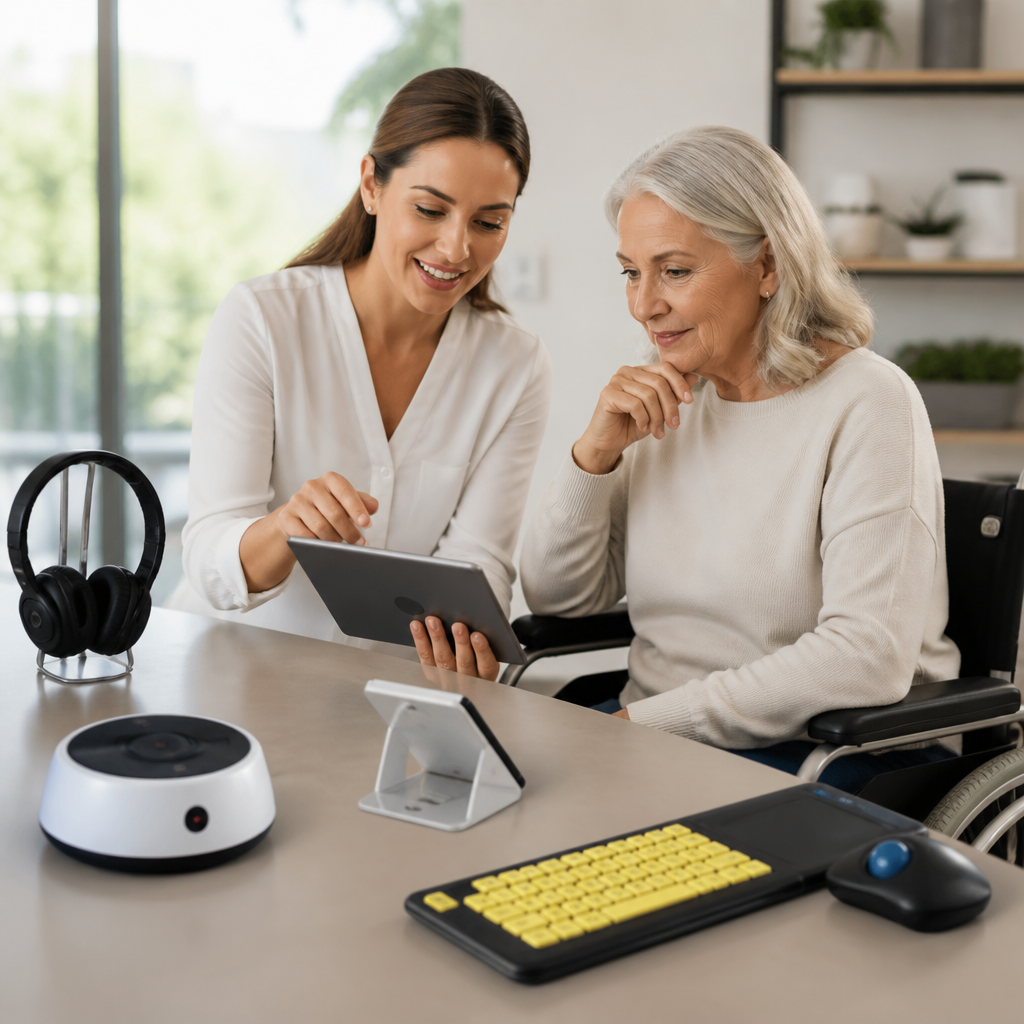
Choosing the right assistive technology starts with a clear understanding of what problem you need to solve, where you use technology most, and how a device or app fits into your daily routine. In the deaf community, assistive technology includes any tool that improves access to sound, speech, alerts, conversations, media, education, work, or public services. That can mean hearing devices, captioning apps, visual alert systems, communication software, video relay services, amplified or text-based phones, and accessibility features built into smartphones, tablets, laptops, and smart home products. I have helped families, students, and working professionals compare these options, and the same lesson comes up every time: the best assistive technology is not the most expensive or most advanced. It is the one that matches your hearing profile, communication preferences, environment, budget, and support needs.
This matters because the wrong choice creates friction every day. A device may work well in a quiet clinic demo but fail in a noisy office, classroom, or restaurant. An app may look impressive but depend on unreliable internet. A visual alert system may be perfect at home yet useless while traveling. For deaf and hard of hearing users, technology decisions affect safety, independence, employment, learning, relationships, and mental load. The right setup can reduce missed information, communication fatigue, and dependence on other people. The wrong setup can waste money, delay access, and leave important needs unmet. A practical selection process helps you avoid those outcomes and build a toolkit that supports real life, not just product marketing.
Before comparing products, define a few key terms. Assistive technology is the broad category covering tools that improve functional access. Communication access refers to how you receive and send information, whether through sign language, text, speech, captions, or a combination. Accommodation usually means a workplace, school, healthcare, or public-service adjustment, such as CART captioning, interpreters, or accessible alarms. Mainstream accessibility features are built into general devices, including live captions, vibration alerts, screen flashing, hearing aid compatibility, and speech-to-text. In practice, many people need a layered approach. A college student may use hearing aids, remote microphones, real-time captions, and visual door alerts. A signing adult may rely more on video calls, relay services, captioned media, and text notifications than on audio amplification. Technology works best when it is selected as part of a system.
Start with your specific communication and access needs
The most effective way to choose assistive technology is to identify situations where communication breaks down. I usually ask people to map an ordinary week: phone calls, classes, meetings, home safety, commuting, streaming media, medical appointments, and social events. Then we list the exact barriers. Do you miss the doorbell, smoke alarm, baby cry, or timer at home? Do you struggle with one-on-one speech, group discussions, masked speakers, or video meetings? Is your main goal understanding speech, receiving clear text, using sign language more easily, or reducing listening effort? These distinctions matter because each one points to a different category of solutions.
Your hearing profile is only one factor. Degree of hearing loss, speech discrimination scores, tinnitus, sound sensitivity, and whether one or both ears are affected all shape device performance. But personal communication style is just as important. Some people prefer spoken communication with hearing aids or cochlear implants. Others primarily use American Sign Language and need strong video communication tools, relay access, and visible notifications. Many people are bilingual across speech, text, and sign. Age, dexterity, vision, internet access, and comfort with technology also influence what will work. A tiny rechargeable device may be excellent acoustically but frustrating for someone with limited hand mobility. A cloud-based captioning app may be accurate yet impractical in areas with poor connectivity.
It also helps to separate essential needs from nice-to-have features. Safety alerts, school access, work communication, and medical appointments usually belong in the essential category. Fancy sound profiles or smart integrations may be useful, but they should not outrank reliability, battery life, compatibility, and ease of use. When people skip this prioritization, they often end up buying tools that demo well but do not solve their most important access problems.
Understand the main categories of assistive technologies
Assistive technologies for deaf and hard of hearing users generally fall into a few core groups. Hearing devices include hearing aids, cochlear implants, bone conduction systems, remote microphones, and induction loop accessories. These tools aim to improve auditory access, especially in speech-focused environments. Communication technologies include speech-to-text apps, CART services, captioned telephones, text messaging, relay services, and video conferencing platforms with live captions. Alerting technologies cover flashing doorbells, vibrating alarm clocks, bed shakers, smoke and carbon monoxide alerts, baby monitors, and smartphone-based notification systems. Media access tools include closed captions, transcription services, hearing loop receivers, and streaming accessories. Finally, mainstream devices often provide critical built-in features, such as Live Captions on Android, Live Captions and RTT support on iPhone, video relay apps, Bluetooth LE Audio support, and hearing aid pairing on tablets and laptops.
Each category solves different problems. Hearing aids may help in direct conversation but do nothing for a smoke alarm while sleeping. A captioning app can support meetings but may not help during an internet outage. A visual alert system improves home safety but will not make a lecture accessible. This is why hub-level planning matters. Most users do best with a package of tools rather than one all-purpose solution.
| Need | Common Technology Options | Best Use Case | Main Limitation |
|---|---|---|---|
| Understanding speech nearby | Hearing aids, cochlear implants, remote microphones | One-on-one conversations, classrooms, meetings | Performance drops in noise or at distance |
| Following spoken content as text | Captioning apps, CART, video captions | Lectures, webinars, appointments, media | Accuracy varies with audio quality and internet |
| Phone and remote communication | Captioned phones, RTT, relay, video relay services | Calls with businesses, healthcare, family, work | Some services require setup or trained operators |
| Home and personal alerts | Flashing alarms, bed shakers, app-based alerts | Sleep, safety, doorbells, baby monitoring | May need installation and backup power |
| Public and shared spaces | Hearing loops, FM systems, portable captioning | Theaters, worship spaces, counters, events | Availability differs widely by venue |
Compare devices and services by environment, not marketing claims
When choosing assistive technology, evaluate where it will be used most. Environment is the factor that most strongly predicts success. In a quiet living room, many tools perform well. In a reverberant classroom, open office, emergency department, airport, or coffee shop, weak products fail fast. I have seen users abandon otherwise solid devices because they never tested them under realistic conditions. Always ask how a product handles background noise, distance from the speaker, speaker movement, poor lighting for signing, weak Wi-Fi, and long days away from chargers.
For speech access, signal-to-noise ratio is more important than simple loudness. A remote microphone clipped to a teacher or meeting host often produces better speech clarity than increasing hearing aid volume. Directional microphones, telecoils, and loop compatibility can dramatically improve performance in public venues equipped with induction loops. For captioning, the quality of the source audio matters as much as the software. A premium speech-to-text app cannot fully overcome muffled microphones or multiple people talking at once. For visual alerts, placement matters: a flashing alert in one room may not be visible in another, and a bed shaker must be strong enough for deep sleepers.
Reliability should outrank novelty. Check battery life, charging time, offline function, app stability, firmware support, and replacement parts. ReSound, Oticon, Phonak, Starkey, and Widex all offer sophisticated hearing systems, but compatibility with your phone model and everyday accessories can matter more than headline features. For captions and communication access, services such as CART, Otter, Ava, Zoom captions, Google Meet captions, and Microsoft Teams captions all differ in cost, setup, speaker handling, and transcript options. The right choice depends on context, not branding.
Evaluate compatibility, training, and total cost of ownership
One of the most common mistakes is evaluating only purchase price. Real cost includes accessories, subscriptions, batteries or charging cases, installation, repairs, warranties, maintenance, training time, and upgrade cycles. A low-cost alert device may need separate hubs for each room. A hearing aid may require paid follow-up programming. A captioning platform may charge per user, per event, or per minute. If a tool requires frequent troubleshooting, the hidden cost is your time and frustration.
Compatibility is just as important. Confirm whether hearing devices support Bluetooth Classic, Made for iPhone, ASHA, or newer Bluetooth LE Audio features. Check whether your phone, tablet, TV, smartwatch, and computer can connect without unstable workarounds. If you use interpreters or relay, make sure your video platform works well with pinned video, lighting, camera resolution, and bandwidth needs. If you want public access support, ask whether a venue offers hearing loops, FM systems, or captioning integration.
Training often decides whether technology succeeds. Many users receive devices with minimal setup help, then conclude the technology does not work. In reality, they may need custom program settings, microphone placement advice, or guidance on when to switch modes. Audiologists, deaf service organizations, vocational rehabilitation agencies, school disability offices, and state equipment programs can all help. A strong trial period with structured testing is the gold standard. Use the technology in meetings, restaurants, transit, worship services, family gatherings, and nighttime routines. Keep notes. Specific observations lead to better adjustments than vague comments like “it sounds bad.”
Choose solutions for home, school, work, and public life
Different settings require different tools. At home, start with safety: smoke and carbon monoxide alarms with strobe or bed shaker alerts, visual doorbells, vibrating wake systems, and smartphone notifications for package, appliance, or baby alerts. In school, students may need remote microphones, note-taking support, captioned lectures, interpreters, CART, accessible video, and preferential seating. At work, communication access might include meeting captions, relay-friendly phone workflows, quiet-room policies, Teams or Zoom caption settings, transparent masks where appropriate, and portable microphones. In public life, look for hearing loops at ticket counters and theaters, captioned media, accessible transit alerts, and healthcare systems that can provide interpreters or real-time text access.
The strongest setups are layered and portable. For example, a hard of hearing professional might use hearing aids for direct conversation, a remote microphone in meetings, auto-generated captions for virtual calls, a captioned phone for client conversations, and smart visual alerts at home. A Deaf signer may prioritize high-quality video relay, strong front-facing camera performance, stable lighting, text-first customer service channels, and clear captioning for recorded content. There is no single correct combination. The right combination supports your communication style across the places where life actually happens.
Make a confident decision and review it regularly
The best way to choose the right assistive technology for your needs is to make a structured decision, not an emotional purchase. Define your top barriers, match them to technology categories, test in real environments, and compare total cost with expected benefit. Ask direct questions: Does this improve safety? Does it reduce communication fatigue? Does it work with my existing devices? Can I learn it quickly? Will it still meet my needs in a year? If the answer is no, keep looking.
Review your setup regularly because needs change. Hearing levels shift, school or job demands evolve, children grow, phones update, and new accessibility standards appear. What worked three years ago may now be outdated or unsupported. Reassessing once or twice a year prevents technology gaps and helps you take advantage of better tools when they genuinely solve a problem. That is the real benefit of choosing carefully: more independence, clearer communication, and fewer daily obstacles. Use this hub as your starting point, then explore the specific assistive technology topics most relevant to your home, work, education, and communication goals.
Frequently Asked Questions
How do I figure out which assistive technology I actually need?
The best place to start is by identifying the specific problem you want to solve rather than shopping by product category alone. Many people look at devices, apps, or services first, but the more effective approach is to ask where communication or access is breaking down in daily life. For example, do you miss doorbells, alarms, and phone calls at home? Do meetings at work feel difficult to follow? Do you need better access to video content, classroom lectures, or public services? Once you define the challenge clearly, it becomes much easier to match the right assistive technology to the right situation.
It also helps to think about the environments where you need support most. Your needs at home may be very different from your needs at work, school, or while traveling. A person may benefit from visual alert systems in the home, captioning tools for online meetings, communication apps for in-person conversations, and video relay services for phone access. In the deaf community, assistive technology is not limited to one type of device. It can include hearing devices, real-time captioning, text-based communication tools, amplified systems, visual notifications, and software that improves access to speech and media.
Finally, consider how the technology fits into your routine. The right option should be practical, comfortable, and easy to use consistently. A tool that works well in theory but is difficult to set up, unreliable, or awkward in everyday situations may not be the best choice. If possible, test options, compare features, and ask whether the technology improves independence, reduces stress, and supports your communication preferences. Choosing the right assistive technology is usually about building a system that supports real-life needs across multiple settings.
What types of assistive technology are available for deaf and hard of hearing users?
Assistive technology for deaf and hard of hearing individuals covers a wide range of tools designed to improve access to communication, information, safety, and daily activities. One major category includes hearing-related devices, such as hearing aids, cochlear implants, and personal amplification systems. These may help some users access sound more effectively, especially in specific listening environments. However, hearing technology is only one part of the picture and may or may not meet every communication need on its own.
Another important category includes captioning and text-based access tools. These can include live captioning apps, speech-to-text software, captioned telephones, and built-in captions for streaming media, video calls, and online learning platforms. For many users, captioning is essential in work meetings, classrooms, medical appointments, and public events. Communication software such as messaging platforms, note-sharing apps, and text relay tools can also improve clarity and reduce barriers in both personal and professional settings.
Safety and environmental access tools are equally important. Visual alert systems can notify users about doorbells, smoke alarms, baby monitors, timers, weather emergencies, and incoming calls through flashing lights, vibration, or mobile notifications. Video relay services allow sign language users to place and receive phone calls through interpreters, which can be critical for accessing businesses, healthcare providers, and government services. Depending on your needs, the right combination may include home alert technology, workplace accommodations, media access tools, and communication support apps rather than a single all-in-one solution.
How can I tell if an assistive device or app will work well in my daily routine?
A good assistive technology solution should fit naturally into your everyday life, not create more frustration or complexity. Start by evaluating how often you will use it, where you will use it, and whether it supports the way you already communicate. For example, if you need support in fast-moving conversations, a captioning app may be helpful, but you should also consider accuracy, speed, battery life, internet dependence, and ease of reading in noisy or crowded settings. If the tool is mainly for home use, think about setup, reliability, and whether everyone in the household can use it correctly.
You should also look closely at compatibility and accessibility. Many problems arise when a device does not connect easily with smartphones, tablets, televisions, workplace platforms, or existing accessibility tools. Before choosing a product, check whether it works with your operating system, supports your preferred communication methods, and integrates with tools you already rely on. A visual alert system, for instance, should be easy to customize and dependable enough for critical notifications like alarms and emergency alerts. A communication app should be simple enough to use quickly in real conversations without causing delays or misunderstandings.
Whenever possible, try before you buy or ask for a demo. Hands-on testing reveals practical issues that specifications alone do not show. Pay attention to comfort, ease of learning, maintenance requirements, and whether the technology continues to perform well over time. The best assistive technology is not just feature-rich; it is the option you can use consistently with confidence in your actual daily environments.
Should I choose one device, or is it better to combine multiple assistive technology tools?
In many cases, the most effective approach is to combine multiple tools rather than rely on a single device. Communication access often changes from one setting to another, so one solution may not cover every need. For example, a person might use hearing devices in some listening situations, captions for virtual meetings and video content, a visual alert system at home, and text-based communication in customer service or healthcare settings. This layered approach is often more realistic because it reflects how people move through different environments and types of interaction during the day.
Using multiple tools can also improve reliability and reduce stress. If one technology performs poorly in a certain situation, another option may fill the gap. Automatic captions may work well for casual conversations but not for technical vocabulary or poor audio quality. A vibrating alarm may be excellent for waking up, while flashing alerts may be better for doorbells or household notifications. Video relay services may be ideal for phone communication in sign language, while messaging apps may be faster for short updates and scheduling. Building a toolkit gives you flexibility and control.
That said, the goal is not to collect as many products as possible. It is to choose a set of tools that work together and match your communication style, environment, and budget. Start with your highest-priority needs and add technology strategically. A simple, reliable combination that you use every day is usually more valuable than a complicated setup with features you rarely need.
What should I consider before buying or subscribing to assistive technology?
Before making a decision, look beyond the basic product description and evaluate the full experience of using the technology over time. Cost is important, but so are setup requirements, training needs, customer support, maintenance, software updates, and long-term reliability. Some tools appear affordable at first but require subscriptions, accessories, replacement parts, or ongoing service fees. Others may be covered in part through insurance, workplace accommodations, school support services, nonprofit programs, or public assistance, so it is worth researching funding options before paying out of pocket.
You should also consider privacy, especially for apps and services that process voice, captions, calls, or personal communication. Review how data is stored, whether conversations are recorded, and what security protections are in place. This is particularly important for technology used in healthcare, education, legal settings, or workplace discussions. If you are comparing apps, check whether they function offline, how accurate they are in real-world conditions, and whether they perform well with different accents, speakers, and background noise levels.
Finally, think about support and future needs. A strong assistive technology choice should still be useful as your routine changes or as you move between home, work, school, and public spaces. Look for products or services with responsive support teams, clear instructions, accessible interfaces, and a good reputation among deaf and hard of hearing users. The right decision is usually one that balances function, comfort, flexibility, and trustworthiness while helping you communicate more independently and confidently.





