
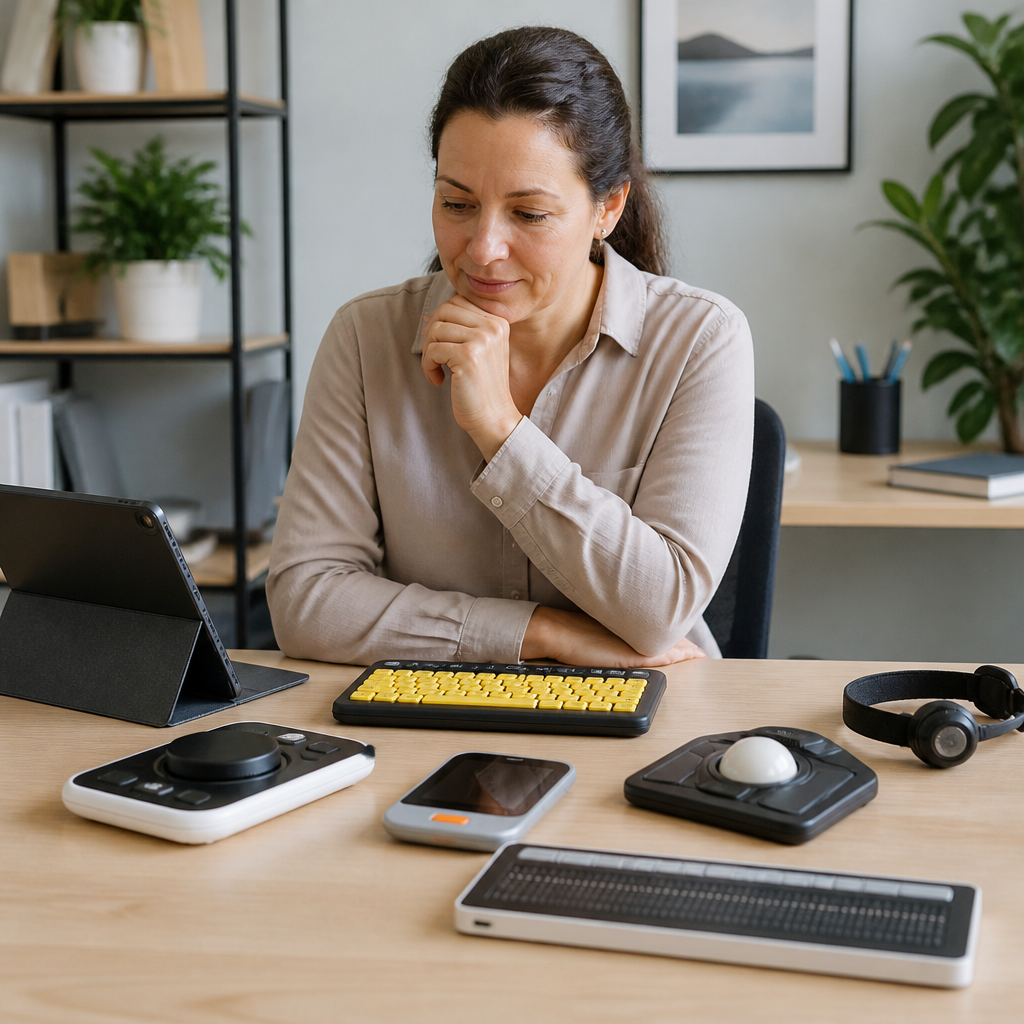
Buying assistive technology without a comparison framework is expensive, frustrating, and often avoidable. In the deaf and hard of hearing community, the wrong device can create daily friction at work, school, home, and in public settings, while the right one can improve communication access, safety, independence, and confidence. Assistive technology is a broad term that includes hearing devices, alerting systems, captioning tools, speech-to-text apps, amplified phones, video communication platforms, classroom listening systems, and accessories that make mainstream products easier to use. Product reviews help, but reviews alone rarely tell you whether a device fits your hearing profile, communication style, environment, support needs, and budget.
When I compare assistive technology for clients or families, I start by separating features from outcomes. A feature is what a product includes: Bluetooth, vibration alerts, directional microphones, cloud captioning, telecoil compatibility, or customizable light patterns. An outcome is what the user actually gains: catching a doorbell from another room, following a meeting more accurately, understanding speech in noise, or receiving emergency alerts at night. This distinction matters because two products can look similar on a retailer page yet perform very differently in real life. Comparing assistive technology before you buy means evaluating daily use cases, technical compatibility, setup complexity, maintenance demands, privacy implications, and return policies, not just price.
This guide is a hub for product reviews and comparisons within technology and tools for the deaf community. It explains how to compare categories, which specifications matter most, and how to avoid common buying mistakes. Whether you are researching captioned telephones, hearing aid accessories, visual alert systems, remote microphones, or live transcription apps, the goal is the same: match the tool to the person and the environment. If you understand what to test, what to ask, and what tradeoffs are normal, you can buy with much more confidence and waste far less money.
Start with the user, not the product category
The best comparison process begins with a short needs assessment. Before opening review sites or marketplace listings, define who will use the device, where they will use it, and what problem it must solve. Age matters because a school-age child using classroom technology has different needs from an older adult trying to hear the TV or receive alerts at night. Hearing profile matters because someone with residual hearing may benefit from amplification plus visual support, while a deaf signer may prioritize visual alerts, caption accuracy, and camera quality for video calls. Communication preference matters too: spoken language, sign language, cued speech, captions, or a mix all influence which tools are practical.
Context is equally important. A device that works well in a quiet apartment may fail in an open office, a reverberant classroom, or a busy restaurant. I have seen families buy a basic baby cry alert that works reliably within one floor of a small home, then become disappointed when it misses notifications in a larger house with thick walls. The device did not suddenly become low quality; the buyer simply compared products without comparing signal range, interference resistance, and receiver placement options. This is why a useful review explains conditions, not just impressions.
Define success in measurable terms. For example, “I need to understand one-on-one speech in the car,” “I need captions with minimal delay for Zoom meetings,” or “I need a bed shaker that wakes me from deep sleep when the smoke alarm goes off.” Those statements are specific enough to guide comparison. Without them, buyers tend to choose the product with the longest feature list rather than the one that best solves the real problem.
Compare by use case: communication, alerts, media, and access
Assistive technology comparisons become easier when you sort devices into functional groups. For deaf and hard of hearing users, most purchases fall into four practical use cases: communication support, environmental alerts, media access, and institutional access. Communication support includes hearing aids, cochlear implant accessories, remote microphones, amplified and captioned telephones, and speech-to-text apps such as Ava, Live Transcribe, Otter, and Microsoft Teams captions. Environmental alerts include doorbell flashers, weather radios, baby cry monitors, alarm clocks with bed shakers, and smoke or carbon monoxide alert systems that trigger lights or vibration receivers. Media access covers TV listening systems, streaming accessories, caption devices, and home theater loop systems. Institutional access includes classroom DM or FM systems, hearing loops, CART integration, and conference captioning tools.
Once you group products this way, compare the criteria that actually affect performance. A speech-to-text app should be judged on accuracy, speaker differentiation, language support, delay, export options, battery drain, and privacy handling. A visual alert system should be judged on signal reliability, maximum range, receiver types, expandability, and whether it integrates with existing safety devices. A TV listening solution should be judged on latency, clarity, compatibility with hearing aids or implants, independent volume control, and whether it works with modern televisions using optical, HDMI ARC, or Bluetooth outputs.
Hub pages like this are useful because they let you move from broad comparison principles to detailed category reviews. Once you know your use case, you can drill down into specific product roundups for caption phones, alerting systems, transcription apps, video relay tools, and classroom listening devices without mixing unrelated features.
Key specifications that matter before you buy
Product pages often spotlight whatever sounds advanced, but several less glamorous specifications usually predict satisfaction more accurately. Compatibility is first. Confirm whether the device works with hearing aids, cochlear implants, telecoils, smartphones, operating systems, smart home platforms, and existing alert equipment. A remote microphone that streams beautifully to one hearing aid ecosystem may be useless with another. Likewise, some captioning apps work best on newer phones with stable data connections, while older hardware introduces lag and battery problems.
Reliability is second. Look for battery life under realistic use, not laboratory conditions. Check whether alerts use dedicated radio frequency, Wi-Fi, Bluetooth, or cellular networks, because each has different strengths. RF alert systems can be more dependable across a home than Bluetooth, while cloud-based captioning may outperform on-device tools in accuracy but fail when connectivity is poor. Third is latency. In TV listening, poor synchronization between audio, captions, and visual action can make content harder to follow. In live meetings, even a two- or three-second transcription delay can affect turn-taking.
Accessibility of setup is another decisive factor. Some products are technically strong but difficult for nontechnical users to install, pair, update, or troubleshoot. Evaluate app design, button size, tactile feedback, screen readability, and whether the manufacturer provides step-by-step support. Service and warranty matter too. A lower-cost device with weak support may cost more over time if replacement parts, firmware updates, or batteries are hard to obtain. Finally, review the return window carefully. With assistive technology, real-world trial use is not optional; it is part of responsible buying.
A practical framework for comparing products side by side
When buyers are overwhelmed, I recommend a weighted comparison method. Choose three to five products in one category, define five to seven criteria, and assign each criterion a priority score. Then rate each product only after reading manufacturer specifications, independent reviews, and user feedback from people with similar hearing needs. This simple structure prevents flashy features from dominating the decision.
| Criterion | Why it matters | Example comparison question |
|---|---|---|
| Primary outcome | Confirms the device solves the actual problem | Does it improve meeting access, night alerts, or TV clarity? |
| Compatibility | Avoids expensive mismatches with existing tech | Will it work with my hearing aids, phone, TV, or smart home setup? |
| Reliability | Daily access depends on consistent performance | Does it maintain connection, range, and battery life in normal use? |
| Ease of use | Complicated tools are often abandoned | Can the user set it up, wear it, and troubleshoot it comfortably? |
| Total cost | Accessories, subscriptions, and repairs add up | What will ownership cost after one year, not just at checkout? |
Use this framework for every comparison article under product reviews and comparisons. For example, if you are comparing captioned telephone options, weigh call clarity, caption speed, internet dependence, scam call filtering, handset ergonomics, and eligibility rules. If you are comparing alert clocks, weigh vibration strength, backup power, alarm customization, and whether the unit can connect to a doorbell or smoke alarm system. Side-by-side comparison works best when all products are judged against the same real-life tasks.
How to evaluate reviews, trials, and brand claims
Not all reviews are equally useful. The strongest review explains who tested the product, under what conditions, and against which alternatives. Look for comments that describe room size, background noise, internet quality, hearing device model, phone type, or television connection method. Those details tell you whether the reviewer’s experience is relevant to yours. Vague praise such as “great sound” or “works perfectly” has limited value. Specific statements such as “speech was clearer than built-in hearing aid microphones in a restaurant, but battery dropped by 30 percent during a two-hour dinner” are much more informative.
Be cautious with brand claims around accuracy, universality, and ease of use. Automatic captions are not equally accurate for every accent, speaking rate, or environment. Bluetooth range claims are often based on ideal conditions. “Compatible” may simply mean the product can connect, not that it performs well. I have tested devices that technically paired without delivering stable audio, acceptable latency, or intuitive controls. Marketing language rarely captures those differences.
Whenever possible, prioritize hands-on trials. Audiologists, hearing instrument specialists, vocational rehabilitation programs, disability resource centers, and nonprofit hearing organizations may offer demonstrations or short-term lending. In the United States, state equipment distribution programs sometimes help qualified users obtain communication access devices. For workplace purchases, ask whether the employer can support a trial under accommodation processes. A one-week trial often reveals more than fifty online reviews, especially for comfort, fatigue, alert intensity, and ease of integrating the tool into routines.
Cost, support, privacy, and long-term ownership
The purchase price is only the starting point. Many assistive technology products have ongoing costs: subscriptions for captioning, disposable or rechargeable batteries, replacement cables, proprietary accessories, app upgrades, cloud storage, or extended warranties. A low-cost speech-to-text app may become expensive once meeting length limits, export fees, or premium plans are added. A visual alert system may require multiple receivers to cover a full home. Compare total cost of ownership over at least twelve months.
Support quality affects long-term value just as much as price. Check whether the manufacturer offers phone, chat, email, or video support; whether documentation is accessible; and how quickly firmware updates address bugs. Established brands such as Phonak, Oticon, ReSound, Sonic Alert, CaptionCall, InnoCaption, and Hamilton CapTel have recognizable support structures, but even well-known companies vary by product line and region. For school or workplace tools, local service availability can matter more than brand reputation alone because downtime directly affects access.
Privacy deserves close attention, especially for captioning and transcription tools. Ask where audio is processed, whether recordings are stored, who can access transcripts, and whether the service complies with applicable rules in healthcare, education, or employment settings. Cloud processing can improve accuracy, but it introduces data handling considerations. For many users, that tradeoff is reasonable when vendors are transparent and settings are controllable. The key is to compare privacy practices with the same rigor you apply to hardware features.
Common mistakes buyers make and how to avoid them
The most common mistake is buying based on category reputation instead of personal fit. Hearing loops, remote microphones, live captions, and visual alerts all solve different problems; none is universally best. Another mistake is ignoring the environment. Background noise, distance, lighting, internet stability, and room acoustics can change performance dramatically. Buyers also underestimate learning curve. If a device requires frequent charging, menu navigation, or app switching, usability may matter more than raw capability.
A final mistake is treating this hub as the endpoint rather than the starting point. Use it to narrow the field, then move into detailed product comparisons for your exact need. Build a shortlist, test when possible, compare total ownership cost, and ask direct questions about compatibility, returns, and support. That process leads to better purchases, fewer abandoned devices, and stronger daily access. If you are evaluating assistive technology now, start by defining your main use case and compare your top three options side by side before you buy.
Frequently Asked Questions
What should I compare first when evaluating assistive technology before buying?
The best place to start is with your real-life communication needs, not the product’s marketing claims. Before comparing brands, make a list of the situations where you need better access: one-on-one conversations, group meetings, classroom lectures, phone calls, video appointments, doorbells, alarms, public announcements, or workplace communication. A device that works well in a quiet home office may perform very differently in a noisy restaurant, a classroom, or a large meeting room. When you compare assistive technology through the lens of daily use, it becomes much easier to eliminate products that do not match your environment.
From there, compare the core factors that affect long-term usability: sound or caption quality, accuracy, ease of setup, portability, battery life, compatibility with devices you already own, and the amount of training required. For deaf and hard of hearing users, it is also important to ask whether the technology improves direct access to communication or simply adds another layer of complexity. For example, a speech-to-text app may look impressive in a demo, but if captions lag, punctuation is poor, or speaker identification is unreliable, it may not be practical for work or school.
You should also compare reliability and support. Look at return policies, trial periods, warranty coverage, software update history, customer service responsiveness, and whether the company offers setup assistance or accessibility guidance. Price matters, but total value matters more. A lower-cost device that fails in important moments can be more expensive over time than a higher-quality option that works consistently. The most effective comparison framework asks one simple question again and again: will this tool make everyday communication easier, safer, and more dependable in the settings that matter most to me?
How can I tell whether a device will work well in my specific environment?
You can tell a lot about a product by testing it against the environments where you actually plan to use it. Assistive technology should never be judged only in ideal conditions. A device may sound clear in a quiet showroom but struggle with background noise, distance, multiple speakers, poor lighting, weak internet, or fast-paced conversation. That is why environment-based comparison is one of the smartest ways to avoid a bad purchase. Think in terms of locations and communication demands: home, office, classroom, car, public transit, medical appointments, family gatherings, and outdoor spaces all place different demands on the technology.
When comparing products, ask detailed questions about performance under realistic conditions. If it is a captioning tool, how accurate is it when more than one person is speaking? Does it handle accents well? Does it require a strong internet connection? If it is an alerting system, can it notify you through vibration, flashing lights, or smartphone alerts at the same time? If it is a hearing-related device or amplified phone, how does it perform with background noise, speakerphone use, or Bluetooth pairing? If it is a video communication platform, does it support high-quality video, live captions, screen pinning, and interpreter visibility?
Whenever possible, request a demo, use a trial period, or test the product in your actual setting. Bring it to work, use it during a class, try it during a family meal, or test it overnight if safety alerts are involved. Read reviews from people who use the technology in similar contexts, not just general consumer reviews. The goal is to confirm that the product works where your life happens, not just where it was advertised. The closer your comparison process gets to real-world use, the more confident your buying decision will be.
Why is compatibility such an important part of comparing assistive technology?
Compatibility is critical because even a high-quality device can become frustrating if it does not work smoothly with the tools and systems you already use. Assistive technology rarely exists in isolation. It often needs to connect with smartphones, tablets, laptops, televisions, workplace software, classroom platforms, telehealth portals, video conferencing tools, or home alerting systems. If those connections are unreliable or limited, daily access can break down quickly. A product may look affordable upfront, but if it forces you to buy additional adapters, upgrade devices, or change your workflow, the true cost goes up.
As you compare options, look closely at operating system support, app requirements, Bluetooth performance, Wi-Fi dependence, and whether the device works across brands and platforms. Check whether updates are frequent and whether older devices are still supported. For example, a speech-to-text app might work beautifully on one type of phone but offer fewer features on another. A captioned phone or amplified phone may integrate well with some hearing devices and poorly with others. A visual alerting system may support one smart home ecosystem but not another. Small compatibility issues can create major barriers over time, especially if you rely on the technology every day.
It is also worth thinking ahead. Good comparison does not only address your current setup; it considers future flexibility. Ask whether the device can scale with your needs, whether it supports accessories, and whether you can use it in multiple environments without starting over. Technology should reduce friction, not create dependency on a narrow system that is difficult to update or replace. The more compatible a product is with your communication habits and existing devices, the more likely it is to remain useful, cost-effective, and easy to live with over time.
How do I compare cost without focusing only on the lowest price?
The smartest way to compare cost is to think in terms of total value rather than sticker price. A low-cost product can be expensive if it fails often, requires paid subscriptions, has limited support, or does not meet your access needs well enough to use consistently. On the other hand, a more expensive tool may save money in the long run if it performs reliably, lasts longer, reduces communication breakdowns, and replaces multiple weaker solutions. For assistive technology, value is closely tied to daily usefulness. If a device improves communication access at work, helps you respond to safety alerts at home, or makes school participation easier, that benefit has practical and financial value.
When comparing costs, include every related expense. Look at accessories, installation, setup help, software subscriptions, replacement parts, batteries, data usage, service plans, and upgrade requirements. Also consider whether the product is covered by insurance, workplace accommodation programs, school disability services, vocational rehabilitation, nonprofit assistance, or tax-advantaged funding options. In many cases, the final out-of-pocket cost may be very different from the advertised retail price. A careful comparison should include both the purchase cost and the ongoing cost of ownership.
You should also weigh the cost of getting it wrong. A poor buying decision can lead to missed information, reduced participation, safety concerns, and the need to buy a second device sooner than expected. That is why return windows, trial periods, and warranties matter so much in the comparison process. A product with a slightly higher price but a strong support policy may actually be the safer investment. The goal is not to find the cheapest option. It is to find the option that delivers dependable access, fits your life, and continues to perform well after the initial purchase.
What questions should I ask before making a final assistive technology purchase?
Before buying, ask questions that reveal how the technology will perform after the excitement of the sales pitch is over. Start with practical use: where is this device most effective, where does it struggle, and what kind of user is it really designed for? Ask whether there is a trial period, what the return process looks like, how long setup usually takes, and whether customer support is available by phone, chat, email, or video. If the product is meant to support communication access, ask for examples of how it handles background noise, multiple speakers, fast speech, or public settings. If it is an alerting or safety tool, ask how quickly notifications are delivered and what backup options exist if one signal method fails.
You should also ask about maintenance and longevity. Find out how often the company releases updates, whether updates are automatic, and whether older models continue to receive support. Ask what happens if the device needs repair, how long warranty coverage lasts, and whether replacement parts are easy to obtain. If the technology relies on an app or cloud service, ask what features require internet access and whether any important functions stop working without a subscription. These are the details that separate a product that looks good in theory from one that remains useful over time.
Finally, ask yourself a few honest questions. Can I use this comfortably and consistently? Does it fit my communication style and routine? Will it help in the places that matter most, such as work, school, home, and public spaces? Is it simple enough that I will keep using it under stress or in a hurry? The final purchase decision should be based on fit, reliability, and real-world access, not just features on a comparison chart. When you ask better questions, you make it much more likely that the technology you buy will truly support independence, confidence, and everyday communication.





