
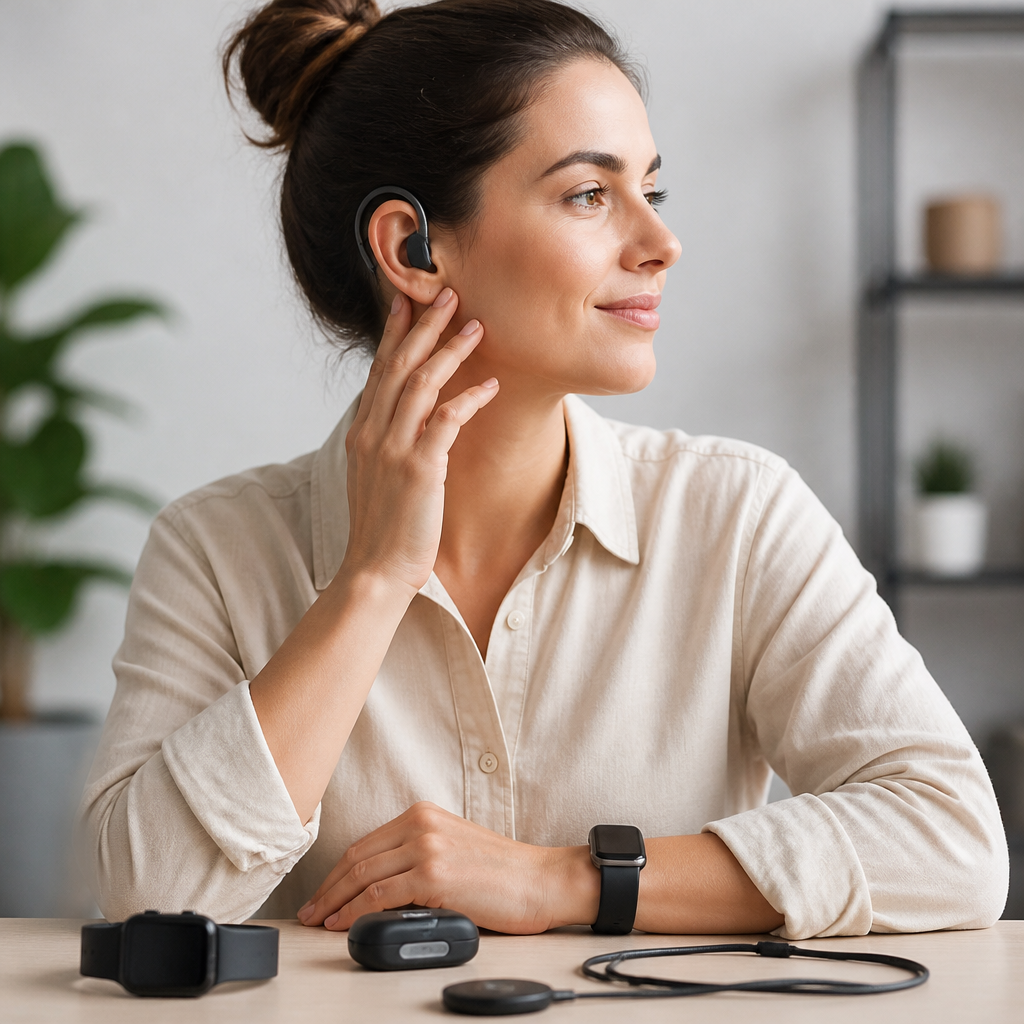
Wearable technology has moved from novelty to practical accessibility tool, and for deaf users that shift matters in daily life. The best wearable tech for deaf users does more than buzz when a phone rings. It translates sound into vibration, light, text, and context, helping people notice alarms, follow conversations, manage safety, and stay connected without depending on hearing. In this guide, I review the leading categories and standout devices, explain where each works well, and clarify the tradeoffs that matter before you buy.
Wearable tech for deaf users includes smartwatches, vibrating alert systems, AI glasses, haptic bands, and connected accessories that pair with phones, microphones, doorbells, smoke alarms, or public notifications. Some devices are built specifically for deaf and hard of hearing users. Others are mainstream products that become powerful accessibility tools through strong vibration motors, live transcription apps, custom notification settings, and integration with operating systems such as iOS and Android. The difference is important, because a great fitness wearable is not automatically a great accessibility wearable.
When I evaluate these products, I focus on the situations that actually affect quality of life: waking up on time, knowing a baby is crying, catching a work call, following a meeting, noticing a door knock, and getting emergency alerts immediately. Battery life, vibration strength, setup complexity, app reliability, waterproofing, caption accuracy, and latency matter more than marketing language. Price matters too. A lower-cost smartwatch with dependable custom alerts can be more useful than a premium device that lacks strong tactile feedback or good speech-to-text support.
This article serves as a hub for product reviews and comparisons across the wearable category. Rather than treating all devices as interchangeable, it separates them by use case, because the best product for travel is often not the best one for home safety or workplace communication. If you are deciding between an Apple Watch, a Galaxy Watch, a specialized haptic alert band, or new smart glasses with live captions, the right answer depends on your phone, your environment, and whether you need awareness, communication support, or emergency signaling first.
What makes wearable tech truly useful for deaf users
The most useful wearable accessibility devices share five traits. First, alerts must be unmistakable. A weak tap on the wrist is easy to miss during sleep, commuting, or exercise. Second, customization must be deep enough to assign different vibration patterns to calls, texts, alarms, door sensors, or app notifications. Third, connection stability must be excellent, because Bluetooth dropouts ruin trust. Fourth, the system must reduce false positives. Repeated alerts for low-priority notifications create fatigue and make users ignore the device. Fifth, the product has to fit real routines, including charging, comfort, and compatibility with glasses, watches, or cochlear implant accessories.
In practice, this means specialized devices still have an advantage in some cases. Products linked to home alerting systems from brands such as Bellman & Symfon or Serene Innovations are often better for smoke alarm and doorbell awareness than a general smartwatch. They are designed around loud tactile or visual signaling, not multipurpose wellness features. At the same time, mainstream wearables have improved enough that many users can cover a large part of their needs with one watch and a well-configured phone. Apple’s accessibility settings, Android notification channels, and third-party apps like Ava, Nagish, and Google Live Transcribe have changed the equation.
A good review therefore asks a simple question: what problem does this device solve better than the alternatives? If the answer is vague, it is probably not the best choice. If the answer is specific, such as “reliably wakes a deaf sleeper,” “shows live captions while walking,” or “sends a strong wrist alert when the video doorbell detects a person,” then the device deserves attention.
Best smartwatches for alerts, calls, and everyday awareness
For most buyers, the best starting point is a smartwatch. The Apple Watch remains the strongest all-around option for iPhone users because haptics are consistent, notifications are highly configurable, and accessibility features are mature. Sound Recognition on iPhone can identify sounds such as alarms, sirens, door knocks, and crying babies, then send alerts to the watch. That setup is not a medical or life-safety replacement, and Apple says so clearly, but in day-to-day use it can add valuable awareness. Live Listen, notification mirroring, and third-party captioning apps also make the watch more useful than a simple message relay.
For Android users, Samsung Galaxy Watch models are usually the best fit, especially when paired with Samsung phones. The vibration motor is strong, watch notification controls are broad, and modes and routines can trigger custom behavior by location or time. Pixel Watch devices integrate well with Google services and work smoothly with Live Transcribe on Android, but Samsung generally offers deeper hardware variety and better battery choices. Garmin watches can work for vibration alerts and long battery life, yet they are not as strong for communication-centric accessibility because app ecosystems and voice features are narrower.
| Device category | Best for | Strengths | Limitations |
|---|---|---|---|
| Apple Watch | iPhone users needing all-around alerts | Strong haptics, mature accessibility, broad app support | Daily charging on many models, iPhone only |
| Samsung Galaxy Watch | Android users wanting flexible notifications | Good vibration, solid customization, wide model range | Best features often tied to Samsung phones |
| AI smart glasses | Live captions and conversation support | Hands-free text in view, useful for meetings and travel | Battery, privacy concerns, variable accuracy |
| Specialized alert wearables | Home safety and dedicated signaling | Strong tactile alerts, sensor integration | Less stylish, narrower everyday use |
My recommendation is straightforward. If you already use an iPhone, buy the Apple Watch that fits your budget and spend time configuring accessibility and notification settings correctly. If you use Android, start with a Galaxy Watch before exploring more specialized products. In both cases, the watch is often the central hub, but it should not be the only layer for critical alerts like fire alarms.
Smart glasses and caption wearables for conversation support
Smart glasses are the most discussed category because they promise real-time captions in the user’s field of view. The idea is powerful: instead of glancing down at a phone, you maintain eye contact while speech appears as text. In meetings, restaurants, airports, and one-on-one conversations, that can reduce friction immediately. Products in this space change quickly, but the core review criteria stay the same: caption speed, transcription accuracy in noisy spaces, battery life, comfort, screen readability outdoors, and whether the microphones capture other speakers well enough to be useful.
XRAI Glass has drawn attention by pairing augmented reality glasses with live subtitles, and its strength is clear focus on deaf and hard of hearing communication. In good acoustic conditions, it can make informal conversations much easier. The challenge is hardware dependence and real-world variability. Glasses-based systems still depend on microphone placement, phone connection quality, and speech recognition performance. Accents, crosstalk, and reverberant rooms reduce accuracy. That does not make them ineffective; it means buyers should treat them as communication aids, not perfect replacements for interpreters, CART services, or in-person captioning.
Meta smart glasses and similar AI-first wearables are worth watching, especially as multimodal assistants improve, but they are not automatically the best choice for deaf users today. Many are optimized for photos, streaming, or voice interaction rather than accessibility-first captioning. The best caption wearable is the one that can be trusted in routine settings, not the one with the most impressive demo. For that reason, I usually tell users to test smart glasses during their own highest-stakes scenarios, such as work meetings, family gatherings, or transit announcements, before committing.
Specialized vibrating wearables for home safety and urgent alerts
Dedicated alerting wearables remain essential for users who need strong notification beyond the smartphone ecosystem. Bellman & Symfon, a long-established accessibility brand, offers systems that connect transmitters for doorbells, telephones, baby monitors, and smoke alarms to receivers that can vibrate, flash, or trigger bed shakers. These systems are not as sleek as consumer watches, but they are engineered for one job: making important events noticeable immediately. In accessibility hardware, purpose-built design often beats elegance.
The main strength of specialized systems is reliability in the home. A smartwatch may miss an alert if it is charging in another room, in theater mode, or temporarily disconnected. A dedicated receiver with a bed shaker or wearable pager does not rely on the same assumptions. Serene Innovations and similar brands also offer amplified and visual alert products that can complement wearables. For households with children, older adults, or users who sleep deeply, this layered approach is safer than relying on one wrist device alone.
The tradeoff is cost and convenience. Building a full home alert ecosystem can be expensive, and setup may involve multiple transmitters, bridges, and proprietary apps. Still, if your top priority is knowing when someone is at the door, when the baby cries, or when the smoke alarm activates, specialized wearables justify their price. They solve a narrower problem, but they often solve it better than general-purpose products.
How to choose the right device by lifestyle, phone, and budget
The best wearable tech for deaf users depends less on brand prestige than on environment. Students often benefit most from smartwatches plus strong transcription apps, because they move between classrooms, transit, and social settings. Office workers may gain more from caption glasses or a watch paired with meeting tools such as Otter or Microsoft Teams captions. Parents usually prioritize baby cry detection, door alerts, and night-time signaling. Travelers need haptics, maps, and reliable text communication. Athletes may care about waterproofing and vibration strength during movement more than caption performance.
Budget should be allocated by importance, not by category. If missed emergency alerts are your biggest risk, fund home alerting first. If conversation access is the main challenge, put money into caption-capable tools. If you need a broad everyday solution, a refurbished Apple Watch or earlier Galaxy Watch often delivers better value than a brand-new experimental wearable. I have seen users overspend on headline-grabbing glasses while still lacking a dependable wake-up or doorbell alert system. That is the wrong order for most households.
Compatibility is the final filter. Apple Watch is not a serious option for Android users, and many advanced Samsung features work best inside Samsung’s own ecosystem. Some caption platforms require subscriptions. Some AI glasses work only with supported frames or phones. Before buying, verify operating system requirements, battery expectations, return policies, and whether the manufacturer has a track record of software updates. Wearable accessibility lives or dies by long-term support.
Best buying strategy and the reviews to explore next
The strongest wearable setup for deaf users is usually a layered system, not a single miracle product. Start with the core device that will be on your body most of the day, usually a smartwatch. Add software that converts speech or environmental sound into useful text or alerts. Then fill any critical gaps with dedicated home safety tools. That sequence produces better results than chasing every new device category at once. It also makes future comparisons easier because you will know exactly what problem remains unsolved.
As a hub for product reviews and comparisons, this page should guide your next step. If you need an all-purpose daily wearable, compare Apple Watch and Galaxy Watch models first. If you need conversation access, move next to detailed reviews of caption apps, smart glasses, and meeting transcription tools. If safety at home matters most, look at doorbell, smoke alarm, and bed shaker systems before anything else. Each category solves a different part of accessibility, and the best choice is the one that fits your routines consistently.
The main benefit of wearable tech for deaf users is not novelty. It is confidence: confidence that you will notice what matters, respond faster, and participate more fully at home, at work, and in public. Use this guide as your starting point, shortlist devices by use case, and test them against your real day rather than a spec sheet. That is how you find the wearable technology that actually improves everyday access.
Frequently Asked Questions
What types of wearable tech are most useful for deaf users in everyday life?
The most useful wearable tech for deaf users usually falls into a few practical categories: smartwatches, vibration-based alert wearables, smart rings and wristbands, speech-to-text companion devices, and connected safety systems. Smartwatches are often the most versatile starting point because they can deliver notifications, calls, calendar alerts, app messages, and reminders through strong haptics and on-screen text. For many users, that alone makes daily communication much easier.
More specialized wearables go further. Some devices connect to doorbells, smoke alarms, baby monitors, or household sound sensors and convert those sounds into vibration patterns, flashing lights, or mobile notifications. That kind of system is especially valuable at home, where missing an alarm or knock at the door can have real safety consequences. In work or public settings, wearables that pair with speech-to-text apps can also help by supporting faster access to live captions during conversations, meetings, or appointments.
The best choice depends on where support is needed most. If the priority is phone and app alerts, a smartwatch may be enough. If the priority is personal safety, then alarm-aware wearables and connected home alert systems matter more. If the priority is communication, devices that work smoothly with captioning and transcription tools will be more useful. In other words, the best wearable tech is not just the most advanced device; it is the one that fits the user’s daily routine, communication preferences, and safety needs.
Can wearable tech really help with safety, such as alarms, sirens, and emergency alerts?
Yes, and this is one of the most important reasons wearable tech has become so valuable for deaf users. The strongest products are designed not just to notify, but to translate critical sound-based events into signals that can be felt or seen immediately. A wearable can vibrate when a connected smoke alarm goes off, when a baby cries, when someone rings the doorbell, or when a smartphone receives an emergency weather alert. That shift from sound to touch or text can make a major difference in response time and awareness.
That said, not every wearable handles safety equally well. A standard smartwatch may deliver government alerts or phone notifications, but it may not detect environmental sounds on its own unless it is paired with the right apps, sensors, or smart home accessories. Dedicated accessibility systems tend to perform better for home safety because they are built specifically to monitor events like smoke alarms, carbon monoxide alarms, and door activity. Some also let users customize different vibration patterns so they can quickly tell whether the alert is urgent or routine.
It is smart to think of wearable safety tech as part of a wider system rather than a complete standalone solution. Reliability, battery life, wireless range, and compatibility with existing alarms all matter. The best setup is often layered: a wearable for immediate personal notification, visual alerts in the home, and smartphone backup notifications when away. When chosen carefully, wearable tech can significantly improve safety and independence, but the key is selecting devices that are dependable in real-world conditions, not just impressive on a feature list.
Are smartwatches a good option for deaf users, or is specialized wearable tech better?
Smartwatches are often an excellent option, especially for users who want one device that handles many daily tasks. They are widely available, easy to pair with smartphones, and good at delivering text-based notifications with haptic feedback. Calls, messages, app alerts, navigation prompts, timers, medication reminders, and calendar events can all appear directly on the wrist. For many deaf users, that improves day-to-day awareness without requiring a separate dedicated device for every situation.
However, specialized wearable tech can be better when the need is more specific. A smartwatch is useful for communication and general notifications, but it may not be the strongest choice for environmental awareness unless it works with third-party apps or a connected ecosystem. If someone needs dependable alerts for smoke alarms, doorbells, crying babies, or workplace signals, dedicated accessibility wearables and companion systems may offer stronger vibration, clearer alert distinctions, and more targeted functionality. In many cases, specialized devices are designed around accessibility first, whereas smartwatches are general-purpose products adapted for accessibility.
The best answer is often a combination. A smartwatch can serve as the everyday hub for messages and mobile alerts, while a specialized wearable or smart alert system covers safety-critical sounds and home awareness. Users should also consider comfort, battery life, ease of setup, app quality, and whether the device supports the communication style they already use. A smartwatch is a strong entry point, but specialized tech may be the better long-term choice when precision, safety, and accessibility features need to go beyond standard notifications.
What features should I look for when comparing wearable tech for deaf users?
The most important feature is reliable alert delivery. That means strong and noticeable vibration, easy-to-read visual notifications, and clear customization options. A wearable should let users distinguish between different alert types, such as calls, messages, alarms, or door events, because not every notification carries the same urgency. Devices that support customizable vibration patterns, priority alerts, and app-specific controls are usually more practical than devices with one generic buzz for everything.
Compatibility is also critical. A wearable may look impressive on its own, but if it does not work smoothly with a user’s phone, captioning apps, smart home devices, or assistive tools, it will quickly become frustrating. Battery life matters just as much, especially for safety-related use. A device that needs constant charging may not be dependable enough for overnight monitoring or full-day wear. Comfort, durability, water resistance, and ease of use should also be part of the decision, particularly for people who plan to wear the device all day and night.
Beyond the basics, it is worth looking at the broader accessibility experience. Does the app have a clean interface? Are setup instructions clear? Can alerts be shared with family members or caregivers? Does the wearable work well in loud public settings, at home, and while sleeping? If live communication support is important, users should also look at how well the device fits with speech-to-text services, call captioning, and transcription tools. The best wearable tech is not just feature-rich; it is dependable, intuitive, and genuinely supportive in real daily situations.
Is wearable tech enough on its own, or should deaf users combine it with other accessibility tools?
Wearable tech is powerful, but for most people it works best as part of a broader accessibility setup. Wearables are excellent for immediate, personal notifications because they stay on the body and can deliver fast vibration or visual cues. That makes them ideal for incoming messages, reminders, app alerts, and some safety signals. But no single wearable does everything perfectly, especially when it comes to home monitoring, long conversations, emergency planning, and public accessibility.
Combining wearable tech with other tools usually creates a much stronger system. For example, a smartwatch might handle daily communication alerts, while a smart home alert device monitors smoke alarms and doorbells, and a phone app provides live captions during conversations. At work or school, transcription apps, captioned calls, and visual notification systems may still be necessary even if the user wears a high-quality device every day. The goal is not to replace every other accommodation with one gadget; it is to create overlapping layers of support that reduce missed information and improve independence.
This is also why reviews should focus on real-world fit instead of marketing claims. The best wearable tech for deaf users is the tech that integrates smoothly into a wider routine and solves actual problems consistently. For some users, a simple smartwatch and phone setup may be enough. For others, especially those prioritizing safety or environmental awareness, a wearable should be paired with dedicated alert systems and captioning tools. The most effective approach is usually not choosing one device in isolation, but building a practical ecosystem that supports communication, safety, and confidence throughout the day.





