
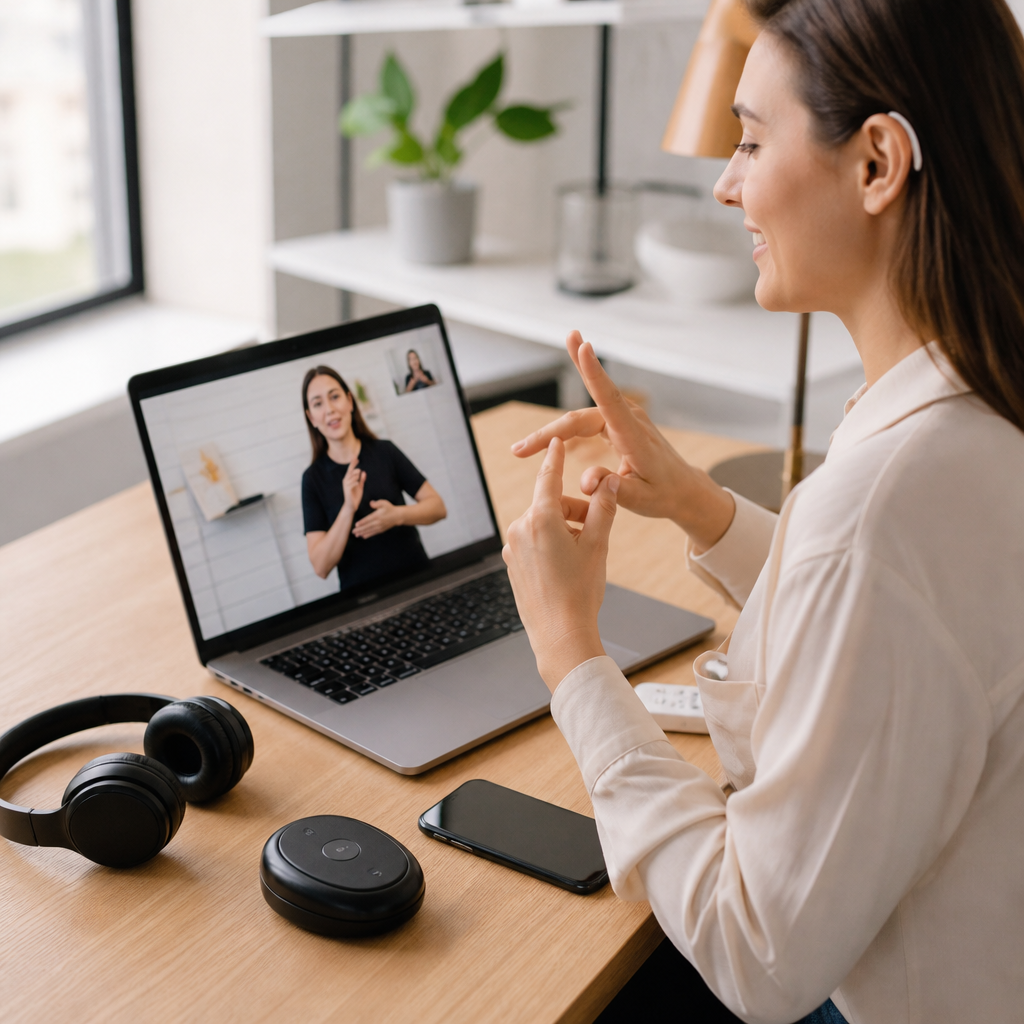
The market for deaf accessibility tools has expanded from a narrow set of assistive devices into a broad ecosystem of communication, safety, work, education, and entertainment technology. For buyers, that growth is good news, but it also creates a real problem: too many choices, uneven quality, and product pages that rarely explain who a tool actually helps. A smart buying decision starts with understanding what deaf accessibility tools are, how they differ from hearing assistance products, and which features matter in everyday life. In practical terms, deaf accessibility tools include hardware and software that convert sound into visual, tactile, or text-based information; support direct communication in spoken and signed environments; and reduce barriers at home, school, work, and in public spaces. Some products are designed primarily for Deaf sign language users, some for hard of hearing users, and some for people who move between both worlds depending on context, fatigue, and residual hearing.
In my experience evaluating accessibility technology, the biggest mistake buyers make is shopping by category alone. A “captioning app” sounds useful until you test it in a noisy clinic lobby, a team meeting with overlapping speech, or a classroom with a lecturer facing away from the microphone. Likewise, a flashing doorbell may look inexpensive until you realize you also need smartphone alerts, battery backup, and enough range for a second-floor bedroom. The best buyer’s guide does more than list products. It explains the decision criteria behind product reviews and comparisons, because the right tool depends on communication preferences, environment, budget, device compatibility, and reliability under stress. This hub article covers the core product classes in deaf accessibility, highlights what separates strong products from mediocre ones, and gives you a framework for choosing tools that work in real life rather than in marketing copy.
How to Evaluate Deaf Accessibility Tools Before You Buy
The most useful buying framework starts with use case, not brand. Ask what exact problem the tool must solve: understanding speech in meetings, knowing when a baby is crying, answering the front door, following a lecture, calling a business, or accessing emergency alerts at night. Then assess five factors: input quality, output format, latency, setup complexity, and interoperability. Input quality means how well the product captures sound, speech, or event data. Output format means whether information appears as captions, colored light, vibration, wearable haptics, or app notifications. Latency matters because a delayed alert for a smoke alarm or a laggy caption stream can turn an accessible product into an unreliable one. Setup complexity includes installation, learning curve, and maintenance. Interoperability covers whether the product works with iPhone, Android, smart home platforms, telehealth systems, or conferencing tools such as Zoom, Microsoft Teams, and Google Meet.
Another key buying standard is context testing. A product that performs well in a quiet living room may fail in a restaurant, open office, warehouse, or lecture hall. For that reason, serious product reviews should note microphone performance in background noise, Bluetooth stability, battery life under continuous use, and whether alerts still work during internet outages. Buyers should also check accessibility support from the manufacturer: caption accuracy claims, firmware update history, replacement part availability, warranty length, and customer support channels that do not depend only on voice calls. Brands that offer chat, email, text support, or videophone options usually understand deaf user needs better. Finally, compare total cost of ownership rather than sticker price. Some tools need subscription plans, accessories, cloud storage, external hubs, or professional installation. Those extras often determine whether the product remains useful after the first week.
Captioning and Speech-to-Text Tools: What Actually Matters
Captioning tools are often the first stop in product reviews and comparisons because they promise immediate communication access. The category includes built-in captions on smartphones, live transcription apps, dedicated captioning services, meeting platforms with automatic captions, and remote CART-style support. The most important buying question is not “Does it caption?” but “How accurate is it for my speech environment?” Accuracy depends on microphone quality, speaker accent, technical vocabulary, internet connectivity, and whether multiple people talk over each other. Apple Live Captions, Android Live Transcribe, Otter, Ava, Microsoft Teams captions, and Zoom captions each have strengths, but they behave differently in real settings. Live Transcribe, for example, is strong for casual in-person conversations on Android, while Zoom and Teams provide useful integrated captions for scheduled meetings. Otter is popular for notes and summaries, but it is not a substitute for human-level precision in legal, medical, or high-stakes academic contexts.
When comparing captioning products, buyers should focus on four criteria: real-time speed, speaker identification, export options, and offline fallback. Real-time speed determines whether you can respond naturally or are always one sentence behind. Speaker identification becomes essential in group discussions and classrooms. Export options matter if you need records for study notes, workplace documentation, or follow-up tasks. Offline fallback is often overlooked; some tools become far less useful when cellular service drops. Dedicated microphones can improve results dramatically, especially in conference rooms. In many tests, adding a table microphone or clipping a mic near the speaker raises caption usability more than switching apps. Product reviews should therefore compare ecosystems, not just software. A strong hub for product reviews and comparisons must treat captioning as a full workflow involving phone, microphone, app, and environment. Buyers who understand that are far more likely to choose tools they will keep using.
Alerting Systems for Home Safety and Daily Awareness
Alerting tools convert environmental sounds into visual or tactile signals, and they are among the most life-changing products in this category. The most common systems cover doorbells, smoke and carbon monoxide alarms, alarm clocks, baby cry detection, weather alerts, and phone notifications. Strong products use redundant outputs: flashing strobe lights, bed shakers, smartwatch vibration, and app alerts. Redundancy matters because no single alert channel is fail-safe. A bright strobe helps when you are awake, but a bed shaker is often more dependable at night. Smartphone notifications are convenient, yet they can be silenced, delayed, or lost if Wi-Fi fails. Buyers should prioritize systems that continue operating locally during internet interruptions and that include battery backup for outages. Established brands in this space often integrate multiple sensors into one ecosystem, reducing setup friction and improving reliability across rooms.
For product reviews and comparisons, installation style and signal range deserve special attention. Renters may prefer plug-in or adhesive options, while homeowners can consider hardwired or integrated smart-home systems. Range is critical in larger homes, dorms, and multilevel apartments. A front-door sensor that does not reliably trigger in a back bedroom is not accessible in practice. Product reviews should also examine whether the system distinguishes between different events. A generic flash for every sound can become meaningless over time. Better products let users assign distinct patterns or colors to the doorbell, smoke alarm, baby monitor, or timer. If you already use Alexa, Google Home, HomeKit, or IFTTT-style automations, compatibility can add substantial value. Still, smart-home convenience should never replace certified safety hardware. Smoke and carbon monoxide protection should meet applicable safety standards and function even if your phone battery is dead.
Phones, Video Communication, and Everyday Conversations
Communication tools now stretch well beyond the classic text telephone model. Today’s buyers compare relay services, captioned telephone options, videophones, messaging platforms, and accessories that improve face-to-face communication. For Deaf signers, videophones and video relay services remain central because they enable direct communication in sign language with professional interpreters connecting to voice users. For late-deafened and hard of hearing users, captioned telephone services and mobile caption apps may fit better. In product reviews, the biggest dividing line is communication preference. A feature-rich phone that excels at amplified audio is not automatically a strong choice for someone who primarily signs. Likewise, a great videophone setup may not solve spontaneous in-person communication in shops, clinics, or transit stations. Buyers should map tools to moments: scheduled calls, customer service interactions, family conversations, and quick communication with strangers.
| Tool category | Best for | Main strengths | Common limitations |
|---|---|---|---|
| Live transcription apps | In-person speech access | Portable, low cost, fast setup | Accuracy drops in noise |
| Videophones and relay | Sign language calls | Direct signed communication | Needs bandwidth and privacy |
| Captioned telephones | Voice plus text calling | Familiar call workflow | Less useful for sign-first users |
| Alerting systems | Home awareness and safety | Visual and tactile warnings | May require hubs or installation |
For mobile communication, platform integration often decides the winner. iPhone users may prefer tools that work smoothly with FaceTime, Live Captions, vibration settings, and Apple Watch alerts. Android users often benefit from Live Transcribe, broader hardware variety, and flexible notification settings. Reviews should cover whether apps support external keyboards, tablets, split-screen notes, and quick text display for ordering food or asking for assistance. Simple communication cards and text-to-speech apps still matter because they solve immediate, low-friction situations. In practice, many deaf users carry a layered toolkit: a primary phone solution, a captioning backup, and a quick-typing or preset-message app for short exchanges. That is why comparisons should not crown one universal winner. The best product is the one that keeps communication moving with the least effort in your real daily environments.
Tools for School, Work, and Public Access
Educational and workplace tools need higher reliability because the cost of failure is greater. Missing one sentence during a casual chat is frustrating; missing a safety instruction, policy detail, or exam review can have lasting consequences. For school and work, buyers should evaluate microphones, lecture capture devices, conferencing captions, note-sharing systems, and compatibility with accommodation processes. In classrooms, a remote microphone placed near the instructor can improve transcription quality substantially, especially in large rooms. In offices, directional microphones and USB conference speakers often outperform laptop microphones during hybrid meetings. Reviews should document setup time, whether nontechnical staff can operate the equipment, and how well the product handles specialized vocabulary. In my testing, general-purpose caption apps often struggle with legal, medical, engineering, and scientific terms unless users train custom vocabulary or pair them with better audio input.
Public access tools include captioned kiosks, museum guides, theater caption devices, airport notifications, and accessible customer service channels. Buyers in this segment are often organizations rather than individuals, so product reviews and comparisons should include deployment concerns: fleet management, cleaning, durability, user training, and compliance with disability access obligations. A tablet-based caption station may look affordable until staff turnover makes setup inconsistent. A more expensive integrated system can deliver lower long-term costs if it is simpler to use and easier to maintain. Institutions should also seek user testing from deaf participants before rollout. Accessibility failures usually appear in details such as glare on screens, weak stands, tiny text, or alerts that are impossible to notice in bright spaces. The best tools for school, work, and public access are not merely technically capable; they are usable by tired, busy people in imperfect environments.
How to Compare Reviews, Budgets, and Long-Term Value
A strong buying decision balances performance, cost, and lifespan. Budget products can be excellent for low-stakes needs, but buyers should be careful where reliability is essential. If a tool supports fire alerts, overnight wake-ups, critical meetings, or medical communication, paying for better build quality and proven support is usually justified. Read product reviews with a filter. Look for comments that describe specific use conditions rather than generic praise. “Worked great in a noisy restaurant” is more useful than “Amazing app.” Check whether reviewers mention operating system version, phone model, Wi-Fi conditions, and accessories used. Comparison shopping should include subscriptions, replacement batteries, accessory microphones, mounting hardware, and shipping for warranty service. These costs frequently separate an affordable option from a false economy.
This hub exists to guide deeper exploration of product reviews and comparisons across the deaf accessibility landscape. The central lesson is simple: buy for the communication task, the environment, and the consequences of failure. Start with your highest-impact need, shortlist tools that match your communication style, and test them where you will actually use them. Favor products with clear support channels, dependable updates, and compatibility with the devices you already own. When possible, choose systems that provide more than one alert or access pathway, because redundancy is what turns a helpful gadget into a trustworthy accessibility tool. As you compare options, use this guide as your starting point and then move into focused reviews for captioning tools, alerting systems, phones, workplace technology, and home safety devices. The right accessibility stack does not just add convenience. It protects independence, confidence, and full participation in everyday life.
Frequently Asked Questions
What are deaf accessibility tools, and how are they different from hearing assistance products?
Deaf accessibility tools are products, apps, and systems designed to make communication, information, alerts, and everyday activities more accessible for people who are deaf or hard of hearing. Unlike traditional hearing assistance products, which are primarily built to amplify sound or improve residual hearing, deaf accessibility tools often focus on delivering information through visual, tactile, and text-based methods. That distinction matters when you are comparing products, because two devices may appear similar in a store listing while serving very different needs in real life.
For example, a hearing aid or personal sound amplifier is meant to help someone make better use of available sound. By contrast, a visual doorbell, vibrating alarm clock, captioning app, video relay service setup, or real-time speech-to-text tool is designed to replace or supplement audio information with a more accessible format. In many cases, these tools are not about making sound louder at all. They are about making important information noticeable, understandable, and usable.
When evaluating options, buyers should think less about product category labels and more about function. Ask: Does this tool help with communication? Safety alerts? Workplace access? Classroom participation? Media access? Daily independence? The best buying decisions come from matching the tool to the user’s communication preferences, environment, and routine rather than assuming that all hearing-related products solve the same problem.
How do I choose the right deaf accessibility tools for communication at home, work, or school?
The best way to choose communication tools is to start with the situations where communication breaks down most often. At home, that may mean missing visitors at the door, not hearing appliance alerts, or struggling with phone conversations. At work, it may involve meetings, customer interactions, video calls, or shared office announcements. In school, the priority may be lecture access, group discussion, note-taking, or live captioning. Once you identify the moments that create the most friction, it becomes much easier to narrow down tools that solve those specific problems.
For home use, many buyers begin with visual and vibration-based tools such as video doorbells with mobile alerts, flashing notification systems, smart home integrations, and captioned phone services. For work, the most valuable tools often include live transcription apps, meeting captioning platforms, high-quality webcams for sign language communication, relay calling solutions, and collaboration software with reliable accessibility features. In education, students may benefit from CART or real-time captioning, speech-to-text software, assistive note-taking tools, and classroom systems that make spoken content easier to follow in real time.
It is also important to consider communication style. Some deaf users primarily use sign language, others rely more on captions and text, and many use a combination depending on the context. A tool that works well for a text-first user may not be ideal for someone who needs strong video quality for signing. Likewise, a product marketed as accessible may technically include captions but still perform poorly if captions are delayed, inaccurate, or unavailable in key situations. Compatibility matters too. A strong product should fit smoothly into existing phones, laptops, conferencing platforms, and home devices rather than forcing the user into a separate ecosystem.
Whenever possible, look for trial periods, return policies, and real user reviews from deaf or hard of hearing buyers. On-paper features can sound impressive, but accessibility is ultimately proven through daily use. Ease of setup, reliability under stress, and responsiveness in real conversations are often more important than a long feature list.
Which features matter most when comparing deaf accessibility tools before buying?
The most important features depend on the purpose of the tool, but a few criteria consistently separate worthwhile products from disappointing ones. First is clarity of access. A product should present information in a way that is immediate and easy to understand, whether that means bright visual alerts, strong vibration patterns, accurate captions, or stable video for signing. If access feels delayed, confusing, or inconsistent, the tool may create as many problems as it solves.
Reliability is another major factor. Accessibility tools are often used in situations where missing information has real consequences, such as emergency alerts, workplace instructions, school lectures, or visitor notifications. A flashing alert system that fails occasionally, or a captioning app that drops out during key moments, may not be good enough even if it works most of the time. Buyers should pay close attention to battery life, connectivity, range, app stability, offline functionality, and whether the product continues to work during power or internet interruptions.
Usability also matters more than many product pages suggest. A technically advanced device can still be a poor purchase if setup is overly complicated, controls are hard to navigate, or the interface depends heavily on audio feedback. Look for products with intuitive apps, clear visual dashboards, easy pairing, customizable alert settings, and straightforward instructions. If multiple people in the home, office, or classroom will interact with the tool, ease of use becomes even more important.
Other buying factors include compatibility with smartphones and smart home systems, privacy and data handling for transcription or video tools, subscription costs, customer support quality, and update history. For software-based products especially, ongoing support is critical. A tool that is excellent today can become frustrating quickly if updates slow down, bugs go unresolved, or platform integrations break. In short, buyers should look beyond headline features and evaluate whether the tool is dependable, practical, and sustainable in everyday life.
Are smart home devices and mobile apps good options for deaf accessibility, or should I buy dedicated hardware?
Smart home devices and mobile apps can be excellent accessibility solutions, but they are not automatically better than dedicated hardware. In many cases, they are most effective when used together. Smart home platforms offer flexibility, convenience, and customization. For example, a smartphone can send push notifications from a doorbell camera, trigger flashing lights through a connected hub, display baby monitor alerts, or convert speech to text during in-person conversations. This can reduce the need for multiple standalone devices and create a more unified setup.
However, dedicated hardware still has important advantages. Devices built specifically for deaf accessibility are often simpler, more reliable, and easier to activate in urgent situations. A dedicated vibrating alarm clock, bed shaker, visual smoke alarm receiver, or door signaler may perform better than a general-purpose app because it is designed around one critical job. Purpose-built products also tend to offer stronger tactile alerts, brighter signals, and more consistent performance without relying on app permissions, Wi-Fi strength, or phone battery life.
The right choice depends on the risk level of the task. For convenience features, mobile apps and smart home integrations are often more than enough. For life-safety functions such as fire alerts, wake-up alarms, and emergency notifications, many buyers prefer specialized hardware or redundant systems. A layered approach is usually best: use smart apps for flexibility and remote access, but keep dedicated tools in place for the alerts that absolutely cannot be missed. Before buying, check whether devices can work together, whether they require monthly fees, and whether critical notifications still function when the internet goes down.
What mistakes should buyers avoid when shopping for deaf accessibility tools?
One of the biggest mistakes is buying based on broad marketing claims instead of real-world needs. Terms like “accessible,” “inclusive,” or “hearing friendly” are often used loosely, and they do not guarantee that a product will work well for a deaf user. Buyers should avoid assuming that accessibility for one person translates into accessibility for everyone. Communication preferences, degree of hearing, living arrangement, job tasks, and comfort with technology all shape whether a tool is genuinely useful.
Another common mistake is focusing too heavily on price without considering reliability and long-term value. Cheaper tools can be appealing, but if they miss alerts, produce inaccurate captions, or require constant troubleshooting, they may become more expensive in lost time and frustration. On the other hand, paying more is not always the answer either. Some premium products charge for branding or bundled features that the user may never need. The goal is not to buy the most advanced option; it is to buy the option that solves the right problem consistently.
Buyers should also be cautious about overlooking setup requirements and compatibility. A product may look ideal until you discover it only works with certain operating systems, requires a paid subscription, depends on strong Wi-Fi throughout the home, or lacks support for the communication platforms you already use. Reading technical specifications, return policies, and verified user feedback can prevent expensive surprises.
Finally, many people make the mistake of buying a single tool and expecting it to solve every accessibility challenge. In reality, most effective setups are built in layers: one solution for phone communication, another for alarms, another for meetings or classes, and another for entertainment or media access. Deaf accessibility is rarely one-size-fits-all. The smartest buyers think in terms of systems, routines, and environments, then choose tools that work together to support independence, safety, and clear communication.





