
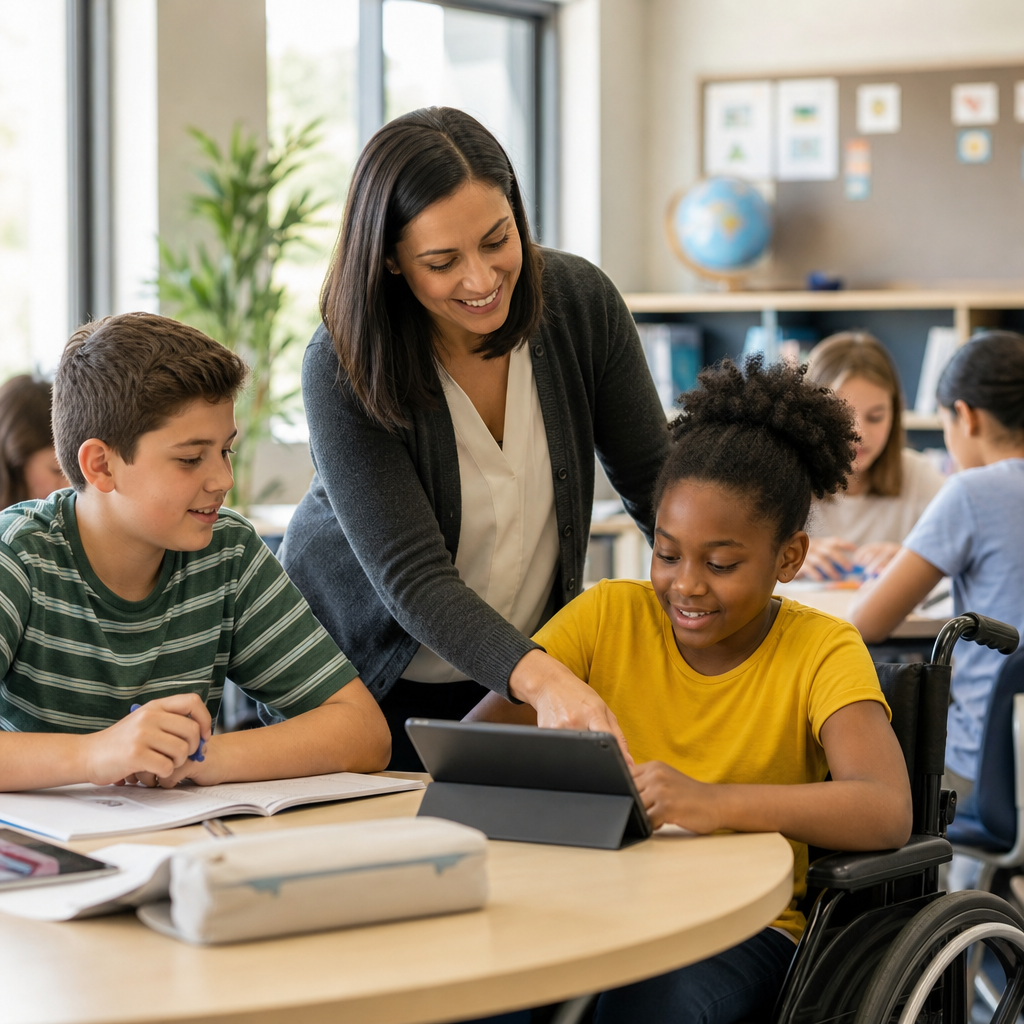
Accessible lessons help every student participate, understand, and demonstrate learning without unnecessary barriers. In education accessibility, accessibility means designing materials, activities, assessments, and classroom routines so students with disabilities can use them effectively, while inclusion means those students learn alongside peers with meaningful support. I have worked with teachers who assumed accessibility was only about legal compliance or special education paperwork, then watched their classrooms improve when they treated it as core lesson design. That shift matters because barriers appear everywhere: unreadable PDFs, videos without captions, tiny fonts on slides, timed quizzes that punish processing differences, and group work structured in ways that shut students out. When lessons are accessible from the start, teachers reduce retroactive fixes, improve clarity for all learners, and create more consistent outcomes across general education, intervention, and remote instruction.
Education accessibility also sits at the intersection of pedagogy, technology, and policy. Teachers operate within frameworks such as Universal Design for Learning, the Web Content Accessibility Guidelines, the Individuals with Disabilities Education Act, Section 504, and the Americans with Disabilities Act. Those standards do not require lowering expectations; they require equitable access to rigorous learning. In practical terms, that means students should be able to perceive information, navigate tasks, interact with tools, and show mastery in more than one way. It also means planning for assistive technology, language needs, sensory differences, executive functioning support, and variable internet or device access. A strong accessible lesson is intentionally flexible. It presents key content clearly, offers support without stigma, and preserves the academic goal while removing irrelevant obstacles that prevent students from engaging fully.
Start with barriers, not accommodations
The fastest way to improve accessible lesson design is to identify barriers before teaching. I begin by asking four questions: Can students perceive the content, operate the materials, understand the directions, and demonstrate learning fairly? These questions align with widely accepted accessibility principles and uncover issues early. For example, if a science lesson depends on a color-coded diagram without labels, students with low vision or color blindness may miss critical information. If a reading task is distributed as a scanned image PDF, screen readers may not detect text at all. If directions are only spoken once, students with auditory processing challenges, attention differences, or language needs may fail before the task starts. The goal is proactive design, not waiting until a student struggles visibly.
This mindset changes planning. Instead of creating one standard lesson and adding exceptions, teachers build a lesson that already includes multiple access points. A history teacher can provide a readable digital article, an audio version, vocabulary support, and a structured note guide without changing the central objective. A math teacher can pair symbolic notation with plain-language explanations and worked examples. An elementary teacher can give directions verbally, in writing, and with visual cues. These practices help students with documented disabilities, but they also support multilingual learners, students recovering from absences, and anyone who benefits from clearer instruction. In my experience, when teachers map barriers by step—entry task, instruction, practice, assessment—they catch most accessibility problems before students ever encounter them.
Design materials that students can actually use
Accessible materials are the foundation of education accessibility because students cannot learn from content they cannot access. Digital documents should use real text, descriptive headings, sufficient color contrast, meaningful link text, and readable fonts. Slides should avoid dense paragraphs, low-contrast themes, and images without alternative text. Videos should include accurate captions, and audio-only content should have transcripts. Learning platforms such as Google Classroom, Microsoft Teams, Canvas, and Schoology make distribution easier, but they do not automatically make files accessible. A worksheet uploaded as a photograph is still inaccessible to many students. Tools like Microsoft Accessibility Checker, Google accessibility features, Adobe Acrobat’s tagging tools, and built-in caption editors can catch common problems, but teachers still need to review content with actual student use in mind.
Print materials matter too. Low vision students may need larger font, increased spacing, or high-contrast copies. Dyslexic students may benefit from uncluttered layouts and reduced visual noise, though there is no single font that works for everyone. Students using text-to-speech need selectable text rather than flattened images. Tactile graphics or raised-line alternatives may be necessary for some diagrams. In classrooms with interactive whiteboards, teachers should not rely solely on pointing or gesture; they should verbalize what is being highlighted. A good rule is simple: if the information is important, it should be available in more than one mode. That principle improves consistency across in-person, hybrid, and online teaching, and it reduces the last-minute scramble that often happens when inaccessible files reach students the night before class.
Use multiple ways to present information and directions
Students process information differently, so accessible lessons present content in complementary formats. This does not mean creating endless versions of every activity. It means combining methods that reinforce understanding without changing the learning target. In a literature lesson, a teacher might introduce the theme through a short mini-lecture, display key points on slides, provide a guided reading excerpt, and model annotation with a document camera. In a biology class, complex vocabulary can be pre-taught with visuals and plain-language definitions before students read a technical passage. In algebra, teachers can connect verbal reasoning, symbolic representation, and worked examples so students are not forced to infer the relationship alone. These choices improve comprehension, especially for students with language processing, hearing, vision, and attention-related needs.
Directions deserve the same level of care as content. Many classroom problems that look like behavior or motivation are really access failures caused by unclear instructions. I have seen students shut down during projects simply because they did not know where to begin, how success would be measured, or which materials were required. Effective accessible directions are short, sequenced, and visible during the task. Teachers should chunk multi-step work, define unfamiliar verbs such as compare or justify, and provide examples of acceptable outputs. Visual timers, checklists, and worked models can support executive functioning without infantilizing older students. When possible, ask a student to restate the task in their own words; that quick comprehension check often reveals hidden confusion. Accessibility improves when instructions are stable, reviewable, and easy to revisit after the teacher stops talking.
Build participation and assessment options into the lesson
Accessible teaching is not complete if students can receive information but cannot participate meaningfully or show what they know. Classroom activities often privilege speed, handwriting, oral fluency, or social confidence even when those are not the target skills. Teachers should separate the academic objective from the performance format whenever possible. If the goal is analyzing causes of the Civil War, students might demonstrate understanding through a paragraph, recorded response, guided discussion, or graphic organizer, depending on support needs. If the goal is solving equations, the assessment should measure mathematical reasoning rather than the ability to copy symbols quickly from a board. This distinction is essential for fair access and aligns with how many accommodations are implemented under IEPs and 504 plans.
Participation structures also need attention. Think-pair-share can exclude students with speech or processing needs if wait time is too short. Group work can marginalize students when roles are undefined or all collaboration happens verbally. Timed exit tickets may disadvantage students who need longer reading or motor output time. The solution is not to remove challenge but to design flexibility. Offer silent thinking time before discussion, assign explicit roles, allow typed or voice-recorded responses, and provide alternative ways to contribute to group products. In learning management systems, discussion boards can extend participation for students who need more processing time. Rubrics should focus on the intended skill, using clear criteria and examples. When teachers intentionally vary participation and assessment methods, they preserve rigor while making success possible for a wider range of learners.
| Common lesson barrier | Why it limits access | Accessible design choice |
|---|---|---|
| Scanned PDF reading | Screen readers cannot reliably read image-only text | Provide tagged, selectable text or an accessible web page |
| Video without captions | Students who are deaf, hard of hearing, or in noisy spaces miss content | Add accurate captions and a transcript |
| Only verbal directions | Students cannot review instructions after delivery | Post written steps and model the task |
| Timed handwritten quiz | Measures speed and motor output more than mastery | Allow extended time or typed responses when appropriate |
| Color-only coding | Important distinctions may disappear for some students | Use labels, patterns, or icons in addition to color |
Make classroom technology and media accessible
Educational technology can expand access or create new barriers. Before assigning any tool, teachers should test basic tasks from a student perspective: logging in, navigating menus, reading content with built-in accessibility features, completing assignments by keyboard, and using the tool with screen readers or captions where relevant. Not every classroom teacher can conduct a full technical audit, but they can avoid obvious pitfalls. For example, drag-and-drop activities may be difficult for students using keyboard navigation or alternative input devices. Auto-graded quizzes may misread acceptable responses if formatting is rigid. Embedded videos often carry inaccurate auto-captions unless someone edits them. Even simple choices like posting assignments in multiple places can create confusion for students with executive functioning challenges. Fewer, clearer systems usually produce better access than a patchwork of apps.
Media choices matter as much as platforms. If a teacher uses podcasts, there should be transcripts. If they assign infographics, the core data should also appear as text. If students watch demonstrations, important visual actions should be narrated. For synchronous online teaching, teachers should enable captions when available, describe on-screen content, and avoid speaking while muted visuals carry key information. Teachers using Google Docs, PowerPoint, Nearpod, Pear Deck, Edpuzzle, or Canva should know which features support accessibility and which require extra caution. I have found that one short preflight checklist—captions, alt text, heading structure, readable links, color contrast, keyboard access—prevents most common failures. Technology should simplify access to learning, not make students dependent on workarounds, adult intervention, or guesswork every time a new assignment appears.
Collaborate with specialists, families, and students
Teachers do not create accessible lessons in isolation. Strong education accessibility depends on collaboration among general educators, special educators, related service providers, instructional technology staff, paraprofessionals, and families. Specialists often see barriers that classroom teachers miss because they understand how students use accommodations in real tasks. A speech-language pathologist may suggest sentence frames that support discussion without reducing complexity. An occupational therapist may recommend alternative output methods for students who fatigue during writing. A teacher of students with visual impairments may advise on tactile diagrams, magnification, or document formatting. These conversations are most useful before a unit starts, not after several inaccessible lessons have already been taught. Accessibility improves when support teams share planning materials early and align on the nonnegotiable learning goals.
Students and families are equally important sources of information. Older students can often explain which tools help them read, write, focus, or participate, and their feedback should shape instruction. Families may know patterns teachers do not see in a single class period, such as when homework becomes inaccessible because directions were never posted or videos could not be captioned on a home device. Communication should be specific. Instead of asking a broad question like “Does this work?” teachers can ask whether documents open on school-issued devices, whether assignments are readable with text-to-speech, or whether the amount of independent reading is realistic. That level of detail leads to practical fixes. Accessible teaching is strongest when the people closest to the learner are treated as partners in design, not just recipients of completed plans.
Review, measure, and improve accessibility over time
Accessible lesson design is an ongoing improvement process, not a one-time checklist. Teachers should review student work, participation patterns, and support requests for evidence of hidden barriers. If the same students repeatedly need directions repeated, the issue may be instruction clarity rather than effort. If students with accommodations consistently finish assessments late, timing and format may need revision. If multilingual learners and students with disabilities both struggle with a text set, vocabulary load or sentence complexity may be the real obstacle. Useful data can come from assignment completion rates, error patterns, behavior logs, platform analytics, and short student surveys. Even a two-minute exit reflection asking what made today’s lesson easier or harder to access can reveal trends worth fixing before the next unit.
Schoolwide systems help sustain progress. Departments can create shared templates for accessible slides, documents, and assessments. Administrators can include accessibility in curriculum review, technology adoption, and professional learning. Coaches can model how to convert an existing lesson into a more accessible version without doubling planning time. Over the years, I have seen the biggest gains when teachers standardize a few high-impact habits: use heading styles, caption videos, post directions in writing, provide flexible response options, and test materials with accessibility tools before publishing. Those habits scale. They also support the broader Accessibility & Inclusion mission because students experience consistency across classes instead of navigating a different set of barriers every hour. Accessibility becomes part of instructional quality, not a separate initiative that fades under pressure.
Teachers can create accessible lessons by planning for variability from the start, removing predictable barriers, and preserving rigorous learning goals. The most effective approach is practical: audit materials for readability and compatibility, present information in more than one way, make directions visible and reviewable, offer fair options for participation and assessment, and verify that technology works with common accessibility features. Collaboration matters, but daily classroom decisions matter just as much. When teachers design with access in mind, students spend less energy overcoming obstacles and more energy learning.
As the hub for Education Accessibility, this topic connects lesson design, accessible classroom technology, inclusive assessment, assistive tools, and compliance-informed practice into one clear principle: access should be built in, not added later. Start with one upcoming lesson. Check the document format, caption the video, rewrite the directions, and add one flexible response option. Then repeat. Small changes, applied consistently, create classrooms where more students can participate fully and succeed.
Frequently Asked Questions
What does it mean to create an accessible lesson, and how is that different from inclusion?
Creating an accessible lesson means planning instruction so students can participate, understand content, and show what they know without unnecessary barriers getting in the way. In practice, that includes the materials teachers choose, how directions are given, how activities are structured, how technology is used, and how students are assessed. Accessibility is about usability. If a student cannot read the handout because the font is too small, cannot follow the video because there are no captions, cannot demonstrate understanding because there is only one response format, or cannot keep up because directions are delivered too quickly and only once, the lesson contains barriers that can often be removed through better design.
Inclusion is related, but it is not the same thing. Inclusion means students with disabilities learn alongside their peers in meaningful ways with appropriate support. Accessibility helps make inclusion work. A student may be physically present in the classroom, but if the lesson materials, routines, and assessments are not accessible, that student is included in name only. Teachers who understand this distinction often shift from asking, “How do I accommodate this one student?” to asking, “How can I design this lesson so more students can access it from the start?” That mindset leads to stronger instruction for everyone, not just students with identified disabilities.
Accessible lessons also benefit students beyond those receiving special education services. English learners, students with temporary injuries, students with attention or processing differences, and even students who are simply having an off day all benefit from clearer directions, multiple ways to engage with content, and flexible opportunities to respond. Accessibility is not about lowering expectations. It is about removing avoidable obstacles so students can work toward the same learning goals with the support and formats they need.
What are the most important elements teachers should check when designing an accessible lesson?
The most important elements to check are readability, clarity, structure, flexibility, and usability. Start with the lesson materials themselves. Text should be easy to read, with clear fonts, adequate size, strong color contrast, and uncluttered formatting. Headings should organize content logically, and digital documents should be built so screen readers can interpret them properly. Images, charts, and diagrams should include descriptions or explanations when needed, and all videos should have accurate captions. If audio is essential, provide a transcript when possible. These steps may seem small, but they directly affect whether students can independently use the materials.
Next, examine the clarity of your instruction. Accessible lessons rely on directions that are explicit, concise, and available in more than one format. Teachers should consider giving instructions verbally and in writing, modeling the task, checking for understanding, and breaking larger tasks into manageable steps. Predictable lesson routines also improve access because students spend less energy figuring out what to do and can focus more on learning. For many students, especially those with executive functioning or processing challenges, clear structure is just as important as the content itself.
Another key element is flexibility in how students engage and respond. Students may need multiple ways to access content, such as reading, listening, watching, discussing, or using visual supports. They may also need different ways to show learning, including speaking, writing, drawing, recording, selecting answers, or completing hands-on demonstrations. When teachers build in more than one path from the beginning, they reduce the need for last-minute fixes and create a more equitable learning environment.
Finally, teachers should check for practical classroom barriers. Can every student physically access materials and spaces? Are digital tools compatible with assistive technology? Is the timing reasonable? Are students expected to copy large amounts of text when that is not the learning target? Is there unnecessary sensory overload from noise, visual clutter, or too many simultaneous demands? A strong accessibility review asks not only, “Is this lesson engaging?” but also, “Can every student actually use it?”
How can teachers make lesson materials and classroom activities more accessible without starting from scratch?
Teachers do not need to rebuild every lesson from the ground up to improve accessibility. In most cases, meaningful progress comes from revising existing materials with a barrier-removal mindset. A practical first step is to review current lessons and ask where students typically get stuck. If students struggle to follow directions, add numbered steps, visual examples, and a model of the finished product. If they struggle with reading-heavy materials, offer audio support, shorter chunks of text, vocabulary previews, or guided notes. If they struggle during independent work, build in checkpoints and clearer routines rather than assuming they simply need to “try harder.”
Digital materials are often the easiest place to begin. Teachers can use heading styles in documents, ensure links are descriptive, add alt text to meaningful images, caption videos, and avoid uploading scanned PDFs that are not readable by screen readers. They can also provide copies of notes in advance, share slides electronically, and post assignments in a consistent place within the learning platform. These changes improve access immediately and save time over the long term because students and support staff can find and use materials more independently.
Classroom activities can also be adjusted without changing the learning objective. For example, instead of requiring every student to read silently and answer written questions, a teacher might allow partner reading, text-to-speech tools, verbal discussion, graphic organizers, or recorded responses. Instead of giving only whole-group oral directions, a teacher might pair oral explanations with anchor charts, exemplars, and brief written reminders. During discussions, sentence stems, wait time, and visual prompts can help more students participate meaningfully. During group work, assigning clear roles and posting expectations can reduce confusion and support collaboration.
It also helps to prioritize high-impact changes rather than trying to fix everything at once. Many teachers find that improving one routine per unit, one assessment format per month, or one type of material at a time is sustainable. Accessibility is not a one-time checklist. It is an ongoing design practice. The goal is steady improvement: fewer avoidable barriers, more predictable supports, and stronger access to learning for all students.
How do accessible lessons support students with disabilities while still maintaining high academic expectations?
Accessible lessons support students with disabilities by removing obstacles that interfere with learning, not by reducing the level of thinking required. That distinction is essential. High expectations are maintained when the learning goal stays rigorous, even if the path to that goal becomes more flexible. For example, if the goal is to analyze a historical argument, a student may listen to the text with text-to-speech, use a graphic organizer, and respond orally instead of writing a long essay by hand. The academic demand of analysis remains intact, but the unnecessary barriers tied to reading format, writing fluency, or fine motor output are reduced.
This approach helps teachers separate the true target of the lesson from tasks that may unintentionally block access. If the objective is mathematical reasoning, then difficulty with reading dense word problems or copying equations should not prevent a student from demonstrating understanding. If the objective is scientific explanation, then the student may need vocabulary support, visual models, sentence frames, or a recorded response option. Teachers preserve rigor by staying focused on what students are actually expected to know and do, then providing supports that help them reach that target.
Accessible instruction also promotes independence and confidence. When students can use materials effectively, understand directions, and choose from reasonable response options, they are more likely to persist through challenging work. Too often, students are seen as incapable when the real issue is that the lesson design created barriers they could not overcome on their own. Once those barriers are addressed, teachers often see stronger participation, more accurate evidence of learning, and higher-quality work. Accessibility reveals student ability more clearly because it reduces the noise created by inaccessible design.
Perhaps most importantly, accessible lessons send a powerful message: all students are expected to learn meaningful content, and it is the school’s responsibility to provide equitable access to that learning. That is not a lowering of standards. It is good teaching, grounded in fairness, expertise, and a realistic understanding of how diverse learners engage with instruction.
What are some common mistakes teachers make when trying to create accessible lessons?
One common mistake is treating accessibility as something that happens after the lesson is already finished. When teachers plan first for the “average” student and only later try to add accommodations, accessibility becomes reactive, inconsistent, and less effective. A better approach is to design with variability in mind from the beginning. That means anticipating that students will differ in reading ability, attention, sensory needs, language background, processing speed, communication style, and motor skills. Planning for that range early usually produces better lessons for everyone.
Another frequent mistake is assuming accessibility only applies to students with formal documentation, such as IEPs or 504 plans. While those plans are important, accessible teaching is broader than legal compliance. Many students experience barriers even if they are not formally identified. If a lesson depends on one narrow format, some students will be shut out regardless of paperwork. Teachers who understand accessibility as proactive design rather than a bureaucratic requirement are more likely to create classrooms where support is normal, not exceptional.
Teachers also sometimes confuse accessibility with oversimplification. Making a lesson accessible does not mean watering down content, removing all challenge, or giving students unlimited alternatives with no structure. Instead, it means being intentional about where flexibility is appropriate and where the academic goal must remain firm. Too much complexity in the way information is presented can





