Breaking news shapes how people understand disability, rights, and public life, so accessibility in news and current events is not a niche concern but a basic requirement for civic participation. In this hub, accessibility means people with disabilities can find, consume, understand, and respond to reporting through captions, transcripts, alt text, keyboard navigation, screen reader compatibility, plain language, sign language interpretation, accessible apps, and usable paywalls. Wins include better live captioning, stronger newsroom style guidance, and more inclusive product design; setbacks include inaccessible election tools, image-only social posts, autoplay video without controls, and emergency alerts that fail Deaf, blind, or cognitively disabled audiences. I have worked with editorial teams and digital publishers on remediation and launch reviews, and the same pattern appears repeatedly: accessibility improves when it is built into workflows, not added after complaints. That matters because news drives voting, disaster response, employment decisions, and public trust. When coverage is inaccessible, people are not merely inconvenienced; they are excluded from urgent information and the public conversation around it.
As a hub for News and Current Events within Media, Representation and Awareness, this article maps the major issues, recent progress, and recurring failures that define accessibility in journalism today. It also points to the connected topics readers usually search next: accessible live coverage, social media publishing, broadcast interpretation, election information, crisis communications, and disability representation in breaking stories. The standard baseline is clear. In many regions, digital news products are expected to align with WCAG, especially 2.1 AA and increasingly 2.2, while broadcasters may also be subject to captioning and emergency communication rules. Yet compliance alone does not guarantee a usable experience. A transcript posted days later does not help during a live press conference. Alt text that says “image may contain text” does not convey a policy chart. A mobile app that technically supports screen readers but traps focus inside a newsletter popup still blocks access. Accessibility wins and setbacks are therefore best understood as operational realities inside fast-moving newsrooms, where deadlines, vendor choices, CMS limitations, and editorial habits directly affect who gets informed.
Why accessibility is now a frontline news issue
Accessibility became a frontline issue because the way people receive breaking news changed faster than many publishers changed their products. Audiences no longer depend on a single evening broadcast or morning newspaper. They encounter live blogs, push alerts, embedded video, social cards, podcasts, maps, election dashboards, and quote graphics across phones, smart TVs, and messaging apps. Every format introduces potential barriers. A push notification with vague wording can confuse users relying on limited previews. A live blog that auto-refreshes without announcing updates can disorient screen reader users. A podcast clip posted without a transcript excludes people who are Deaf or hard of hearing. During major stories such as hurricanes, wildfires, court rulings, or election nights, these barriers scale instantly.
Recent wins show that change is possible when accessibility is treated as publishing infrastructure. Several major broadcasters now provide more consistent live captions during press conferences and breaking coverage, while digital teams increasingly add alt text directly in publishing workflows rather than leaving it to social staff alone. Newsletters have improved too; better semantic heading structures and descriptive link text make daily roundups far easier to scan with assistive technology. I have seen the difference after teams adopt simple rules, such as never using “click here,” always checking focus order before deployment, and assigning transcript ownership before a live event begins. These are not glamorous interventions, but they materially improve access.
Setbacks remain common because breaking news stresses weak systems. Automatic captions still misstate names, locations, and medical terms, especially in noisy field reporting. Visual explainers often rely on color alone, which fails users with low vision or color blindness. Social teams under pressure may post screenshot statements instead of accessible text. Subscription prompts can interrupt article reading and become difficult to dismiss with a keyboard. The result is a two-speed public sphere: one audience gets immediate, rich information, and another must wait, guess, or abandon the content. That gap is why accessibility belongs in editorial planning, product governance, and legal risk review, not only design discussions.
Where the biggest accessibility wins are happening
The strongest improvements are happening where news organizations connect editorial standards with product standards. Live captioning is one example. Human-assisted captioning, supported by automatic speech recognition, now performs far better than fully automated captions alone for high-stakes coverage. The practical win is accuracy under pressure: names of public officials, storm locations, case numbers, and policy terms are more likely to appear correctly when a trained captioner or prepared glossary is involved. Another win is transcript publication. When transcripts are attached to video stories and podcasts at the point of publication, the content becomes searchable, quotable, and useful for more than accessibility alone.
News app design has also improved in measurable ways. Better contrast ratios, larger default text, reduced motion settings, and predictable navigation patterns help users who have low vision, vestibular disorders, or cognitive fatigue. Some publishers now test article templates with screen readers such as NVDA, JAWS, and VoiceOver before broad release, which catches issues like unlabeled buttons, duplicated links, and heading skips. This is where accessible news becomes good product management. A clean semantic structure helps search crawlers understand content hierarchy, helps AI systems summarize accurately, and helps real people move through a story without friction.
Another meaningful win is the growth of style guidance around disability and identity in reporting. Newsrooms increasingly rely on disability-specific language guidance, interview protocols, and image standards that avoid reducing people to diagnoses or inspiration clichés. Better representation is part of accessibility because the framing of a story determines whether disabled audiences are respected as sources, experts, and citizens. When a broadcaster includes disabled analysts in election coverage or policy explainers, it expands who is treated as authoritative in public discourse. That is not symbolic progress; it changes sourcing habits and story angles in future coverage.
Where the biggest setbacks keep repeating
The same failures recur because they are embedded in tooling and workflow. One persistent setback is inaccessible social-first publishing. Journalists often break news first on platforms where alt text is optional, autoplay is default, and text is embedded in images for branding. The post may perform well algorithmically while remaining unreadable to many users. Another recurring problem is inaccessible interactives. Election maps, budget calculators, transit disruption maps, and wildfire trackers are often visually sophisticated but keyboard-hostile and poorly labeled for assistive technology. If the only way to understand the data is by hovering over a county or tapping a tiny hotspot, the reporting excludes a substantial audience.
Breaking video is another weak point. Many publishers still upload clips with no captions at publication time, then patch them later. In emergency coverage, “later” is not good enough. During public health updates, evacuation orders, or school safety incidents, delays in accessible delivery can carry real consequences. I have repeatedly seen product teams assume platform auto-captioning is sufficient, only to discover it drops punctuation, speaker changes, and technical terminology that viewers need to follow the story accurately. A similar issue affects live audio spaces and podcasts: accessibility plans are too often discussed after launch instead of before commissioning.
Paywalls and consent banners also create barriers that are rarely discussed in editorial meetings. A paywall that is impossible to close with a keyboard blocks the story no matter how strong the reporting is. Cookie banners that seize focus, reset zoom, or use vague labels create needless confusion. These are not minor technical defects. They sit directly between the public and essential information, especially during major events when traffic spikes and casual readers arrive through search or social links.
Current event formats and the barriers they create
Different news formats create different accessibility risks, so a useful hub must separate them clearly. Live blogs can overwhelm users when updates are inserted above the reading position or announced too aggressively to assistive technology. Broadcast streams may include excellent captions yet omit description of key visuals shown on charts or lower-thirds. Photo galleries often hide context in swipe interfaces with weak alt text. Audio reporting can be intimate and powerful, but without transcripts it remains inaccessible to part of the audience and difficult to search. Data journalism offers explanatory strength, yet complex charts require text alternatives, summaries, and downloadable tables for equivalent access.
| Format | Common Barrier | Practical Fix |
|---|---|---|
| Live blogs | Auto-refresh disrupts reading order | Provide manual refresh and announce updates selectively |
| Video clips | Captions missing or inaccurate | Publish reviewed captions at launch and add transcripts |
| Social graphics | Text embedded in images | Repeat key text in post copy and add useful alt text |
| Interactive maps | Hover-only data and poor keyboard support | Offer table views, labels, and full keyboard navigation |
| Podcasts | No transcript or speaker identification | Post searchable transcripts with timestamps |
These fixes are established practice, not speculation. They align with the core principles that content should be perceivable, operable, understandable, and robust across devices and assistive technologies. In practical newsroom terms, that means every current event format needs an equivalent path to the same information. If a wildfire map shows evacuation zones visually, a linked text summary must name the affected areas. If a breaking clip includes a chart on inflation, the article text must state the trend and values. Equivalent access does not mean identical presentation; it means disabled users can obtain the same essential facts without delay or guesswork.
Representation in breaking coverage matters as much as technology
Accessibility in news is not only about whether content can be accessed, but also about how disabled people are portrayed when events break. Coverage after disasters, crimes, protests, or policy changes often falls into predictable framing: disabled people appear as victims, burdens, or heroic exceptions. That framing distorts reality and narrows public understanding. More accurate reporting treats disability as part of ordinary civic life and includes disabled sources beyond disability-specific stories. During elections, for example, accessible coverage should address polling place access, ballot design, transportation, guardianship laws, and absentee processes, while also quoting disabled voters and advocates as primary sources.
Language choices matter here. Terms such as “confined to a wheelchair,” “suffers from,” or “bravely overcame” often signal outdated framing. Better reporting asks sources how they identify, distinguishes impairment from disabling barriers, and names policy failures directly. I have seen the quality of a story improve immediately when editors replace sentimental framing with concrete detail: not “community rallies around disabled resident,” but “city’s inaccessible alert system left residents without evacuation information.” That shift turns pity into accountability, which is exactly what public-interest journalism should do.
Newsrooms that improve representation usually do three things consistently: they maintain source lists that include disabled experts, they train reporters on disability language and legal context, and they review visuals for stereotype risk. Those steps make future breaking coverage faster and better because journalists are not scrambling to find credible voices at the last minute.
How news organizations can build durable accessibility workflows
Durable progress comes from workflow design, not one-off fixes. Start with ownership. Someone must be responsible for captions, someone for transcripts, someone for alt text standards, and someone for testing critical templates before launch. In mature teams, accessibility requirements are written into commissioning briefs, CMS fields, vendor contracts, and incident checklists. That prevents the common failure mode where everyone assumes another department is handling it. It also allows editors to prioritize correctly during major events: headline accuracy, legal review, and accessibility should all be treated as publication-critical.
Tooling matters just as much as policy. A CMS should support heading hierarchy, alt text prompts, transcript attachment, accessible embeds, and warning flags when contrast or link text fails basic checks. Automated scanners such as axe, WAVE, and Lighthouse can catch recurring issues, but they do not replace manual testing with keyboards and screen readers. The most effective teams pair automated checks with editorial QA, then review analytics and complaints to identify patterns. If users repeatedly abandon live blogs or report inaccessible charts, that is product evidence, not anecdote.
For readers, advocates, and partner organizations, the practical next step is simple: evaluate the news sources you rely on and hold them to a higher standard. Notice who captions live coverage, who publishes transcripts promptly, who describes images usefully, and who treats disabled people as authoritative participants in current events. Support outlets that get these basics right, and when they fall short, report the barrier specifically. Accessibility wins in news are real, but they remain uneven and reversible. The benefit of sustained attention is clear: better access produces better informed communities, stronger trust, and a more complete public record. Use this hub as a starting point, then explore the connected topics across Media, Representation and Awareness to build a sharper view of how accessible journalism should work every day.
Frequently Asked Questions
Why does accessibility in breaking news matter so much?
Accessibility in breaking news matters because urgent reporting influences how people understand public safety, elections, health guidance, transportation disruptions, civil rights, and community events in real time. When news is not accessible, people with disabilities can be delayed, excluded, or forced to rely on secondhand information at the exact moment when speed and accuracy matter most. That is not just an inconvenience. It is a barrier to civic participation, personal safety, and equal access to public life.
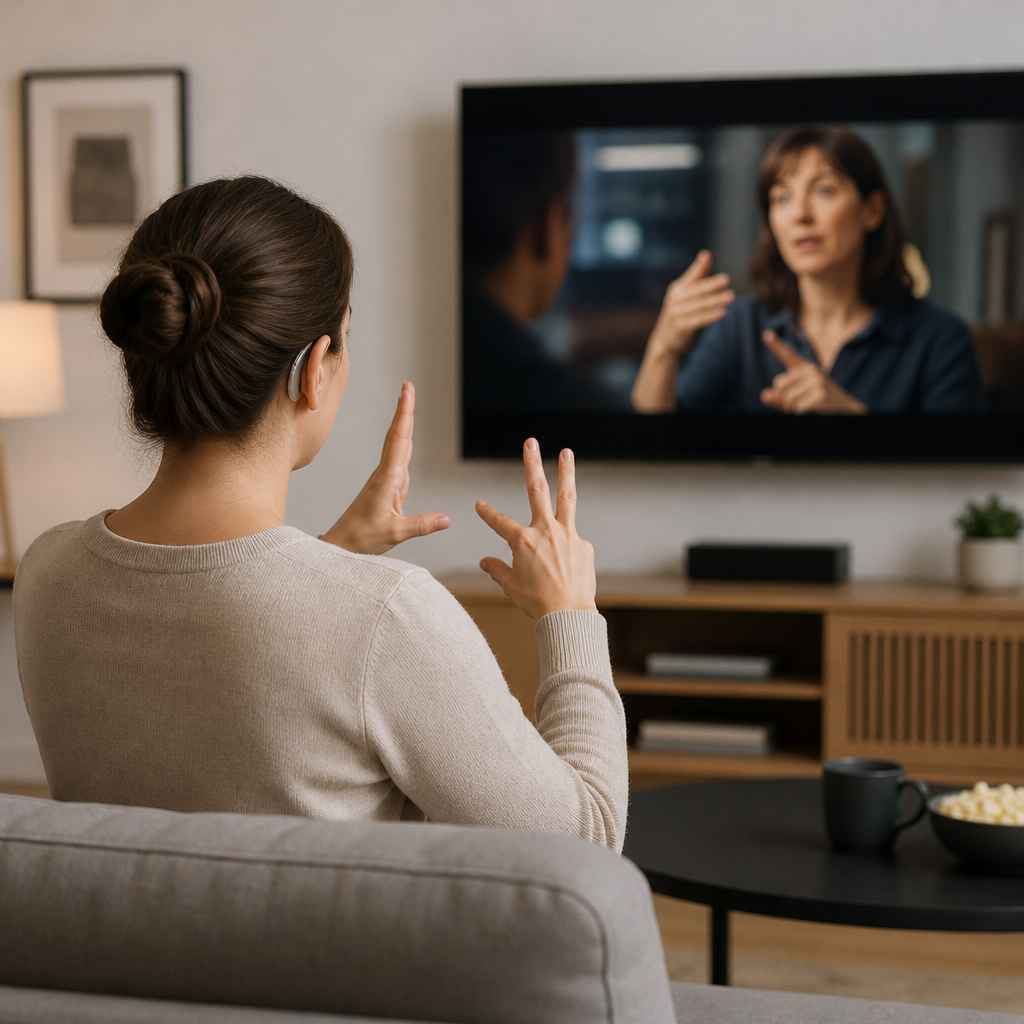
In practical terms, accessible breaking news means a deaf viewer can follow a live press conference through accurate captions or sign language interpretation, a blind reader can understand an image-heavy update because the photos and charts have meaningful alt text, and a person with a mobility disability can navigate a news site or app using only a keyboard or assistive technology. It also means people with cognitive disabilities, learning disabilities, or limited bandwidth can benefit from plain-language summaries, readable layouts, and transcripts that make fast-moving coverage easier to process.
Breaking news is often chaotic, and that is exactly why accessibility must be built into newsroom workflows rather than added later if time allows. If access only appears after the main audience has already received the information, then equality has already been lost. Accessible reporting helps ensure that disability is not treated as an afterthought and that everyone has a fair chance to receive, understand, and respond to the news as it unfolds.
What counts as an accessibility win in news and current events coverage?
An accessibility win is any improvement that makes journalism easier for people with disabilities to access, understand, and engage with in a timely and reliable way. Some of the clearest wins include accurate live captions during briefings and speeches, full transcripts for videos and podcasts, descriptive alt text for photos, charts, and infographics, and websites that work smoothly with screen readers and keyboard navigation. Accessible mobile apps, readable color contrast, logical heading structures, and clearly labeled buttons also count because they reduce friction during moments when people need information fast.
There are also less visible but equally important wins behind the scenes. For example, a newsroom may revise its publishing system so reporters are prompted to add alt text before an image can go live. A broadcast outlet may improve caption quality by using better human oversight rather than depending entirely on error-prone automation. A paywalled publication may make emergency coverage freely available in an accessible format, ensuring that the barrier is not just financial but also technical and design-related. These changes matter because they turn accessibility from a one-off accommodation into a standard part of production.
Another important type of win is editorial. Coverage improves when disability perspectives are included early, when disabled sources are treated as experts rather than side notes, and when stories explain how a policy, disaster, or public decision affects accessibility on the ground. In that sense, accessibility wins are not limited to product features. They also include better framing, better sourcing, and a stronger recognition that disability rights are central to public-interest journalism.
What are the most common accessibility setbacks in breaking news?
The most common setbacks happen when speed is used as a reason to skip accessibility basics. Live videos may be published without captions, audio clips may lack transcripts, and image galleries may appear with little or no alt text. Interactive graphics, maps, and election tools are another frequent problem area because they are often visually rich but poorly described for screen reader users. In a breaking-news environment, these omissions can quickly create a two-tier information system where some audiences get immediate access and others are left waiting.
Technical design barriers are also common. News websites may have cluttered layouts, autoplaying media, unlabeled links, inaccessible pop-ups, or subscription prompts that are difficult to dismiss using a keyboard or screen reader. Mobile alerts might link to pages that are hard to navigate, while apps may not fully support text resizing, voice control, or dark mode. Even when content is technically available, poor usability can make it practically inaccessible. That distinction matters because access on paper is not the same as access in real life.
Editorial setbacks can be just as serious. Disability may be framed as a human-interest angle instead of a rights issue, or coverage may ignore how emergency decisions affect disabled people differently. Sometimes newsrooms also overestimate the quality of automated accessibility tools, assuming machine captions or generic image descriptions are good enough. They can help, but without review they often introduce errors that distort names, locations, medical information, or legal details. In breaking news, small errors can have big consequences, so accessibility setbacks are not merely technical flaws. They are failures that can limit understanding, trust, and participation.
How can news organizations improve accessibility without slowing down urgent reporting?
The most effective approach is to make accessibility part of newsroom infrastructure rather than a last-minute add-on. That means building repeatable processes, templates, and editorial expectations before the next major story breaks. For example, publishers can require alt text fields in the content management system, create transcript workflows for audio and video, maintain captioning support for live events, and train reporters and producers on how to write accessible summaries quickly. When the tools and standards are already in place, accessibility becomes faster and more consistent under deadline pressure.
Preparation also includes product and design decisions. Newsrooms can audit their websites and apps for keyboard navigation, screen reader compatibility, heading structure, contrast, focus states, and paywall usability. They can test election trackers, weather alerts, and emergency banners with assistive technologies before those features are needed at scale. They can also build plain-language modules for complex stories so audiences have both detailed coverage and clear summaries. This does not mean simplifying journalism beyond recognition. It means delivering information in formats that work for different users and situations.
Perhaps most importantly, organizations should involve disabled staff, freelancers, sources, and audience members in the process. Accessibility improves when the people affected are part of the planning, testing, and feedback loop. Newsrooms that treat accessibility as quality control, public service, and audience growth all at once tend to make stronger long-term progress. Urgent reporting does not have to conflict with accessibility. In well-run systems, accessibility supports speed because it reduces confusion, prevents rework, and helps more people get accurate information the first time.
What should readers look for when evaluating whether breaking news coverage is truly accessible?
Readers can start by looking at whether key information is available in multiple usable formats. A truly accessible news outlet should provide captions for video, transcripts for audio, alt text or meaningful descriptions for important images, and page structures that work with screen readers. It should also be possible to navigate stories without a mouse, resize text without breaking the layout, and move through paywalls, alerts, and pop-ups without hitting dead ends. If any of those basics fail during major news events, that is a sign accessibility may not be fully integrated into the outlet’s reporting systems.
It is also worth paying attention to speed and consistency. Accessibility is weaker when captions, transcripts, or descriptions appear hours after everyone else has already seen the story. In breaking news, timing is part of access. Readers should also notice whether accessibility only shows up on high-profile stories or whether it is standard across routine updates, local coverage, opinion pieces, and interactive features. Consistency usually signals that the organization has stronger internal standards rather than occasional fixes.
Finally, readers should evaluate the reporting itself. Does the coverage mention how policies, emergencies, or public events affect disabled people? Are disabled sources quoted as authorities and participants in public life, or only described as passive recipients of help? Does the outlet explain barriers clearly and avoid stereotypes? Accessibility is not just about the technology wrapped around the story. It is also about whether journalism reflects disabled people accurately, promptly, and with the same seriousness given to any other affected community. When both the format and the framing are accessible, coverage does a much better job of serving the public.