
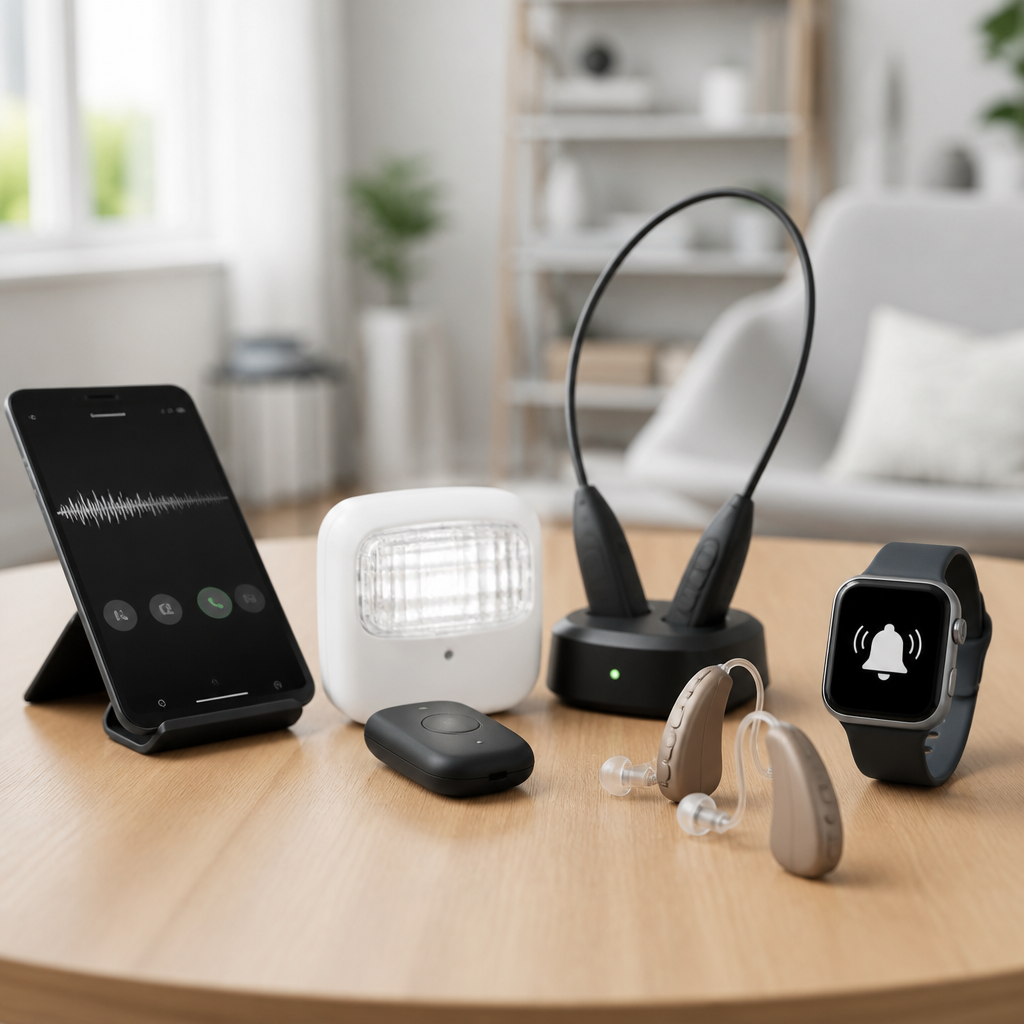
Assistive devices for deaf individuals have improved rapidly, giving people more control over communication, safety, work, education, and everyday independence. In this 2026 guide, assistive devices for deaf individuals means any hardware or connected technology that helps a person who is deaf or hard of hearing receive information through vision, vibration, text, or amplified sound. The category includes hearing aids, cochlear implant accessories, captioning tools, visual alert systems, vibrating alarms, relay hardware, and mobile devices configured for accessible communication. I have tested many of these products in homes, offices, classrooms, and travel settings, and the biggest lesson is simple: the best device is rarely the most expensive one. It is the one that matches a person’s hearing profile, communication preferences, environment, and maintenance tolerance.
This topic matters because device choice affects more than convenience. It changes whether someone catches a fire alarm at night, follows a meeting without fatigue, answers the door, joins a video call, or understands announcements in public spaces. Poor product matching can lead to abandoned devices, unnecessary cost, and safety gaps. Good matching creates measurable gains in access and confidence. The most reliable buying process starts with three questions: what problem needs solving, where will the device be used, and what other tools must it connect with. This guide serves as a hub for product reviews and comparisons across the deaf technology landscape, so readers can narrow options before moving into deeper category pages on alerting systems, captioning devices, hearing technology, and communication tools.
How to Choose the Right Assistive Device
The right assistive device depends on hearing level, language preference, dexterity, vision, budget, and daily routine. A Deaf ASL user who wants better door alerts and captions has very different needs from a late-deafened professional who relies on spoken communication, Bluetooth streaming, and meeting transcription. Start by separating devices into five functions: hearing access, speech-to-text access, environmental alerts, time-based alerts, and communication hardware. Then identify whether the device is primary, like a hearing aid, or secondary, like a TV streamer or vibrating watch. Primary devices affect everyday functioning and typically require professional setup. Secondary devices solve specific friction points and often deliver the fastest quality-of-life improvement.
Compatibility is the factor buyers underestimate most. Before recommending any product, I check operating system support, Bluetooth protocol, telecoil availability, relay service compatibility, battery type, firmware update process, and whether customer support is accessible by chat or text. For example, a strong captioning phone app loses value if it cannot integrate with a user’s preferred video platform at work. Likewise, an excellent visual alert receiver is frustrating if it cannot pair with smoke alarms already installed in the home. In 2026, interoperability is improving, but ecosystems still matter. Devices from brands such as Sonic Alert, Serene Innovations, ReSound, Phonak, Oticon, MED-EL, Advanced Bionics, and Cochlear often perform best when paired with their intended accessories and apps.
Hearing Devices and Listening Accessories
For deaf and hard of hearing users who benefit from acoustic access, hearing aids and cochlear implants remain foundational. Modern hearing aids from Phonak Audéo, Oticon Intent, ReSound Nexia, Starkey Genesis AI, and Signia Pure Charge&Go offer directional microphones, feedback suppression, rechargeable batteries, and direct streaming from phones and computers. Cochlear implant systems from Cochlear, MED-EL, and Advanced Bionics now support stronger wireless accessory ecosystems, including remote microphones and TV transmitters. These are not one-size-fits-all products. Audiogram shape, speech discrimination scores, recruitment, and listening goals determine whether premium features actually improve understanding or merely add cost.
Accessories often produce larger real-world gains than people expect. A remote microphone placed near a speaker can outperform expensive hearing aid upgrades in noisy settings because it improves signal-to-noise ratio directly. In classrooms, lecture halls, and conference rooms, Roger systems from Phonak or similar digital remote mic platforms can dramatically reduce listening effort. TV streamers are another high-value purchase because they send audio directly to the hearing device, avoiding room echo and poor speaker placement. Telecoil-compatible neckloops remain useful in venues with hearing loop systems, especially theaters, houses of worship, service counters, and transportation hubs. When reviewing these products, I prioritize latency, pairing stability, battery endurance, and whether controls are manageable for older adults or users with limited dexterity.
Captioning Tools for Conversations, Media, and Work
Captioning is now central, not optional, in deaf technology. The best captioning tools convert speech into text quickly, accurately, and in the right place: on a phone screen, a laptop, a TV, a meeting display, or smart glasses. For one-to-one conversations, apps such as Ava, Google Live Transcribe, Otter, and Microsoft Group Transcribe can provide substantial access, especially in quiet environments. Accuracy drops with cross-talk, accents, technical jargon, and poor microphones, so serious users should test captioning in the exact situations that matter most. In medical, legal, and high-stakes workplace settings, automated captions are helpful but not equal to professional CART when precision is essential.
For entertainment and home use, smart TVs, streaming boxes, and live TV interfaces vary more than buyers realize. Roku, Apple TV, Fire TV, and Google TV all support captions, but menu depth, font control, app consistency, and shortcut access differ. The best setup is the one that lets a user turn captions on instantly and customize size, contrast, and background opacity. At work, built-in captions in Zoom, Microsoft Teams, and Google Meet have improved, yet microphone quality and speaker discipline still determine success. A dedicated USB microphone or conference mic can raise accuracy noticeably. For many professionals, the most effective combination is platform captions during meetings plus a transcript tool for notes and follow-up.
Alerting Systems for Home Safety and Daily Awareness
Alerting systems are the most practical category for many deaf households because they convert important sounds into light or vibration. Core products include doorbell flashers, phone signalers, baby cry monitors, smoke and carbon monoxide alarm receivers, weather alert systems, and multi-room notification hubs. Brands such as Sonic Alert, Silent Call, Bellman & Symfon, and Serene Innovations dominate this space. The strongest systems use dedicated transmitters and receivers rather than depending entirely on a smartphone, because a phone may be muted, misplaced, discharged, or outside the room when an emergency happens.
When I compare alert products, I focus on reliability over novelty. A doorbell flasher should trigger every time, through walls, with a receiver bright enough for daylight and a vibration option for another room. Smoke alarm integration needs special scrutiny. Some products listen acoustically for an alarm pattern, while others connect directly to compatible detectors or dedicated transmitters. Direct integration is generally safer and less prone to false triggers. Range claims on boxes can also be misleading because concrete, metal framing, and apartment layouts reduce performance. Buyers should look for expandable systems with battery backup and clear low-battery warnings, not just a single bedside flasher.
| Device category | Best use case | Top strengths | Main limitation |
|---|---|---|---|
| Remote microphone | Meetings, classrooms, restaurants | Improves speech clarity in noise | Requires speaker placement discipline |
| Captioning app | One-to-one conversation, travel | Fast setup, low cost | Accuracy varies by environment |
| Visual alert system | Door, phone, smoke alerts at home | Reliable awareness without sound | Coverage may require multiple receivers |
| Vibrating alarm clock | Waking and reminders | Strong tactile alert, simple setup | Limited beyond bedside use |
| Video relay hardware | ASL phone calls | Natural signed communication | Needs stable broadband and camera angle |
Wake-Up Devices, Wearables, and Portable Alerts
Waking technology deserves separate attention because it solves a high-impact, daily problem. Bed shaker alarms from Sonic Bomb, Clarity, and Serene typically outperform ordinary smart alarms for deep sleepers because the motor is stronger and the system is purpose-built. The best models combine a high-intensity shaker, bright strobe, backup battery, and large tactile controls. For shared households, adjustable vibration patterns matter because some users need force without loud backup sound. Travelers should look for compact shakers with universal voltage charging or USB power support.
Wearables extend alerts beyond the bedroom. Smartwatches from Apple, Samsung, and Google can mirror calls, messages, door camera notifications, calendar prompts, and safety alerts through haptics. They are useful, but they are not replacements for dedicated emergency hardware. Bluetooth disconnects, notification overload, and battery dependence can make wearables less dependable during critical events. Still, for commuting, office work, and errands, a well-configured watch can reduce missed information dramatically. I advise users to create custom accessibility routines: repeated haptics for family contacts, distinct vibration patterns for door cameras, and silent alarms for medication or schedule transitions.
Communication Devices, Relay Access, and Hub Page Priorities
Communication hardware remains essential, especially for users who sign, prefer text-based calling, or need a stable desk setup. Video relay service equipment, webcams with wide-angle framing, external lighting, and quality displays all affect ASL call clarity. A poor camera angle can cut off handshape detail and facial grammar, which directly harms understanding. For text communication, captioned telephones and IP relay tools still matter for many late-deafened adults and seniors. CapTel-style devices, real-time text features on smartphones, and accessible desk phones with amplified or captioned support each serve distinct users. The right choice depends on whether the person signs, speaks, types quickly, or shares devices with hearing family members.
As a hub page under Technology & Tools for the Deaf Community, this guide should lead readers deeper into specialized reviews. The most useful cluster includes buying guides for captioning apps, visual alert systems, vibrating alarm clocks, hearing aid accessories, cochlear implant accessories, video relay setups, and smart home accessibility products. That structure mirrors real purchase behavior. People rarely search for abstract categories; they search for a concrete need such as best deaf alarm clock, best doorbell flasher for apartments, best live transcription app for meetings, or best remote microphone for hearing aids. Treat this page as the comparison gateway, then move into focused product reviews with testing criteria, compatibility notes, and side-by-side use cases.
Buying Advice, Costs, and Common Mistakes
Prices vary widely. A solid vibrating alarm may cost less than a dinner out, while premium hearing devices or implant accessories can run into thousands. Cost alone does not predict value. The best approach is to rank needs by consequence: emergency alerts first, daily communication second, convenience upgrades third. Insurance, vocational rehabilitation programs, school accommodations, nonprofit lending libraries, and disability grants can offset costs for qualifying users. In the United States, equipment distribution programs for accessible telecommunications may cover specific devices, and employers may provide communication access technology as a workplace accommodation.
The most common mistake is buying based on a single feature instead of a complete use case. Another is overreliance on smartphones for safety-critical alerts. I also see buyers ignore setup complexity, charging burden, and support quality. A device that works brilliantly in a demo can fail in practice if firmware updates are confusing or if replacement parts are hard to source. Read return policies carefully, confirm accessibility of support channels, and test products immediately in real conditions: overnight, during a noisy meal, in a dim hallway, on a work call, and when Wi-Fi is unstable. That is how good assistive technology becomes dependable assistive technology.
The best assistive devices for deaf individuals in 2026 are the ones that solve a specific access problem consistently and fit smoothly into daily life. Hearing devices and remote microphones can improve listening where sound access is useful. Captioning tools can open conversations, meetings, and media when text is the fastest path to understanding. Visual alert systems, vibrating alarms, and wearables add safety and independence by turning missed sounds into signals a user can trust. Communication hardware, from captioned phones to video relay setups, completes the picture by supporting the way each person prefers to connect.
No single product category is enough on its own. The strongest setups combine layers: a reliable home alert system, a wake-up solution, a communication tool, and either hearing access or captioning access depending on the user. Start with the situations where access failure carries the highest cost, then build outward. If you are planning content for this sub-pillar hub, use this page to identify your priority device category and continue to the detailed comparison guides for reviews, feature breakdowns, and real-world recommendations before you buy.
Frequently Asked Questions
1. What are the most useful types of assistive devices for deaf individuals in 2026?
The most useful assistive devices for deaf individuals in 2026 usually fall into a few core categories: communication tools, alerting systems, listening technology, mobile accessibility tools, and workplace or classroom support devices. For many people, the best setup is not a single product but a combination of devices that work together across daily life. For example, someone may use hearing aids or cochlear implant accessories for listening support, a speech-to-text app for conversations, a video relay service for phone calls, and a visual or vibrating alert system for doorbells, alarms, and notifications.
Communication tools are often the top priority. These include real-time captioning devices, smartphone apps that convert speech into text, captioned telephones, and video communication platforms that support sign language or live transcription. Safety and awareness devices are also essential, especially at home. Visual smoke alarms, bed shakers, flashing doorbell alerts, baby cry monitors with vibration or lights, and weather alert systems can make a major difference in independence and peace of mind.
In work and school settings, popular devices include personal FM or DM systems, remote microphones, classroom captioning services, and computer software that provides live subtitles during meetings or lectures. Smartwatches and connected home devices are also more useful than ever because they can deliver discreet vibration alerts, message previews, calendar reminders, and emergency notifications in real time. The best choice depends on communication preferences, hearing level, environment, and whether the user relies more on sign language, text, vibration, visual cues, or amplified sound.
2. How do I choose the best assistive devices for a deaf or hard of hearing person?
Choosing the right assistive devices starts with understanding the person’s actual daily needs, not just the product category. Two people with similar hearing levels may prefer very different solutions based on language use, comfort with technology, work demands, and home environment. A good first step is to identify the situations where communication or access breaks down most often. That could be phone calls, group conversations, doorbell alerts, meetings, lectures, TV watching, parenting, commuting, or emergency awareness during sleep.
Once those needs are clear, look at how the device delivers information. Some people benefit most from visual access, such as live captions, flashing alerts, or screen-based transcription. Others prefer vibration through wearables, bed shakers, or mobile devices. Some hard of hearing users may also benefit from amplified sound through hearing aids, personal amplifiers, or compatible accessories. Compatibility is especially important in 2026, since many devices connect through Bluetooth, Wi-Fi, apps, hearing aid platforms, or smart home systems. A device that works well on its own but does not integrate with the user’s phone, hearing technology, or home setup may create frustration later.
It is also smart to compare battery life, setup complexity, accuracy, portability, privacy features, and customer support. For communication tools, test transcription quality in noisy environments, not just in quiet spaces. For alerting systems, check whether they support multiple signals such as lights, vibration, and app notifications. If possible, involve an audiologist, hearing technology specialist, accessibility coordinator, or deaf services organization. Trial periods are especially valuable because real-world use often reveals whether a device is truly practical. The best assistive device is the one that fits naturally into the person’s routines and gives them more confidence, safety, and independence every day.
3. Are hearing aids and cochlear implant accessories considered assistive devices for deaf individuals?
Yes, hearing aids and cochlear implant accessories are absolutely considered assistive devices for deaf individuals, especially within a broad 2026 accessibility framework. In this context, assistive devices include any hardware or connected technology that helps a person receive information through amplified sound, text, visual cues, or vibration. That means hearing aids and cochlear implants are part of the category, but they are only one part of a much larger ecosystem of support tools.
For people who use hearing aids, helpful accessories may include remote microphones, TV streamers, Bluetooth transmitters, charging stations, app-based controls, telecoil-compatible devices, and hearing loop systems. These tools can improve speech clarity in challenging spaces like restaurants, meetings, classrooms, and public venues. Cochlear implant users may rely on similar add-ons, including wireless accessories, audio streamers, waterproof components, rechargeable options, and systems designed to improve access in education or work settings.
That said, not every deaf person uses or wants hearing aids or cochlear implants. Many people rely instead on visual communication, sign language, captions, or tactile alerts. This is why the most effective approach is often personalized rather than product-centered. Hearing technology can be incredibly helpful for some users, but it should be viewed as one accessibility option among many. A strong assistive setup may combine hearing devices with captions, relay services, visual alarms, and smart notifications to create full access across different environments.
4. What assistive devices help most with safety and independent living at home?
At home, the most important assistive devices are usually the ones that make alerts impossible to miss. Visual and vibrating alert systems are especially valuable for independent living because they turn everyday sounds into accessible signals. Common examples include flashing smoke and carbon monoxide alarms, vibrating alarm clocks, bed shakers, visual doorbell systems, phone signalers, baby cry alert devices, and smart home notification hubs that send alerts to phones or watches. These tools help make sure important events are noticed whether someone is awake, sleeping, in another room, or not wearing hearing technology.
In 2026, many of the best home systems are connected rather than standalone. A smart alert network may link doorbells, security cameras, motion sensors, appliance alarms, weather alerts, and emergency detectors into one app-based platform. That means a person can receive a flashing in-home alert, a phone notification, and a smartwatch vibration all at once. This multi-signal approach is especially useful during sleep, while showering, or when attention is focused elsewhere. Some systems can also be customized with different vibration patterns, light colors, or message labels so users know whether the alert is urgent, routine, or security-related.
For people living alone, it is worth prioritizing reliability, backup power, and ease of setup. Devices that depend entirely on one app or one wireless connection may need a backup plan in case of outages. Products that support both local alerts and remote notifications tend to offer better protection. Independent living is not just about emergency awareness either. Everyday access matters too. TV captioning systems, smart displays, video doorbells with text alerts, and wearable vibration notifications can reduce stress and make a home feel more usable, responsive, and secure.
5. Can smartphones and apps replace traditional assistive devices for deaf individuals?
Smartphones and apps can replace some traditional assistive devices, but usually not all of them. In 2026, phones have become powerful accessibility hubs. They can provide real-time speech-to-text, video calling, live captioning, sound recognition, visual notifications, GPS-based safety alerts, relay access, remote device control, and integration with hearing aids or cochlear implant accessories. For many users, a smartphone is now the central tool that connects multiple parts of an assistive technology setup.
That said, dedicated devices still have major advantages in certain situations. A specialized visual fire alarm, bed shaker, classroom microphone system, or captioned phone may be more reliable, louder, more visible, or easier to use than a general-purpose app. Phone apps also depend on battery life, internet access, permissions, operating system updates, and microphone quality. In fast-moving conversations, noisy public spaces, or emergency situations, a standalone device may perform more consistently than a phone alone.
The most practical answer is that smartphones often work best as part of a broader accessibility system rather than a complete replacement. For example, a person might use a phone for live captions and messaging, a smartwatch for vibration alerts, connected hearing technology for audio streaming, and home alert devices for safety-critical signals. This layered approach offers flexibility without sacrificing reliability. If someone wants to reduce device clutter, starting with a smartphone-based setup is reasonable, but it is still important to identify where dedicated hardware offers better safety, accuracy, or ease of use.





