
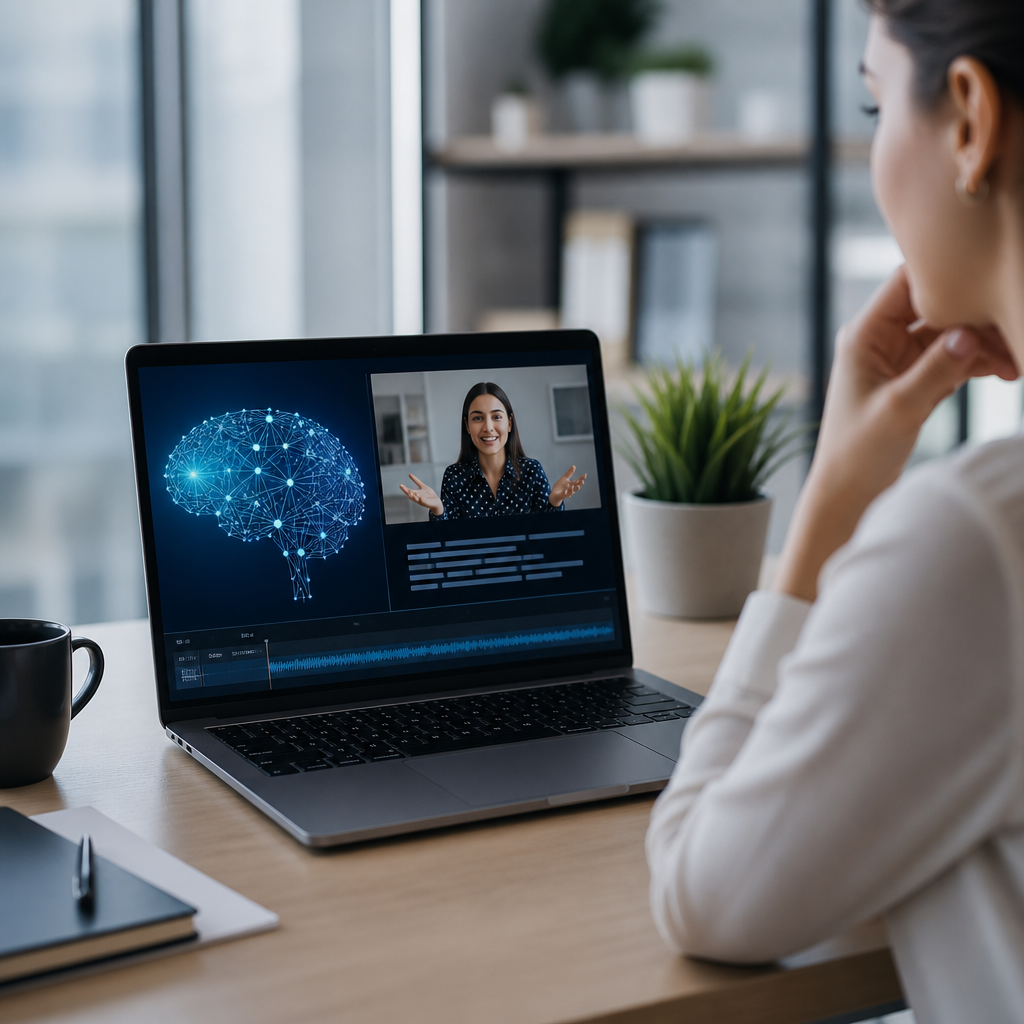
AI-powered captioning tools have changed how Deaf and hard of hearing people access conversations, classes, meetings, videos, and live events, but their value depends on accuracy, context, and how well they fit real communication needs. In this article, AI-powered captioning tools refers to software that uses automatic speech recognition, language models, speaker separation, and timing algorithms to turn spoken language into on-screen text in real time or after recording. Captioning and transcription overlap, yet they are not identical. Captions are synchronized with audio and usually designed for video or live displays, while transcripts are full text records that can be searched, stored, edited, or shared later. Understanding that difference matters because a tool that creates a decent transcript may still fail as a live captioning solution if timing lags, punctuation is weak, or speaker changes are unclear.
I have tested captioning platforms in webinars, Zoom trainings, classrooms, conference halls, medical consultations, and noisy community events, and the same lesson keeps repeating: convenience is not the same as access. A free auto-caption button can help, but if medical terms, names, or fast turn-taking are misheard, the user may miss the point entirely. For the Deaf community, caption quality affects participation, independence, employment, education, and safety. For organizations, it affects legal compliance, audience reach, and trust. Laws and standards also shape expectations. In the United States, the ADA, Section 504, Section 508, and FCC captioning rules all influence how institutions think about accessibility, while WCAG 2.2 provides practical guidance on captions, transcripts, and media alternatives. That is why this topic deserves a clear, balanced hub article: AI-powered captioning tools are powerful, but they are not universally reliable, and choosing the right tool requires more than comparing price tags.
This hub covers the full captioning and transcription tool landscape, including live captions, recorded media captions, meeting assistants, mobile communication apps, and editing workflows. It also explains where AI works well, where human review still matters, and what buyers should check before adopting any platform.
How AI-Powered Captioning Tools Work and Where They Are Used
Most modern captioning tools begin with automatic speech recognition, often called ASR. The system converts audio into text by analyzing sound patterns, matching them to phonemes, and predicting likely words based on acoustic and language models. Newer systems add speaker diarization to identify who is talking, punctuation restoration to improve readability, and translation layers for multilingual captions. Some platforms also build custom vocabularies so product names, technical terms, or uncommon surnames are more likely to appear correctly. In practice, this means the same meeting can produce very different results depending on microphone quality, internet stability, accent diversity, and whether the software has been tuned for the subject matter.
Use cases fall into two broad categories: real-time captioning and post-production captioning. Real-time tools include Zoom live captions, Microsoft Teams captions, Google Meet captions, Ava, Otter, Web Captioner, and built-in mobile accessibility features on Android and iPhone. These are used in meetings, classrooms, interviews, and spontaneous conversations. Post-production tools include YouTube automatic captions, Adobe Premiere Pro Speech to Text, Descript, Trint, Rev’s automated service, and cloud transcription in platforms such as Vimeo. These are used to caption training videos, podcasts, marketing content, lectures, and archived events. Some services blend both models by generating live captions first, then allowing later correction into a polished transcript or subtitle file such as SRT or VTT.
For Deaf users, context shapes whether a tool is helpful. In a one-on-one quiet conversation, a phone-based live caption app may work surprisingly well. In a group dinner with overlapping speech, music, and clattering dishes, the same app may become nearly unreadable. In a lecture hall, a platform that captures the instructor’s microphone feed can be effective, but student questions from the back row may disappear. In a hospital, a tool may catch general instructions but miss medication names or dosages unless a trained human captioner supports the interaction. The technology has matured quickly, yet performance remains highly situational.
Benefits of AI Captioning for Access, Speed, and Scale
The biggest advantage of AI-powered captioning tools is immediate availability. Traditional CART or human stenography remains the gold standard for many live settings because it offers higher accuracy and better handling of nuance, but it usually requires scheduling, budget approval, and provider availability. AI captions can be turned on instantly. That speed matters for unplanned phone calls, office drop-ins, urgent appointments, and last-minute online meetings. I have seen teams avoid excluding Deaf participants simply because a built-in caption feature was available the moment a meeting started.
Cost is another major benefit. Human captioning services can be expensive for small organizations, independent creators, nonprofits, and families. AI lowers the entry point. A school can auto-caption dozens of recorded lessons. A local business can add captions to social videos without hiring a full media team. A Deaf professional can use a live caption app during routine interactions instead of reserving human support for only the highest-stakes situations. Lower cost does not remove the need for quality control, but it expands baseline access in places that previously offered none.
Searchability and documentation are often overlooked strengths. Once speech becomes text, users can search a meeting for action items, review exact wording, pull quotes, and share summaries. That benefits Deaf users directly, but it also helps hearing colleagues, students, and support staff. Platforms like Otter and Teams create searchable transcripts that can improve follow-through after meetings. Descript and Trint make spoken media editable like a document, which dramatically shortens production workflows. For organizations, that means accessibility work can align with knowledge management instead of being treated as a separate burden.
AI tools also scale across large content libraries. Universities with thousands of lecture recordings, media companies with archives, and nonprofits with training catalogs can process far more material through AI than through manual transcription alone. Used thoughtfully, automation helps teams prioritize human review where it matters most: public-facing courses, compliance materials, legal content, healthcare communication, or videos with dense terminology. In other words, AI is often best used as a force multiplier rather than a total replacement.
Limitations, Risks, and Why Accuracy Is Never Guaranteed
The core weakness of AI captioning is error. Accuracy rates advertised by vendors usually reflect ideal conditions: clear audio, one speaker at a time, strong microphones, and common vocabulary. Real life is messier. Accents, dialects, code-switching, background noise, crosstalk, poor Wi-Fi, and low-quality laptop microphones all reduce performance. Even when individual words are mostly correct, missing punctuation and delayed line breaks can make captions exhausting to read. For Deaf users, that cognitive load matters. Reading broken text while trying to follow slides, faces, or interpreted content is not full access.
Specialized language is another failure point. Legal proceedings, STEM lectures, corporate acronyms, medication names, and proper nouns are routinely mistranscribed. I have seen “Section 508” rendered as “section five or eight,” and medication instructions become dangerous nonsense. In those contexts, a seemingly minor error can distort meaning or create liability. Speaker diarization also struggles in active discussions. If a tool cannot reliably show who said what, it becomes harder to track questions, decisions, or disagreements. That is a serious issue in classrooms, board meetings, and interviews.
Privacy and data governance deserve equal attention. Many captioning platforms process audio in the cloud, store transcripts on vendor servers, or use customer data to improve models unless settings are changed. For healthcare providers, schools, law firms, government agencies, and employers handling sensitive information, those choices are not trivial. Buyers should review retention policies, encryption, data residency, HIPAA claims, security certifications such as SOC 2, and administrative controls for transcript sharing. A captioning tool can improve access while still creating unacceptable privacy risk if procurement is careless.
There is also an equity concern: organizations sometimes deploy AI captions and assume the job is done. That can reduce willingness to provide CART, interpreters, or manual caption review when needed. AI should expand options, not become an excuse for a lower standard. The right question is not “Does this tool have captions?” but “Will this person receive accurate, usable access in this specific setting?”
Comparing Common Captioning and Transcription Tool Categories
Different tool categories solve different problems, so the best choice depends on environment, stakes, and workflow. The table below summarizes how common options perform in practice.
| Tool category | Best use case | Main strengths | Main limitations |
|---|---|---|---|
| Built-in meeting captions | Zoom, Teams, Google Meet calls | Instant, low cost, easy for teams to adopt | Variable accuracy, weak in overlap or jargon |
| Mobile live caption apps | One-on-one conversations, quick errands | Portable, flexible, useful outside formal meetings | Noise sensitivity, screen sharing burden, battery drain |
| Media transcription editors | Podcasts, videos, training libraries | Fast editing, transcript search, subtitle export | Usually needs human cleanup before publishing |
| Human-supported captioning | Legal, medical, academic, public events | Highest accuracy, better speaker tracking, nuance | Higher cost, scheduling required |
Built-in meeting captions are often the easiest starting point because they require almost no training. If your organization already uses Teams or Zoom, turning captions on may solve routine access gaps immediately. Mobile apps such as Ava can be valuable in day-to-day interactions where no formal platform exists. Media transcription editors like Descript or Premiere Pro are strongest after the event, when teams need polished captions, chaptering, summaries, and reusable transcripts. Human-supported services remain essential when the content is high stakes or public facing.
For a sub-pillar hub on captioning and transcription tools, it helps to think in layers. One article can compare live caption apps. Another can review video captioning software for creators. Another can explain when CART is worth the cost. Another can guide schools on classroom caption workflows. This hub connects those decisions by emphasizing a simple rule: match the tool to the communication risk.
How to Choose the Right Tool for Deaf Accessibility
Start with the communication setting. Ask whether the interaction is live or recorded, one-to-one or multi-speaker, quiet or noisy, casual or high stakes. Then assess the consequences of error. For internal brainstorming, a few transcript mistakes may be acceptable. For onboarding training, published courseware, medical appointments, disciplinary meetings, or legal instructions, they are not. This is the decision point many buyers skip, and it is why disappointment with captioning software is so common.
Next, test with real users and realistic audio. Do not rely on vendor demos recorded in studio conditions. Run pilot sessions with accented speakers, fast discussion, technical vocabulary, and background noise similar to your environment. Measure lag, readability, speaker labels, export quality, and ease of correction. If the tool offers custom vocabulary, load names, acronyms, and recurring terms before judging performance. Also check interoperability. A useful platform should export standard formats, integrate with meeting software, and fit your storage and review process.
Accessibility is broader than text generation. Screen layout, font size, contrast, caption placement, transcript navigation, and mobile readability all matter. Some Deaf users prefer verbatim captions; others want cleaner punctuation and fewer filler words. Some need simultaneous interpretation plus captions, which raises placement and cognitive load issues. Good procurement includes those preferences instead of assuming one caption style works for everyone.
Finally, set a policy for escalation. My practical recommendation is simple: use AI by default for convenience, but define when to move to human support. Triggers might include disciplinary meetings, healthcare communication, public events, exams, legal matters, or any request from the Deaf participant. That hybrid model is usually the most responsible way to balance speed, budget, and access.
Best Practices for Getting Better Results From AI Captioning
Teams can improve caption quality significantly with a few operational changes. Use external microphones or direct audio feeds instead of room echo. Ask speakers to identify themselves, speak one at a time, and avoid covering their mouths when lipreading may supplement captions. Share agendas and terminology in advance if the platform supports glossaries. Edit auto-generated captions before publishing recorded media. Keep transcripts for review, but protect them with appropriate permissions and retention settings. These steps are not complicated, yet they often make the difference between barely usable captions and a dependable workflow.
The larger lesson is straightforward. AI-powered captioning tools are useful, fast, and increasingly capable, but they are assistive infrastructure, not magic. Their strongest role is expanding everyday access and accelerating content workflows. Their weakest point is high-stakes communication where precision, privacy, and nuance are nonnegotiable.
As the hub for captioning and transcription tools within the broader technology and tools landscape for the Deaf community, this page should guide every later decision: know the difference between captions and transcripts, understand the tradeoff between convenience and accuracy, test tools in real conditions, and keep human support available when the context demands it. If you are choosing a platform now, start by mapping your most common communication scenarios and evaluate tools against those realities, not marketing claims alone.
Frequently Asked Questions
1. What are the main benefits of AI-powered captioning tools?
AI-powered captioning tools can make spoken information more accessible much faster and at a lower cost than many traditional captioning workflows. They can generate captions for live meetings, online classes, webinars, video calls, recorded videos, and public events in real time or shortly after audio is captured. For Deaf and hard of hearing users, this can mean quicker access to conversations and content that might otherwise be delayed or unavailable. These tools also help hearing users in noisy spaces, people working in a second language, and anyone who benefits from seeing spoken words on screen. In many settings, AI captioning improves participation by making it easier to follow speakers, review what was said, and search or save transcripts later.
Another major advantage is scalability. Organizations can caption far more content when they are not relying entirely on manual processes for every meeting or video. AI systems can also integrate with conferencing platforms, video players, lecture capture systems, and mobile devices, which makes them easier to deploy across schools, workplaces, and media workflows. Some tools add useful features such as speaker labels, time stamps, keyword search, editable transcripts, and automatic translation. When the audio is clear and the topic is relatively predictable, the results can be impressively useful. The strongest case for AI captioning is not that it solves every communication barrier perfectly, but that it can dramatically expand baseline access when used thoughtfully and paired with quality review or human support where needed.
2. What are the biggest drawbacks or limitations of AI-generated captions?
The biggest limitation is accuracy, especially in real-world communication where speech is rarely neat or predictable. AI captioning systems often struggle with overlapping speakers, fast speech, background noise, accents, dialects, specialized terminology, names, sarcasm, and abrupt topic changes. Even when a caption stream looks polished at first glance, small errors can completely change meaning. That matters in settings such as classrooms, legal discussions, medical conversations, job interviews, and workplace meetings, where one missed word or mistranscribed phrase can affect understanding, participation, or decision-making. AI may perform well in a product demo but less well in a crowded conference hall, a group discussion, or a hybrid meeting with poor microphones.
There is also a difference between text appearing on screen and true communication access. Captions that are delayed, incomplete, poorly segmented, or missing context can force users to work harder just to keep up. Speaker separation may be wrong, punctuation may create confusion, and non-speech information such as laughter, applause, or environmental sounds may be omitted even when it is relevant. In addition, automatic transcripts are not always edited for readability, so they may be harder to follow than professionally prepared captions. Privacy and data handling can be another concern, particularly when audio is uploaded to cloud-based services. In short, AI-generated captions are useful, but they are not automatically equivalent to high-quality accessibility support.
3. Are AI-powered captioning tools accurate enough for Deaf and hard of hearing users?
The honest answer is: sometimes, but not always. AI-powered captioning can be accurate enough to support understanding in some situations, especially when there is one clear speaker, high-quality audio, minimal background noise, and familiar vocabulary. In those conditions, many users find AI captions helpful for following lectures, presentations, video content, or routine meetings. However, “helpful” is not the same as “fully reliable.” Deaf and hard of hearing users often need captions that are not just generally understandable, but consistently precise, timely, and complete enough to support equal participation. If the captions lag behind, drop key details, confuse speakers, or mistranscribe technical terms, the user may miss information that others receive easily through listening.
Whether AI is “accurate enough” depends heavily on the stakes and the communication environment. For informal conversations or low-risk content, AI may be a practical support tool. For high-stakes settings such as education, healthcare, legal matters, employee training, or public services, relying on AI alone may not provide dependable access. That is why many accessibility professionals recommend evaluating captioning tools based on actual user experience rather than vendor claims alone. The best approach is to test tools in the real environments where they will be used, gather feedback from Deaf and hard of hearing participants, and be ready to provide human captioners, interpreters, or other accommodations when AI performance is not sufficient. Accuracy should be judged by whether people can actually follow, engage, and respond in real time, not just by whether words appear on a screen.
4. How do AI captioning tools compare with human captioners or CART services?
AI captioning tools and human captioners serve overlapping but importantly different roles. AI is typically faster to deploy, easier to scale, and less expensive for frequent or everyday use. It works well when organizations need broad caption coverage across many videos, meetings, or events and cannot arrange live human support for every situation. It can also be available instantly, which is valuable for spontaneous calls or last-minute sessions. For routine access needs, internal note-taking, or first-pass caption generation, AI can be an efficient and practical option.
Human captioners, including CART providers, generally offer stronger accuracy, better handling of nuance, and more reliable support in complex communication settings. A skilled human can distinguish speakers more accurately, catch specialized vocabulary, reflect tone and meaning more clearly, and adapt in the moment when speech becomes messy or unpredictable. Human captioning is often better for high-stakes events, multi-speaker discussions, technical subject matter, and situations where equal access is essential. In practice, the comparison is not always either-or. Many organizations use AI for broad coverage and human services for critical settings. Some also use AI-generated drafts that are edited by humans for recorded content. The right choice depends on the consequences of mistakes, the communication demands of the setting, and the needs of the specific users involved.
5. What should organizations consider before adopting AI-powered captioning tools?
Organizations should start by asking what problem they are trying to solve and for whom. AI captioning is not one-size-fits-all. A tool that works reasonably well for recorded marketing videos may fail badly in a live classroom, a multilingual team meeting, or a public event with audience questions. Before adopting any platform, organizations should evaluate caption quality in realistic conditions: different speakers, accents, microphones, noise levels, technical vocabulary, and meeting formats. They should also look at caption delay, speaker identification, punctuation quality, transcript editing options, integration with existing systems, and whether the tool can support both live and recorded workflows. Just as important, they should involve Deaf and hard of hearing users directly in testing and decision-making.
Beyond performance, organizations should review privacy, security, and compliance issues. They need to understand where audio and transcripts are stored, whether data is used for model training, how long records are retained, and what controls exist for sensitive conversations. They should also set clear expectations internally: AI captions may improve access, but they do not eliminate the need for accommodation planning. A strong adoption strategy usually includes fallback options such as CART, interpreters, or edited captions for situations where AI is not good enough. Training also matters. Staff should know how to improve outcomes by using quality microphones, reducing cross-talk, sharing terminology in advance, and checking captions during use. The most successful organizations treat AI captioning as part of a broader accessibility strategy, not as a complete replacement for human-centered communication support.





