
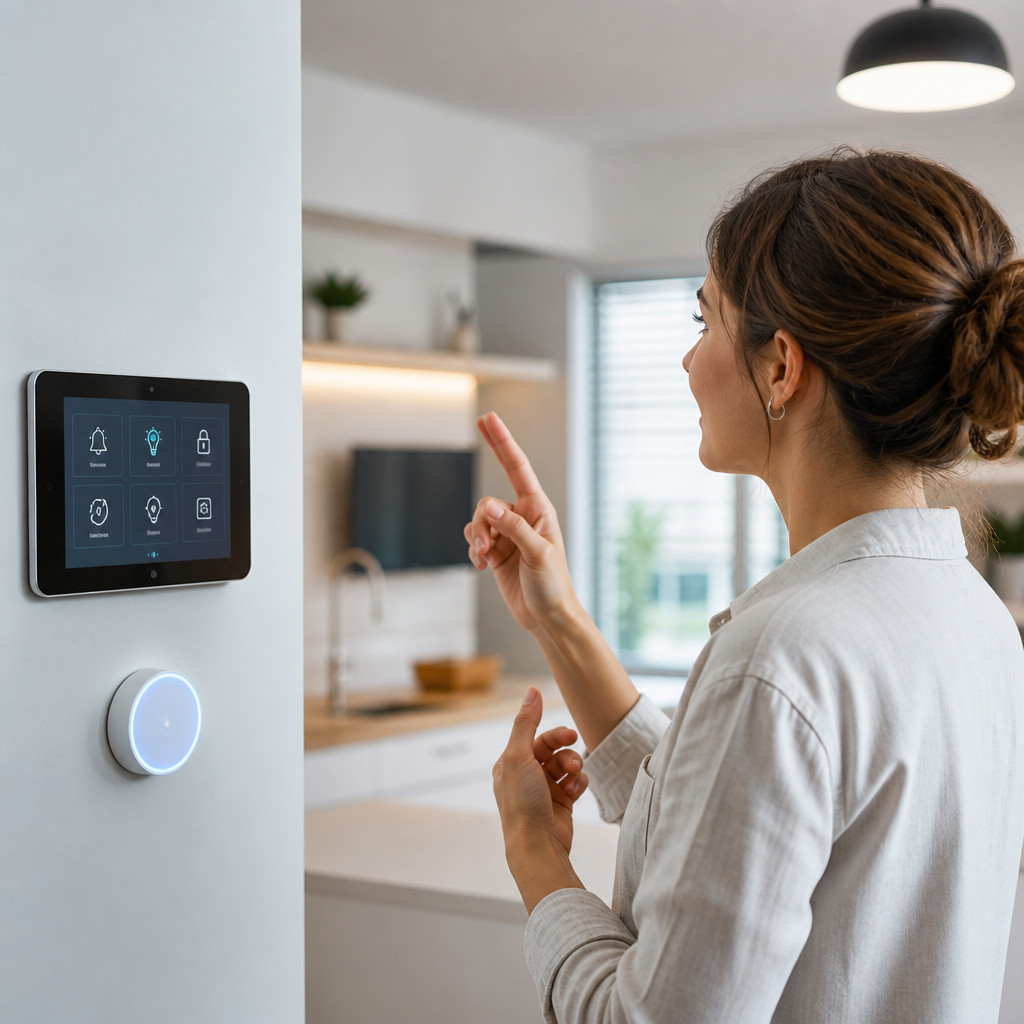
Smart home technology is reshaping deaf accessibility by turning everyday household systems into clear, customizable communication tools. For deaf and hard of hearing people, accessibility at home is not a luxury feature layered onto convenience devices; it is a practical requirement tied to safety, independence, comfort, and equal participation in daily life. In this context, smart home technology includes internet-connected devices, automated controls, sensors, visual alert systems, and app-based management tools that help residents receive information without relying on sound alone. Assistive technologies, a broader category, include any hardware or software that reduces communication barriers, from captioning platforms and video doorbells to vibrating alarms and wearable notification devices. When these tools are planned well, they create an environment where missed sounds no longer mean missed information.
I have seen this shift clearly in real home setups. Ten years ago, many deaf households relied on separate products for every need: a flashing doorbell, a bed shaker alarm clock, a standalone baby cry signaler, and a pager system for smoke alerts. Those products still matter, and many remain excellent. What has changed is integration. A modern smart home can connect a video doorbell, smart lights, indoor cameras, smart speakers with screens, phone notifications, smartwatch vibrations, and automated routines into one coordinated system. If someone presses the front doorbell, hallway lights can flash blue, a phone can display the camera feed, and a smartwatch can vibrate at the same time. That combination reduces uncertainty and speeds response.
This matters because hearing loss affects more than conversations. It affects awareness of visitors, appliance timers, emergency alarms, package deliveries, weather alerts, and the subtle cues that hearing people absorb automatically. According to the World Health Organization, more than 1.5 billion people worldwide live with some degree of hearing loss, and hundreds of millions have disabling hearing loss. Home design and consumer technology have not always centered those users. Smart home tools can close that gap when they are chosen for accessibility first, not novelty first. The best systems translate audio events into visual, tactile, and text-based information that can be understood immediately.
For a sub-pillar hub on assistive technologies, the key point is simple: smart home accessibility is an ecosystem. No single product solves every problem. Instead, the strongest setup combines alerting devices, communication tools, environmental controls, and safety systems. It also leaves room for future additions such as remote caregiving tools, AI-powered transcription, and interoperable platforms built on standards like Matter. Understanding how these categories work together helps families, caregivers, and deaf users invest in tools that genuinely improve daily life rather than adding another disconnected gadget.
Core smart home functions that improve deaf accessibility
Smart home technology supports deaf accessibility by converting sound-dependent information into accessible signals. The most important functions are alerts, monitoring, communication, automation, and control. Alerts cover events such as a doorbell press, smoke alarm activation, severe weather notice, or washing machine cycle completion. Monitoring includes live and recorded video from doorbells, indoor cameras, and baby monitors. Communication tools include text, captions, speech-to-text apps, and video calling. Automation lets devices trigger one another without manual input. Control means the user can manage the system from a phone, tablet, wall panel, or wearable.
A practical example is a connected entry system. A video doorbell from Ring, Nest, or Eufy can send an instant video alert to a smartphone when motion is detected or when a visitor presses the button. For a deaf resident, this is more useful than an audible chime because it provides both notice and context. The resident can see whether the visitor is a neighbor, a courier, or an unknown person. If paired with a smart display, the camera feed can appear automatically in the kitchen or living room. If paired with smart lighting through Alexa, Google Home, Apple Home, SmartThings, or Home Assistant, lights can flash in a selected color. That layering of signals is what makes the technology accessible.
Lighting automation deserves special attention because it is one of the most effective visual notification methods. Smart bulbs and switches from Philips Hue, Lutron, or TP-Link Kasa can flash or change color when a trigger occurs. In homes I have assessed, users often assign different colors to different events: red for smoke or emergency, blue for the door, yellow for a baby monitor alert, and green for a completed appliance cycle. Color coding reduces cognitive load. Instead of checking an app every time something happens, the user learns the meaning instantly.
Wearables add a second channel of access. Apple Watch, Samsung Galaxy Watch, and some Fitbit models can mirror app notifications with vibration patterns. This matters at night, outdoors, or in rooms where lights are not visible. Vibration does not replace a dedicated bed shaker for emergency alerts, but it adds redundancy. Redundancy is essential in accessible design because no single method works in every situation. Bright daylight can make a light flash less noticeable. A phone in another room can be missed. A smartwatch battery can die. Good systems assume this and provide overlapping signals.
Safety technologies: smoke alarms, weather alerts, and emergency awareness
The highest-value assistive technologies in a smart home are safety devices. Fire safety is the clearest example. Standard smoke alarms are not fully accessible for deaf users if they rely primarily on sound. The National Fire Protection Association recommends smoke alarms in every bedroom, outside each sleeping area, and on every level of the home, but placement alone does not solve accessibility. Deaf households typically need alarms with high-intensity strobe lights and, in many cases, a bed shaker that activates during the night. Brands such as Kidde, First Alert, and specialized accessibility suppliers offer compatible products, though interoperability varies and should be checked carefully before purchase.
Smart smoke and carbon monoxide alarms add remote awareness. Google Nest Protect, for example, can send smartphone alerts identifying both the hazard type and location. That level of specificity is useful because it answers the first question a resident has during an emergency: what happened, and where? Some systems can also trigger connected lights to turn on, making evacuation easier. However, not every smart alarm is designed as a complete deaf accessibility solution out of the box. Strobes, bed shakers, and interconnection with existing life safety systems may require additional equipment. Safety compliance should always come before convenience integration.
Weather emergencies are another major issue. Tornado warnings, hurricane alerts, and local emergency notifications often arrive first as sound from television, radio, or sirens. Wireless Emergency Alerts on smartphones help, but they should not be the only method. A robust home setup can route severe weather alerts through multiple channels: phone vibration, smartwatch notification, tablet pop-up, and flashing lights triggered by automation platforms. In regions with tornado risk, I advise treating weather alerts the same way as fire alerts: use more than one notification path and test the setup regularly.
Security systems also support accessibility when configured properly. Smart locks, door and window sensors, and camera-based motion alerts help residents know what is happening without listening for a latch, knock, or alarm chirp. Systems from SimpliSafe, Ring Alarm, Abode, and ADT Self Setup can provide app-based alerts, though the quality of accessibility features varies. The critical requirement is direct, unambiguous notification with minimal delay. A silent push notification buried among social media alerts is not enough. Priority alerts, custom automations, and clearly labeled sensor zones make the system truly usable.
Communication, access, and daily living tools
Many of the best smart home tools for deaf accessibility are not marketed primarily as disability products. They become assistive technologies through configuration. Smart displays such as Amazon Echo Show, Google Nest Hub, and Apple devices with FaceTime can support sign-based communication, quick messaging, live camera views, and visual reminders. Tablets mounted in shared spaces can function as communication boards for families, caregivers, and visitors. In multigenerational households, that reduces friction because everyone can see instructions, appointments, or task updates in one place.
Speech-to-text tools also play a growing role at home. Apps such as Ava, Live Transcribe on Android, Otter, and built-in captioning features on modern phones and tablets can convert spoken language into readable text during in-person conversations. In a home service scenario, for example, a plumber explaining a repair or a delivery worker asking for a signature can communicate more efficiently through real-time transcription. Accuracy depends on microphone quality, background noise, and accents, but the technology is now strong enough to be practical for many daily exchanges.
Captioning remains foundational. Televisions, streaming devices, and video platforms should be configured for closed captions by default. This sounds basic, but it is often overlooked during broader smart home planning. Accessibility improves most when routine settings are standardized across the home. If one television uses captions, another does not, and a third buries the setting three menus deep, the system creates friction. Consistent setup matters. The same principle applies to video calling tools. Platforms used for family communication should support clear video quality, reliable camera framing for sign language, and simple screen access for older users.
Appliance alerts are another underused area. Smart washers, dryers, ovens, and robot vacuums increasingly send status notifications through apps. For hearing users, end-of-cycle beeps are background information. For deaf users, they may be inaccessible unless translated into text, vibration, or light. This is a good example of why mainstream smart devices can serve assistive purposes. A laundry notification on a phone may save repeated trips to check the machine. An oven timer that flashes kitchen lights can prevent missed cooking steps. Small efficiencies add up to greater autonomy.
| Assistive need | Smart home solution | Practical example |
|---|---|---|
| Visitor awareness | Video doorbell plus flashing lights | Doorbell press triggers hallway lights and phone video feed |
| Nighttime emergency alerts | Strobe alarm plus bed shaker | Smoke detection wakes sleeping resident without sound |
| Conversation access | Speech-to-text app on tablet | Contractor instructions appear as live text during home repair |
| Appliance status | Smart appliance notifications | Washer cycle completion appears on smartwatch and phone |
| Child monitoring | Camera and sensor-based baby alert | Movement or crying event sends visual alert to parent |
Planning an accessible smart home system that actually works
The best accessible smart homes are designed around routines, not products. Start by identifying critical moments when sound carries important information: sleeping, showering, cooking, receiving visitors, caring for a child, and responding to emergencies. Then map each moment to at least two accessible outputs, usually visual and tactile. For instance, a door alert might use both a light flash and a smartwatch vibration. A fire alert might use a strobe, bed shaker, and phone notification. This approach is more reliable than buying devices one by one and hoping they fit together later.
Platform compatibility is the next issue. Matter is improving interoperability across brands, but not every accessibility device supports it yet. Some specialized alerting systems use proprietary hubs, while mainstream smart devices may work best in Apple Home, Google Home, Amazon Alexa, SmartThings, or Home Assistant. In my experience, Home Assistant offers the deepest customization, especially for advanced automations, but it requires more technical confidence. SmartThings often provides a strong middle ground. For households that want simple setup, staying within one mainstream ecosystem can reduce troubleshooting, even if it limits flexibility.
Internet reliability also matters. Many cloud-based automations fail when broadband goes down. For life safety functions, local processing or dedicated alert hardware is preferable. A bed shaker connected directly to an alarm transmitter is more dependable during the night than a chain of internet services passing through a router, cloud server, and phone app. This is the central tradeoff in smart accessibility: convenience and integration are valuable, but critical alerts must still work during outages, dead batteries, or app failures.
Cost is another realistic consideration. A strong setup can be built in phases. Phase one should cover life safety and entry awareness: smoke and carbon monoxide alerts, a bed shaker or strobe solution, and a video doorbell. Phase two can add smart lighting automations and wearables. Phase three can expand into appliances, cameras, and centralized control dashboards. Some health plans, vocational rehabilitation programs, disability organizations, or local assistive technology projects may help fund specific devices, especially when they are tied to safety or independent living goals. It is worth checking state assistive technology programs and nonprofit lending libraries before paying retail for every item.
Testing is the final requirement. Every alert should be tested in real conditions: while asleep, while outside, while the phone is on silent, and while lights are already on. Accessibility is not theoretical. If a user misses three out of ten alerts in common scenarios, the system needs redesign. That may mean brighter strobes, stronger vibration, clearer color coding, or fewer low-priority notifications competing for attention.
The future of assistive technologies in connected homes
Smart home accessibility is improving because consumer technology and disability-centered design are finally intersecting. AI-powered recognition can already label sounds such as a dog bark, baby cry, siren, or knock and convert them into notifications. Phones from Apple and Google include sound awareness features, and dedicated apps extend that concept. Better automatic captions, lower-latency transcription, and more reliable multilingual support are making communication tools more useful inside the home. At the same time, camera quality, battery efficiency, and local device processing continue to improve.
The next major gains will come from standardization and customization. Standardization means devices from different brands working together without complicated workarounds. Customization means each user defining exactly how alerts appear, where they appear, and how urgent they feel. Deaf accessibility is not one-size-fits-all. A signer living alone, an oral deaf professional, a late-deafened older adult, and a deaf parent caring for hearing children may need very different configurations. The strongest smart home systems respect those differences instead of forcing a generic template.
The core takeaway is clear: smart home technology supports deaf accessibility when it translates sound-based events into dependable visual, tactile, and text-based information. The most effective assistive technologies combine safety devices, communication tools, monitoring systems, and automation into one coordinated environment. If you are building or upgrading a home setup, start with emergency alerts and entry awareness, then expand to daily living tools that reduce friction and increase independence. Review the assistive technology options in each category, test them in real life, and create a system that fits the way you actually live.
Frequently Asked Questions
1. How does smart home technology improve accessibility for deaf and hard of hearing people?
Smart home technology improves accessibility by translating important household events into visual, tactile, and app-based notifications that are easier to notice and act on without relying on sound. For deaf and hard of hearing people, this can include flashing light alerts for a doorbell, phone call, baby monitor, alarm, or appliance signal, as well as smartphone notifications, smartwatch vibrations, and automated routines that provide multiple layers of awareness throughout the home. Instead of depending on a traditional audible cue, smart systems can connect sensors, cameras, lights, and mobile apps so that a single event triggers a customized response.
This matters because accessibility at home is closely tied to independence, safety, and everyday confidence. A person should be able to know when someone is at the door, when a child needs attention, when smoke is detected, or when a washing machine cycle ends without having to constantly monitor every device manually. Smart home tools help reduce that burden by making communication clearer and more immediate. They also allow users to personalize how alerts are delivered in different rooms, at different times of day, and for different levels of urgency. In that way, smart home technology supports a home environment that is not just more convenient, but more equitable and responsive to real communication needs.
2. What smart home devices are most useful for deaf accessibility?
The most useful smart home devices for deaf accessibility are typically the ones that improve awareness, safety, and day-to-day communication. Smart doorbells with video and motion detection are especially valuable because they allow users to see who is at the door and receive instant notifications on a phone, tablet, smartwatch, or smart display. Smart lighting systems are another major accessibility tool because they can be programmed to flash, change color, or turn on in response to specific events such as a visitor arriving, an alarm going off, or a timer ending. Smart speakers and displays can also be useful when paired with text-based controls, caption-supporting features, and visual routines.
Other highly practical devices include smart smoke and carbon monoxide detectors, smart security cameras, vibration-enabled wearables, smart plugs, and connected sensors for doors, windows, and appliances. For example, a smart sensor can notify someone when a door opens, while a connected camera can provide a real-time visual check of what is happening in another room. Smart thermostats, blinds, and locks also support independence by making routine home management easier through app control rather than relying on spoken or audio-based interaction. The best setup usually combines several tools into one integrated system so alerts can be delivered in more than one format. That layered approach is what makes a smart home especially effective for deaf accessibility.
3. Can smart home technology help with emergency alerts and household safety?
Yes, one of the most important benefits of smart home technology is its ability to strengthen emergency awareness and household safety for deaf and hard of hearing users. Traditional safety systems often depend heavily on loud alarms, which may not be effective on their own. Smart safety devices can add visual flashing alerts, push notifications, live camera access, vibration alerts through wearables, and automation routines that activate instantly during an emergency. For example, a smart smoke detector can send an alert to a phone, trigger lights throughout the house to flash, and notify household members remotely at the same time.
This kind of multi-channel alerting is critical because it increases the likelihood that an emergency signal will be noticed quickly, whether someone is sleeping, in another room, or wearing headphones. Smart technology can also support safer daily living beyond major emergencies. Water leak sensors can warn of flooding, security systems can show who is outside before opening a door, and smart locks can improve control over household access. While no technology should be viewed as a complete substitute for a well-planned safety strategy, smart home systems can significantly reduce communication gaps that might otherwise delay response time. For many users, that added awareness can make the home feel more secure, predictable, and manageable.
4. Are smart home systems customizable for different communication preferences and levels of hearing loss?
Yes, customization is one of the biggest reasons smart home technology is so effective for accessibility. Deaf and hard of hearing people are not a single group with identical needs, so a one-size-fits-all setup is rarely ideal. Some users may prefer bright visual alerts in multiple rooms, while others may depend more on vibration through a smartwatch or wearable device. Some may want color-coded light signals for different events, such as one color for the doorbell and another for smoke detection, while others may prioritize text notifications on a smartphone. Smart home systems make it possible to tailor these responses to personal routines, home layouts, and communication preferences.
This flexibility also helps households with multiple residents. A system can be configured so one person receives phone notifications, another gets smartwatch vibrations, and shared household lights activate for critical alerts. Routines can be adjusted for daytime and nighttime use, and users can often decide which notifications are urgent enough to trigger larger signals. That level of control is important because accessibility should support comfort as well as functionality. A well-designed smart home setup does more than add technology to a space; it adapts the environment to the person using it. The result is an accessible home experience that feels practical, empowering, and sustainable over time.
5. What should someone consider before setting up a smart home for deaf accessibility?
Before setting up a smart home for deaf accessibility, it is important to start with actual daily needs rather than buying devices based only on popularity or convenience marketing. A good first step is identifying which household events need clearer alerts, such as the doorbell, smoke alarm, baby monitor, phone calls, timers, appliance cycles, or security notifications. From there, it helps to think about where alerts should appear, whether through lights, screens, phone notifications, or wearable vibrations. The goal is to create a system that improves awareness in the moments that matter most, not just to add more connected devices.
It is also important to consider compatibility, ease of use, reliability, and long-term flexibility. Devices that work well together in one ecosystem are generally easier to automate and manage. Battery backup, internet dependency, app quality, and accessibility of the controls themselves should all be part of the decision. For example, a powerful alert system is less useful if the app is difficult to navigate or if key features are hidden behind audio-first interfaces. Budget matters too, and many people build an effective system gradually, starting with high-priority tools like visual doorbell alerts and smart smoke detectors before expanding into broader automation. The most successful setup is usually the one that is clear, dependable, and designed around real communication needs in the home.





