
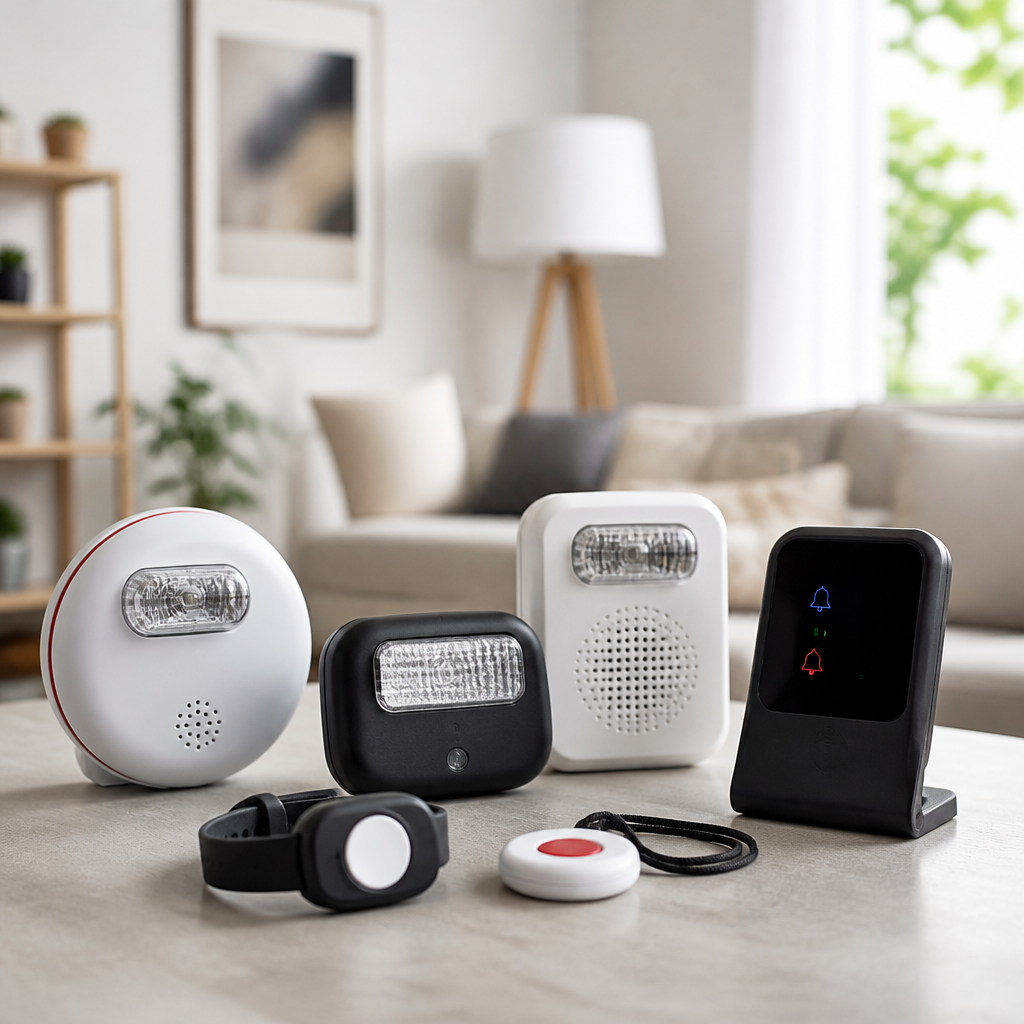
Best alerting devices for home use help deaf and hard of hearing people notice doorbells, smoke alarms, crying babies, phone calls, and other household events through flashing lights, vibration, app notifications, and smart integrations. In practical terms, an alerting device converts sound into another signal you can reliably detect. I have installed these systems in apartments, single-family homes, and multigenerational households, and the difference they make is immediate: missed visitors drop, nighttime safety improves, and routines become less stressful. This category sits at the center of assistive home technology because it touches security, independence, sleep, caregiving, and emergency response all at once.
For home buyers and renters, the challenge is not finding a product but choosing the right type. Some devices are standalone, such as a vibrating alarm clock with a bed shaker. Others are networked systems that pair transmitters with receivers placed around the home. Newer options also connect with smartphones, smart speakers, and automation platforms. The best choice depends on hearing level, home size, sleeping habits, who lives there, whether internet service is dependable, and which alerts matter most. A studio apartment may only need a combo alarm clock and door sensor, while a two-story house may need linked smoke detectors, multiple strobes, a portable pager, and app-based monitoring.
This hub covers product reviews and comparisons for home alerting devices across the most important use cases. It also acts as a starting point for deeper articles on specialized categories, including bed shakers, visual smoke alarms, video doorbells, baby cry monitors, and smart home routines. Throughout this guide, I focus on what actually matters in day-to-day use: signal reliability, setup complexity, battery backup, false alerts, range claims versus real performance, and whether a device continues working during Wi-Fi outages. Those details separate a product that looks good in a listing from one that protects you at 2 a.m.
Before reviewing device types, define the core terms. A transmitter detects an event, such as a doorbell press or smoke alarm sound. A receiver delivers the alert through a strobe, vibration, or notification. A bed shaker is a vibrating puck placed under a mattress or pillow. A smart alerting device usually sends signals through Wi-Fi, Bluetooth, RF, or a hub. Interconnected alarms share signals with other units so one activation can trigger alerts throughout the home. These distinctions matter because each has strengths and limitations. If you understand them, you can build a system that is dependable rather than piecemeal.
What to look for in the best alerting devices for home use
The best alerting devices for home use are the ones you will notice every time, in every room, under real conditions. Start with alert modality. Flashing lights work well when you are awake and in line of sight. Vibration is strongest for sleeping. Mobile notifications are useful outside the home or when you move room to room, but they should support rather than replace dedicated safety hardware. In my testing, households that rely only on phone alerts often miss urgent events because phones are silenced, charging elsewhere, or disconnected from the network.
Next, evaluate range and signal path. RF-based systems from accessibility brands often outperform consumer smart gadgets in older homes with plaster walls, metal doors, and detached garages. Wi-Fi products can be excellent, especially for cameras and app alerts, but they depend on router placement and internet stability. Also check power redundancy. Smoke and carbon monoxide alerting solutions should have battery backup or sealed long-life batteries. Bed shakers and receivers should resume normal operation after outages without complicated resetting.
Ease of setup matters more than many reviews admit. A strong product uses clear pairing procedures, large indicators, and accessible instructions. Distinctive alert patterns are equally important. If every event triggers the same flash or vibration, users cannot quickly tell the difference between a visitor and a safety hazard. Better systems assign unique colors, flash counts, or vibration cadences. Finally, consider portability. A wearable pager, travel clock, or secondary receiver can make a home system more useful than a single premium device fixed to one room.
Top categories reviewed and how they compare
When readers ask which category deserves priority, I usually answer with a sequence: life safety first, sleep second, entry alerts third, convenience alerts fourth. That order reflects risk. If your smoke alarm cannot wake you, no doorbell feature compensates for it. If you miss medication reminders or baby cries at night, sleep technology becomes essential. Once those basics are solved, add front-door awareness, phone notifications, and package monitoring.
| Category | Best for | Main signal type | Key buying note |
|---|---|---|---|
| Smoke/CO alerting systems | Emergency safety | Strobe, vibration, linked alarms | Choose listed devices with battery backup and whole-home coverage |
| Alarm clocks with bed shakers | Waking and nighttime alerts | Vibration, flash, loud tone optional | Check shaker strength, backup battery, and display visibility |
| Doorbell and entry alert systems | Visitors and deliveries | Strobe, pager, app, camera video | Consider renters’ installation limits and porch Wi-Fi strength |
| Phone and mobile alert devices | Calls and messages | Flash, vibration, app relay | Confirm compatibility with your phone and carrier setup |
| Baby cry and household sound monitors | Caregiving | Pager, strobe, smartwatch/app | Test false alerts from fans, TVs, and white-noise machines |
This structure is useful because most households do not need every product at once. Instead, they need a path. A renter might begin with a bed shaker clock and a video doorbell with app alerts. A homeowner might install interconnected alarms and a dedicated receiver network first. Families with children often elevate baby cry alerting above package alerts or landline accessories. By comparing categories before brands, you avoid paying for features that do not solve your biggest problem.
Best smoke, carbon monoxide, and emergency alerting solutions
Emergency alerting deserves the most scrutiny because failure has the highest consequence. For deaf and hard of hearing users, the benchmark is simple: a triggered alarm must produce an unmistakable signal while you are asleep, showering, or in another room. In the United States, look for products aligned with recognized life-safety standards and, where relevant, UL listing for smoke and carbon monoxide devices. ADA-oriented signaling devices and interconnected residential alarms are often the right starting point, but the best setup depends on whether you need a full replacement system or an add-on that listens for existing alarms.
There are three common approaches. First, specialized smoke and CO alarms with integrated high-intensity strobes. These are straightforward and suitable for direct room coverage, but a single unit may not wake a deep sleeper in another bedroom. Second, interconnected alarms that trigger multiple devices at once across the home. This is generally the strongest safety choice because one event activates broad coverage. Third, listening systems that detect the sound pattern of an existing alarm and then trigger a bed shaker or strobe receiver. These can be practical for renters, though placement and sound recognition quality are critical.
In real homes, the most effective nighttime configuration is usually an interconnected smoke/CO system plus a bed shaker receiver in the bedroom. I recommend testing monthly and after router changes, furniture moves, or battery replacement. Do not assume an app notification is enough for fire safety. Apps are secondary. Dedicated physical alert pathways are primary because they work faster and do not depend on whether your phone is nearby, charged, or allowed to bypass Do Not Disturb settings.
Best alarm clocks and bed shakers for reliable waking
Alarm clocks with bed shakers remain one of the most consistently useful purchases in this category. A good unit solves two problems at once: waking on time and receiving selected overnight alerts. The strongest models combine a powerful shaker puck, adjustable vibration intensity, backup battery, bright display controls, and optional strobe output. In side-by-side trials, the difference between weak and strong shakers is not subtle. Mattress type matters too. Dense memory foam can absorb vibration more than traditional innerspring construction, so placement under a pillow or closer to the torso may improve performance.
Trusted brands in this space include Sonic Alert and Serene Innovations, both of which have long track records with accessibility-focused wake-up products. Premium models often include dual alarms, USB charging, extra-loud optional audio for mixed-hearing households, and compatibility with external receivers. For travel, compact vibrating clocks are convenient, but they rarely match the force of full-size bedside units. If waking reliability is the top priority, buy for motor strength first and form factor second.
One point many buyers overlook is alert differentiation at night. If your clock also receives door, baby, or emergency signals, ask whether the vibration pattern changes by source. I have seen households ignore repeated alerts because every event felt identical. Distinct patterns reduce confusion and speed response. Also verify that the clock recovers properly after power loss. The best bedside alerting device is not simply the one with the brightest display; it is the one that still works correctly after a storm at 3 a.m.
Best doorbell, entry, and visitor alert devices
Doorbell and entry alerts are often the first quality-of-life upgrade people notice. Missing a delivery or a guest is frustrating, but the bigger value is awareness. Entry systems help users know when a child comes home, a caregiver arrives, or a door opens unexpectedly. There are two broad categories: dedicated RF doorbell alerting systems and smart video doorbells with mobile alerts. Each has strengths.
Dedicated systems from accessibility manufacturers usually include a doorbell transmitter and one or more receivers with bright flashes, icons, or portable vibration pagers. They are typically easier to notice instantly than a phone notification and may continue working locally even when internet service is down. Smart video doorbells from Ring, Google Nest, and similar brands add live video, package zones, and remote answering. These features are valuable, especially for users who want visual confirmation before opening the door.
The tradeoff is attention and latency. App-based systems can be slower, and they rely on Wi-Fi coverage at the front door. In apartment buildings, network congestion and shared walls can reduce consistency. For that reason, the best setup for many homes is hybrid: use a smart video doorbell for camera functionality and pair it with in-home visual or vibrating alerts through a smart display, routine, or accessory receiver. Renters should also check installation restrictions, battery charging access, and whether adhesive mounts interfere with button responsiveness.
Best phone, baby cry, and smart home alert integrations
Beyond alarms and doors, many households want alerts for calls, intercoms, crying babies, appliance timers, and custom routines. Historically, landline ring signalers and lamp flashers filled this need. Today, smartphone ecosystems, smartwatches, and automation hubs can extend alerting much further. A baby cry can trigger a smartwatch vibration. A laundry cycle can send a flash to a smart bulb. A phone call can prompt a bed shaker relay or bedside strobe, depending on the platform.
For caregiving, baby cry alerting must be tested carefully. Audio sensitivity varies, and false positives from white-noise machines, televisions, or loud HVAC systems are common in cheaper monitors. Camera-based nursery devices with app alerts are often more informative because they combine sound detection with video confirmation, but again, phones are not perfect alert receivers during sleep. In households with infants, I prefer a layered approach: app alert plus wearable vibration plus a dedicated room receiver when possible.
Smart home platforms can be powerful if configured conservatively. Amazon Alexa, Google Home, Apple HomeKit, SmartThings, and IFTTT can all support alert routines through lights, speakers, displays, and sensors, but these routines are convenience automation, not a substitute for listed life-safety hardware. Use them to extend awareness, not to replace essential alarm functions. The best integrations are simple, memorable, and tested monthly: one trigger, one action, one unmistakable result.
How to choose the right system for your home
Start with a home audit. List the events you must never miss, the events you would prefer not to miss, and the rooms where you are most likely to miss them. Then map each event to the best signal type. Sleeping usually means vibration. Daytime movement often favors flashing lights plus phone backup. Large homes may need multiple receivers or repeaters. Renters should prefer portable or adhesive solutions, while homeowners can justify permanent interconnected installations.
Budget matters, but buying the cheapest device in each category usually costs more over time. Mixed systems can create pairing headaches, duplicate alerts, and maintenance confusion. If possible, choose a primary ecosystem for non-emergency alerts and keep emergency equipment purpose-built. Ask practical questions: Who changes batteries? What happens during internet failure? Can a guest or older relative understand the signals? Can the system expand later?
This hub on product reviews and comparisons is designed to help you answer those questions category by category. The main takeaway is straightforward: the best alerting devices reviewed for home use are not defined by marketing claims but by dependable detection, unmistakable signaling, and fit with your home’s real routines. Build from safety outward, test every device in context, and upgrade weak links before adding extra features. If you are comparing your next purchase, start with smoke and sleep alerts, then move to doors, caregiving, and smart integrations.
Frequently Asked Questions
What is an alerting device for home use, and how does it work?
An alerting device is designed to help deaf and hard of hearing people notice important sounds in the home by converting them into signals that are easier to detect. Instead of relying on sound alone, these systems use bright flashing lights, bed shakers, wearable vibration, smartphone notifications, or a combination of all four. In real-world use, that means a doorbell can trigger a lamp to flash, a smoke alarm can activate a powerful strobe and bed shaker, a baby crying can send an alert to a receiver, and a phone call can appear as a vibration or app notification.
Most home alerting systems work through one of two approaches. Some use dedicated transmitters and receivers, where a sensor “listens” for a specific event and sends a signal to one or more receivers placed around the home. Others connect through Wi-Fi, Bluetooth, or smart home platforms and send alerts through apps, smart bulbs, speakers, or wearable devices. The best models are reliable, easy to set up, and flexible enough to cover multiple events at once. The key idea is simple: an alerting device translates sound into a visual, tactile, or mobile alert you can notice quickly and consistently, whether you are awake, asleep, in another room, or wearing hearing devices or not.
Which types of alerting devices are most useful in a home setting?
The most useful alerting devices for home use usually cover the sounds that matter most for safety, communication, and daily routine. For most households, the priority list includes smoke and carbon monoxide alerts, doorbell alerts, phone call notifications, baby-cry monitoring, and general household sound notifications. Safety devices should always come first. A smoke alarm alert system with a strong strobe and bed shaker is one of the most important purchases because it helps make sure nighttime emergencies are not missed. Doorbell alert systems are also extremely practical, especially in apartments and busy homes where visitors, deliveries, and service calls can otherwise be missed.
Phone signalers and mobile-connected alerting devices are helpful for people who do not want to miss calls or messages, especially if they spend time away from one room or move frequently around the house. Baby-cry alerting devices are especially valuable for parents and caregivers, giving extra reassurance through vibration, light, or app-based monitoring. In larger or multigenerational households, multi-room systems tend to perform best because they can send the same alert to several receivers at once. That means one event can trigger a flashing lamp in the living room, a vibrating receiver in a bedroom, and a mobile alert to a phone. The best choice depends on the layout of the home, the number of people who need to be notified, and whether the user prefers dedicated hardware, smart home integration, or a mix of both.
What features should I look for when comparing the best alerting devices reviewed for home use?
When comparing alerting devices, reliability should be your top concern. The best system is not necessarily the one with the most features; it is the one that delivers clear, unmistakable alerts every time. Look first at what events the device can monitor, such as smoke alarms, doorbells, phones, baby cries, or knocking. Then evaluate how the alert is delivered. A strong system should offer signals that are easy to distinguish and hard to ignore, such as bright high-intensity flashes, strong vibration, and customizable app notifications. For overnight use, a bed shaker is especially important because it can wake someone who may not notice visual alerts while sleeping.
Range and expandability also matter. In a small apartment, a single receiver may be enough. In a multi-story home or a household with several family members, you may need multiple receivers or repeaters to ensure dependable coverage. Battery backup is another major feature to prioritize, especially for safety-related alerts during power outages. If you are considering a smart system, check whether it works with platforms you already use, such as smart bulbs, smart speakers, or phone-based automation. Ease of setup, low-maintenance operation, and clear differentiation between alerts are also worth paying attention to. For example, some systems let you assign a unique flash pattern or vibration pattern to different events, making it easier to know instantly whether someone is at the door, the baby is crying, or a smoke alarm has gone off. A well-designed alerting system should feel dependable, intuitive, and easy to live with every day.
Are smart home alerting devices better than traditional dedicated alert systems?
Smart home alerting devices can be excellent, but they are not automatically better than traditional dedicated systems. The right choice depends on how much reliability, customization, and simplicity you need. Dedicated alert systems are often preferred for critical household notifications because they are purpose-built and tend to be straightforward to operate. Many do one job very well: detect an event and send a strong alert to a receiver. They can be a great fit for users who want dependable performance without needing to manage apps, Wi-Fi settings, software updates, or automation routines.
Smart home systems, on the other hand, can offer much more flexibility. They may allow alerts to be routed through smartphones, smartwatches, connected lights, smart displays, and home automation platforms. That can be especially useful for people who want alerts wherever they are in the house, or even when away from home. The tradeoff is that smart systems can introduce more points of failure, including internet interruptions, app permission issues, device compatibility problems, or delays caused by platform integrations. For many households, the best setup is actually a hybrid one: use dedicated devices for life-safety alerts like smoke and carbon monoxide, and use smart integrations for convenience alerts like doorbells, phone calls, and package deliveries. That approach combines the dependability of specialized equipment with the flexibility of modern connected devices.
How do I choose the best alerting device setup for my home and family?
The best setup starts with identifying which alerts matter most and where they need to be noticed. Begin by thinking through your daily routine. Do you need to know when someone is at the door while you are cooking in the kitchen? Do you need a bed shaker strong enough to wake you during the night if a smoke alarm sounds? Are there children, older adults, or multiple deaf or hard of hearing family members in different rooms? These questions help determine whether a single-device solution is enough or whether you need a whole-home system with multiple receivers and alert types.
Home layout is also a major factor. Apartments may do well with compact systems that cover a front door, phone, and smoke alarm using one or two receivers. Larger homes usually benefit from strategically placed receivers in bedrooms, living areas, and workspaces. In multigenerational households, systems that can send simultaneous alerts to several people are especially valuable. It is also smart to think about how alerts will be received during different situations: awake, asleep, showering, working in a noisy environment, or outside in the yard. The best setups usually layer notifications, such as combining flashing lights with vibration and phone alerts, so there is more than one way to catch an important event. If possible, choose a system that can grow with your needs. Many people start with doorbell and smoke alerts, then add baby monitoring, phone notifications, or smart integrations later. A well-planned setup should improve both safety and peace of mind from day one.





