
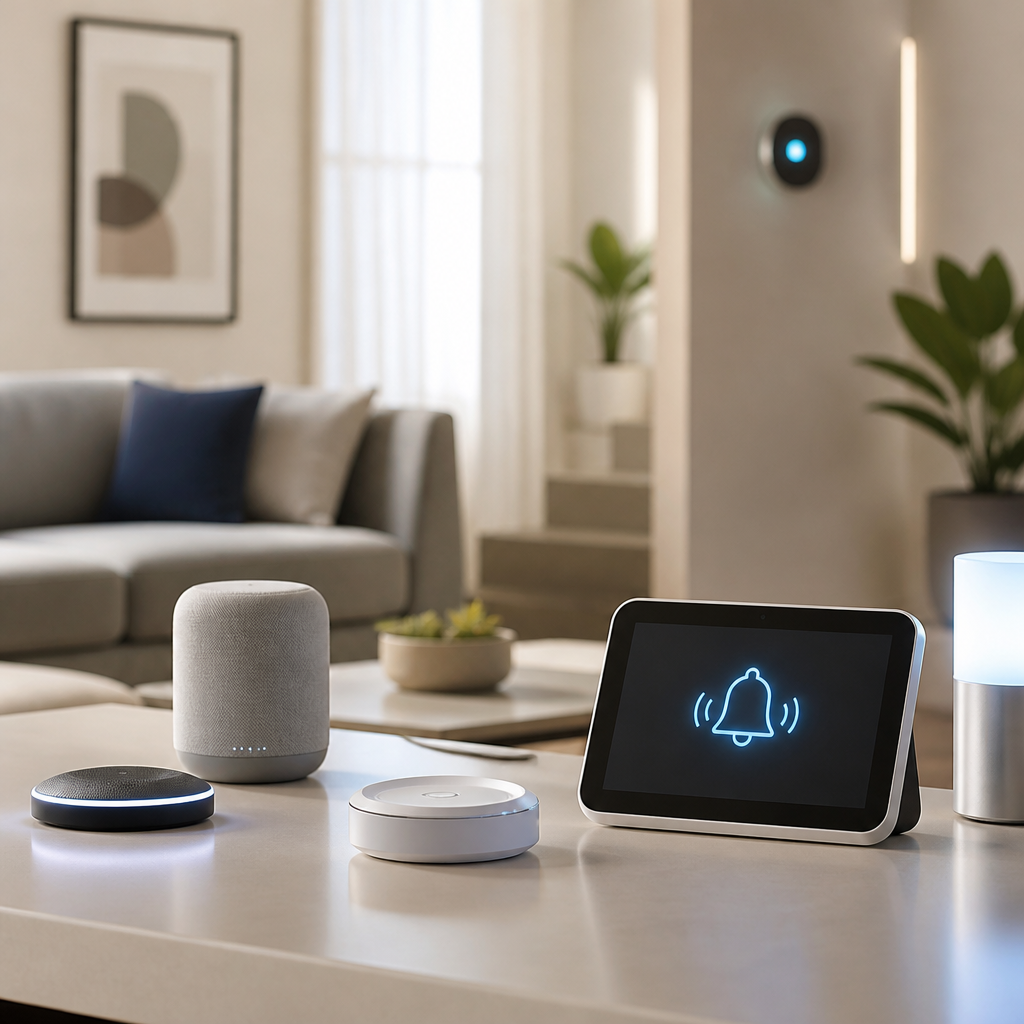
Smart home devices for deaf accessibility turn everyday alerts, controls, and safety systems into visible, tactile, and app-based experiences that support independence at home. For deaf and hard of hearing people, the value of a connected home is not novelty. It is access. A flashing doorbell, a bed shaker tied to a smoke alarm, a camera feed triggered by motion, or a smart display showing live captions can remove barriers that hearing households may never notice. In my work evaluating assistive technology setups, the best results never come from one gadget alone. They come from choosing devices that work together reliably, fit the user’s communication style, and solve specific problems such as missing visitors, alarms, timers, or appliance alerts.
Before comparing products, it helps to define the core categories. Visual alert systems convert sounds into lights or on-screen notifications. Vibration devices use bed shakers, wearable haptics, or phone alerts. Smart security products include video doorbells, cameras, and motion sensors that show what is happening without relying on audio cues. Communication tools include smart displays, caption-enabled calling solutions, and routine automation that sends text-based prompts. Compatibility matters because many households mix mainstream ecosystems such as Amazon Alexa, Google Home, Apple HomeKit, Samsung SmartThings, and Zigbee or Z-Wave hubs with dedicated assistive products from brands like Sonic Alert, Serene Innovations, and Silent Call.
This topic matters because accessibility at home affects safety, autonomy, and peace of mind. According to the National Fire Protection Association, working smoke alarms significantly reduce the risk of death in home fires, but a standard audible alarm may not be enough for a deaf sleeper. Likewise, a missed door knock can mean a missed delivery, visitor, or emergency contact. The strongest smart home setup closes those gaps by layering alerts across light, vibration, and text. This hub reviews the top device types, explains where mainstream products excel, and shows where purpose-built assistive hardware is still essential. If you are building a smart home for deaf accessibility, start by matching devices to daily routines, sleeping arrangements, and the need for backup alerts during internet or power outages.
What to prioritize in smart home devices for deaf accessibility
The best smart home devices for deaf accessibility share five traits: strong visual signaling, dependable notifications, low-latency automation, battery backup where needed, and cross-platform compatibility. In practice, that means a video doorbell should push fast phone alerts and show clear live video, not just record clips after the visitor has gone. A smoke or CO alert should trigger both a strobe and a bed shaker, ideally through a supervised system rather than an improvised routine that fails when Wi-Fi drops. Smart bulbs can be useful for visual signaling, but they are not a substitute for code-compliant life-safety hardware.
Setup complexity is the next filter. Some homes do well with a simple phone-first approach using Ring, Nest, or Arlo apps. Others need a hub because they combine sensors from different brands. I usually recommend starting with one accessibility problem and testing the full alert path. For example, ring the doorbell, confirm the phone vibration arrives, check whether a smartwatch mirrors it, and verify a smart light flash routine runs after dark. Small failures add up. If a camera delays by fifteen seconds, or a platform suppresses critical alerts in sleep mode, the device is not doing its job. Reliable accessibility depends on tested automations, not assumptions.
Best smart doorbells and cameras for visual awareness
For many users, the first purchase should be a smart video doorbell. Ring Video Doorbell models, Google Nest Doorbell, and Arlo Video Doorbell are strong mainstream options because they convert a visitor event into instant visual information. The camera feed answers the core question directly: who is there, and what are they doing? Ring typically offers broad accessory support and easy Alexa integration. Nest excels when paired with Google Home displays, where live view can appear quickly on a Nest Hub. Arlo often stands out for crisp video and smart object detection, especially when users want package, person, and motion distinctions.
Each platform has tradeoffs. Ring’s best experience may require a subscription for extended history and rich notifications. Nest’s newer features work best inside the Google ecosystem. Arlo can be excellent, but multiple cameras plus cloud plans can become expensive. For deaf accessibility, the deciding factor is usually not image quality alone. It is whether the system provides immediate, repeated, and unmistakable alerts. I advise enabling push notifications, motion zones, and smart display announcements, then adding visual reinforcement with a hallway lamp routine after sunset. Indoor cameras can also help when someone is in another room and cannot hear an intercom, a baby monitor, or a knock at a side door.
| Device type | Top picks | Best for | Main limitation |
|---|---|---|---|
| Video doorbell | Ring, Nest, Arlo | Visual visitor awareness | Cloud features may require subscription |
| Indoor camera | Eufy Indoor Cam, Arlo Essential Indoor, Nest Cam Indoor | Monitoring another room visually | Privacy setup needs careful review |
| Outdoor camera | Arlo Pro, Ring Spotlight Cam, Nest Cam | Motion alerts and entry monitoring | Battery charging or wiring decisions |
| Smart display | Echo Show, Nest Hub | On-screen live view and routines | Captions and app behavior vary by service |
Critical safety devices: smoke, carbon monoxide, and emergency alerts
Life-safety devices deserve the most careful buying decisions. If a person cannot hear alarms while asleep, the gold standard is a dedicated alerting system with a bed shaker and high-intensity strobe tied to smoke and carbon monoxide detection. Brands such as Silent Call and Sonic Alert have long served this need. Their products are designed around supervised signaling rather than casual convenience automation. That distinction matters because fire safety is regulated, and local building codes may require interconnected alarms that meet UL standards. Mainstream smart detectors like Google Nest Protect can send phone alerts and spoken status updates, but they do not replace specialized nighttime awakening equipment for every user.
A practical setup often combines both worlds. Use code-compliant smoke and CO alarms installed to standard, then connect or pair them with an assistive alert receiver that activates strobes and vibration. If you rent or live in multifamily housing, ask the landlord or property manager about accessible alarm accommodations. In the United States, local requirements may intersect with the Fair Housing Act and ADA-related obligations in certain settings. Test monthly, replace backup batteries on schedule, and document how alarms behave during power or internet loss. I have seen homes with beautiful app dashboards that failed the simplest overnight test because the phone was on silent and the Wi-Fi router rebooted slowly after an outage.
Smart lighting, plugs, and routines that create visual cues
Smart lighting is one of the most flexible tools for deaf accessibility because it can turn a sound event into an environmental signal seen from across a room. Philips Hue remains the benchmark when users want reliable bulbs, low-latency response, and deep automation support. With a Hue Bridge, lights can flash or change color in response to motion, doorbell presses, calendar reminders, or custom scenes. LIFX bulbs can be excellent where brighter color output is needed without an extra hub, while TP-Link Kasa smart plugs and switches offer affordable ways to trigger lamps and appliances. The goal is not decoration. It is creating distinct visual language inside the home.
For example, I often assign colors by event: red flash for urgent alerts, blue for exterior motion, green for a timer or laundry completion, and warm white pulse for a visitor. This reduces confusion when multiple devices notify at once. Smart plugs also help users who prefer lamp-based signals over overhead lighting, especially in bedrooms or small apartments. The main limitation is that most consumer automations depend on internet services or cloud-to-cloud integrations. If the routine is mission critical, keep the chain short and local where possible. SmartThings, Hubitat, and Home Assistant can improve reliability by handling many automations within the home rather than waiting on remote servers.
Displays, assistants, and communication tools that reduce friction
Smart displays can be surprisingly helpful for deaf households because they bring notifications, camera feeds, typed prompts, and visual routines into shared spaces. The Amazon Echo Show line and Google Nest Hub are the strongest picks. They can show who is at the door, display timers, surface reminders, and act as central control panels. For families with mixed hearing levels, these displays reduce reliance on shouted communication. A typed announcement, a routine card, or a live camera tile can replace a missed spoken cue. Speech recognition is not the main attraction here. The real benefit is visible information presented persistently in the room rather than buried in a phone.
Caption support is still inconsistent across services, so buyers should verify exact behavior before committing. For media, platforms such as Netflix, YouTube, and most major streaming apps support closed captions, but menu navigation, live content, and third-party skills vary. For calls, many deaf users will still prefer relay services, real-time text, or video relay over smart display calling features. That is normal. Mainstream communication tools are useful complements, not replacements for dedicated accessible communication services. If the home includes aging relatives, consider tablets mounted in fixed spots with large-text messaging, shared calendars, and camera shortcuts. Those simple visual interfaces often get used more consistently than advanced voice features.
Building a complete accessible smart home system
The best accessible setup usually follows a layered model. First layer: dedicated safety alerts for smoke, CO, and severe nighttime notification using strobes and bed shakers. Second layer: security awareness through video doorbells, cameras, smart locks, and motion sensors. Third layer: convenience alerts through lights, displays, watches, and phones. Fourth layer: automation and backup planning through a hub, battery backups for internet equipment, and written testing routines. This structure prevents a common mistake: expecting one app or one speaker to solve every problem. It will not. Accessibility improves when each category has a clear role and when critical alerts do not depend on the same single point of failure.
For shoppers comparing ecosystems, choose based on the household’s strongest daily need. If visitors and package alerts matter most, start with a doorbell and display in either the Alexa or Google Home ecosystem. If visual cues around the house are the priority, Philips Hue plus a robust hub may deliver the best experience. If nighttime safety is the concern, invest first in purpose-built alerting hardware from established assistive brands and confirm code compliance. Then add mainstream smart devices around that foundation. As you build this product review and comparison hub into your own shortlist, focus on tested reliability, visible and tactile redundancy, and compatibility across the devices you already own. Start with one high-impact problem, solve it completely, and expand from there.
Frequently Asked Questions
What are the most useful smart home devices for deaf accessibility?
The most useful smart home devices for deaf accessibility are the ones that convert important household events into visual, tactile, and app-based alerts. In practice, that usually starts with a video doorbell that sends motion and visitor notifications to a phone or smart display, smart lights that can flash in response to certain triggers, and smoke or carbon monoxide alarms that connect to bed shakers or mobile alerts. These products help make sure a person does not miss a visitor, an emergency warning, or activity around the home simply because the original alert was sound-based.
Smart cameras are also high-value tools because they provide live video, motion detection, and playback history. Instead of relying on hearing a knock, a chime, or suspicious noise, users can see what happened and when. Smart displays can add another layer of accessibility by showing camera feeds, displaying notifications, and in some cases supporting live captions for calls, announcements, or media. For many households, this creates a more complete communication system throughout the home.
Another category worth prioritizing is automation and routine-based devices. Smart plugs, smart locks, app-controlled thermostats, and centralized hubs can make home management more predictable and more independent. The best setup is usually not a single device, but a connected system where a doorbell triggers flashing lights, a smoke alarm triggers a bed shaker and phone alert, and a camera sends immediate visual confirmation. That combination is what turns a standard smart home into a genuinely accessible one.
How do smart home devices improve safety for deaf and hard of hearing users?
Safety is one of the strongest reasons to invest in smart home accessibility devices. Traditional homes often depend heavily on audible alerts for emergencies and everyday awareness. That can create real risk when alarms, knocks, timers, or warning signals are not easily heard. Smart home devices address this by translating those alerts into other formats, especially bright flashing lights, vibration, push notifications, and on-screen messages. This multi-sensory approach helps ensure that critical information reaches the user quickly and reliably.
One of the clearest examples is a connected smoke or carbon monoxide alarm. In an accessible setup, the alarm can do more than sound a siren. It can flash lights in multiple rooms, activate a bed shaker at night, and send emergency notifications to a smartphone whether the user is at home or away. Some systems can also notify family members or caregivers. That kind of layered alerting is especially important during sleep, when visual notifications alone may not be enough.
Entry awareness is another major safety benefit. Smart doorbells, outdoor cameras, and smart locks allow users to monitor visitors, deliveries, and unexpected activity without depending on hearing a knock or door chime. Motion-triggered video clips and real-time phone alerts can improve both convenience and personal security. Inside the home, automations can help with routine safety too, such as turning on lights when motion is detected at night or sending reminders if a door is left unlocked. Altogether, these devices support safer decision-making by making the home more observable and responsive.
What features should I look for when choosing smart home devices for deaf accessibility?
The best features to look for are the ones that provide reliable alternative alerts and flexible customization. At a minimum, a device should offer strong visual notifications, dependable mobile app alerts, and simple setup with automation platforms. If a product only sends a basic phone notification and cannot connect to lights, shakers, or displays, its usefulness may be limited in real-world accessibility use. Good accessibility devices should help translate sound-based events into multiple forms of awareness, not just one.
Compatibility is especially important. Look for devices that work well with common ecosystems such as Alexa, Google Home, Apple Home, or IFTTT-style automations, depending on your preferences. That compatibility makes it easier to connect a doorbell to smart bulbs, pair alarms with vibration devices, or show camera feeds on a display. Also pay close attention to whether the manufacturer supports routines, scenes, and third-party integrations. The more flexible the ecosystem, the easier it is to build a setup tailored to a specific household.
It is also smart to evaluate practical details such as notification speed, battery backup, internet dependence, camera image quality, night vision, privacy controls, and app usability. For example, if a camera sends delayed alerts, or if an app buries emergency settings in hard-to-find menus, the technology may not perform well when it matters most. For users who rely on captions, displays, or video communication, screen readability and caption quality are important as well. In short, prioritize reliability, customization, and accessibility over novelty features.
Can smart home devices be customized to fit different communication and lifestyle needs?
Yes, and that customization is one of the biggest advantages of modern smart home technology. Deaf and hard of hearing users do not all have the same routines, preferences, or communication styles, so a one-size-fits-all setup rarely works. Some people want bold visual alerts in every room, while others may rely more on smartwatch vibrations, smartphone notifications, or bedside shakers. Smart home systems can often be adjusted to match these needs by changing notification methods, automation rules, alert timing, and device placement.
For example, one household might create a routine where the front porch camera triggers a kitchen display and flashes entryway lights only after sunset. Another might set a nursery camera to send vibration alerts to a wearable device while also displaying a live feed on a bedside screen. Emergency alerts can be configured differently from convenience alerts, with stronger, more persistent notifications for smoke alarms and more subtle app alerts for package deliveries or routine motion. This level of control can reduce alert fatigue while still keeping the most important information impossible to miss.
Customization also matters for family households with mixed hearing levels. A smart home can be designed so that hearing and deaf family members each receive alerts in ways that work best for them. Audible chimes, visual cues, captions, and haptic feedback can all exist together in one integrated system. That flexibility helps create a home environment that is not merely technically connected, but genuinely inclusive and easier to live in every day.
Are smart home devices for deaf accessibility difficult to set up and maintain?
Most mainstream smart home devices are easier to set up now than they were a few years ago, but the difficulty level depends on how advanced the system is. A single video doorbell or smart bulb is usually straightforward to install through a mobile app, especially if the product is designed for consumers. The process becomes more involved when multiple devices need to work together, such as linking smoke alarms to visual alerts, vibration devices, cameras, and displays. That said, even more complex systems are manageable when built step by step.
A practical approach is to start with one or two high-impact categories, such as door alerts and emergency notifications, and then expand over time. This makes it easier to test whether alerts arrive quickly, whether automations work as expected, and whether the chosen ecosystem is a good fit. Placement also matters. Flashing lights should be visible where people spend time, cameras should cover meaningful entry points, and bed shakers need to be reliable enough to wake the user consistently. Small setup decisions can make a big difference in day-to-day accessibility.
Maintenance is usually limited to charging batteries, updating apps and firmware, checking Wi-Fi stability, and testing automations regularly. It is important not to assume that once installed, the system will always work perfectly without review. Accessibility devices should be tested like any other safety equipment, especially alarms, locks, and notification routines. When chosen carefully and maintained consistently, smart home devices can be both practical and dependable, offering long-term support for independence, awareness, and safety at home.





