
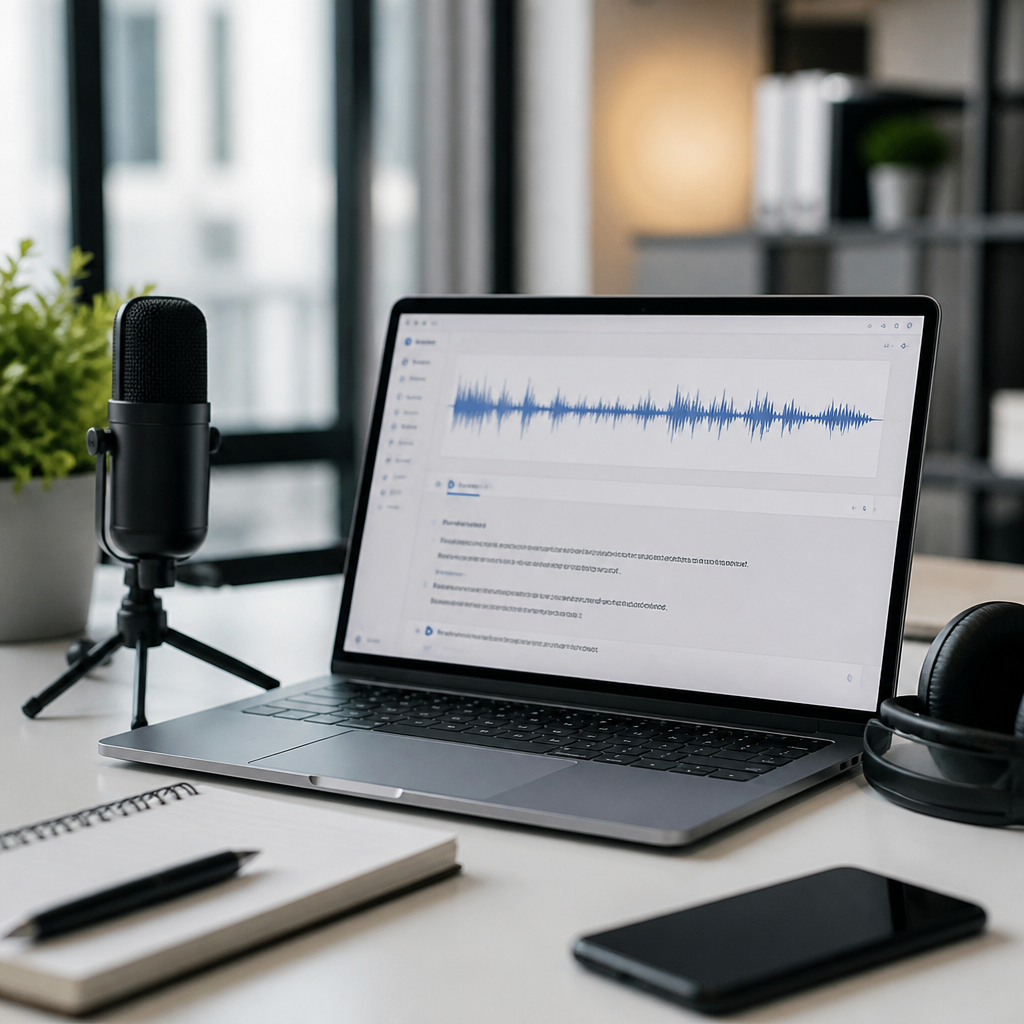
Choosing the best transcription tools is no longer just a productivity decision; for many deaf and hard of hearing users, students, clinicians, journalists, support teams, and hybrid workplaces, it is an accessibility decision that affects participation, comprehension, and independence. In this guide, I compare leading transcription tools on the two factors buyers care about most: accuracy and price. I also explain the features that matter in real use, including speaker identification, live captions, export formats, privacy controls, and integration with meetings, phones, and recorded media. Because this article serves as a hub for product reviews and comparisons within Technology and Tools for the Deaf Community, it covers the market broadly and gives you a practical framework for choosing the right service.
Transcription tools convert speech into text. Some work on uploaded audio or video, producing a transcript after processing. Others provide live transcription during meetings, classes, calls, events, or medical visits. Accuracy usually refers to word error rate, but in practice it also includes punctuation, formatting, speaker separation, handling of accents, and the system’s ability to manage domain vocabulary such as legal, technical, or medical terms. Price can mean a monthly subscription, a per-minute charge, or a bundled feature inside a larger platform like Zoom, Microsoft Teams, or Google Workspace. The best tool depends on your use case, not on marketing claims.
After testing transcription products in editorial, accessibility, and operations settings, I have learned that no single app wins every scenario. Otter is strong for meetings and collaboration. Rev remains a benchmark when human review is required. Trint is excellent for newsroom and production workflows. Descript is compelling for creators who want editing tied directly to transcript text. Built-in captioning from Zoom, Google Meet, and Teams is convenient, but convenience and accuracy are not the same thing. Tools that look similar on a pricing page can perform very differently once you introduce overlapping speech, weak microphones, classroom noise, or a speaker with a regional accent.
This matters because the cost of a bad transcript is often hidden. A student may miss a key concept. An employee may leave a meeting with the wrong action item. A deaf attendee may receive captions that are technically present but practically unusable. In regulated settings, quality problems become legal and operational risks. Good transcription software should therefore be judged on reliability, not novelty. The sections below compare top tools, show where each one fits, and help you narrow the field before you commit to a plan, pilot, or organization-wide rollout.
How to Evaluate Transcription Tools for Accuracy and Accessibility
The first question buyers ask is simple: which transcription tool is most accurate? The honest answer is that accuracy depends on audio quality, speaker behavior, language support, and the model’s training. Clear single-speaker audio recorded with a close microphone can produce very high accuracy on modern systems. A noisy panel discussion with crosstalk can drop performance sharply. In my own testing, the most reliable products usually combine strong automatic speech recognition with practical cleanup features such as custom vocabulary, easy timestamp navigation, and fast text editing. Those tools save more time than products that post a raw transcript quickly but leave you doing heavy correction afterward.
Accessibility needs also change the evaluation. For deaf users, live caption delay matters almost as much as final transcript quality. Captions that lag too far behind a speaker can break turn-taking and reduce confidence in group conversations. Speaker labels matter because “who said what” is essential in classrooms, meetings, and interviews. Searchability matters because a transcript is often used as a reference document after the event. Export matters because users may need TXT, DOCX, SRT, VTT, or PDF files for note-taking, legal archiving, editing, or sharing with accommodations offices and support staff.
Privacy is another decisive factor. Consumer transcription apps may be perfectly suitable for podcast drafts but inappropriate for therapy sessions, legal strategy calls, or protected health information. When comparing tools, check data retention, encryption, administrative controls, and whether the vendor offers business associate agreements where needed. Also confirm whether uploaded files may be used for model training by default. Strong accessibility should not require sacrificing confidentiality. Vendors that explain their security posture clearly are usually better partners than those that bury the details in marketing language.
Best Transcription Tools Compared
The tools below are among the strongest options for buyers researching transcription software for accessibility, meetings, media production, and professional documentation. Prices change often, so treat ranges as directional and confirm current plans before purchase. The more important point is the pattern: some products are optimized for collaboration, some for edited deliverables, some for creators, and some for institutional deployment.
| Tool | Best For | Accuracy Notes | Typical Price Position |
|---|---|---|---|
| Otter | Meetings, classes, team notes | Strong on clear conversational audio; useful speaker labels and summaries | Low to mid subscription |
| Rev | High-stakes transcripts, human-reviewed work | Human transcription remains more dependable on difficult audio | Mid to premium per minute |
| Trint | Newsrooms, researchers, production teams | Good automatic transcripts with robust editing and collaboration | Mid to premium subscription |
| Descript | Creators, podcasters, video editors | Good transcript-driven editing; accuracy improves with clean source audio | Mid subscription |
| Sonix | Fast multilingual transcription | Strong language coverage and solid automation for clear recordings | Usage-based to mid subscription |
| Zoom/Teams/Meet | Built-in live captions for meetings | Convenient but variable, especially with crosstalk and weak audio | Bundled with platform tiers |
Otter is one of the best-known tools because it balances usability, live notes, and team collaboration. It is especially effective for lectures, recurring meetings, and interviews where participants speak one at a time. Its interface makes review easy, and searchable transcripts reduce note-taking pressure during live events. Where Otter can struggle is in heavily technical vocabulary or crowded audio, though custom terms and careful microphone setup help. For many users, it is the best first subscription because setup is simple and the workflow is approachable.
Rev stands out because it offers both automated and human transcription. That distinction matters. Automated speech recognition has improved dramatically, but difficult accents, legal names, medical terminology, and emotional conversations still expose its limits. When accuracy requirements are strict, human-reviewed transcripts remain the safer choice. Rev costs more than pure automation, yet the value is clear when the transcript is a record rather than a convenience. I have recommended Rev repeatedly for interviews that would later be quoted, compliance-sensitive recordings, and content where small wording errors could create real downstream problems.
Trint is widely respected in journalism and documentary workflows because it treats the transcript as a working document rather than a static output. Teams can comment, highlight, search, and shape stories directly from text. That is particularly useful when deadlines are short and multiple people need access to the same material. Descript solves a different problem. It links transcript text to audio and video editing, letting creators cut spoken content by editing words on the page. For podcasts, training videos, and social clips, that workflow can save hours. Sonix remains a strong contender when multilingual support and turnaround speed are priorities.
Which Tool Is Most Accurate in Real Use
If your main criterion is accuracy, separate the market into three tiers. First are human-reviewed services, which usually deliver the best results on complex audio. Second are premium automatic tools with strong editing environments. Third are built-in platform captions, which are convenient and often good enough for general meetings but less dependable as official records. That ranking is consistent across most practical tests. Buyers sometimes assume the newest interface equals the smartest transcript engine. It does not. Accuracy comes from model quality, acoustic conditions, and the correction workflow around the output.
In clear one-on-one interviews, several leading automatic tools perform similarly well. Differences emerge when speech overlaps, microphones are distant, or subject matter becomes specialized. For example, a newsroom interview about municipal zoning may be transcribed well by many tools, but a cardiology seminar with drug names and device terminology may not be. In those cases, custom vocabulary and post-editing become decisive. Speaker diarization also matters. A transcript that gets every word mostly right but repeatedly mixes up speakers can still be frustrating and inaccessible.
For deaf users relying on live captions, consistency beats peak performance. A tool that is 90 percent accurate but stable in punctuation, timing, and speaker flow may be more usable than a tool that occasionally reaches 95 percent but breaks badly during interruptions. This is why CART services are still important for events where near-verbatim accessibility is essential. Software-only solutions are improving fast, but they are not universal replacements for professional captioning in every educational or public setting.
Price Models, Hidden Costs, and Value for Money
Transcription pricing looks straightforward until you calculate actual usage. Subscription tools are attractive for regular meetings because costs are predictable, but they may cap upload hours, exports, storage, or collaboration seats. Usage-based tools seem cheap for occasional projects, yet frequent uploads can exceed a subscription quickly. Human transcription is more expensive per minute, but if your team spends two hours correcting every rough automated transcript, the “cheap” option may cost more in labor. Always compare total workflow cost, not just sticker price.
There are also hidden costs in platform bundling. Zoom, Teams, and Google Meet may include live captions in certain plans, which makes them feel free if you already pay for the ecosystem. But if those captions lack the accuracy, retention, or export options your users need, you may still end up purchasing a specialist tool. Likewise, some creator platforms include transcription as a feature, but charge extra for overdub, translation, premium exports, or AI processing minutes. Read the plan details line by line.
For schools, nonprofits, and accessibility programs, the best value often comes from matching service level to risk. Use built-in captions for low-stakes internal meetings, an automatic specialist tool for routine searchable transcripts, and human-reviewed transcription for critical content. That tiered approach controls budgets without treating every scenario the same. It is also easier to defend internally because it connects spending to actual communication needs rather than to software enthusiasm.
How to Choose the Right Transcription Tool for Your Situation
Start with the environment. If you need live captions for frequent online meetings, begin with Otter or the captioning features already available in your meeting platform, then test against real speakers and real microphones. If you publish interviews, handle legal evidence, or document healthcare conversations, prioritize human review and stronger privacy controls. If you are a podcast or video team, test Descript or Trint because transcript editing and media editing are part of the same workflow. If multilingual work is common, put Sonix and similar services on your shortlist early.
Then define success with a small pilot. Use three recordings: one clean, one noisy, and one specialized. Measure correction time, not just first-pass quality. Ask actual users, especially deaf or hard of hearing participants, whether the captions support comprehension in real time. Check exports, speaker labels, search, mobile use, and admin controls. A fifteen-minute trial recording often reveals more than a polished demo ever will.
The best transcription tools compared on accuracy and price do not produce a single universal winner. They produce a clear decision path. Otter is often the practical starting point for live meeting transcription. Rev is the safest choice when transcript accuracy must hold up under scrutiny. Trint and Descript excel when transcripts are part of an editorial or production workflow. Built-in meeting captions are useful, but they should be validated before they become your accessibility plan. Choose based on the consequences of errors, the need for live support, and the total cost of correction.
As the hub for Product Reviews and Comparisons within Technology and Tools for the Deaf Community, this guide should help you narrow the field and identify which deeper reviews you need next. The strongest buying decision is grounded in your real audio conditions, your privacy requirements, and the people who depend on the transcript most. Run a short pilot, compare correction time against monthly cost, and select the tool that delivers dependable understanding, not just a fast transcript.
Frequently Asked Questions
1. What should I look for first when comparing transcription tools: accuracy or price?
Start with accuracy, then evaluate whether the price makes sense for your workload. A low-cost transcription tool can look attractive on paper, but if it regularly mishears speakers, drops technical terms, struggles with accents, or creates messy punctuation, you often lose that savings in cleanup time. For students, clinicians, journalists, support teams, and accessibility-focused organizations, accuracy is not just about convenience. It directly affects understanding, note quality, documentation reliability, and whether deaf and hard of hearing users can fully participate in meetings, classes, interviews, and events.
A good comparison should go beyond headline accuracy claims. Check how the tool performs with real-world conditions such as multiple speakers, crosstalk, low-quality microphones, background noise, specialized vocabulary, and fast speech. Also look at whether it supports custom vocabulary, speaker identification, timestamping, and transcript editing. These features can dramatically improve the usefulness of the output. Once you know which tools are accurate enough for your use case, compare pricing models carefully, including free tiers, per-minute billing, monthly subscription costs, storage limits, and whether live captioning or team features cost extra. In practice, the best-value tool is usually the one that gives you strong accuracy with the fewest post-editing headaches at a price that fits how often you actually use it.
2. How accurate are today’s best transcription tools in real-world use?
The best modern transcription tools can be impressively accurate under ideal conditions, but real-world performance varies much more than most pricing pages suggest. Clean audio with one speaker, a quality microphone, and clear pronunciation often produces strong results. Accuracy usually drops when there are overlapping speakers, heavy accents, industry jargon, phone call compression, inconsistent internet connections for live captions, or noisy environments such as classrooms, clinics, open offices, and public events. That is why direct side-by-side testing is more useful than relying on a single advertised accuracy percentage.
In real use, a tool should be judged by more than word recognition alone. You should also evaluate punctuation quality, paragraphing, speaker separation, handling of names and acronyms, and whether the transcript remains readable without extensive manual correction. For accessibility use cases, live caption latency matters too. A caption stream that is technically accurate but delayed by several seconds can still make conversations difficult to follow. Some tools do especially well with recorded files but are weaker for live meetings, while others are optimized for instant captions and collaboration. If accuracy is mission-critical, the best approach is to test your typical audio with several tools, review the error patterns, and choose the one that performs most consistently in the environments you actually work in.
3. Are more expensive transcription tools always better?
No. Higher price does not automatically mean better transcription quality. Some premium tools justify their cost with strong collaboration features, advanced security controls, better speaker diarization, integrations with platforms like Zoom, Google Meet, or Microsoft Teams, and workflow tools for teams that need searchable archives, highlights, and export options. For businesses and organizations, those extras can absolutely be worth paying for. But if your main goal is simply to turn lectures, interviews, meetings, or voice notes into readable text, a mid-priced or even free tool may deliver comparable core transcription quality.
The key is to match the tool to your use case. A solo journalist might care most about transcript accuracy, timestamps, and affordable per-file pricing. A clinician may need reliable documentation, privacy safeguards, and clear speaker separation. A student may prioritize live captioning, ease of use, and low monthly cost. A hybrid workplace may need real-time captions, searchable meeting records, and simple sharing across teams. Expensive platforms often bundle features that some buyers never use, so review the pricing structure closely. Look for hidden costs such as extra fees for higher usage, longer storage, premium exports, multilingual transcription, or AI summaries. The best choice is not the most expensive tool. It is the one that delivers the right combination of accuracy, accessibility, and workflow value for your budget.
4. Which features matter most beyond accuracy and price?
Several features make a major difference in whether a transcription tool is actually useful day to day. Speaker identification is one of the most important, especially for interviews, meetings, classrooms, healthcare conversations, and support calls. If a transcript cannot reliably distinguish who said what, editing becomes much slower and the final record can be confusing. Live captioning is another critical feature, particularly for deaf and hard of hearing users and for anyone who benefits from reading along during fast or complex conversations. In those scenarios, low latency and stable captions matter almost as much as raw word accuracy.
Other high-value features include timestamps, searchable transcripts, custom vocabulary, transcript editing, multi-language support, file import flexibility, and easy export to formats like DOCX, TXT, SRT, or PDF. Integrations also matter if you work across meeting platforms, cloud drives, learning systems, or team collaboration tools. If accessibility is a core concern, evaluate the user interface itself as well. The best transcription platform should be easy to navigate, simple to review, and practical for independent use. For professional and regulated environments, security, privacy, and data retention settings may be essential. In short, the strongest tools are not just accurate and affordable. They also reduce friction before, during, and after transcription, making the transcript easier to capture, review, share, and trust.
5. What is the best way to choose the right transcription tool for accessibility needs?
Begin by identifying the situations where transcription or captioning will be used most often. Accessibility needs can differ significantly depending on whether the priority is live meeting participation, lecture support, medical communication, media interviews, workplace collaboration, or after-the-fact transcript review. For many deaf and hard of hearing users, the most important factors are readable real-time captions, minimal delay, strong speaker labeling, and dependable performance in group conversations. For students, searchable notes and reliable transcript exports may be just as important. For professionals, the ability to save, edit, and share records securely may be a deciding factor.
From there, test a short list of tools using the same audio and the same real-life scenarios. Try them in quiet and noisy settings, with one speaker and multiple speakers, and with the vocabulary you actually encounter. Compare not only the text output but also the overall usability: how easy it is to start captions, review a transcript, correct mistakes, identify speakers, and find key moments later. Consider the pricing model in relation to your actual usage rather than the marketing headline. A tool that looks cheap per month may become expensive if key accessibility features are locked behind higher tiers. The right transcription tool should make communication more inclusive and more independent, not add another layer of effort. When a platform combines solid accuracy, practical pricing, and accessibility-friendly features, it becomes far more than a convenience tool. It becomes an important support for participation and understanding.





