
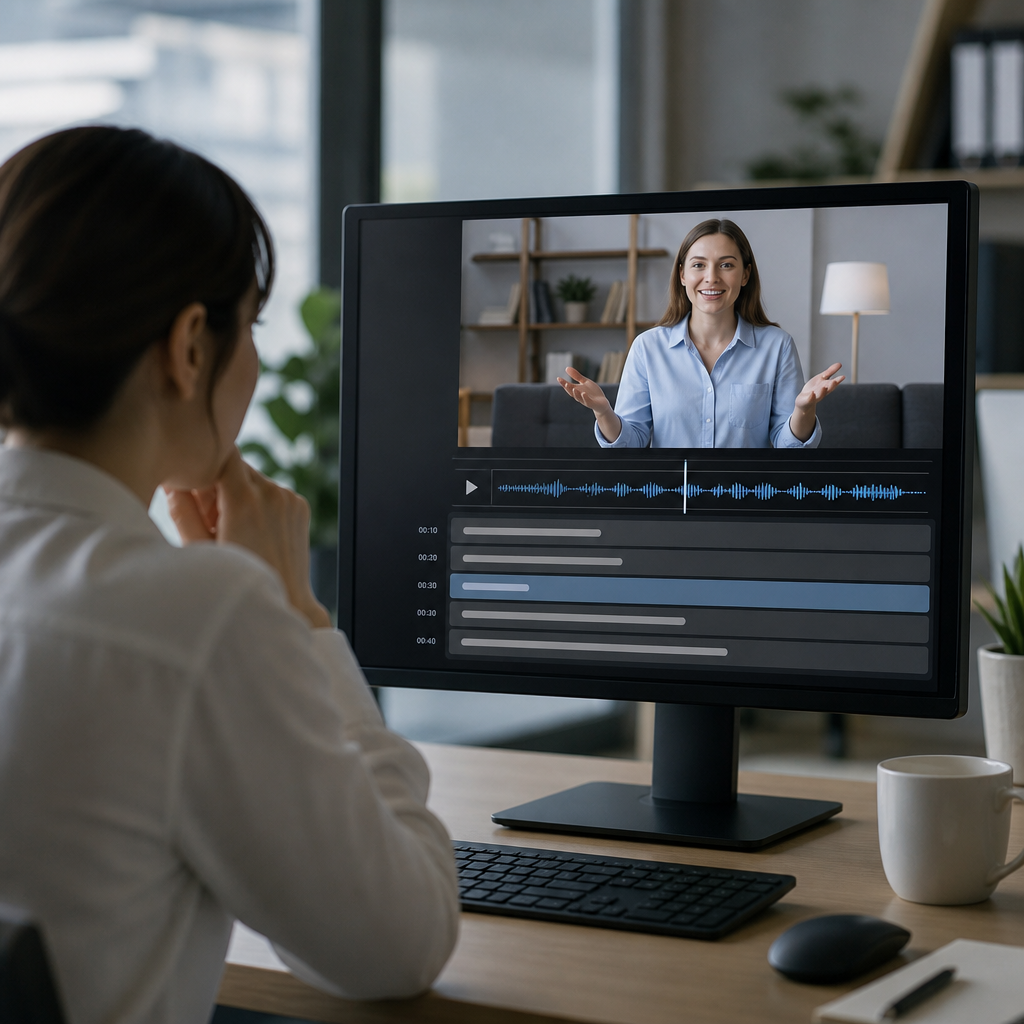
Automatic captions convert spoken audio into synchronized on-screen text by combining speech recognition, timing alignment, language modeling, and post-processing rules, but their convenience comes with clear accuracy limits that matter for accessibility, education, media production, and everyday communication. In the projects I have worked on for webinars, training libraries, product demos, and live events, automatic captions have become the default first step because they are fast and inexpensive. They are not, however, a finished accessibility solution on their own. Understanding how automatic captions work helps teams choose the right tools, set realistic expectations, and know when human review is essential.
In practical terms, automatic captions are machine-generated text tracks created from audio or video. They differ from transcripts because captions must be time-coded to appear in sync with speech and sound. They also differ from subtitles in the strict accessibility sense, because captions can include non-speech information such as music cues, laughter, alarms, speaker identification, and significant sound effects. Modern systems are built on automatic speech recognition, often shortened to ASR, along with diarization for separating speakers, punctuation restoration, and formatting logic. The best platforms now apply deep learning models trained on massive multilingual datasets, but performance still depends heavily on recording quality, vocabulary, accent variation, and context.
This matters especially within technology and tools for the Deaf community because captions are often the main bridge to spoken information in classrooms, meetings, customer support videos, social media clips, and live streams. Poor captions do more than look unprofessional; they change meaning, increase cognitive load, and exclude users who depend on accurate text to follow fast or technical speech. A hub article on captioning and transcription tools therefore needs to explain both the mechanics and the tradeoffs. Once you understand the pipeline, it becomes easier to evaluate live captioning apps, video platform defaults, editing software, browser features, and specialized accessibility services across the rest of this topic.
How automatic captions are generated from speech
Automatic captioning starts with audio ingestion. A system first isolates the speech signal from the incoming media stream, converts it into features a model can analyze, and estimates which words were spoken over time. Earlier systems relied heavily on acoustic models plus hand-tuned pronunciation dictionaries and statistical language models. Most current engines use end-to-end neural architectures, often transformer-based or recurrent-transducer variants, that predict text directly from audio frames while also using contextual probability to decide between similar-sounding words. That is why a model may correctly choose “caption” over “captain” when the surrounding words discuss media accessibility.
After raw recognition, the system performs segmentation. It decides where one caption frame should begin and end, how many characters fit comfortably on a line, and when punctuation should appear. Good segmentation is more important than many teams realize. Even when word recognition is strong, awkward line breaks or delayed timing can make captions difficult to read. Platforms such as YouTube, Zoom, Microsoft Teams, Google Meet, and Otter use their own heuristics for chunking text, balancing low latency against readability. Live captions usually prioritize speed, so they may appear phrase by phrase with punctuation added a moment later. File-based captioning for prerecorded media can take more time and usually looks cleaner.
Another major step is speaker diarization, the process of identifying when one speaker stops and another begins. Diarization is not perfect, especially when people interrupt each other or speak over background noise, but it is crucial for meetings, interviews, and panel discussions. Advanced systems also add normalization rules, converting “twenty twenty-four” to “2024” in some contexts, correcting casing for names, or filtering disfluencies like repeated filler words. These choices can improve readability, but they also raise editorial questions. In legal, medical, and research settings, preserving exact wording may be more important than smoothing it out.
What affects caption accuracy most
The single biggest predictor of automatic caption quality is audio quality. Clear close-mic speech recorded at consistent volume almost always produces better results than distant room audio, echo, or compressed conference-call sound. In my own caption QA work, swapping a laptop microphone for a headset often improved draft accuracy more than changing software vendors. Signal-to-noise ratio matters because ASR models need distinct phonetic information. Background music, traffic, HVAC hum, keyboard clicks, and crosstalk all reduce confidence scores and raise substitution errors.
Vocabulary is the next major factor. General-purpose engines perform well on common speech because that is what they are trained on most heavily. They struggle more with domain-specific language such as medical terms, legal citations, product names, gaming jargon, scientific abbreviations, and personal names. Some tools allow custom vocabulary lists or phrase hints, which can dramatically improve results during lectures, earnings calls, or software demos. Accent and dialect variation also matter. Modern engines are better than they were five years ago, but performance still differs across regional accents, multilingual speakers, code-switching, and nonnative pronunciation patterns. Fast speech, mumbling, and overlapping conversation remain difficult even for state-of-the-art models.
Context affects accuracy in less obvious ways. If a platform knows the meeting title, participant names, slide text, or the language expected, it can bias recognition toward likely words. That is one reason integrated workplace tools sometimes outperform standalone generic transcription on internal meetings. Latency requirements also shape results. Live systems must output text quickly, so they have less future context to correct earlier guesses. Prerecorded systems can analyze the full recording and revise punctuation, segmentation, and wording with greater confidence. The result is that the same engine may deliver visibly better captions after the event than during it.
| Factor | Why it matters | Typical effect on captions |
|---|---|---|
| Microphone quality | Cleaner speech signal gives models clearer phonetic detail | Fewer misheard words and better timing |
| Background noise | Noise masks speech features and confuses diarization | More omissions, substitutions, and speaker errors |
| Specialized vocabulary | Rare terms may be absent from default language models | Brand names and technical terms are often wrong |
| Accent or dialect variation | Training data may not represent all speakers equally | Uneven accuracy across users and regions |
| Live versus prerecorded | Live systems have less context and tighter delay limits | Live captions are faster but usually less polished |
Live captions, prerecorded captions, and transcription tools
Live automatic captions are designed for immediacy. They support meetings, webinars, lectures, phone calls, and events where users need text as speech happens. Popular examples include built-in captions in Zoom, Google Meet, Microsoft Teams, Apple Live Captions, Android Live Caption, and browser-based tools in Chrome and Edge. Their strengths are convenience and low setup effort. Their weakness is that they operate under severe timing pressure. Expect delayed punctuation, dropped short words, and occasional rewrites as the system gains more context. For Deaf and hard-of-hearing users, this can still be useful, but accuracy varies enough that high-stakes events may require a human captioner using CART or a remote stenography service.
Prerecorded captioning tools process media after recording. Video platforms, editing suites, and transcription services can spend more time aligning text, splitting lines, and cleaning punctuation. Tools such as YouTube Studio, Adobe Premiere Pro, Descript, Rev, Trint, and Whisper-based workflows often produce stronger first drafts for edited media than live meeting tools do. They also support export to standard file formats like SRT, VTT, SCC, or TTML, which matters for publishing and compliance workflows. If your content includes training videos, online courses, support libraries, or marketing assets, prerecorded captioning plus review is usually the minimum professional baseline.
Transcription tools overlap with captioning tools, but they are not identical. A transcript is useful for notes, search, documentation, and repurposing content into articles or summaries. Captions require stricter synchronization and readability decisions. This hub topic includes both because many teams start with a transcript engine and then turn that output into captions. That workflow can be efficient, but it must include timecoding, speaker labeling, and accessibility edits. A transcript with no timing or sound cues is not a caption file, and publishing it as if it were one leaves major gaps for users.
Where automatic captions fail and why limitations matter
The biggest limitation of automatic captions is not that they make occasional typos. It is that they can alter meaning in ways a hearing reviewer may miss. Technical terms become common words, negatives disappear, names get reassigned to the wrong speaker, and sarcasm or emotion vanishes when punctuation is weak. In a classroom, “ionic bond” turning into “eye on a bond” is confusing but recoverable if visuals help. In healthcare, law, finance, emergency response, or HR investigations, similar errors can be serious. Accessibility is not just about having text present; it is about preserving meaning faithfully enough that the user receives substantially the same information.
Non-speech content is another frequent gap. Most automated systems still handle music cues, audience reactions, off-screen sounds, and environmental context inconsistently. A Deaf viewer may need to know that a phone is ringing, people are laughing, a warning alarm is sounding, or a voice is coming from another room. Human captioners routinely add this context because it affects comprehension. Automatic systems may omit it entirely unless the platform has separate event-detection features, and even then the labels can be generic. This is one reason edited captions for entertainment, training, and narrative content still benefit strongly from human review.
Limitations also matter legally and operationally. Accessibility standards and case law expectations vary by jurisdiction, but organizations commonly look to WCAG guidance, platform accessibility requirements, procurement rules, and internal inclusive design policies. None of these are satisfied reliably by simply toggling on auto-captions and walking away. In practice, teams need a quality process: choose the right capture setup, generate a draft, review against the audio, correct names and terminology, check timing and line breaks, and validate the final file in the playback environment. Automatic captions are an efficiency tool, not a substitute for accountability.
How to choose the right captioning workflow
The best workflow depends on risk, audience, content type, and budget. For internal weekly meetings, built-in live captions may be enough when participants can also access agendas, chat, and recordings afterward. For public webinars, investor briefings, university lectures, product launches, and training modules, I recommend treating automatic captions as a draft layer rather than the final deliverable. Add custom vocabulary when available, assign someone to monitor quality during the session, and review the recording before publishing. If the event is high stakes or the audience explicitly depends on real-time accuracy, book professional live captioning.
Tool selection should also consider privacy, security, language support, file export options, editing interface quality, and integration with your existing platforms. Some organizations cannot send sensitive audio to consumer-grade cloud services. Others need multilingual support, speaker-separated transcripts, or APIs for automated publishing. Test with your real material, not vendor demos. A five-minute sample from your noisiest meeting room or your most jargon-heavy training video will tell you more than any marketing page. Within this subtopic, related articles should drill into live caption apps, desktop editing tools, browser features, file formats, and quality assurance checklists so readers can build a complete captioning stack.
Best practices for better results
You can improve automatic captions substantially without changing vendors. Record with the best microphone available, reduce room echo, mute unused participants, and ask speakers to identify themselves before speaking in multi-person sessions. Share terminology lists in advance when the tool supports it. Speak at a natural pace, avoid talking over one another, and capture a clean recording even if captions are needed live, because the reviewed post-event version can be much stronger. For prerecorded video, always edit the draft captions, add speaker labels where helpful, include meaningful non-speech cues, and test readability on mobile screens as well as desktops.
Automatic captions are powerful because they turn speech into searchable, scannable text at scale. Their limitation is equally clear: they do not yet understand every voice, room, topic, or sound scene well enough to guarantee faithful accessibility without oversight. The practical takeaway is simple. Use automatic captions everywhere you can, because some captioning is often better than none in casual contexts, but match the workflow to the stakes. For important content, review and correct the output or bring in human captioning support. If you are building a technology toolkit for Deaf accessibility, start by auditing your current caption quality, your highest-risk content, and the tools you already use, then upgrade from there.
Frequently Asked Questions
1. How do automatic captions actually work?
Automatic captions are created by software that listens to spoken audio, converts that speech into text, and then places the words on screen at the right time. Under the hood, this usually involves several layers working together. First, the system processes the audio signal to separate speech patterns from background sound. Next, an automatic speech recognition engine compares those patterns to acoustic models that have been trained on large amounts of spoken language. At the same time, a language model predicts which words are most likely to appear in sequence, which helps the system choose between similar-sounding words.
After the words are identified, the system performs timing alignment so each phrase appears in sync with the speaker. It may also apply punctuation, capitalization, speaker segmentation, and line-breaking rules to make the captions more readable. In some platforms, post-processing can include custom vocabulary, profanity filtering, formatting adjustments, or confidence scoring. The result feels simple to the viewer, but it is really a fast combination of speech recognition, text prediction, and display timing. That speed is exactly why automatic captions are so widely used in webinars, training content, product demos, and live events where a quick first-pass caption track is valuable.
2. Why are automatic captions sometimes wrong?
Automatic captions make mistakes because speech is messy and real-world audio is rarely perfect. Accuracy depends heavily on the quality of the recording, how clearly people speak, whether multiple speakers talk over one another, and how much background noise is present. Strong accents, regional pronunciation, technical terminology, brand names, acronyms, and industry-specific jargon can all reduce caption quality. Even something as simple as a poor microphone or unstable internet audio in a live session can noticeably affect results.
There is also a language problem, not just an audio problem. Speech recognition systems are constantly making probability-based decisions. If a phrase sounds ambiguous, the system chooses the version it thinks is most likely based on its training data and language model. That means it may confidently produce the wrong word, especially when context is specialized or unexpected. For example, a software demo, medical webinar, or legal training session may contain terms that general-purpose caption engines do not interpret well without customization.
Timing and formatting can create additional issues. A caption system may recognize the words correctly but place them too early, too late, or break lines awkwardly. It may also mishandle punctuation, which can change meaning. In short, automatic captions are not wrong because the technology is useless; they are wrong because spoken communication contains noise, speed, overlap, nuance, and context that machines still do not handle perfectly.
3. Are automatic captions good enough for accessibility?
Automatic captions can be helpful for accessibility, but they should not automatically be treated as fully sufficient. They are often an excellent starting point because they make spoken content available quickly and at low cost, which is far better than having no captions at all. For internal meetings, informal updates, draft recordings, or rapid publishing workflows, automatically generated captions can improve access immediately for viewers who are deaf or hard of hearing, for people watching in noisy environments, and for anyone who benefits from on-screen text support.
However, when accessibility needs to be dependable, accuracy matters a great deal. Errors in names, instructions, numbers, safety details, or educational explanations can make content confusing or exclusionary. If captions miss key words, skip speakers, or fail to reflect important sounds and context, the viewer may not receive the same information as a hearing audience. That gap becomes especially important in classrooms, compliance training, public-facing media, customer communications, and professionally distributed video.
In practice, the most responsible approach is to treat automatic captions as a first draft. Review and edit them before publishing material where accessibility quality is important. Many organizations use automation to generate the initial file, then apply human correction for timing, terminology, punctuation, speaker labels, and non-speech audio cues. That workflow preserves the speed and cost advantages of automation while producing captions that are much more trustworthy and inclusive.
4. What factors have the biggest impact on automatic caption accuracy?
The biggest factor is usually audio quality. Clean speech recorded with a good microphone in a quiet environment will almost always produce better captions than distant, compressed, noisy, or echo-filled audio. If the speech signal is clear, the caption engine has a much better chance of identifying words correctly. If the audio is cluttered with HVAC hum, traffic, audience noise, keyboard clicks, or room reverberation, the system has to guess more often.
Speaker behavior matters almost as much. Captions tend to be more accurate when speakers talk at a moderate pace, avoid interrupting one another, and pronounce words clearly. Crosstalk is especially difficult because automatic systems struggle to separate simultaneous voices. Fast delivery, mumbling, inconsistent volume, and abrupt topic shifts all make the job harder. Live event conditions can add even more complexity, especially when audience Q&A, handheld microphones, or remote guests are involved.
Vocabulary and context are another major influence. General speech recognition performs best on common language, but many recordings include product names, technical terms, internal jargon, or uncommon proper nouns. If the platform allows custom dictionaries or terminology hints, accuracy can improve significantly. Finally, language settings, accent coverage, and the maturity of the underlying model for a specific language or dialect also play a role. Put simply, the more predictable, clean, and well-supported the speech environment is, the better automatic captions tend to perform.
5. When should you rely on automatic captions, and when should you use human review or professional captioning?
Automatic captions are a smart choice when speed and scale are priorities. They work well for fast-turnaround webinars, internal video libraries, meeting recordings, product walkthroughs, early-stage media drafts, and large archives that would otherwise remain uncapt
ioned. In these situations, an automated workflow can make content searchable, easier to skim, and more accessible right away. They are especially useful when the alternative is delaying publication or leaving video completely without text support.
Human review becomes important when accuracy, compliance, brand credibility, or audience trust matter more than speed alone. If the content includes legal, financial, medical, academic, or safety-related information, even small caption errors can have outsized consequences. The same is true for customer-facing marketing videos, executive communications, public training, and polished media production where mistakes look unprofessional and may confuse viewers. For accessibility-sensitive use cases, edited captions are generally the better standard because they provide a more reliable viewing experience.
A practical middle-ground is to use automation first, then apply human editing where it counts. That approach is common because it captures the efficiency of machine-generated captions while correcting the limitations that machines still have. In real-world production, this often means generating captions automatically for every asset, then prioritizing review for high-value, high-risk, or high-visibility content. The result is a workflow that is faster and more affordable than fully manual captioning, but much more accurate and usable than automation alone.





