
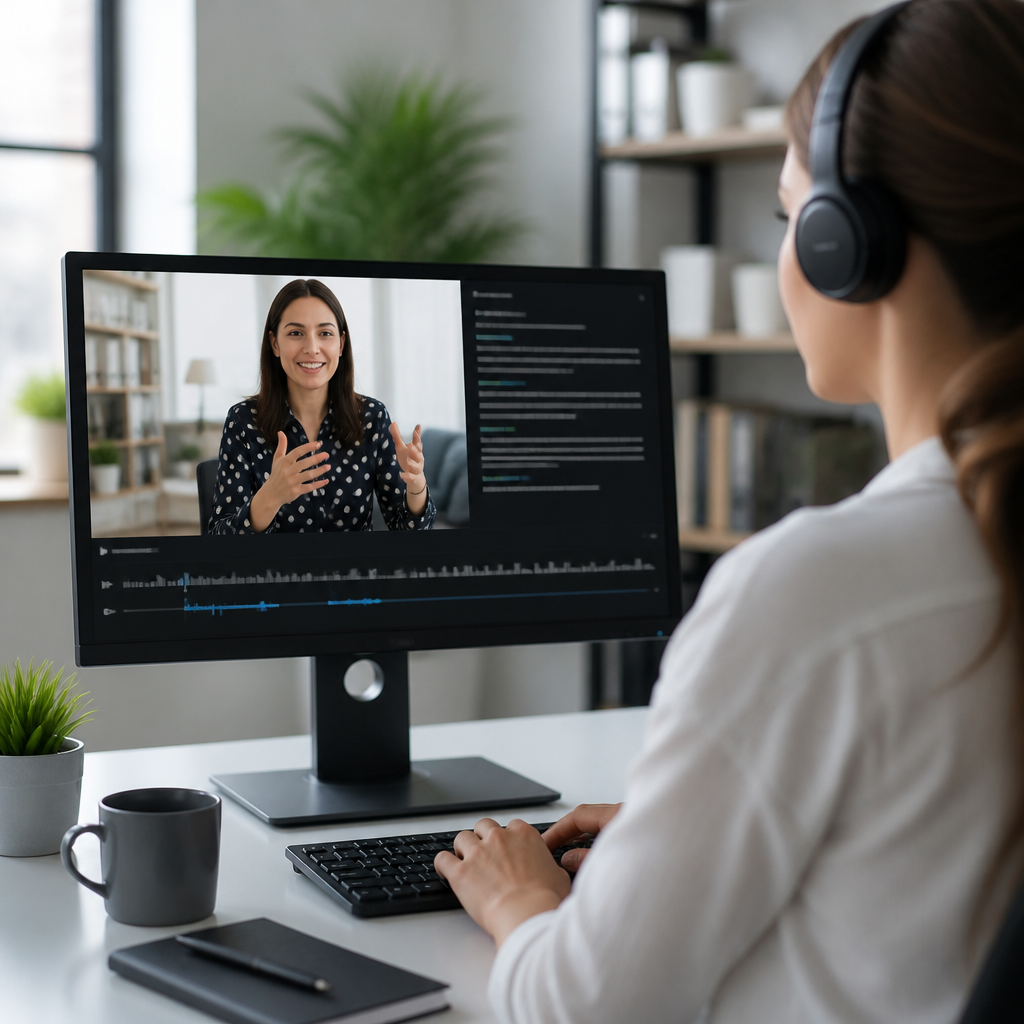
Top transcription services for deaf accessibility shape whether meetings, classes, videos, podcasts, and customer interactions are usable or exclusionary. In practical terms, transcription converts spoken language into readable text, while captioning synchronizes that text to audio and video, usually with speaker identification and sound cues such as laughter, applause, or alarms. For deaf and hard of hearing users, the distinction matters because a raw transcript can support study, search, and documentation, but captions are often the format that makes live and recorded media immediately accessible. Choosing the right tool is not a minor software decision. It affects legal compliance, learning outcomes, workplace participation, customer trust, and the daily independence of people who rely on text access.
In my work evaluating accessibility workflows, the strongest solutions are never judged on accuracy alone. A service can transcribe well in a quiet studio and still fail in a university lecture hall, a multilingual board meeting, or a telehealth appointment with specialized terminology. That is why this hub article looks at captioning and transcription tools through the lens that matters most to deaf accessibility: live versus recorded use, latency, speaker labeling, terminology control, export formats, integration with common platforms, and human review options. It also matters whether a tool supports Communication Access Realtime Translation, commonly called CART, whether it can produce compliant captions for platforms such as YouTube or Zoom, and whether it protects sensitive data under standards organizations already expect, including SOC 2 practices and privacy controls needed in healthcare and education.
The market now includes automatic speech recognition platforms, human transcription vendors, hybrid systems that combine machine speed with editor review, and built-in tools inside meeting and video platforms. Well-known names include Otter, Rev, 3Play Media, Verbit, Trint, Sonix, Microsoft Teams captions, Zoom captions, Google Meet captions, and specialist CART providers. Each serves a different accessibility job. This article functions as the main guide for the broader captioning and transcription tools category, so it explains what to look for, where each type fits, and how to build a reliable workflow that does not leave deaf users guessing.
What makes a transcription service accessible
An accessible transcription service must do more than generate text. It needs high word accuracy, but it also must capture context that deaf readers use to follow meaning. Good captions identify speakers, mark meaningful non-speech audio, preserve punctuation that affects readability, and maintain timing that matches spoken content closely enough to support comprehension. For transcripts, accessibility improves when the service creates searchable text, time stamps, paragraphing, and downloadable formats such as DOCX, TXT, SRT, and VTT. In education and workplace settings, the ability to correct names, acronyms, and domain-specific vocabulary is essential because one misrecognized term can change the meaning of an entire discussion.
Latency is equally important for live access. A low-latency caption stream helps a deaf attendee participate in a meeting instead of reading several sentences behind the conversation. Human CART remains the gold standard for many high-stakes live environments because a trained captioner can distinguish speakers, handle technical language, and adapt instantly when the topic shifts. Automatic systems are improving quickly, especially when audio is clean and the platform uses strong language models, but they still struggle with crosstalk, accents, poor microphones, and overlapping speakers. The best approach is to match the tool to the risk of getting it wrong.
Accessibility also depends on usability. If captions are buried in menus, transcripts cannot be exported, or the interface is incompatible with assistive technology, the service creates friction. Reliable platforms provide keyboard navigation, mobile access, collaboration tools for editors, and integrations with systems people already use, including learning management systems, cloud storage, webinar platforms, and video hosts.
Top types of transcription services and where they fit
Captioning and transcription tools generally fall into four categories. Automatic speech recognition tools are the fastest and least expensive, making them useful for internal notes, quick meeting summaries, and first-pass transcripts. Human transcription services are slower and cost more, but they deliver the highest accuracy for legal, academic, broadcast, and public-facing content. Hybrid services combine machine transcription with professional review, offering a practical middle ground for organizations that need both speed and quality. Finally, native platform captions built into services like Zoom, Microsoft Teams, and Google Meet are convenient for everyday meetings, though they should not be treated as universally sufficient for formal accommodation requests.
For deaf accessibility, the right category depends on content permanence and consequence. A casual team check-in may work with automatic captions, especially if a transcript can be cleaned up afterward. A university lecture that will be reused across semesters usually deserves edited captions because students may rely on exact wording to study. A court proceeding, healthcare consultation, or compliance training video needs stronger quality controls, secure handling, and in many cases human support. I have seen organizations overspend on premium transcription where machine output was enough, and I have also seen them create serious access failures by assuming built-in captions would be adequate for everything.
| Service type | Best use case | Main strength | Main limitation |
|---|---|---|---|
| Automatic transcription | Internal meetings, draft transcripts, searchable archives | Fast turnaround and low cost | Accuracy drops with noise, jargon, and overlapping speech |
| Human transcription | Legal, academic, public media, high-stakes communication | Highest accuracy and context handling | Higher cost and slower delivery |
| Hybrid transcription | Training videos, webinars, business content | Balanced speed and quality | Quality varies by vendor workflow |
| Built-in meeting captions | Routine live calls on common platforms | Immediate availability inside existing tools | Limited customization and inconsistent terminology control |
Leading services for recorded audio and video
For recorded content, Rev remains one of the most recognized options because it offers both human transcription and automated transcripts, plus caption files in common formats. That flexibility matters when teams produce large media libraries with mixed budgets. 3Play Media is especially strong for organizations that need an accessibility-focused workflow at scale, including universities, media companies, and enterprises managing compliance across many videos. Its strengths include caption quality controls, audio description support through broader workflows, and integrations with major video platforms. Verbit is widely used in education and events, particularly where institutions need live services and recorded media support under one vendor relationship.
Trint and Sonix are popular with journalists, researchers, and content teams because they combine transcription with editing, collaboration, and search. Those features can be excellent for deaf accessibility when teams need to clean up machine output quickly and publish usable transcripts alongside media. Otter is often chosen for meetings and interviews because it creates searchable notes and speaker-separated transcripts fast, but in my testing and client reviews it performs best as a productivity tool rather than a final accessibility layer for polished public media. Accuracy can be strong in clear English conversations, yet names, industry terms, and rapid exchanges still need verification.
Descript deserves mention because it merges transcription with audio and video editing. For creators producing accessible podcasts or training videos, editing by text can speed caption correction substantially. However, convenience does not remove the need for quality review. Any recorded media intended for deaf audiences should be checked for timing, punctuation, speaker labels, and meaningful sound indicators before publication.
Best options for live captioning and real-time access
Live captioning is where accessibility stakes rise fastest. A transcript delivered after a meeting may help with records, but it does not fix exclusion during the meeting itself. For real-time access, professional CART providers remain the benchmark. CART captioners listen live and write near-instant text using stenographic equipment and specialized software. This approach is highly effective in classrooms, conferences, public meetings, and workplace events where every sentence matters. It is also the preferred choice when a participant has formally requested an accommodation and the organization must provide reliable access.
Platform-native tools have improved enough to cover many routine situations. Zoom offers live transcription and captioning features that work reasonably well in structured meetings with good microphones. Microsoft Teams provides live captions and transcript features integrated into enterprise workflows, which is useful for organizations already using Microsoft 365. Google Meet includes live captions and translated captions in some plans, opening options for multilingual teams. These tools reduce friction because no separate app is required. Still, they remain dependent on audio quality, internet stability, and language support. They also may not provide the detailed sound cues and speaker precision found in professional captioning.
Web Captioner is another lightweight option for live events, often used with presentations or streaming setups. It is helpful for quick deployment, but like all automatic systems it benefits from rehearsal, external microphones, and a speaker who understands how pacing affects caption quality. The rule I follow is simple: if misunderstanding has legal, educational, medical, or safety consequences, use human live captioning or at least a human-reviewed backup plan.
How to evaluate accuracy, privacy, and usability
Accuracy should be measured against your real content, not vendor demos. Request sample runs using audio that reflects your environment: multiple speakers, background noise, technical terms, and natural accents. Review word accuracy, but also test speaker identification, punctuation, timing, and whether the system preserves meaning when it cannot hear clearly. In accessibility work, a transcript that is ninety-five percent correct can still be frustrating if the five percent includes medication names, assignment instructions, or action items. Build custom vocabularies wherever the platform allows it. Product names, faculty names, and acronyms are low-effort improvements with high impact.
Privacy cannot be an afterthought. Healthcare organizations should examine whether the service will sign a business associate agreement when required and how recordings are stored, retained, and deleted. Education teams should look at student privacy obligations, while employers should review administrative controls, encryption, and auditability. SOC 2 reports, data residency options, single sign-on, role-based access, and retention settings are practical checkpoints. If a vendor cannot explain its security posture clearly, that is a warning sign.
Usability testing should include deaf and hard of hearing users directly. Ask them whether captions are readable, whether transcripts are easy to navigate, and whether exports support their workflow. The most technically advanced service can still fail if participants cannot pin captions, adjust display settings, or find transcripts after the session ends.
Building an effective captioning and transcription workflow
The most successful teams do not buy a single tool and hope for universal coverage. They design a workflow. Start by mapping content types: live meetings, webinars, training videos, podcasts, support calls, and classroom recordings. Then assign the minimum acceptable access level for each. For example, daily internal standups may use platform captions plus stored transcripts, while customer-facing webinars may require hybrid or human-edited captions before replay is posted. Evergreen training content should almost always receive a quality review because the cost is spread across repeated use.
Create standards for file formats and turnaround times. SRT and VTT are the default caption formats most teams need, while plain text or DOCX transcripts support study and recordkeeping. Establish who checks captions before publishing and who maintains term glossaries. In several organizations I have supported, a simple shared list of names, product terms, and acronyms raised machine accuracy more than expected. Also define escalation rules: if audio quality is poor, if more than two speakers overlap often, or if the audience includes accommodation requests, move the content to a human or hybrid service.
Finally, connect this hub topic to adjacent accessibility work. Captioning quality improves when recording practices improve, microphones are upgraded, presenters are trained to speak one at a time, and video teams follow publishing checklists. Transcription is not isolated software procurement. It is part of an accessibility system.
Top transcription services for deaf accessibility deliver value when they match the communication moment, the audience need, and the risk of inaccuracy. Automatic tools such as Otter, Sonix, Trint, and native meeting captions are useful for speed, search, and routine collaboration. Human-focused providers such as Rev, 3Play Media, Verbit, specialist CART vendors, and reviewed workflows are better choices for public media, classrooms, compliance, and any environment where exact meaning matters. The central lesson is straightforward: do not judge a service by marketing claims or headline accuracy rates. Judge it by latency, speaker handling, terminology support, export options, privacy controls, and how well deaf users can actually follow the content in real situations.
As the hub page for captioning and transcription tools, this guide should help you compare services, understand where each fits, and build a practical decision framework for future tool evaluations. The best accessibility outcomes come from layered planning: better audio capture, the right transcription model, a review process, and direct feedback from deaf and hard of hearing users. If you are improving technology and tools for the deaf community, audit your current meetings, videos, and learning content this week, identify where text access breaks down, and choose one workflow upgrade you can implement immediately.
Frequently Asked Questions
1. What is the difference between transcription and captioning for deaf accessibility?
Transcription and captioning are closely related, but they serve different accessibility purposes. Transcription converts spoken language into written text, usually as a standalone document that can be read, searched, saved, and referenced later. This makes transcripts especially useful for meetings, lectures, webinars, podcasts, interviews, training sessions, and customer support calls where users may want a complete written record. For deaf and hard of hearing users, a transcript can improve comprehension, support note-taking, make study and review easier, and help people quickly find specific information without replaying audio.
Captioning goes a step further by syncing text with audio or video in real time or near real time. Good captions do not just repeat dialogue. They also identify speakers and include meaningful non-speech audio cues such as laughter, music, alarms, applause, doorbells, or changes in tone when those sounds affect understanding. This is critical for deaf accessibility because timing and context matter. If a person is watching a class recording, a business presentation, a product demo, or a customer service video, synchronized captions let them follow events as they happen rather than relying on a separate document. In practice, the most accessible services often provide both transcripts and captions, because transcripts support reference and search while captions support real-time or embedded media access.
2. What should I look for when choosing a transcription service for deaf and hard of hearing users?
The best transcription service for deaf accessibility should be evaluated on more than price alone. Accuracy is the first priority. A low-cost transcript is not helpful if names, technical terms, timestamps, or speaker changes are consistently wrong. Look for services that have strong quality controls, support human review or human-edited transcripts, and perform well with industry-specific terminology. If your content includes education, legal, medical, technical, or corporate language, specialized vocabulary support is especially important.
You should also assess whether the provider offers accessibility-focused features rather than basic speech-to-text alone. Important features include speaker identification, timestamping, support for live captioning, compatibility with recorded video platforms, export options in common formats, and the ability to include non-speech sound cues where appropriate. Turnaround time matters too. Some organizations need transcripts within minutes for live events, while others can wait longer for higher-accuracy human-reviewed results. A strong provider should be clear about expected delivery times and service levels.
Finally, consider security, privacy, and usability. If the service handles classroom discussions, workplace meetings, healthcare communications, or customer data, it should have clear policies for confidentiality and secure file handling. Integration is another major factor. The best solution is often one that works smoothly with your video conferencing tools, learning platforms, media library, or content management system. In short, the right choice balances accuracy, accessibility features, turnaround speed, platform compatibility, and data protection so deaf and hard of hearing users receive reliable and equitable access.
3. Are automated transcription services accurate enough for accessibility?
Automated transcription has improved significantly, and for some use cases it can be fast, affordable, and useful. However, whether it is accurate enough for accessibility depends on the context. In quiet recordings with clear speech, limited background noise, and one or two speakers, automated tools may produce acceptable first-draft transcripts. They can be helpful for internal notes, quick content indexing, or generating a rough version that will later be edited. For organizations trying to scale accessibility across large content libraries, automation can also reduce cost and speed up production.
That said, accessibility requires a higher standard than convenience alone. Deaf and hard of hearing users should not be expected to decode garbled names, missing punctuation, incorrect terminology, or unlabeled speaker changes. Automated systems often struggle with overlapping speech, accents, poor audio quality, technical jargon, rapid dialogue, and complex group discussions. They may also omit or mishandle important sound cues that contribute to meaning. In educational, professional, legal, public-facing, or customer service settings, these errors can create confusion, exclude users from full participation, and undermine trust.
For that reason, many organizations use automated transcription as part of a broader workflow rather than the final product. The most dependable accessibility strategy is often automated speech recognition combined with human editing or quality review. This hybrid approach preserves speed while improving accuracy, readability, and context. If accessibility is a serious goal rather than a box to check, it is important to test transcripts with real content, verify quality expectations, and choose a provider whose output supports genuine understanding for deaf and hard of hearing audiences.
4. Why do captions and transcripts matter for meetings, classes, videos, and podcasts?
Captions and transcripts matter because they turn spoken information into a format that deaf and hard of hearing users can fully access. In meetings, they support participation by making discussion, decisions, and action items visible in real time or immediately afterward. This can be essential in remote work, hybrid collaboration, job interviews, team briefings, and customer-facing conversations. Without accurate text access, important details may be missed, and the burden shifts unfairly onto the individual to request clarification or catch up later.
In classes and training environments, transcripts and captions support equity, comprehension, and retention. Students can review lectures, search for key terms, revisit complex explanations, and study at their own pace. Captions on recorded lessons help users follow demonstrations, discussions, and multimedia content, while transcripts provide a durable study resource. For instructors and institutions, accessible text also benefits multilingual learners, people in noisy or quiet environments, and anyone who processes information better through reading. This broader usability is one reason accessibility improvements often enhance the experience for all users, not only those with hearing loss.
For videos and podcasts, the impact is just as significant. Captions make video content understandable in the moment, while transcripts open audio-first formats such as podcasts to users who cannot access sound. They also improve discoverability, search engine visibility, content repurposing, and archive value. A podcast transcript can become a blog post, knowledge base article, or study guide. A captioned product video becomes more usable on social media, in offices, on public transit, or anywhere audio is unavailable. In accessibility terms, captions and transcripts are not optional extras. They are foundational tools for making information truly available.
5. How can I tell if a transcription service is truly accessibility-focused and not just a generic speech-to-text tool?
An accessibility-focused transcription service shows its priorities in both features and outcomes. First, it should understand that readable text alone is not always enough. A strong provider will usually offer captioning alongside transcription, including synchronization, speaker labels, punctuation that supports readability, and sound descriptions when relevant. It should also be transparent about accuracy standards, editing processes, and how it handles difficult audio situations. If a service markets itself for accessibility but cannot explain how it supports deaf and hard of hearing users in real-world settings, that is a warning sign.
Look closely at workflow and usability details. Accessibility-centered services often provide multiple export formats, easy integration with video platforms, compatibility with learning and workplace tools, and options for both live and recorded content. They may also support CART-style live captioning, customizable display settings, or post-event transcript delivery for review and records. The best providers recognize that accessibility is not one-size-fits-all. They build flexible solutions for classrooms, conferences, telehealth, webinars, media publishing, and internal communications rather than offering only a generic transcript file.
User experience and accountability also matter. A truly accessibility-focused company is more likely to discuss compliance considerations, quality assurance, turnaround expectations, and customer support in detail. It should be prepared to answer practical questions about accuracy rates, correction workflows, privacy safeguards, and how it handles specialized terminology or multiple speakers. Ideally, you should test the service on your own content and evaluate the output from the perspective of a deaf or hard of hearing user. If the result is easy to follow, context-rich, consistent, and dependable across the kinds of content you publish, that is a strong sign you are working with a service designed for real accessibility rather than basic automation.





