
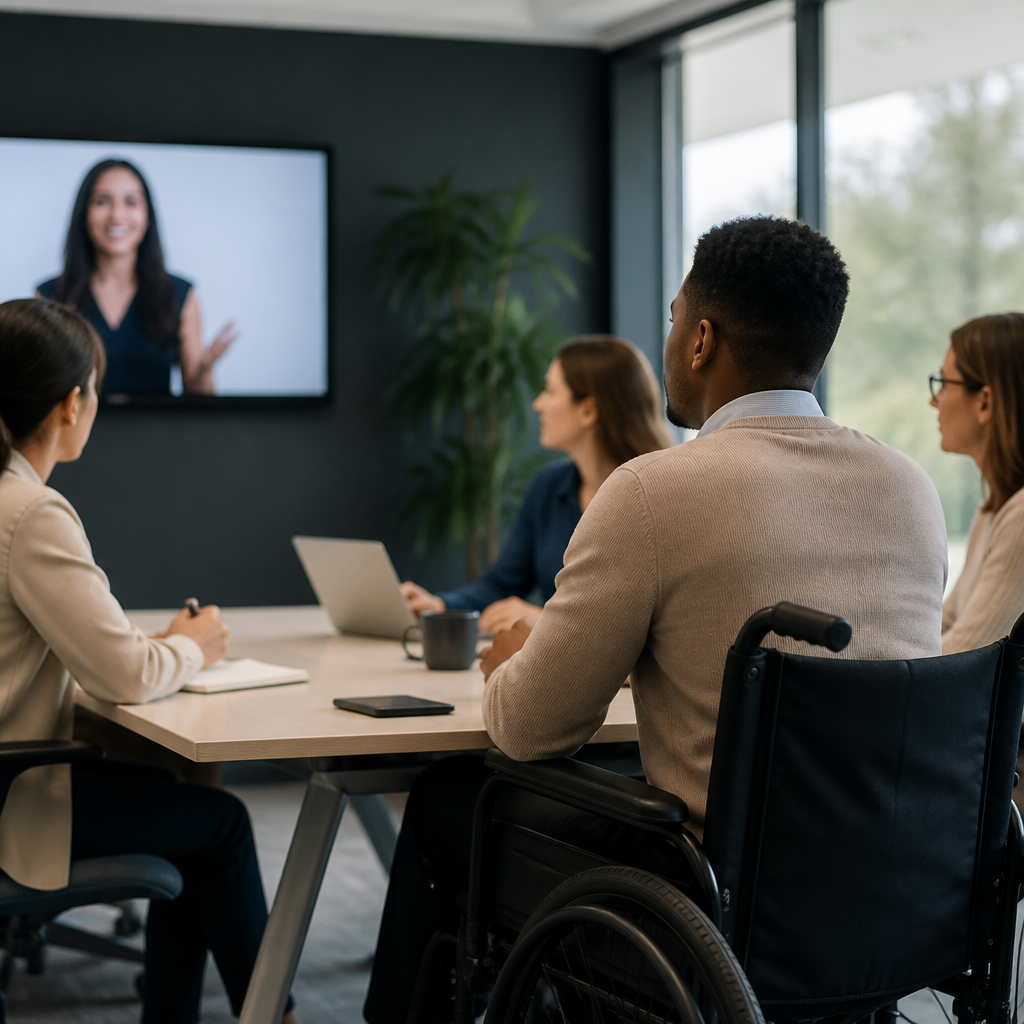
Accurate captioning is one of the most important access tools in modern communication because it converts spoken information into readable text that people can follow in real time or after the fact. In the context of the deaf and hard of hearing community, captioning means synchronized on-screen text for video, livestreams, webinars, classrooms, meetings, and public events, while transcription usually refers to a written record that may be edited, searchable, and formatted for later use. I have worked on video accessibility projects where a single missing word changed meaning, a speaker label prevented confusion, and a timing fix turned an unusable recording into a reliable learning resource. That practical reality is why accurate captioning matters for inclusion: it does not simply add convenience, it determines whether a person can participate fully, independently, and with dignity.
Inclusion is the consistent ability to access information, contribute ideas, and make decisions without avoidable barriers. For deaf and hard of hearing users, low-quality captions create barriers through omissions, speaker mix-ups, bad punctuation, mistimed text, and failures to identify important sounds such as laughter, alarms, music cues, or audience reactions. Accurate captions support comprehension, improve retention, and reduce cognitive load because viewers do not have to guess what was said. They also matter far beyond one audience. Students learning a new language, people watching in noisy spaces, employees joining meetings from trains or shared offices, and viewers processing dense technical content all benefit from high-quality captions. As digital communication moves across video-first platforms, hybrid workplaces, online learning systems, and telehealth services, captioning and transcription tools are no longer optional add-ons. They are core infrastructure for equitable communication.
What Accurate Captioning Actually Includes
Accurate captioning is more than turning speech into text. It includes verbatim or near-verbatim representation when needed, correct spelling of names and terminology, punctuation that reflects meaning, proper line breaks, readable display speed, synchronization with speech, and clear speaker identification. If two people are talking over each other in a town hall recording, captions must distinguish who is speaking. If a chemistry professor says “anion” and software captions “onion,” the transcript is not merely imperfect; it becomes educationally misleading. In healthcare, legal, and safety contexts, those errors can have serious consequences.
Good captions also capture non-speech information that contributes to understanding. Sound cues like “door slams,” “fire alarm sounding,” or “applause” can be essential context. Music descriptions can matter when tone or genre changes meaning. Established guidance such as the Web Content Accessibility Guidelines emphasizes synchronized alternatives and equivalent access, while broadcasters and streaming services often follow additional house standards for timing, line length, and readability. In practice, the best caption files are usually reviewed by humans even when automatic speech recognition creates the first draft. That review step catches domain-specific vocabulary, acronyms, accents, and the subtle grammar choices that machines still miss regularly.
Why Accuracy Directly Affects Inclusion
Inclusion fails when access is technically present but functionally unreliable. I have seen organizations celebrate that captions were “turned on,” while users still could not follow a policy briefing because the names, numbers, and action items were wrong. That is a common problem with auto-generated captions left unedited. A sentence such as “submit claims by fifteen June” can become “submit cleans by fifty June,” which is useless. Inclusion depends on dependable comprehension, not the appearance of compliance.
Accurate captioning supports autonomy. A deaf employee should not have to ask a colleague to summarize a meeting that everyone else heard directly. A student should not need to replay a lecture repeatedly because captions lag ten seconds behind the speaker. A parent watching a school announcement should not have to infer whether the event is on Tuesday or Thursday because dates were mistranscribed. When captions are accurate, people can engage at the same speed as others, ask informed questions, and trust that they received the full message.
There is also a social dimension. Poor captions signal that a user’s access was an afterthought, while accurate captions communicate respect. That trust matters in customer support, civic information, emergency messaging, higher education, and workplace communication. Organizations that invest in quality captioning usually improve their overall communication standards because they become more careful about microphones, turn-taking, presentation materials, and terminology management. Inclusion, in that sense, is operational as much as moral.
Captioning, Transcription, and Tool Choices
Captioning and transcription tools now range from built-in platform features to enterprise accessibility workflows. Video platforms such as YouTube, Zoom, Microsoft Teams, and Google Meet offer automatic captioning, which is useful for speed and scale. Dedicated providers like Rev, 3Play Media, Verbit, and CaptionSync combine speech recognition with human review, file delivery, integrations, and quality controls. Editors such as Descript, Camtasia, Adobe Premiere Pro, and Amara help teams clean text, sync timing, and export common formats including SRT, VTT, and SCC.
Choosing the right tool depends on use case. For a live company all-hands meeting, automatic captions may be acceptable as a baseline if a human Communication Access Realtime Translation provider is not available, but critical announcements still need post-event transcript correction and distribution. For university lectures, legal proceedings, compliance training, and public-facing brand videos, edited captions are the standard because the cost of misunderstanding is higher. The strongest workflows combine recording quality, terminology preparation, automated draft generation, human correction, and quality assurance before publication.
| Use case | Best captioning approach | Why it works |
|---|---|---|
| Live webinar | Automatic captions plus trained live captioner for high-stakes sessions | Balances speed with better accuracy for audience questions and speaker changes |
| Online course | Human-edited captions and downloadable transcript | Improves comprehension, searchability, and study support |
| Social media clips | Burned-in captions reviewed for timing and style | Maintains access on mute and preserves message clarity |
| Internal meetings | Platform auto-captions with transcript cleanup for decisions | Supports real-time access and creates usable records afterward |
| Medical or legal content | Professional captioning with subject-matter review | Reduces risk from terminology errors and missing details |
Where Automatic Speech Recognition Helps and Where It Fails
Automatic speech recognition has improved significantly, especially for clear audio from one speaker using standard vocabulary. It can lower turnaround time, reduce costs, and make captioning feasible for large archives or daily meetings. In practical workflows, I often recommend using automation for first-pass drafts because starting from a machine transcript is faster than typing from scratch. For internal content with limited shelf life, that may be enough if users understand the limitations.
However, automated captions still fail in predictable ways. Accuracy drops with overlapping speech, regional accents, poor microphones, industry jargon, code-switching, names, and fast conversational pacing. They also struggle with punctuation that changes meaning. “Let’s eat, team” and “Let’s eat team” demonstrate why commas matter. Numbers are another weak point. Earnings calls, class schedules, medication dosages, and web addresses often require manual correction. A platform may caption “www.accesshub.org” as “double double double access hub dog,” which defeats the purpose. That is why accessibility teams treat auto-captioning as a component, not a complete solution.
Real-World Settings Where Caption Accuracy Changes Outcomes
Education offers a clear example. In recorded lectures, accurate captions improve note-taking, search, and review for all students, not only those who identify as deaf or hard of hearing. A student can jump to the exact moment a professor explains photosynthesis, due process, or SQL joins by searching the transcript. Inaccurate captions remove that benefit and can even teach incorrect terminology. Many institutions now require captioned course media because accessible design also supports multilingual learners and students with attention or auditory processing challenges.
Workplaces see similar effects. In hybrid meetings, captions help employees follow discussion despite unstable audio, background noise, or unfamiliar accents. Accurate transcripts create records of decisions, owners, deadlines, and action items. I have seen project delays caused by a single mis-captioned figure in a product meeting, where “fifteen percent” became “fifty percent.” Correcting that afterward took hours and undermined confidence. Reliable captions reduce those risks.
Healthcare, public services, and media raise the stakes further. Patients using telehealth need exact medication names and care instructions. Government agencies publishing emergency updates need captions that get locations, dates, and safety actions right. Entertainment platforms need captions that represent humor, emotion, song lyrics, and speaker changes so deaf viewers receive an equivalent narrative experience. In each setting, inclusion depends on precision.
What Good Quality Control Looks Like
High-quality captioning is built through process, not luck. The first step is clean source audio: close microphones, minimal echo, and one speaker at a time whenever possible. The second is preparation. Provide glossaries for product names, technical terms, people’s names, and place names before a session starts. The third is editing for accuracy, synchronization, readability, and completeness. Captions should appear long enough to read, break at natural phrase boundaries, and avoid covering essential on-screen information.
Quality assurance should also include user testing. Ask deaf and hard of hearing participants whether captions are understandable in real conditions on phones, laptops, and televisions. Check whether the transcript is searchable, whether speaker labels are consistent, and whether exported files work across players and learning platforms. Teams that publish large volumes of media often maintain caption style guides covering capitalization, sound effects, filler words, profanity, and multilingual content. That consistency improves trust and saves editing time over the long term.
The Business, Legal, and Ethical Case for Accurate Captions
Accurate captions are often discussed as an accessibility requirement, but they are also a business and governance issue. Captions increase content reach because many users watch video with sound off, especially on mobile and social platforms. Search visibility improves when transcripts expose the substance of audio content to indexing systems. Internal knowledge management gets better when teams can search meeting records and training libraries by keyword. In every organization where I have seen captioning adopted seriously, discoverability and reuse improved alongside accessibility.
There are legal and policy reasons as well. Accessibility obligations vary by jurisdiction and sector, but schools, employers, public agencies, and digital service providers increasingly face expectations to provide effective communication. Low-quality captions can fail that standard even when some text appears on screen. The ethical case is simpler: if spoken information drives learning, work, safety, and participation, then making that information accurately available is a basic part of equal access.
How to Build a Better Captioning Strategy
Start by auditing where audio and video appear across your organization: websites, webinars, training modules, meetings, social clips, podcasts, support libraries, and event recordings. Rank each by audience size, risk, and lifespan. Then define service levels. For example, edited captions for public-facing and instructional content, enhanced live support for major events, and transcript cleanup for decision-heavy internal meetings. Select tools that integrate with your publishing stack and support standard file formats.
Next, assign ownership. Someone should be responsible for vendor management, glossary maintenance, spot checks, and remediation. Train presenters to use microphones well, state their names, and avoid talking over each other. Measure performance with practical metrics such as turnaround time, correction rates, user complaints, and transcript usage. Most important, include deaf and hard of hearing users in review. They will identify issues that dashboards miss, and their feedback turns access from policy language into reliable practice.
Accurate captioning matters for inclusion because it turns communication into something people can actually use, trust, and act on. It supports equal participation in classrooms, workplaces, healthcare, government, and entertainment by preserving meaning rather than offering a rough approximation. The strongest captioning and transcription tools are not defined only by automation or speed, but by whether they produce readable, synchronized, context-rich text that reflects what was truly said. When organizations combine the right tools with human review, terminology planning, and quality control, they create access that is dependable instead of symbolic.
As a hub for captioning and transcription tools within the broader technology and tools landscape for the deaf community, this topic connects software choices, workflow design, accessibility standards, and lived user experience. The key takeaway is straightforward: captions are only inclusive when they are accurate. Review your current videos, meetings, and learning content, identify where errors create barriers, and upgrade the workflow first where understanding matters most. Better captions improve access immediately, and better access improves inclusion for everyone.
Frequently Asked Questions
Why does accurate captioning matter so much for inclusion?
Accurate captioning matters because inclusion depends on equal access to information, not partial access. When spoken content is turned into clear, synchronized on-screen text, people who are deaf or hard of hearing can follow what is being said in real time rather than relying on guesswork, summaries, or delayed explanations. That access is essential in classrooms, workplaces, livestreams, webinars, meetings, medical settings, and public events where missing even a few words can change meaning, create confusion, or exclude someone from participating fully.
Captioning also supports a broader culture of accessibility. People may use captions because they are in a noisy environment, because audio quality is poor, because speakers have accents, because multiple people are talking, or because they process written language more easily than spoken language. In that sense, accurate captions do more than comply with accessibility expectations; they improve comprehension, engagement, and confidence for many different audiences. Inclusion becomes practical and visible when communication is designed so that everyone can follow along at the same time and with the same level of detail.
What is the difference between captioning and transcription?
Captioning and transcription are closely related, but they serve different purposes. Captioning refers to synchronized text that appears on screen as audio is happening or in alignment with recorded video. Its main role is to help viewers follow spoken dialogue and relevant audio information in real time or during playback. Good captions are timed correctly, match the speaker’s words accurately, and often include important non-speech elements such as laughter, music cues, or sound effects when those details help convey meaning.
Transcription, by contrast, usually refers to a written record of what was said. A transcript may be edited for readability, formatted by speaker, and used after the event as a document for review, reference, search, study, or recordkeeping. For example, a webinar may need live captions during the event so attendees can follow the presentation, and it may also need a transcript afterward so participants can revisit key points. Both tools improve access, but accurate captioning supports immediate participation, while transcription supports later use, documentation, and discoverability.
How can inaccurate captions create barriers instead of access?
Inaccurate captions can be actively harmful because they give the appearance of accessibility without delivering reliable communication. If captions drop words, misidentify speakers, fail to keep pace with the audio, or mistranscribe technical terms and names, viewers may misunderstand the message or miss critical context entirely. In educational, legal, healthcare, and workplace environments, these errors can affect learning, compliance, decision-making, and equal participation. A single mistranscribed sentence can change the tone or meaning of what was actually said.
Caption quality issues become even more serious in fast-moving or high-stakes settings. Imagine a live meeting where action items are assigned, a classroom where instructions are given only once, or a public event where safety information is announced. If captions are delayed, incomplete, or filled with errors, the person relying on them is left behind. That is why accuracy, timing, speaker clarity, and consistency are all central to accessible communication. Effective captioning is not just about putting words on a screen; it is about preserving meaning so people can participate with confidence and without disadvantage.
Where should accurate captioning be used?
Accurate captioning should be used anywhere spoken information is shared and people are expected to understand, respond, or engage. That includes videos, livestreams, webinars, online courses, virtual meetings, in-person presentations, classrooms, corporate trainings, social media content, conferences, public announcements, and community events. If audio is part of the message, captions help make that message accessible to people who cannot fully access sound. In many organizations, captioning is now viewed as a standard communication practice rather than a special add-on.
It is especially important to include captions in settings where participation, learning, or public access is the goal. Educational institutions use captions so students can follow lectures and review materials more effectively. Employers use them in meetings and training sessions to support equitable collaboration. Media creators use them to expand reach and improve viewer retention. Public-facing organizations use captions to make information available to broader audiences, including people watching on mute or in sound-sensitive spaces. In short, captioning belongs anywhere clarity, accessibility, and inclusion matter, which today is nearly everywhere communication happens.
What makes captions truly accurate and effective?
Truly accurate captions do more than repeat most of the spoken words. They reflect the actual content faithfully, appear in sync with the audio, and remain readable on screen. Effective captions correctly capture names, terminology, numbers, and context-specific language, which is especially important in technical, academic, legal, and medical content. They also identify speakers when needed and include relevant nonverbal audio cues, such as applause, laughter, or music changes, when those sounds contribute to understanding the moment.
Readability is another key part of effectiveness. Captions should be well-timed, properly segmented, and easy to follow without overwhelming the viewer. If text flashes too quickly, lags too far behind the speaker, or appears in awkward chunks, comprehension suffers even if the words themselves are technically correct. The best captioning balances precision, timing, and usability so the viewing experience feels natural and complete. When organizations prioritize those standards, they create content that is not only accessible in theory, but genuinely inclusive in practice.





