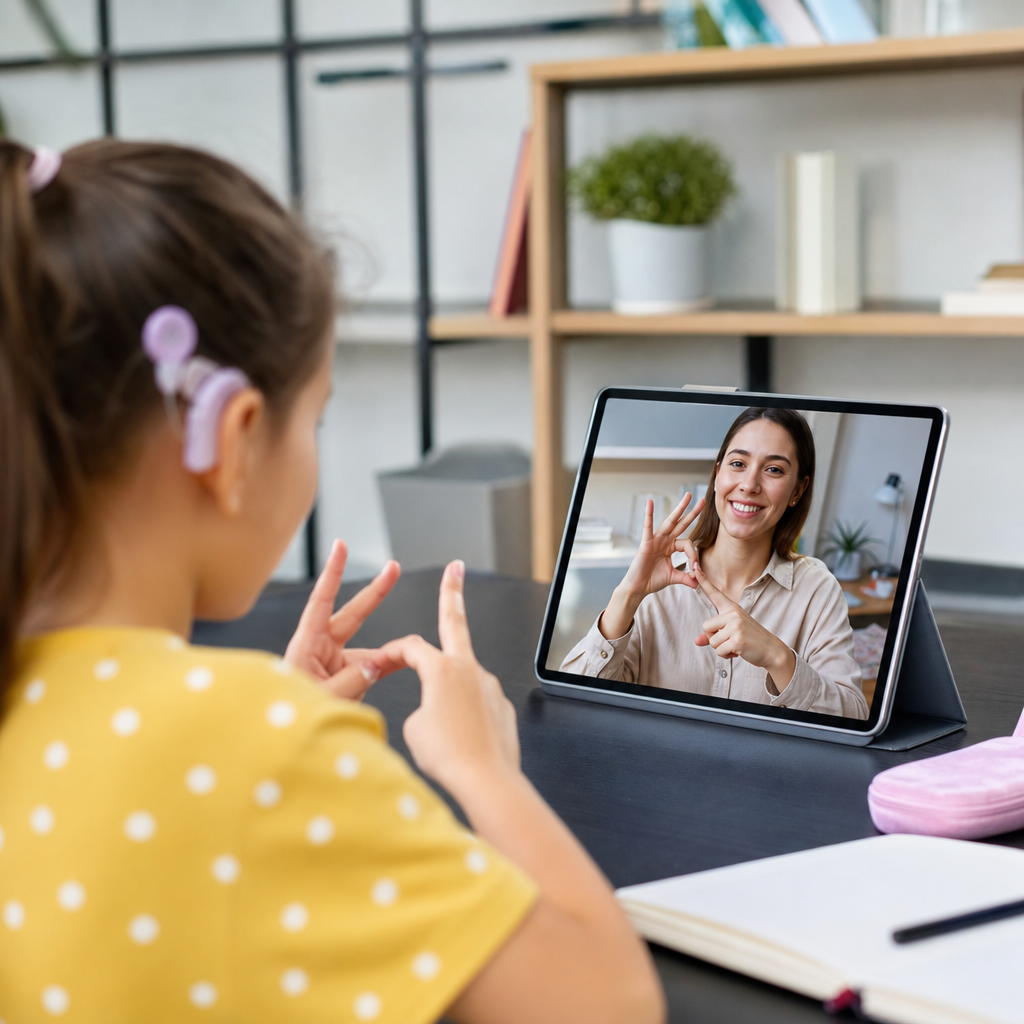
Interactive learning tools for deaf students have changed what access looks like in classrooms, tutoring programs, and home study, moving support beyond accommodation toward full participation. In this context, deaf students includes learners who are Deaf, deaf, hard of hearing, late-deafened, or who use a mix of spoken language, sign language, captions, visual supports, hearing technology, and text to learn. Interactive learning tools are digital or physical resources that respond to student input, provide immediate feedback, and present information in formats that can be seen, signed, manipulated, replayed, or practiced independently. This category includes captioned video platforms, sign-supported lessons, visual phonics apps, speech-to-text software, collaborative whiteboards, vibration-based feedback devices, game-based learning platforms, and course portals designed around accessibility from the start.
This topic matters because access gaps in courses and learning tools still shape achievement long before exams or graduation rates reveal the damage. I have worked with accessible course design teams and reviewed learning platforms where a single missing feature, such as inaccurate captions or an unlabeled diagram, made an otherwise strong lesson unusable. Deaf students often face barriers created by timing, language mismatch, audio-first instruction, and tools that assume listening is the default path to understanding. Interactive tools can reduce those barriers when they support visual attention, clear language, flexible pacing, and multiple ways to demonstrate knowledge. They can also deepen learning by making abstract ideas concrete through animation, simulation, signed explanation, and instant feedback.
As a hub for courses and learning tools, this guide explains which tools matter, how they support different learners, and what schools, families, and program leaders should look for before investing time or money. It covers core categories, practical classroom uses, platform selection criteria, and the role of teacher training. The goal is simple: help decision-makers choose tools that improve comprehension, language development, independence, and academic progress for deaf students rather than adding one more layer of inaccessible technology.
What makes a learning tool effective for deaf students
The best interactive learning tools for deaf students share a common design principle: information is available visually, clearly, and without forcing students to split attention between competing inputs. Split attention is a major issue in deaf education. A learner cannot watch an interpreter, read slides, track a teacher pointing to a diagram, and copy notes all at once without losing content. Effective tools reduce that burden by organizing information in one place, allowing pause and replay, and pairing concise text with meaningful visuals. They also support language variation. Some deaf students are native signers, some are bilingual in sign and written English, and some rely primarily on spoken language plus hearing aids or cochlear implants. No single format works for every learner.
Strong tools also provide immediate feedback. In practice, this means a math platform highlights why an answer is incorrect using color, symbols, or step-by-step animation instead of an audio buzzer. A reading platform might gloss unfamiliar vocabulary with images, signed clips, and plain-language definitions. Science simulations can let students manipulate variables and see cause and effect directly, which is especially valuable when classroom discussion moves quickly. Universal Design for Learning is a useful benchmark here because it emphasizes multiple means of representation, engagement, and expression. For deaf students, those principles are not optional enhancements; they are basic conditions for equitable access.
Another marker of quality is compatibility with assistive and communication supports. Tools should work smoothly with captions, transcripts, screen recording, visual alerts, and classroom display systems. If a course platform embeds videos, captions must be accurate, synchronized, and editable. Auto-generated captions can help as a draft, but technical vocabulary, names, and sign-related phrasing often require human correction. Effective platforms also preserve visual clarity. Small picture-in-picture interpreter windows, cluttered dashboards, and flashing side panels can make concentration harder. The question is not whether a tool is innovative. The question is whether it helps a deaf student understand, respond, and keep up without unnecessary cognitive load.
Core categories of interactive tools in courses and learning programs
Most courses and learning resources for deaf students fall into several practical categories. Captioned and transcript-based video lessons are foundational because they give learners control over pacing. Platforms such as Edpuzzle, Nearpod, and Panopto can turn passive video into an active lesson by embedding questions, pausing for checks, and storing transcripts for review. When these tools are used well, students can revisit exact segments they missed instead of guessing from partial notes. Sign-supported content is another major category. This includes courses delivered directly in American Sign Language or other national sign languages, as well as bilingual modules where signed explanation supports written text. For many students, especially younger native signers, direct instruction in sign language improves concept access and reduces language mismatch.
Interactive literacy and language tools are equally important. Vocabulary apps with image banks, morphology practice, sentence-building activities, and signed dictionaries can strengthen reading comprehension when they connect print to meaning instead of relying on sound alone. Tools like Quizlet can be effective if educators add strong visuals, short definitions, and class-specific examples rather than word lists in isolation. In math and science, manipulatives and simulations often outperform lecture-heavy instruction. Desmos, PhET Interactive Simulations, GeoGebra, and virtual lab platforms let students test ideas visually and repeatedly. For deaf learners, that visible cause-and-effect sequence is powerful because it lowers dependence on rapid oral explanation.
Collaboration tools matter too. Shared whiteboards, threaded discussions, and visual project platforms help deaf students contribute without waiting for spoken turn-taking. Tools such as Google Classroom, Padlet, Jamboard alternatives, and Microsoft Whiteboard can create more equitable participation when prompts are written clearly and responses are visible to everyone. Finally, accessibility support tools bridge gaps across subjects. These include speech-to-text apps for live transcription, caption editors, note-sharing systems, visual timers, and classroom alerting tools. Together, these categories form the backbone of accessible courses and learning programs.
| Tool category | Primary benefit | Good use case | Common risk |
|---|---|---|---|
| Captioned video platforms | Replayable instruction with text support | Flipped lessons and homework review | Inaccurate auto-captions |
| Sign-supported courses | Direct concept access in a natural language | Content-heavy units and early literacy | Overreliance on translation instead of original signed teaching |
| Interactive simulations | Visual cause-and-effect learning | Science experiments and graphing concepts | Weak written instructions |
| Collaborative whiteboards | Visible participation from all students | Group brainstorming and formative assessment | Cluttered screens that divide attention |
| Live transcription tools | Real-time text access to spoken instruction | Lectures, discussions, guest speakers | Errors with names and technical terms |
How interactive courses improve language, literacy, and content learning
Interactive courses work best when they are designed around language access, not retrofitted after complaints. Deaf students often need explicit bridges between academic language and concept knowledge. For example, a social studies course may contain dense terms such as federalism, migration, treaty, or industrialization. If the platform only presents these words in long paragraphs, many learners will decode text without fully grasping meaning. A stronger course links each term to a brief signed explanation, image, timeline, and short practice activity. That combination turns vocabulary from a memorization task into a usable knowledge system.
Reading development also improves when courses make structure visible. I have seen better outcomes when teachers use digital annotation tools to highlight main ideas, signal transitions, and model how to infer meaning from context. Deaf students may miss incidental language exposure that hearing peers absorb from conversation, radio, or overheard talk. Interactive lessons can narrow that gap by making language patterns explicit. Morphology tools that break words into roots, prefixes, and suffixes are especially helpful in upper elementary and secondary grades because academic texts become more specialized. Instead of expecting students to infer that biology, biography, and biodegradable share meaningful parts, a well-built module shows the pattern directly and lets students practice it.
In content learning, interactivity matters because it makes thinking visible. In mathematics, graphing software can show how changing one coefficient shifts an entire parabola. In science, a simulation can display particle movement, circuit flow, or ecosystem change in motion, replacing a spoken explanation that may be difficult to follow in real time. In writing, collaborative drafting tools let teachers comment on organization, evidence, and sentence clarity with visual cues and mini-lessons. The result is not merely better access. It is stronger learning because students can inspect, test, and revise their understanding instead of receiving information once and hoping they caught it.
Choosing platforms for schools, tutors, and families
Selecting interactive learning tools for deaf students requires more than checking whether captions exist. Decision-makers should evaluate language access, visual design, feedback quality, device compatibility, teacher controls, and data privacy. Start with language. Does the platform support signed instruction, editable captions, readable transcripts, and plain-language directions? If a tool depends heavily on audio cues, spoken discussion, or podcasts without robust text alternatives, it is a poor fit regardless of marketing claims. Next, examine visual design. A clean interface with strong contrast, predictable navigation, and limited distractions supports sustained attention far better than a flashy dashboard packed with pop-ups.
Feedback quality is another decisive factor. The most useful platforms explain errors in ways students can act on immediately. In algebra, that might mean showing where the equation balance changed incorrectly. In reading, it could mean identifying why a selected answer does not match the evidence in the passage. Device compatibility matters because many students move between school-issued Chromebooks, home tablets, and phones. If a tool functions only on one device or browser, consistency suffers. Schools should also test how platforms perform with classroom projection, split-screen video, and external displays used for interpreters or captions.
Families and tutors should ask practical questions before committing. Can the student use the tool independently after a short introduction? Are instructions available in text and sign? Is progress easy to monitor without invading privacy? Does the platform offer enough repetition for mastery without becoming monotonous? Cost matters, but hidden labor matters too. Free tools often require teachers to build accessibility supports themselves, while paid systems may include better analytics and content libraries. The best choice is rarely the most expensive platform. It is the one that matches the learner’s communication profile, academic goals, and daily environment.
Implementation strategies that make tools actually work
Even excellent tools fail when implementation is weak. Successful programs introduce one tool at a time, model how to use it, and connect it to a clear learning routine. If every class uses a different caption system, sign glossary, and assignment portal, students spend energy managing platforms instead of learning. Consistency reduces friction. Teachers should also front-load visual expectations. Show where captions appear, where key vocabulary lives, how to replay directions, and how to submit responses in text, video, or images. A short orientation saves repeated confusion later.
Teacher preparation is critical. Educators need training not only on software features but on deaf-specific access issues such as visual attention, lag time in interpreted settings, and the limitations of auto-transcription. In my experience, the most effective teachers script concise instructions, pause at natural intervals, provide written summaries before discussion, and review caption accuracy for essential lessons. They also collect student feedback regularly. A simple question such as “What part of today’s tool helped you understand fastest?” can reveal whether the barrier is language, pacing, layout, or background knowledge.
Finally, schools should measure impact with real indicators. Look at assignment completion, vocabulary growth, quiz correction patterns, discussion participation, and student independence. Do not judge a tool only by engagement metrics like clicks or time on task. A visually attractive app can still produce shallow learning if it lacks conceptual depth. The strongest implementation combines accessible design, teacher expertise, and ongoing review. When those pieces align, interactive learning tools become more than accommodations. They become a reliable pathway to stronger courses, better comprehension, and greater academic confidence for deaf students.
Interactive learning tools for deaf students are most effective when they are chosen and used as part of a complete access strategy, not as isolated add-ons. The core lesson across courses and learning tools is consistent: deaf learners benefit when instruction is visual, replayable, language-aware, and responsive to student input. Captioned video, sign-supported lessons, simulations, collaborative platforms, and live transcription can all improve outcomes, but only when they reduce cognitive load and make meaning clearer. Accessibility is not created by technology alone. It comes from the fit between the learner, the platform, the teacher, and the task.
For schools, this means evaluating tools with the same rigor used for curriculum decisions. For families, it means looking beyond marketing claims to whether a student can use a resource confidently and independently. For tutors and program leaders, it means prioritizing feedback, pacing control, and explicit language support. The strongest courses do not simply translate hearing-first instruction into text. They build learning experiences that respect visual attention, communication diversity, and the real ways deaf students process information. That is why this topic belongs at the center of any education and learning resources hub focused on courses and learning tools.
If you are building or reviewing a learning pathway for deaf students, start with one class or one course unit. Audit the captions, directions, vocabulary supports, response options, and visual layout. Then compare student understanding before and after improvements. Small changes often produce immediate gains. Choose tools that make access dependable, and the learning follows.
Frequently Asked Questions
What are interactive learning tools for deaf students, and how are they different from standard educational resources?
Interactive learning tools for deaf students are resources that actively respond to a learner’s input while making information accessible through visual, text-based, tactile, and communication-friendly formats. These tools can include captioned learning platforms, interactive whiteboards, sign-supported video lessons, speech-to-text apps, visual quiz systems, touch-based phonics or vocabulary programs, real-time transcription tools, educational games, and collaborative platforms that support typed, signed, or visual participation. Unlike standard educational materials that often assume students will primarily access content through spoken instruction or audio cues, interactive tools are designed to support engagement through multiple pathways.
The key difference is not just accessibility, but participation. A standard worksheet or lecture may be technically usable with accommodations, but an interactive tool can allow a deaf or hard of hearing student to respond immediately, manipulate content visually, receive feedback in real time, and communicate in ways that fit their language profile. For example, a science simulation with clear visuals, on-screen instructions, and captioned explanations can allow a student to test ideas independently rather than waiting for extra interpretation or clarification. In that way, interactive learning tools move beyond “helping students keep up” and instead create conditions where students can fully take part in learning from the start.
How do interactive learning tools improve learning outcomes for Deaf and hard of hearing students?
Interactive learning tools can improve learning outcomes by making instruction clearer, more engaging, and more responsive to how deaf students actually access information. Many deaf and hard of hearing learners benefit from strong visual presentation, immediate feedback, repeated practice, and flexible communication options. Well-designed tools support these needs by combining text, images, motion, captions, sign language content, color-coded prompts, and interactive tasks that reinforce understanding. This can reduce the cognitive load that often comes from trying to decode inaccessible instruction before a student can even begin learning the lesson itself.
These tools also support independence and confidence. When students can replay a captioned explanation, enlarge visuals, read instructions at their own pace, or respond through text instead of speech, they are more likely to stay engaged and persist through challenges. In classroom settings, interactive platforms can improve participation during group work, class discussions, and formative assessment because students are not limited to hearing-based exchanges. In tutoring and home learning environments, the same features can make practice more consistent and less frustrating. Over time, better access to instruction can contribute to stronger academic performance, improved language development, higher retention of new concepts, and a greater sense of belonging in the learning process.
What features should parents, teachers, and schools look for in effective interactive learning tools for deaf students?
Effective tools should first provide strong visual and language access. That means high-quality captions, readable on-screen text, visual instructions, uncluttered layouts, and support for signed or text-based communication where possible. If a tool includes video, captions should be accurate, synchronized, and easy to customize. If it relies on audio prompts, there should be equivalent visual or written alternatives. Tools should also avoid depending on sound effects alone for feedback, since that can create unnecessary barriers. Clear icons, visual progress markers, and color-supported cues are often especially useful.
Beyond access features, it is important to look for tools that allow flexible interaction and individualized learning. Good platforms let students control pacing, review material, repeat steps, and demonstrate understanding in more than one way. Progress tracking, built-in checks for understanding, and opportunities for collaboration can also be valuable, especially when they do not depend exclusively on spoken communication. For younger learners, engaging design and touch-based interaction may matter most. For older students, integration with note-taking, transcripts, discussion boards, and assignment systems may be more important. The best tool is not simply the one with the most features, but the one that aligns with the student’s communication preferences, age, academic goals, and learning environment.
Can interactive learning tools replace interpreters, teachers of the deaf, or other support services?
No, interactive learning tools should not be viewed as replacements for qualified professionals or individualized support services. Interpreters, teachers of the deaf, speech-language professionals, audiologists, and classroom teachers all play distinct roles that technology cannot fully duplicate. Human support is essential for language development, instructional adaptation, communication access, cultural responsiveness, and relationship-based learning. Interactive tools are most effective when they are used to strengthen instruction and increase access, not when they are expected to solve every barrier on their own.
That said, these tools can significantly enhance the work of support teams. A teacher may use an interactive platform to provide visual reinforcement after direct instruction. An interpreter may benefit when lesson materials are already captioned and visually organized. A tutor can use digital whiteboards, live text tools, or interactive practice platforms to make sessions more dynamic and accessible. At home, families can use the same tools to support review and communication around schoolwork. In other words, interactive learning tools work best as part of a broader ecosystem of accessible teaching, language-rich interaction, and individualized educational planning. They are powerful supports, but they are most valuable when paired with skilled human guidance.
How can schools and families successfully use interactive learning tools at school and at home?
Successful use starts with matching the tool to the student rather than expecting the student to adapt to the tool. Schools and families should consider how the learner best accesses information, whether through sign language, captions, printed text, visuals, spoken language with hearing technology, or a combination of methods. Once a tool is selected, adults should test its accessibility in realistic conditions: Are the captions accurate? Are directions easy to follow visually? Can the student participate without needing constant translation or troubleshooting? Can progress be monitored? A thoughtful trial period is often more useful than choosing a platform based only on popularity or general classroom appeal.
Consistency and communication also matter. Teachers, specialists, and families should aim to use tools in ways that reinforce each other across settings. For example, a classroom platform for vocabulary practice can also be used at home for review, giving the student familiar visuals and routines. Training is another important factor. Even excellent tools can fail if students are not shown how to use them strategically or if educators do not understand their accessibility settings. Regular check-ins can help determine whether the tool is improving comprehension, participation, and confidence. When schools and families treat interactive learning tools as part of an intentional access plan rather than an isolated add-on, they are far more likely to support meaningful learning and full participation.